Go to section
Spotlight SureThing.io - "OpenClaw" for BeginnersTask automation
The front page of AI.Used by 90M+ humans.

TAAFT Tutorial
Generate image
Tasks
Generate text
Free mode
Trending
Leaderboard
Characters
 Mini tools
New
Featured
Lists
Agents
Requests
Jobs
Map
Newsletter
Starter pack
Free tools
Speech to text
Text translator
Remove background
Settings
Edit profile
My tools
Gallery
Dashboard
Inbox
Get featured
Contact TAAFT
For you
Popular
Job impact index
Most saved
Affiliate program
Submit AI tool
Notification preferences
Glossary
Home
Timeline
My profile
Create tool
Deals
Companies
Models
Robots
Papers
Fundraises
Repositories
Devices
Organizations
Events
Prompt Pack
Merchendise
APIs
Features
Tools
Countries
Collections
Videos
Mini tools
New
Featured
Lists
Agents
Requests
Jobs
Map
Newsletter
Starter pack
Free tools
Speech to text
Text translator
Remove background
Settings
Edit profile
My tools
Gallery
Dashboard
Inbox
Get featured
Contact TAAFT
For you
Popular
Job impact index
Most saved
Affiliate program
Submit AI tool
Notification preferences
Glossary
Home
Timeline
My profile
Create tool
Deals
Companies
Models
Robots
Papers
Fundraises
Repositories
Devices
Organizations
Events
Prompt Pack
Merchendise
APIs
Features
Tools
Countries
Collections
Videos
Mini tools
New
Featured
Lists
Agents
Requests
Jobs
Map
Newsletter
Starter pack
Free tools
Speech to text
Text translator
Remove background
Settings
Edit profile
My tools
Gallery
Dashboard
Inbox
Get featured
Contact TAAFT
For you
Popular
Job impact index
Most saved
Affiliate program
Submit AI tool
Notification preferences
Glossary
Home
Timeline
My profile
Create tool
Deals
Companies
Models
Robots
Papers
Fundraises
Repositories
Devices
Organizations
Events
Prompt Pack
Merchendise
APIs
Features
Tools
Countries
Collections
Videos

▼ Latest
Ai retouching
Free mode
100% free
Freemium
Free Trial
Featured matches
-
-
 AI jewelry retouching, virtual try-ons & video — studio quality in secondsOpen
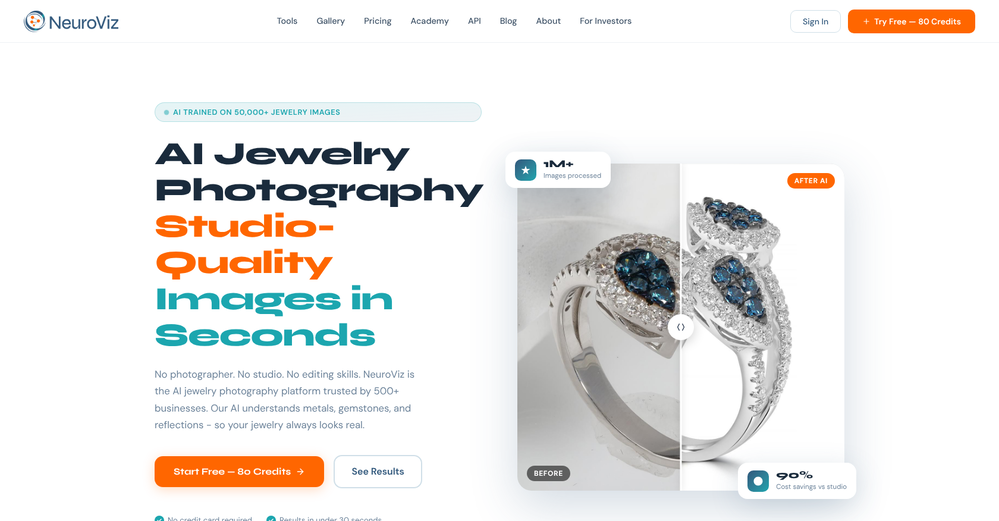 Admin Photigy🙏 1 karmaJun 16, 2026@NeuroVizWe teach product photographers for a living, so we're picky about what actually holds up to a pro eye. NeuroViz surprised us. The retouching keeps the real texture of metal and stones instead of plasticky AI smoothing — that's the part most tools get wrong. We've started recommending it to students who need clean catalog shots fast without losing the craft. It doesn't replace a good photographer, it just removes the boring 80% so you can focus on the shot that matters.
 -



Verified tools
-
 Remove the background & retouch your product photosOpen
 -
very good tool. done your work in seconds with Retouch Pro
- SpotlightSureThing.io - "OpenClaw" for BeginnersTask automation
-
Klayn looks really solid — simple to use, clean interface, and genuinely useful. It saves a lot of time on tasks that would normally take way longer. Definitely a tool worth trying!
-
 Open
Open -
 Open
Open -
img2img AI is the first image editor that actually replaced three tools on our team. I can upload a product shot, type what I want in plain English.
-
Realistic couple photo merge and creative generation!
-
tried it for quick photo cleanups, solid results. the bg remover is free with HD downloads and does clean cutouts on tricky edges. the full editor gives 5 daily credits, not badd
-
-
 Auto remove people from photos with AI.OpenMaybe not the best tool, I uploaded an image and it removed the main subject, didnt even think it was possible. Literally only the background was left
 -
I was able to generate great quality of photos. Photo quality is just amazing.
-
-
The Remove Background tool is designed to be quite simple and easy to use. As long as the image is uploaded, the machine can automatically recognize the subject and background range, quickly remove the background, turn it into a transparent background or apply a specific color
-
All of this tools offer API access, which is useful for developing your own AI tools at a low cost.
-
Asks for payment straight away, no way to establish an opinion without subscription.
-
 Enhance portraits with AI for stunning detailsOpen
 -
👋 Founder here! Celebrating our launch. If you want to test the pro features, just reach out via the website "Contact" form (mention TAAFT) and I'll set you up! 🚀
































Other tools
-
The tool is powerful, combining multiple AI modes and features. It can enhance images with just one click, colorize black-and-white photos, and remove watermarks effortlessly.
-
It's pretty good. transformed my regular selfie into a professional-quality portrait in seconds. Highly recommend!
- Didn't find the AI you were looking for?
-
-
 Openamazing 9/10 1 gone bcus need improvement but still w
 -
-
I really enjoy using Remini, but I can only rate it three stars for two main reasons: 1. The ads in the free version are too long and disrupt the experience. 2. The pro version is extremely expensive, making it hard to justify the upgrade.
-
A huge loss of detail after AI editing, because photos are only blurred (making it look sharper) and not really sharpened! Post-processing or correction is not possible.
-
 Transform photos into ultra-realistic studio portraits.Open
 -
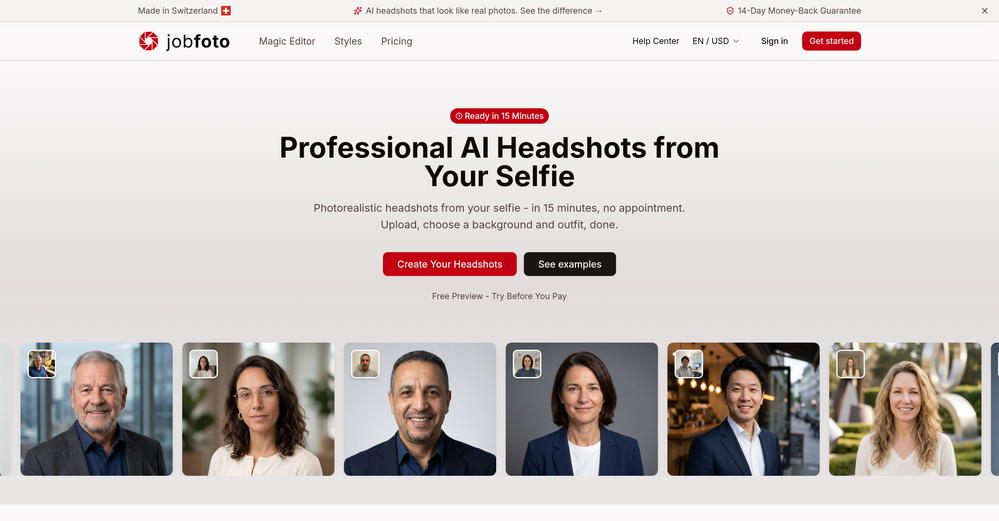
 Transform any description into stunning professional headshots using AI.Open