Go to section
Spotlight SureThing.io - "OpenClaw" for BeginnersTask automation
The front page of AI.Used by 90M+ humans.

TAAFT Tutorial
Generate image
Tasks
Generate text
Free mode
Trending
Leaderboard
Characters
 Mini tools
New
Featured
Lists
Agents
Requests
Jobs
Map
Newsletter
Starter pack
Free tools
Speech to text
Text translator
Remove background
Settings
Edit profile
My tools
Gallery
Dashboard
Inbox
Get featured
Contact TAAFT
For you
Popular
Job impact index
Most saved
Affiliate program
Submit AI tool
Notification preferences
Glossary
Home
Timeline
My profile
Create tool
Deals
Companies
Models
Robots
Papers
Fundraises
Repositories
Devices
Organizations
Events
Prompt Pack
Merchendise
APIs
Features
Tools
Countries
Collections
Videos
Mini tools
New
Featured
Lists
Agents
Requests
Jobs
Map
Newsletter
Starter pack
Free tools
Speech to text
Text translator
Remove background
Settings
Edit profile
My tools
Gallery
Dashboard
Inbox
Get featured
Contact TAAFT
For you
Popular
Job impact index
Most saved
Affiliate program
Submit AI tool
Notification preferences
Glossary
Home
Timeline
My profile
Create tool
Deals
Companies
Models
Robots
Papers
Fundraises
Repositories
Devices
Organizations
Events
Prompt Pack
Merchendise
APIs
Features
Tools
Countries
Collections
Videos
Mini tools
New
Featured
Lists
Agents
Requests
Jobs
Map
Newsletter
Starter pack
Free tools
Speech to text
Text translator
Remove background
Settings
Edit profile
My tools
Gallery
Dashboard
Inbox
Get featured
Contact TAAFT
For you
Popular
Job impact index
Most saved
Affiliate program
Submit AI tool
Notification preferences
Glossary
Home
Timeline
My profile
Create tool
Deals
Companies
Models
Robots
Papers
Fundraises
Repositories
Devices
Organizations
Events
Prompt Pack
Merchendise
APIs
Features
Tools
Countries
Collections
Videos

▼ Price
Content comprehension
Free mode
100% free
Freemium
Free Trial
Featured matches
-
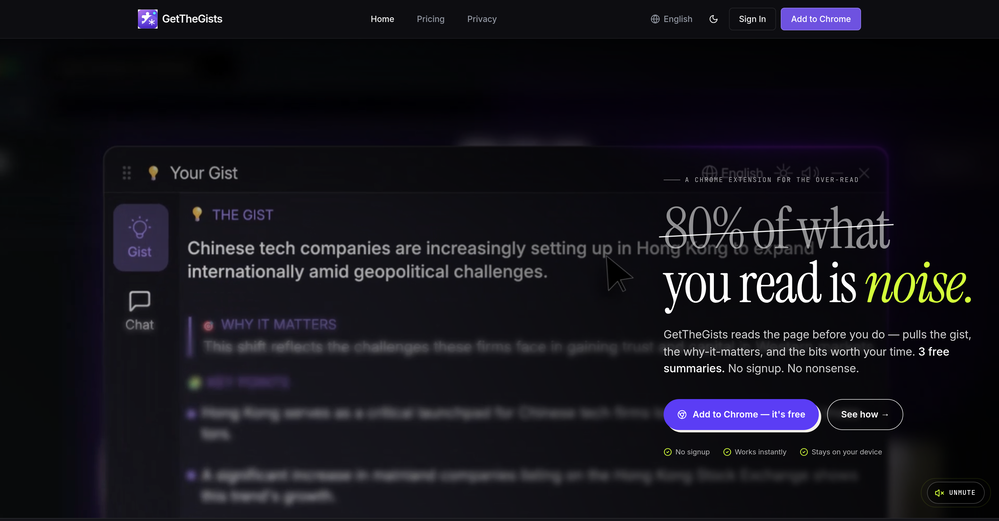
 GetTheGists🛠️ 1 tool 🙏 2 karmaMay 13, 2026@GetTheGistsThis started from a small frustration that wouldn't go away: I'd open 12 tabs for "research," skim none of them properly, and close my laptop feeling more behind than when I started. The web rewards reading speed, not reading depth — and I wanted a tool that flipped that. So I built GetTheGists: a Chrome extension that gives you the gist of any page in 3 seconds, then lets you ask follow-up questions like you would a smart friend who already read it. A few things we went out of our way to get right: - Cognitive hierarchy, not walls of text. Every summary is structured as Gist → Why It Matters → Key Takeaways → Implications. Compression before precision. - Ask, don't just read. Hit the page with follow-ups, get answers grounded in the content. - 20 languages, full dark mode, and a resizable side panel that actually respects your screen. What surprised me building this: the hardest part wasn't the AI — it was deciding what not to show. Every iteration was about removing a section, not adding one. It's free to try (Premium and Pro tiers if you want higher limits). I'd love your honest feedback — especially on the summary format and where it falls short on your favorite kind of page. I'll be in the comments all day. Thank you for taking a look 🙏
 -
-
-
-
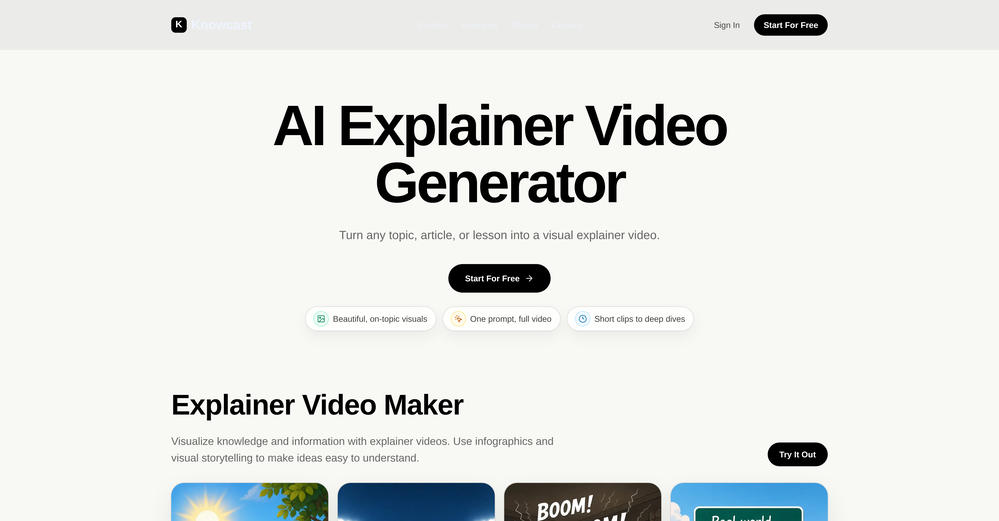 Been using Knowcast to keep up with new ideas and information, and I like how easy it is to discover and revisit useful content. The experience feels straightforward and helps cut through a lot of the noise, making it easier to stay informed without getting overwhelmed.
 -
-
-
 Process YouTube playlists faster — extract signal without watching every minuteOpen
 TubeYakker matches how I already use YouTube. Saving things for later and processing them bit by bit. The UI is pretty minimal, which I like, though it took me a minute to understand the intended workflow. Keep it up ;-)









Other tools
-
 Summarize content with AI-powered precision and efficiency.Open
 -
 Open
Open -
It seems to be working fine right now. Maybe try again and double check if you’re using the book’s original or most recognized title. That might make a difference.
- SpotlightSureThing.io - "OpenClaw" for BeginnersTask automation
-
I’m the developer of ClaviSay, and I’ve always struggled with learning foreign languages. But since I need to use them for work, I wondered if I could create an AI that would help me read more efficiently and save unfamiliar words—all while I’m actually reading content like BBC or Medium. Now I’ve made it happen—ClaviSay. All features are free, so feel free to use them as you like. You can also provide feedback at any time; ClaviSay offers a dedicated feedback channel. Thank you all.
-
Really simple approach - you select the part of the page you want the summary to be inserted, add a question to the article or it just sticks to the prompt you defined (even the standard prompt is a fun inspiration - never thought about letting the AI read an article from the angle of my professional background or let it build fun analogies for even the darkest articles). I use it to send articles from website directly to my Kindle - so you can basically read AI summarized articles on Kindle. Of course it could be extended but with the basic features it does the job.
-
- Didn't find the AI you were looking for?
-
I have tried to import a docx file, and it said that it can't extract content from it. I tried again with a PDF file and it worked like a charm. Hope you guys will fix this.
-
PDF Digest is a helpful AI tool that makes working with PDF files easier and saves time.
-
 Extract Wisdom from Any Link -- 6 AI Models, Haiku 4.5 SynthesizedOpenExtract wisdom from YT, websites, PDFs, any link. Multiple models catch what single perspectives miss. Organized thematically. Honest about uncertainty. Built for understanding, not compression. All feedback welcome!
 -
I am honestly impressed by the quality of questions generated. Looks better than the other study tools so far.
-
I am a medical faculty academician, and I use Turinq.com for my internal medicine exam questions. It’s amazing how it creates high-quality questions from my presentations based on Bloom's Taxonomy. It makes my job so much easier. THank you.
-
Great reader app that allows for importing many articles. I hope the interface can be made to look a bit better. 期待を込めて5星を。
-
-
-
Mindgrasp was the best upgrade from using Chat GPT for school cuz I can upload anything I want and get help from the AI and it’s really detailed notes and answers. It’s cheap too I only pay 9.99 per month
-
-
Undetectable.wtf is better bypasses everything maintaining thee integrity of the text.
-
I am a teacher of 5 very special students with profound multiple learning disaabilities in the age range of 10-15. can this ai app help these students learn better?
-
-
 Revolutionize your interaction with technology with Cognitiev Pro, the AI chatbot.Open
 -
-
 OpenThanks - are you looking to generate business ideas from the transcript as an extra feature?
 -
 Instantly summarize and chat with any webpage.Open
 -
 Breaking down classic literature with playful rhymes.Open
 -
 Analysing, adapting and enhancing your English texts.Open
 -
 Open
Open -
 Extracts and explains key insights from online articles, blog posts, and files.Open