
 Mini tools
▼ Latest
Pixel image
Free mode
100% free
Freemium
Free Trial
Featured matches

Verified tools
-
Photo Restore AI🛠️ 1 tool 🙏 7 karmaDec 3, 2025@PhotoRestore.ai👋 Founder here! Celebrating our launch. If you want to test the pro features, just reach out via the website "Contact" form (mention TAAFT) and I'll set you up! 🚀
- Sponsor:
 Base44💻 Vibe coding
 -
like it . I punch in 1920×1080 or 2000×2000 and it delivers the right size
-
-
GoEnhance's production from video to animation is impressive. It can go up to 2k 60fps, so exciting.
-
Hello, thank you for your review! When you create your account you get 25 credits (equivalent to one image) so yes there is a free trial.
-
Excellent to restore old interlaced video, and to add FPS in order to make the motion smooth. The best part is that is accessible in browser, from any device, no equipment request.
-
Fast updates, and every ai image and video model imaginable














Other tools
-
I enjoy testing new AIs for images and see what's new. This one has potential. It still messed up some features when I asked for people, but it's pretty consistent overall
-
It does not load the processor. Fast in operation.
-
-
The resulting face loses any resemblance to the original. It's just comically bad and slow. Maybe with a better model and more styles they could pass some sort of bar but not like this...
-
I've never seen an app with this pop style of avatar. I like the flat design style, which makes a Notion-like illustration for our avatars.
-
I want a logo for a traditional Persian carpet workshop in red color.
- Didn't find the AI you were looking for?
-
No demo. I won't buy credits without being able to use it first.
-
 Add personality to your Message chats with custom stickers.Open
 -
pixelicious was good as free tool, now requires payment for something very basic as pixelating an image
-
This is my favorite AI app for generating art. Yes, there are restrictions, as there should be for obvious reasons. But, if you know how to use the app and its various models and styles and are creative with your prompts, it can spit out some truly unique art. It currently has 15 models to choose from and 80 art styles. I'm pretty impressed with the images it comes up with, especially when combining certain models and styles together, e.g. Disney Anime, Toon You Surrealism, etc. Not to mention if you're a premium user, they permit you to use your generated art for commercial purposes (no more watermark on your images). The only reason I give it four stars instead of five is because the AI mostly sucks at drawing human hands and feet and has a tendency to mutate animals. A common problem with any AI art generator really.
-
I've tried so many image enhancing apps but I couldn't believe that this one works so much better than the others!
-
-
Pixelcut is not free if you want to generate AI images (5$). They lie about it on their website.
-
 OpenUuu this'll make creating shorts much easier, thank you!
 -
-
It generates a couple of very nice pixel art scenes. But then it seems to forget it is supposed to draw in pixel art style and starts drawing in regular cartoon style instead, or a combination of pixel art/cartoon style.
-
Thanks for the report. I'll try changing the prompt to improve the results.
-
 Transform blurry images into stunning ultra-high resolution masterpieces.Open
 -
 Open
Open -
well i have to admit these are not always pixelated, sometimes they turn out as normal looking images, but they are indeed stunning
-
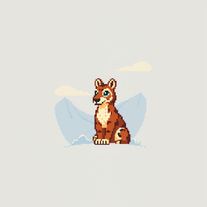
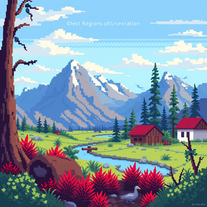 Transform ideas into vivid 8-bit pixel art.Open
 -
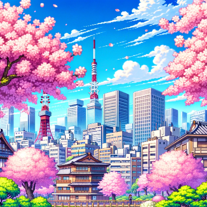
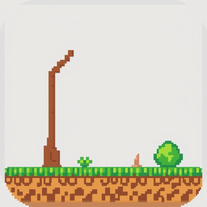 Transform ideas into vibrant 8-bit pixel art scenes.Open
 -
 Open
Open -
-
 Open
Open



































Post





