
 Mini tools
▼ Latest
Process flowcharts
Free mode
100% free
Freemium
Free Trial
Featured matches
-
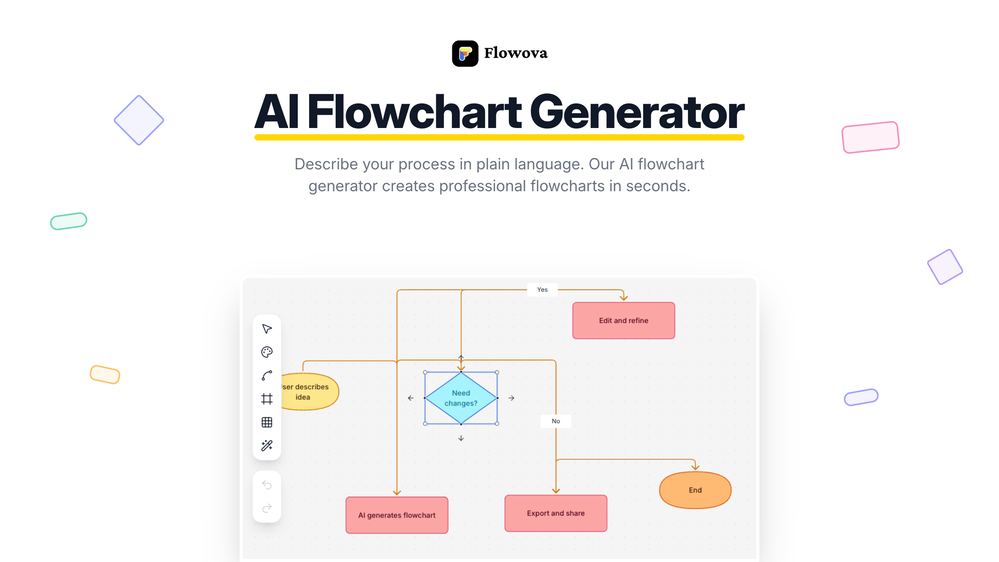
 jmcraft🛠️ 1 tool 🙏 5 karmaDec 14, 2025@Flowova AI👋 Hey, I'm the founder of Flowova! We built this because we were tired of spending hours dragging boxes in traditional flowchart tools. A few things you might not know: - Works with anything — text, images, PDFs, Word, PPT, Excel, even photos of whiteboard sketches - 40+ themes designed for presentations - Full Mermaid code support for developers Happy to answer any questions! 🚀
 -


Verified tools
-
 AI infographic generator that turns blog posts into link magnetsOpen
 -
Love FlowChai. I save so much time on writing content for my website.
-
- Spotlight:
 TendemTask automation
 -
We’re excited to introduce a major upgrade to AIDiagramMaker—designed to give you more control, faster iteration, and lower cost, while keeping AI where it adds the most value. ⸻ ✏️ Precision Editing with Faster Iteration (New) You can now edit diagrams directly on the canvas without relying on AI prompts. • Edit nodes, text, labels, and connections in real time • Refine AI-generated diagrams to achieve exact layouts and wording • Make instant updates with no waiting for AI responses • Save AI credits — manual edits do not consume credits This update dramatically speeds up iteration and makes final polishing effortless. ⸻ 🧠 Upgraded Diagram Code Editor (Monaco) The diagram code editor is now powered by Monaco, delivering a professional, developer-grade editing experience. • Familiar VS Code–style editing • Clear syntax highlighting and improved readability • Ideal for large or complex diagrams You can: • Modify diagram elements directly from the canvas • Switch between Edit Mode and View Mode for quick review • Use the D2 code editor for deep structural changes ⸻ 🔗 Create Diagrams Directly from GitHub (New) Generate diagrams straight from your GitHub repositories. • Supports public and private repositories • Ideal for architecture diagrams, system flows, and code visualization • Convert real codebases into clear diagrams in seconds ⸻ Why This Release Matters This release brings together AI speed and manual precision—so you can generate fast, refine instantly, and pay less in credits.





Other tools
-
-
 Create stunning hand-drawn flowcharts from text instantly.OpenI use AI Flowchart Generator to create flowcharts for my blog posts. It’s incredibly easy to use and saves me so much time. Now, I can turn my text to flowchart and make my posts more interesting and helpful for readers!
 -
Isn't it possible that when downloading a diagram from it, the diagram to have white background rather than black background.
- Didn't find the AI you were looking for?
-
Limitless possibilities, but templates available are subpar
-
Process Street has increased my efficiency in ways I didn't even know was possible especially with the AI-powered workflow builder and the insanely large template library!
















Post





