
 Mini tools
▼ Most saved
Templates
Free mode
100% free
Freemium
Free Trial
Featured matches
-
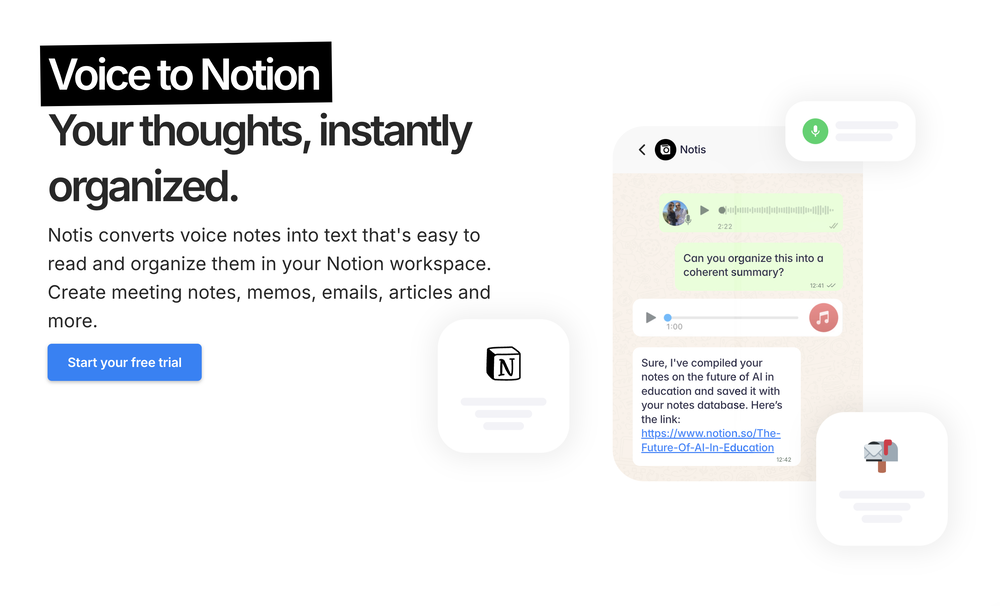 Notis is the AI intern one message away from your entire tool stack. Dictate ideas, delegate the busywork, and watch it update everything from your CRM to your socials — right from WhatsApp, iMessage, Telegram, or emails. In this week's release: - Much more reliable Stripe subscription startup + trial recovery — no more getting stuck in a bad billing state after a failed checkout. - Fixed trial credit cap: all trial users now consistently see and use a 5-credit cap, regardless of the plan they're trialing. - New safety rails in the orchestrator: delegation limits and hard caps on loop iterations so Notis doesn't run away on complex tasks. - Onboarding simplified — short onboarding is now the default for everyone, no more A/B test variations. - Portal now lands on Integrations by default instead of Databases. Old Notion integration is now fully retired. - CAF audio support — voice messages recorded on Apple devices now transcribe correctly. - Better TTS voice continuity — multi-part voice responses sound smoother and more natural. - Brazil phone number login fix — users with +55 numbers no longer risk duplicate accounts. - Connecting non-OAuth integrations no longer opens an unnecessary popup window.
 -
 Generate professional headshots with AI templates.Open
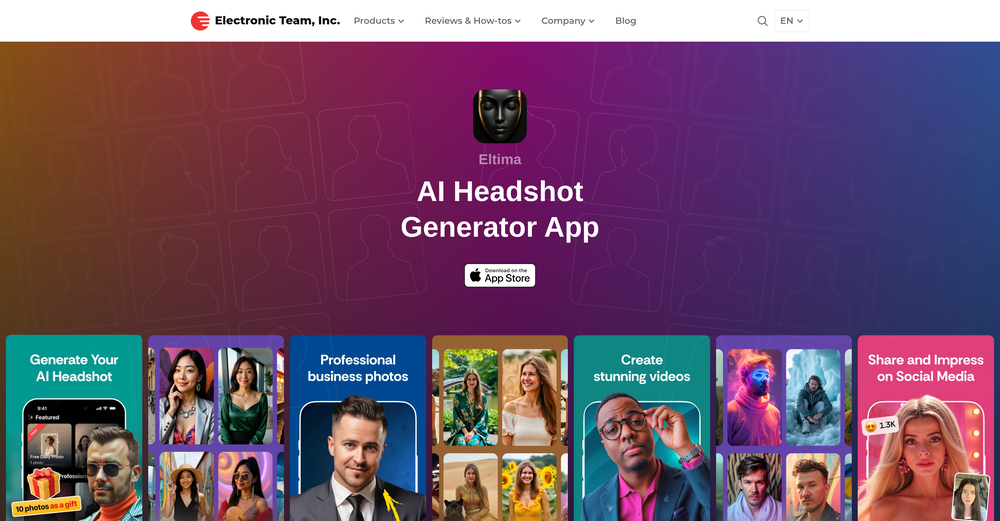 Ivan Korol🙏 17 karmaDec 19, 2025@Eltima AI Headshot Generatorideal for LinkedIn, CVs, social media
 -
-
 Big fan of 1Template. Building my resume is the bane of my existence, so this is something really helps me out. Nice one.
 -
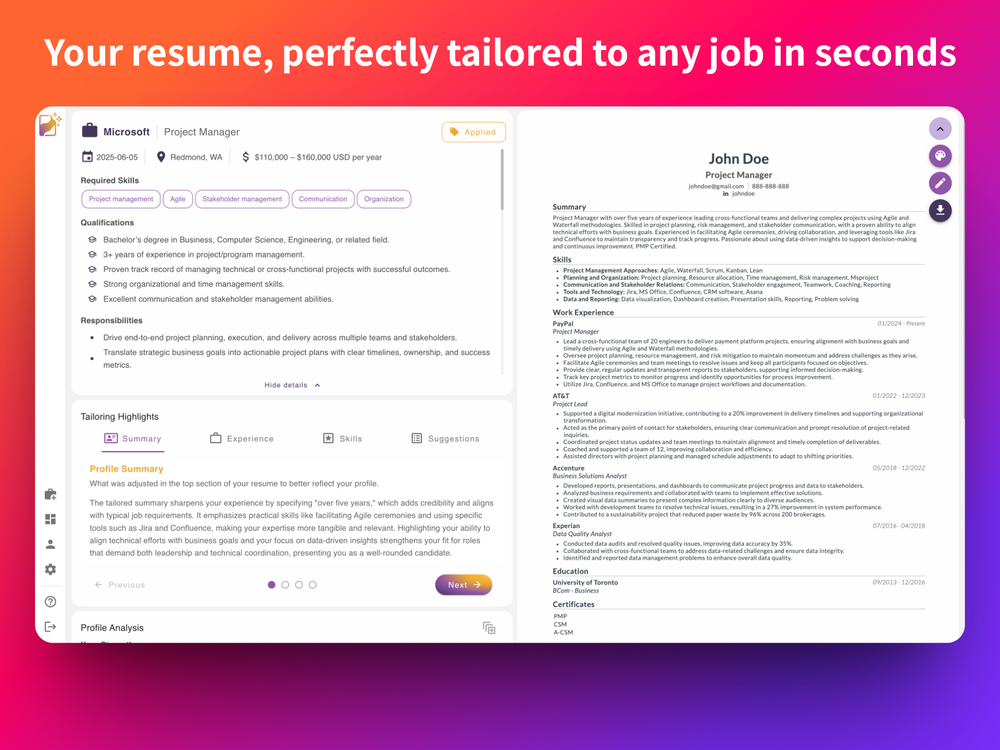 Definitely the best AI resume tailoring I've used so far. Easy to use, without the typical bloat, and the results were actually impressive.
 -
 Open
Open
-
 Apply spooky Halloween filters and scary makeup effects online for free.Open
-
-
-







Other tools
-
-
Very nicely done and detailed, Well structured and professional
-
 From a blank page to a professional business plan in a few clicksOpenI've used it for my new business. It save tons of time and money.
 -
BotDojo is one of the most powerful AI Agent builders I've found out there. As a non-technical marketer, it took me a minute to get familiar with the designer, but using the preexisting templates is super helpful! I am now running outreach 100% on autopilot. BotDojo personalizes the copy for each contact we reach out to by email and LI. It also takes care of the drip campaign that I run through Lemilist. LOVE IT! I really hope to see more templates coming up soon!
- Sponsor
 Rocket - Think it. Type it. Launch it.
 -
 AI-powered viral graphic design for trending content.Open
 -
-
A very clean website — simple, clear, and fast to generate results.
-
I’ve found Jogg.ai to be super convenient, especially for creating short ad videos for products! If you haven’t tried it yet, you should check out this tutorial: https://www.jogg.ai/blog/4-steps-to-create-your-product-video-ads-in-minutes/
-
 Create pro LinkedIn carousels in seconds, no design skills needed.OpenThis is an awesome tool for creating content very fast. I use it daily for my LinkedIn posts. However, you need to be crystal clear about what you actually want from it. Superb tool!
 -
Great tool. I use it a lot. It's free, you don't have to sign up, and it's quick. I also made a video on it https://youtu.be/wWQHOtY6cYE
- Didn't find the AI you were looking for?
-
 Creates professional portfolio outlines with personalized guidance.Open
 -
-
-
-
 AI-powered assistant for crafting compelling, personalized emailsOpen
 -
This is a very useful tool, especially for me as a small business owner. It keeps everything in one place
-
link is taking to pollo.ai which simply uses vidu ai model and charges double for extra some extra tools please either fix the link to actual vidu ai or change the name to pollo ai very misleading actual vidu ai link www.vidu.com
-
very good tool. done your work in seconds with Retouch Pro
-
-
Helped condense 2-3 hours of work to 30 minutes, just gotta review well. 5 stars
-
-
i wasted time to explain which format to build, provided all details including even the finished product to match it and simply the normal reply for any free AI tool on? how? explain!
-
 Open
Open -
Dorascribe is quick, accurate, and cuts down on admin work. Security seems solid. Looks promising.
-
 Design unique AI personas with depth and personalityOpen
 -
 Use AI to build sector-specific newsletters in seconds with editing suiteOpenVery useful, going to start one for each of my clients
 -
It works great and is super easy to use. There are several different layouts to choose frim that are all quite nice.
-
 Open
Open -
-
Genuinely did not expect the sheer capability of this tool. I thought it would just make the text part of the e-mail but no, it just can generate the entire thing, and it allows you to take it and edit it further to your liking. Mind blown.
-
 Chain AI tasks with no-code into workflows for chatbots, video, documents, andOpenThis tool removes all of the prep work of getting an LLM API endpoint running. I can try out ideas quickly and see within minutes whether an endpoint concept actually works. And when it does, moving it into a production app is about as easy as it gets.
 -
-
Wish I would have found this before hiring a designer! Wow.
-
 Open
Open -
-
Helped me save time and drive up my DR tremendously. This is SEO on autopilot in every sense of the word.
-
-
This ai is insane, i recommended it to everyone. It's pretty fast, have alot of options and the cost of it is low for what it gave. Really good.
-
 Build AI apps faster with 10 ready-to-use demo apps and powerful integrationsOpen
 -
Solid hub for socials. Schedules to a lot of platforms in one place with ai post ideas and short-form tools, plus a free tier to try things out. I like the planner and analytics, ui feels busy at first but once you learn the flow it moves fast.
-
 AI-generated intimate watercolor couple portraits with perfect identity matching.Open
 -
 OpenVAN GOGH FREE VIDEO GENERATOR 2.0 – Update Highlights 1.Choose the New VAN GOGH FREE Mode – Users can now select the VAN GOGH FREE mode to generate videos for 0 credits. 2.Unlimited Generation for Paid Users – Paid subscribers can generate unlimited videos and images at 0 credits. 3.New AI Effects Added – Explore a wide range of exciting new AI-powered effects. 4.Pricing and Subscription Optimized – Added a one-time credit pack and introduced a lower-priced Starter subscription plan. 5.New User Annual Discount – New users can enjoy 50% off annual subscriptions. 6.Exclusive TAAFT Platform Offer – TAAFT users receive an additional 20% off. Enter promo code TAAFT at checkout.
 -
👋 Hey everyone — I’m Yusef, founder of Jamy. We built Jamy because we were tired of wasting time after meetings — rewriting notes, chasing action items, and trying to remember what was actually said. Jamy handles all of that automatically: it joins your calls, transcribes, summarizes, pulls tasks and quotes, and even sends branded follow-ups. It works with Zoom, Google Meet, Teams, and phone calls — and connects with tools like Slack, Trello, and Notion. If you’re curious, give it a spin — jamy.ai. Would love your feedback! — Yusef
-
-
GenerateAds.ai is a fantastic tool to quickly create world-class ads for Meta, Google, Instagram - you name it. Just with a little input, the tool is able to create designs that rival the most talented designers. I wholeheartedly recommend this app.
-
Looks great, I really appreciated that it gives you credits to test it out first, not many video tools do that. Makes it way easier to actually see what it can do before paying. Nice experience overall :)
-
Used this for a eulogy I had to write and I'm not gonna lie, it helped me find the right words when I was completely stuck. Sometimes you just need that push to express what you're feeling. Surprisingly thoughtful tool
-
Confusing to start, but eventually it made sense. I would consider using this to design your own brand's email
-
We built UPCV with a simple intention: to make writing a resume no longer the most frustrating part of the job search. We’ve spent a long time refining our guided questions, real-time formatting engine, ATS-friendly structure, and multilingual support. We’ve also talked to many real job seekers to better understand their challenges. Whether you’re writing your first resume, switching careers, coming off a gap, or just struggling with layout and structure — we hope UPCV helps you take that step more easily and frees up your time for what truly matters: building a better future for yourself. Thank you for choosing to click on us in a sea of tools. We’ll keep working hard to make it even better.
-
-
Super simple, beautiful integration into a broad range of workflows.
-
 AI-powered templates for efficient paranormal investigations.OpenBetter than others I've found thus far, yet still lacking what I consider a full, complete or thorough report form. Still, a great place to start.
 -
CodePup AI is incredible — it makes generating professional websites effortless with zero coding required.
-
I was skeptical about the "one-click video" claim, but I gave TemVideo a shot for a new product I'm testing. The biggest headache with AI video tools is usually the prompt engineering—you spend 30 minutes typing descriptions just to get a weird-looking hand. TemVideo completely bypasses that. My honest take after using it: The "From Raw Footage" feature is the real MVP. You know those random 10-second clips you take on your phone just to check lighting? The AI somehow turns those messy scraps into coherent ads. It’s almost spooky how well it edits around the product. It’s built for speed. If you are a dropshipper who needs to test 5 different products today, this workflow is unbeatable. Upload, click, done. I had an export ready faster than I could find a coffee. Multi-language is a bonus. It’s smart they included localization. If you sell globally, having the AI handle the lip sync and narration in different languages from one workflow is a massive time-saver. Best part? The built-in "Viral Hooks" library. It takes the guesswork out of what text to put on screen to stop the scroll.
-
The free version of ViralPulseAI works just as expected – it generates text for posts. While it doesn’t track news or trends, it’s still a solid starting point for basic content generation. It’s a useful tool for anyone needing quick text posts without much customization. As a free option, it offers just enough to get by. But for more advanced features, you’ll need to consider upgrading to the premium option. The premium version, which I tried for a month, is where this tool really shines. All I had to do was input a few details about my business, industry, and product, and within 24 hours, I was receiving high-quality Reels, Carousels, and posts with images—all automated. It’s a game-changer for anyone who needs to streamline social media management. No intervention needed on my part, and that’s exactly what I was looking for. Kudos to the developer for creating something so efficient!
-
This software helped me achieve the results I wanted! It’s incredible!
-
I tested a few AI presentation tools and this one works smoothly inside Google Slides.
-
Glad to see LitVideo listed here. Have been using it for a while. Easy to use, and LitVideo provides a relatively low-cost entry point into AI video creation.
-
 Open
Open -
Great tool for developing business ideas and more. Also made a video on it here: https://youtu.be/ozmFFMiFLwM
-
Xpptx: Your One-Click Professional PowerPoint Solution. Making PowerPoint & Slides Creation Easier
-
I tried this and found it kind of disappointing. It’s expensive to pay maybe $4 or $5 just for the prompt. It didn’t feel worth it to me. But it was still helpful for getting some design ideas and playing around with the free ones
-
-
Every claim on this site starting with #1 Free use as many times as you like is false. Dont waste your time! "https://imagetovideoai.run/#:~:text=1,as%20you%20need.
-
Bro this is confusing. Can't you create video explaining how to use this. I create explainer videos for tools I'll create it if you like
-
 AI-powered Christmas greeting card generator creating festive designs.Open
 -
xeditai.com has options that most chat AIs lack, 1) Options to choose multiple vendor 2) Save content online 3) Regenerate by Section/Paragraph switch model to regenerate 4) Edit/Add text or image 5) Add branding and export 6) Run Parallel and copy across by Section/Paragraph 7) Run Strategy mode to a maximum of 3 LLMs to evaluate/synthesize/debate 8) Optionally switch templates to target output to different format 9) Tweak roles, thinking, model params 10) Use suggested next steps to follow up or target next template by process for e.g. BRD-> PRD
-
So cute! It's actually crazy how real the dance moves look. Highly recommend using high-quality photos for the best result.
-
Create and share Mermaid diagrams instantly in your browser
-
img2img AI is the first image editor that actually replaced three tools on our team. I can upload a product shot, type what I want in plain English.
-
Easy to use. If you select Trump's voice, type Epsteen rather than Epstein. Pronunciation is perfect hehe.
- Waitlist
-
 Generate custom invitations with AI in seconds.OpenWith minimal effort I was able to make the perfect invite for my event, Loved it.
 -
-
 OpenI recently tried legasite.io The process was straightforward. You paste in your site’s URL, choose a template, and wait. It didn’t take long before I got a downloadable version built with modern structure (Next/React.js). That alone saved me a decent chunk of manual setup time. The generated layout was clean and usable. Overall, I’d say it’s genuinely useful if you’re modernizing legacy sites and want a head start with the possibility of refining the output if the original website has messy interactions or complex structures.
 -
 OpenHere's the rundown. If you thought image editing like Photoshop or Affinity Photo, you were wrong. It's 100% insert a photo and put a filter over it or change it into another AI image. Signing up for an account gets you 4 credits. Enough for one image to image generation. Instead, you should go to aistudio.google.com. This Dreamega site is just using google to generate their stuff anyways. You can do this yourself without paying per generation, the only difference is you need to type the prompt yourself. Is it worth paying some overblown monthly subscription on Dreamega for something you can do yourself or something you'll probably only do once?
 -
 Translate and edit webpages with AI in seconds.Open
 -
 AI-powered Gmail assistant. Get instant email summaries, task extraction, replies +moreOpen
 -
I got some free credits to try the app when I signed up, I could create a few great infographics
-
 Open
Open -
 Open
Open -
would've loved to test out more features as a free user but it looks really promising. keeping an eye 👀 (or two) on this one until i decide.
-
 AI documentation that stays fresh and reduces support tickets.Open
 -
 Open
Open -
-
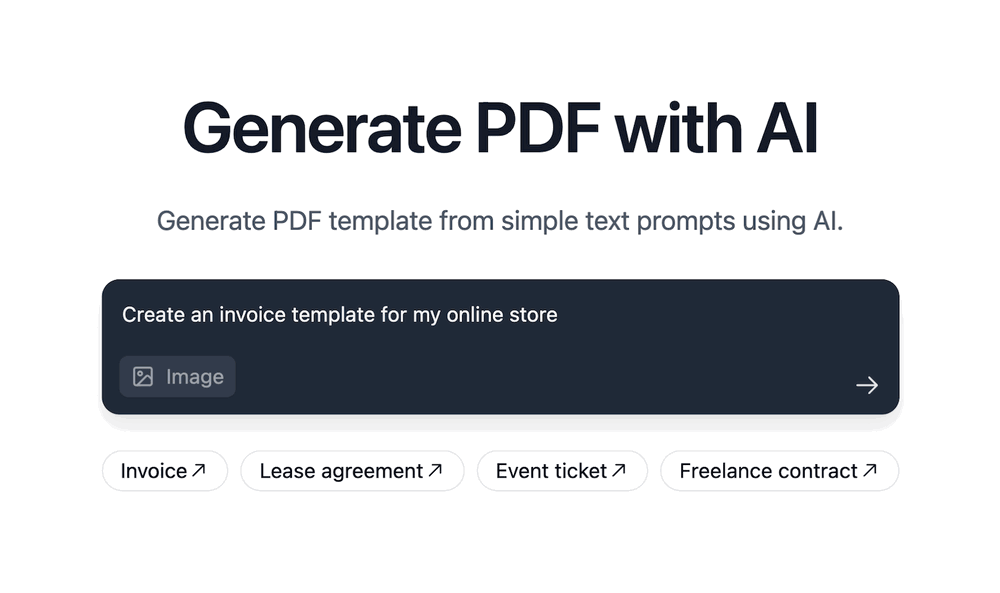
Assists with PDF and template formatting for a professional look.OpenThough doesn't format pdf correctly, however saved my time, so far good tool
-
 Notion template and integration advisor, avoiding legal/financial adviceOpen
 -
 Open
Open -
 Open
Open -
 Creates empathetic and effective customer service responsesOpen






























































































































































Post





