Go to section
Spotlight SureThing.io - "OpenClaw" for BeginnersTask automation

 Mini tools
New
Featured
Lists
Agents
Requests
Jobs
Map
Newsletter
Starter pack
Free tools
Speech to text
Text translator
Remove background
Settings
Edit profile
My tools
Gallery
Dashboard
Inbox
Get featured
Contact TAAFT
For you
Popular
Job impact index
Most saved
Affiliate program
Submit AI tool
Notification preferences
Glossary
Home
Timeline
My profile
Create tool
Deals
Companies
Models
Robots
Papers
Fundraises
Devices
Organizations
Events
Prompt Pack
Merchendise
APIs
Features
Tools
Countries
Collections
Videos
News
Investors
Repositories
Mini tools
New
Featured
Lists
Agents
Requests
Jobs
Map
Newsletter
Starter pack
Free tools
Speech to text
Text translator
Remove background
Settings
Edit profile
My tools
Gallery
Dashboard
Inbox
Get featured
Contact TAAFT
For you
Popular
Job impact index
Most saved
Affiliate program
Submit AI tool
Notification preferences
Glossary
Home
Timeline
My profile
Create tool
Deals
Companies
Models
Robots
Papers
Fundraises
Devices
Organizations
Events
Prompt Pack
Merchendise
APIs
Features
Tools
Countries
Collections
Videos
News
Investors
Repositories

Unblur pdf
Featured matches
-
-
-
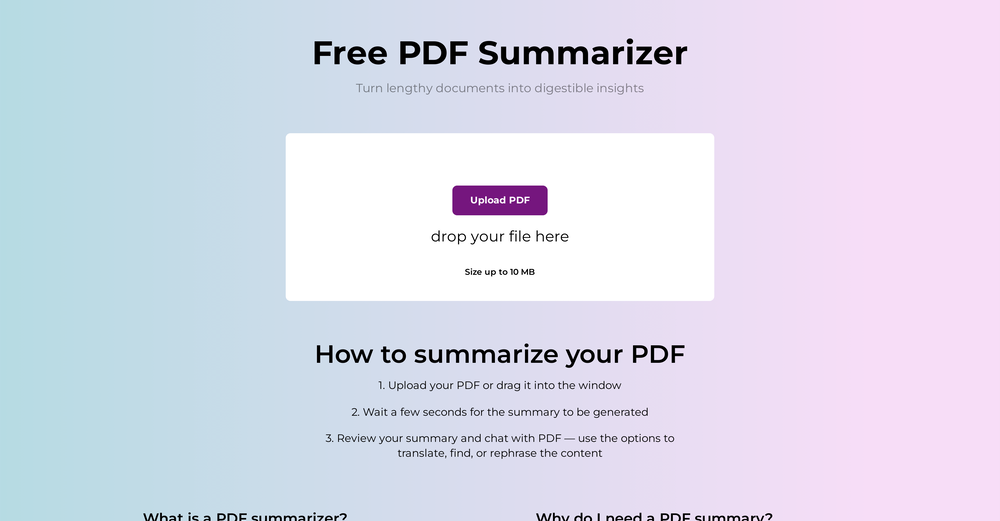
We've shipped a major update that turns our PDF summarizer into a full document summarizer.
Now more than just PDFs — 14 formats supported You can now summarize far more than PDFs. In addition to PDF, the tool now handles:
-
Documents & spreadsheets: Word (DOCX), Excel (XLS, XLSX), PowerPoint (PPTX), TXT, Markdown (MD), HTML
Images: JPG, JPEG, PNG, GIF, WEBP
E-books: EPUB, FB2, MOBI
Upload almost any file and get the same clear, structured summary with key points in seconds. -
New languages
Added full localizations for Thai, Korean, and Indonesian, so more users can summarize and read results in their own language. -
Bigger files
Increased the maximum file size from 10 MB to 50 MB — summarize longer reports, books, and spreadsheets without splitting them.
As always: 100% free, no registration, and no usage limits.
-



Verified tools
-
 OpenShawn Lee🛠️ 3 tools 🙏 84 karmaAug 20, 2025@Unblur Image by UluchI really appreciate you trying it out and sharing this! 🙏 The tools should work, but sometimes the verification gets stuck depending on the network. I’ll work on making this smoother. Thanks again!
 - SpotlightSureThing.io - "OpenClaw" for BeginnersTask automation
-
The translation is good enough. It's free, so waiting longer for the result is not a problem
-
 Chat with any PDF, ask questions, summarize and extract insights effortlessly.OpenThe maximum number of pdf pages for the free tier is 10, which is a bit small. Generally, I think people need this service for pdf documents over 50 pages or so.






Other tools
-
it's a quick and effective tool for reviving old, low-quality, or motion-blurred images
-
-
-
Good to use even for free. Gives answers related directly to the info in the document, along with references to pages where it can be found. Also does well at analyzing graphs and charts
-
 AI-powered PDF assistant for summarizing, translating, and creating content.Open
 -
 Open
Open - Didn't find the AI you were looking for?
-
First week is free (hence 3 stars when it would have been 1 otherwise) then you have to pay £81 / year or £9 / month which for a light or occasional user is very expensive. There really needs to be a sensible ’document limit’ to back up the very good trial period.
-
 Open
Open -
Not bad, its freemium and the feature is good like private pdf and support OCR
-