TAAFT Tutorial
Generate image
Tasks
Generate text
Free mode
Trending
Leaderboard
Characters
 Mini tools
New
Featured
Lists
Agents
Requests
Jobs
Map
Newsletter
Starter pack
Free tools
Speech to text
Text translator
Remove background
Settings
Edit profile
My tools
Gallery
Dashboard
Inbox
Get featured
Contact TAAFT
For you
Popular
Job impact index
Most saved
Affiliate program
Submit AI tool
Notification preferences
Glossary
Home
Timeline
My profile
Create tool
Deals
Companies
Models
Robots
Papers
Fundraises
Repositories
Devices
Organizations
Events
Prompt Pack
Merchendise
APIs
Features
Tools
Countries
Collections
Videos
Mini tools
New
Featured
Lists
Agents
Requests
Jobs
Map
Newsletter
Starter pack
Free tools
Speech to text
Text translator
Remove background
Settings
Edit profile
My tools
Gallery
Dashboard
Inbox
Get featured
Contact TAAFT
For you
Popular
Job impact index
Most saved
Affiliate program
Submit AI tool
Notification preferences
Glossary
Home
Timeline
My profile
Create tool
Deals
Companies
Models
Robots
Papers
Fundraises
Repositories
Devices
Organizations
Events
Prompt Pack
Merchendise
APIs
Features
Tools
Countries
Collections
Videos
Mini tools
New
Featured
Lists
Agents
Requests
Jobs
Map
Newsletter
Starter pack
Free tools
Speech to text
Text translator
Remove background
Settings
Edit profile
My tools
Gallery
Dashboard
Inbox
Get featured
Contact TAAFT
For you
Popular
Job impact index
Most saved
Affiliate program
Submit AI tool
Notification preferences
Glossary
Home
Timeline
My profile
Create tool
Deals
Companies
Models
Robots
Papers
Fundraises
Repositories
Devices
Organizations
Events
Prompt Pack
Merchendise
APIs
Features
Tools
Countries
Collections
Videos

▼ Latest
Video editing tool
Free mode
100% free
Freemium
Free Trial
Featured matches
-
-
-
 Turn any song into scroll-stopping videos in minutes with AI-directed scripts andOpen
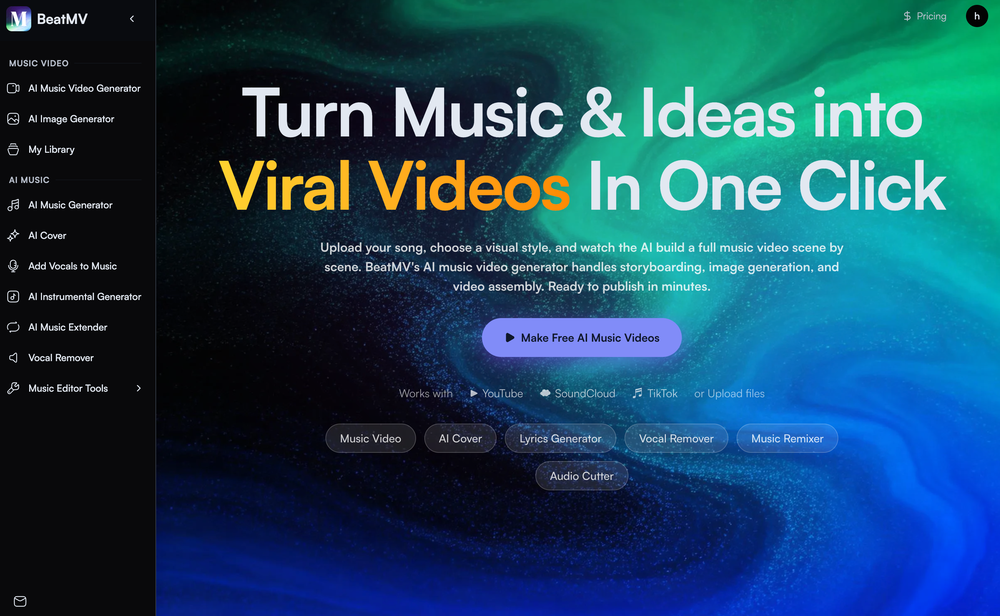 🎬 BeatMV v3.1 — Product Update Direct your music video in the visual language of the masters — real cinematic framing, not just a color filter. ✨ New Features 🎬 Signature Director Styles Shoot in the style of legendary directors. Each style carries a true shot-scale mandate — e.g. an intimate, close-up-driven look that bans drone and wide establishing shots — so your video actually feels directed, not just recolored. The style flows into every scene's framing automatically. 🎭 Full-Screen Script Reference Editor A redesigned, full-screen reference workspace for story-mode videos. Edit references per chapter across scene, character, costume, and prop — each with its own prompt, result, history, and one-click retry. 👗 Costume Consistency Sheet Costume references now generate as a four-view outfit sheet, so your character wears the same outfit — front, side, and back — across every shot of the video. 🔧 Improvements & Fixes 🎞️ Cohesive Storyboard Video Storyboard-to-video now renders with native audio and uses your reference image as the first frame (instead of the grid panel), for a character-first, consistent result. 🎯 Style That Actually Lands Director styles now drive shot scale and composition — not only palette — so the chosen look reads clearly in the final cut.
 -
-
-
-
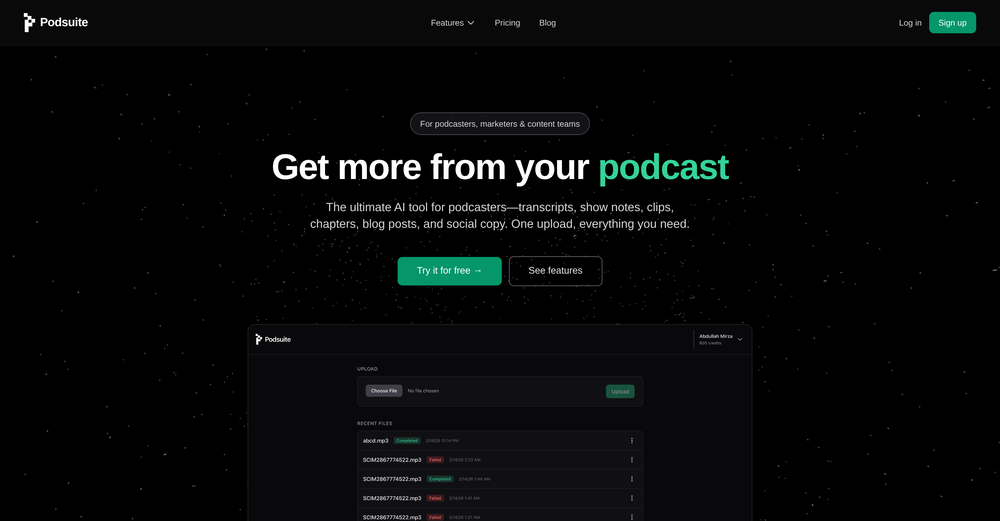 Shaheer Khan🛠️ 1 tool 🙏 1 karmaMar 3, 2026@PodsuiteI think it delivers on all of its claims, specially the transcription and Blogs.
 -
-
-






Verified tools
- Sponsor
 Tripo AI 3D Generator
 -
As a student, I regularly work with research papers and long PDFs. PodcastorAI has been a helpful way to turn that content into something I can listen to while commuting or walking. I like that it creates a structured podcast rather than simply reading the text aloud. The dialogue format is surprisingly engaging and makes dense material easier to get through. I still rely on the original documents for deeper study, but for review and knowledge retention, it's been a genuinely useful tool.
-
 Open
Open -
 Open
Open -
 Turn images into videos with advanced AI All with Fylia AI.Open
 -
The Agent is really handy. It's much more streamlined and convenient than canvas-based AI tools. There's a bit of a learning curve at the start, but once you get the hang of it, it's incredibly useful
-
Works wonders for anime, has me taking it in consideration for a tool rotation.
-
 Edit smarter, faster and easier with Filmora’s powerful AI video tools.Open
 -
 OpenTried it with one photo and was surprised how natural the video looked — lots of effects and models to play with too
 -
I am the builder of WUI.AI, an innovative content repurposing application designed to help global individual creators transform their text, audio, and video content into platform-optimized short and long videos for YouTube, TikTok, Reels, and more, with automated publishing capabilities. I try to build in public so any feedbacks will be appreciated
-
 Turn baby photos into talking podcast videos.OpenWow, The AI tool is so interesting for the AI talking baby podcast. I like it. Thank you for the AI
 -
I created this platform to solve a problem I saw everywhere: AI videos that looked too unnatural. AI Kiss is designed for high-quality, lifelike animation. We capture the subtle details of intimacy, specifically the eye contact between partners, making the moment feel truly authentic. Founder of AIKiss.Art Cherry
-
Generating captions was super fast like seconds. Wish they had Anton font though
-
Maybe you don’t have a subscription, so there are no credits on your account, and a lot of features require credits to use.
-
-
Thanks for the feedback. We would love to know more about your issue. Could you please provide more details at [email protected] ?
-
I tried using stuvio, but honestly the experience was disappointing. The platform looks promising at first, but many features feel unfinished and confusing. The interface is not very user-friendly, and it takes a lot of time to understand how things actually work.
-
I’ve been using this tool for a while, and it’s made a huge difference. I now create 40–50 reels a month in half the time. It helps me generate videos automatically with realistic avatars, create images, edit clips easily, and see which types of content perform best. It really feels like having a creative team by my side.
-
Wonderful tool for generation short videos may add options for more voices
-
 Turn prompts into polished images and videos, instantly.Open
 -
 Open
Open -
-
The "Lion and Sun" symbol is seen on streets where protests are underway, fires are spreading, and the nation has risen up for freedom.
-
Particularly useful in scenarios where human voices are clear but background noise is complex.
-
Very simple and easy to use. The premium feature of Lyrics helper really helped me to write lyrics exactly the way i wanted.
-
-
Vireel offers the best realistic ai image to video and ai text to video tools. Incredible no watermark quality!
-
 Get 99.9% accurate TikTok transcripts in seconds.OpenOne tool that really impressed me—I honestly can’t believe something this good is free. Even if it becomes paid later, I’d still keep using it. The results are just that good.
 -
 Open
Open -
 Open
Open -
 AI-powered YouTube thumbnail maker for click-ready designs.Open
 -
-
"WriteSongAI offers an incredibly smooth end-to-end experience for music creation. The AI vocals sound remarkably human-like across different genres, and the ability to export studio-grade WAV files directly from the browser is a huge plus. Whether you are a beginner or a pro needing a quick arrangement, this tool delivers quality results in seconds."
-
Steer clear of this by any cost ! it gives you ONE video for free and then ask you for no less than FIFTY dollars a month for only FIVE videos ! they must be crazy with all the alternatives.
-
I tried Animon for a bit and it’s actually pretty solid. It does a good job with simple animations and keeps the original image style pretty well, so the results usually look clean.
-
-
 Remove subtitles, captions, and watermarks from videos instantly.Open
 -
-
This was impressive. From just one picture and a few details, it made a really good, professional video. Amazing quality!
-
I paid for the subscription and the video generation has failed. I found no way to access support and the site says no refunds allowed. Hoping to find some help on here with this and I revisit my review
-
The workflow is straightforward, the output quality is clean, and it’s especially useful for marketing videos, product demos, and social media content. Overall, it’s a solid AI video generator that saves a lot of time. Highly recommended.
-
 Convert YouTube videos to text with 99% accuracy.OpenI’ve used Riverside before and it’s a really solid tool for recording and producing high-quality audio and video. If you’re looking for a YouTube transcript generator, I’ve also been using Saveto AI. It’s been pretty handy for turning videos into clean text and quick notes.
 -
needed broll for a travel vlog and didn't have footage of certain locations. generated some establishing shots with this and they blend in perfectly. not replacing my camera but great for filling gaps
-
-
Well, I use Statuz myself, so maybe I'm biased. The only way to find out is to try it yourself. Let us know here.
-
-
So cute! It's actually crazy how real the dance moves look. Highly recommend using high-quality photos for the best result.
-
Can only edit oe long clip to shorter clip, but i have multiple clip
-
 OpenThe watermark was removed so cleanly, it's amazing!
 -
 Open
Open -
 AI-powered video background remover without green screens.Open
 -
It's very easy to use, completely free, and even supports files up to 1GB in size.
-
Every claim on this site starting with #1 Free use as many times as you like is false. Dont waste your time! "https://imagetovideoai.run/#:~:text=1,as%20you%20need.
-
 Open
Open -
✨ Key Advantages of Pixwith: 1. Wide range of AI models: From video generation to image creation, enhancement, and style transformation — you get access to a full suite of cutting-edge AI models in one place. 2. Affordable and transparent pricing: Our credit-based system is flexible and offers better value compared to many similar platforms. 3. Free trials available: Several models can be used for free, allowing you to test the quality before purchasing credits. 4.Beginner-friendly interface: Simple and intuitive design — generate high-quality content in just a few clicks. 5.Constant updates: We continuously add new models and features, ensuring you always have access to the latest AI capabilities.
-
Hey everyone 👋 I’m excited to introduce VidFab, an AI-powered tool that turns text and images into cinematic videos in seconds. We built VidFab to help creators and startups make beautiful videos without complex editing or long render times. Just type an idea — and our AI brings it to life. I’d love to hear your feedback and ideas for what features you’d like to see next. Your thoughts really help us shape the future of VidFab!
-
 vocal remover, remove vocal, vocal remover online free, vocal remover AIOpen
 -
Easy to use, good visuals and good price to videos ratio. Made a few with 10k views.
-
Glad to see LitVideo listed here. Have been using it for a while. Easy to use, and LitVideo provides a relatively low-cost entry point into AI video creation.
-
 Turn scripts into creator-style videos instantly.OpenI built this because I had a spare RTX 5090 sitting idle and friends in e-commerce kept telling me UGC videos were too expensive. Most AI UGC tools cost 80 to 110 dollars a month, about 10 dollars per video. My prototype can already create 3-minute videos, but it takes almost an hour on one GPU, so I limited the public version to 30 seconds while I scale to 4 GPUs. Would love feedback on the best pricing model and go-to-market.
 -
 Turn photos into realistic AI kissing videos instantly.Open
 -
 OpenThe features are incredibly comprehensive. I really love it — the AI videos I created got a ton of praise when I shared them. Likes galore!
 -
-
pretty clean tool, i tried a couple product images fast and the controls make sense. model picks, image-to-image and quick batch runs are handy for ad shots or thumbnails. the free tier is tiny at 2 credits, so it's more of a taste test than real use.
-
It has most popular video models on the platform
-
 AI chat with images – Create, edit, innovate for free!Openthis is completely free, and it is amazing that you can change pictures into art and animations without paying anything.
 -
 Turn your slides into narrated videos with AI voiceoverOpenWe built Vidsembly to make video creation from presentations as simple as having a conversation. Just upload your slide deck, pick a voice, and get a clean narrated video in minutes. No editing software or mic needed. Great for creators, educators, and sales teams who want their message to land. You can try it free with 30 credits.
 -
 Create Your First Viral Video and Start YouTube Monetization with Multilingual Content.OpenIt feels so cool. I think the characters generated by the model are very consistent.
 -
It is easy to use, has a low threshold for getting started, and is inexpensive.
-
Hoox app is a very easy and simple app to navigate and generate your script video for social media. My experience so far has been top-notch and the customer service in the name of Alan Hoox is always pronto to assist whenever needed. I recommend it for anyone that want to create a faceless youtube Ai without editing, selecting or mixing all you details. All you need is just drop your script and wellah your video is ready .
-
 Create Celebrity voices and voiceovers in 120 languages with 800+ AI voices.OpenThis is a cool little generator for a quick clip! Could see some potential quick use cases if you needed to generate something with an accent on the fly. Not a bad little tool!
 -
Hi, We’re truly sorry to hear that you had a less-than-satisfactory experience with our product. Your feedback is very important to us, and we sincerely apologize for any inconvenience caused. If you’re encountering any specific issues or have suggestions for improvement, please don’t hesitate to reach out to us at [email protected]. Our team is committed to addressing your concerns and will do our best to assist you promptly. We’re always working to improve, and your input helps us get better. Thank you for giving us the opportunity to do so.
-
Amazing app and really easy-to-use! It has all the things I need to create a neat, functional, and clear-cut mindmap.
-
This is so encouraging — thank you! ❤️ We’re putting everything into the next version to make it even better.
-
I started using Calvin for my channel and results looks really good. Also, the experience feels amazing
-
At least! I’ve always wanted an easy way to make karaoke tracks, and this app does exactly that. Everything I need is all in one place, and it’s super simple to use. My inner frustrated singer approves!
-
-





















































































































Other tools
-
-
I recently started using Napkin AI, and I couldn't be more impressed! This tool is incredibly user-friendly and intuitive, making it easy to generate clear visual representations from text. Moreover, the interface is clean and visually appealing, which enhances the overall user experience. Napkin AI is a fantastic companion. Highly recommended for anyone looking to elevate their creative process!
-
-
Fantastic product - it helped me increase my conversions on my website quite a bit. The support was really helpful too.
-
I just used LumiClip to make clips from my long podcast video and Im so amazed how it differs from other ai video clipper tools like Opus or vizard, It does the highlight finding very well and reframe comes our so clean with no editing required. Only thing i would suggest is adding b-roll videos to clips automaticaly.
- Didn't find the AI you were looking for?
-
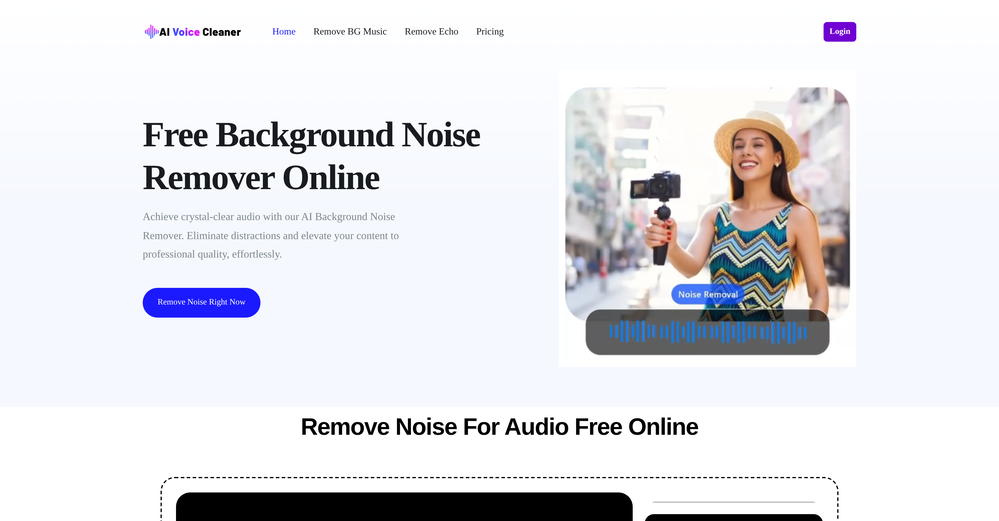
 Remove background noise from any audio or video, free to preview.Open
 -
Great tool! The most complete one if you want to create music video specifically.
-
 Create consistent character videos from AI images.Open
 -
I’ve used this product, and the AI video generation quality is excellent. Most importantly, it offers the best value for money I’ve ever seen. In addition, if you need help optimizing your video prompts, you can email their professional advisors for free consultation.
-
This software helped me achieve the results I wanted! It’s incredible!
-
 Open
Open -
You really only get one chance to test it, and there doesn't appear to be a way to modify it. I only used the free one, and it did create a pretty good hug. Unfortunately, it changed one of the people, and they would be able to tell. Amazing concept, poor execution.
-
-
bait and switch. Said free and is not. I just want to try a photo before paying.
-
after uploading pictures, nothing can generated.
-
-
-
 Generate cinematic overhead shots with vintage film aesthetics.Open