 VeriIA
 Mini tools
▼ Top rated
Video tutorial
Free mode
100% free
Freemium
Free Trial
Featured matches
-

 Charles Brun (Charles)🛠️ 1 tool 🙏 68 karmaJul 17, 2025@WizardlyHi folks - I'm Charles, the founder of Wizardly. As a sales guy I originally built this app to create training videos for sales reps 10X faster. Many friends started using Wizardly to create all sorts of tutorials for tools I'd never heard of. Excited to get feedback and hear how I can make this app the best how-to video generator on the market.
 -
 Rapidly generate AI training videos without equipment or editing.Open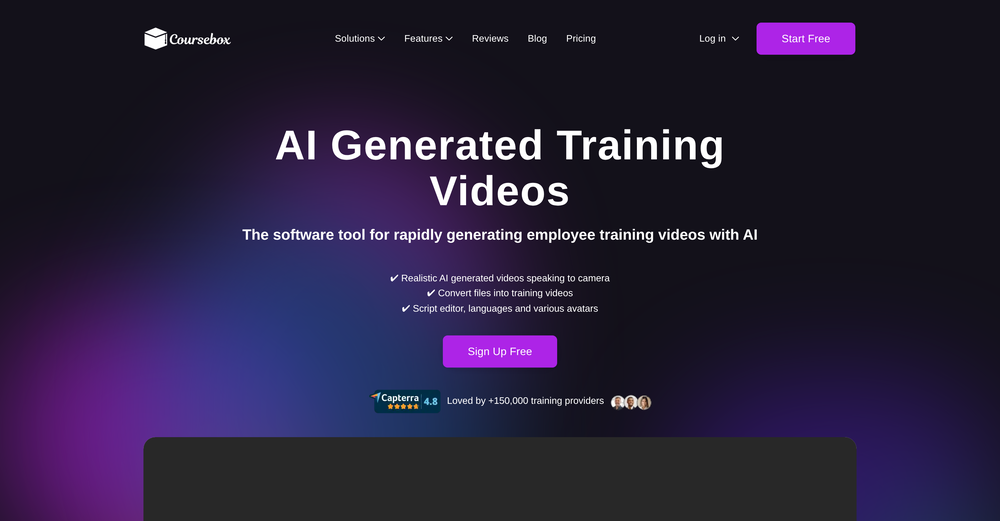

Other tools
-
1. AI-powered transcription: Edit videos simply by editing text. 2. AI Virtual Avatars: Use high-quality and diverse virtual presenters to keep video engaged without the need for a real person on camera, helping to solve the issue of camera shyness. 3. AI Voice Enhancement: Elevate your audio to studio-grade quality with one click. Sound professional, no matter what mic you're using. 4. Webcam Background Removal & Replacement: Instantly remove or swap your webcam background for a polished, distraction-free look. 5. AI Subtitles Generation: Support for over 55 languages, generating corresponding subtitles instantly, simplifies the workflow, and enhances video accessibility. 6. Smart Noise Reduction: Eliminate background noise for crystal-clear audio in any recording environment. 7. Stylish Cursor Effects: Highlight your mouse with refined cursors and smooth animations to make your recordings more engaging and dynamic effortlessly. 8. Hide Cursor: Keep your recordings clean by hiding the cursor when you don't need it. 9. Redesigned UI & Interactions: A sleek new interface designed to make video creation faster, smoother, and more intuitive. 10. Smarter Project Naming: Improved default naming conventions help you organize and locate your projects with ease. 11. Performance & Stability Improvements: Under-the-hood optimizations for a faster, more reliable workflow. Less waiting, more doing.
-
 Edit smarter, faster and easier with Filmora’s powerful AI video tools.OpenNew Features, Enhancements & Improvements: - AI Extend Effortlessly extend video and audio clips directly on the timeline. Generates seamless, natural-looking continuations for smoother storytelling. - Pen Tool Draw custom paths and shapes with full stroke controls. Bind paths to clips to create dynamic motion tracking and advanced visual effects. - Animated Charts Create animated data visuals with one-click data import. Includes adjustable styles, presets, and motion options for presentations and info-driven videos. - Source & Timeline Preview Editing Dual-preview workflow with a Source Monitor for reviewing raw footage and a Timeline Monitor for project playback. Enables faster, more accurate editing decisions. - Dual-Timeline Editing Work with multiple timelines through tabs, making it easier to manage compound clips, navigate edits, and organize complex projects. - Import Subprojects Import multiple Filmora project files as compound clips to support multi-project workflows and cross-project material reuse. Optimized Performance: - AI Object Remover Upgrade Introduces the new Magic Box engine with significantly improved removal results. Removes watermarks, subtitles, people, and distractions while maintaining natural clarity. - Smart Cutout Upgrade Improved edge detection and smudging interaction for cleaner extractions and fewer repetitive adjustments. - Dynamic Captions Enhanced subtitle editing with batch text processing and new, exclusive animation presets. - 32-Bit Audio Pipeline New high-fidelity audio processing engine with greater dynamic range. Projects needing V14 compatibility can be saved as Legacy Projects. System & Compatibility Improvements: - Improved overall system stability, faster rendering performance, enhanced GPU utilization, and better compatibility across supported devices for a smoother editing experience.
 -
- Spotlight: VeriIA (AI content detection)
-
-
 OpenHey everyone, I’m Evaldas, co-founder of Guideless, the fastest way to turn any browser workflow into a polished, AI-narrated video guide in minutes. No screen recording. No tedious editing. Just turn on the extension, click through your process as you normally would, and instantly get a share-ready guide. We recently shipped a major update: a sleeker UX and new high-quality AI voiceover characters — making guides sound and feel more vibrant than ever. Give Guideless a try and see how effortless creating high-quality tutorials can be 🪄
 -
-
LipSyncAI.net delivers the best lipsync quality I’ve tested so far. The mouth movements are natural, the timing is spot-on, and the results always look professional. I’ve tried several other platforms, but I keep coming back to LipSyncAI because it’s simply the most realistic and reliable. Highly recommended for anyone working with AI music videos or creative projects!
-
I actually changed my mind about this program after having been exposed to several other programs that were disappointing. This program is actually decent, besides the high subscription fees.
-
Experimented with the image to video mode. You are limited to 8 creations per day on the free plan, a 3s preset duration and no prompt inputting as the AI analyze the image to decide the most likely possible animation. So far from the given results with eight different picture type, it clearly looks like the AI engine is more prone to animate subject rather than anything else.
- Didn't find the AI you were looking for?
-
I shot talent on a portable green screen (creased), and was still able to pull a satisfactory key. Note: when talent wears clothing in a shade of green shot against a green screen, results will vary. Unscreen maintains skin tone nicely, and I like the integration with editing software when using Unscreen Pro service. It's a time saver, for sure.
-
-
One platform gives me access to various high-quality video models — it’s been used to generate 110k viral social media posts.
-
-
This is phenomenal. I demo it in my sessions all the time.
-
-
-
 OpenA1: Transform text into stunning visuals. Simply describe your scene, and watch as the AI crafts vibrant images. Turn imagination into reality with this intuitive, powerful image generator. Video
























Post





