Go to section
Spotlight SureThing.io - "OpenClaw" for BeginnersTask automation
The front page of AI.Used by 90M+ humans.

TAAFT Tutorial
Generate image
Tasks
Generate text
Free mode
Trending
Leaderboard
Characters
 Mini tools
New
Featured
Lists
Agents
Requests
Jobs
Map
Newsletter
Starter pack
Free tools
Speech to text
Text translator
Remove background
Settings
Edit profile
My tools
Gallery
Dashboard
Inbox
Get featured
Contact TAAFT
For you
Popular
Job impact index
Most saved
Affiliate program
Submit AI tool
Notification preferences
Glossary
Home
Timeline
My profile
Create tool
Deals
Companies
Models
Robots
Papers
Fundraises
Repositories
Devices
Organizations
Events
Prompt Pack
Merchendise
APIs
Features
Tools
Countries
Collections
Videos
Mini tools
New
Featured
Lists
Agents
Requests
Jobs
Map
Newsletter
Starter pack
Free tools
Speech to text
Text translator
Remove background
Settings
Edit profile
My tools
Gallery
Dashboard
Inbox
Get featured
Contact TAAFT
For you
Popular
Job impact index
Most saved
Affiliate program
Submit AI tool
Notification preferences
Glossary
Home
Timeline
My profile
Create tool
Deals
Companies
Models
Robots
Papers
Fundraises
Repositories
Devices
Organizations
Events
Prompt Pack
Merchendise
APIs
Features
Tools
Countries
Collections
Videos
Mini tools
New
Featured
Lists
Agents
Requests
Jobs
Map
Newsletter
Starter pack
Free tools
Speech to text
Text translator
Remove background
Settings
Edit profile
My tools
Gallery
Dashboard
Inbox
Get featured
Contact TAAFT
For you
Popular
Job impact index
Most saved
Affiliate program
Submit AI tool
Notification preferences
Glossary
Home
Timeline
My profile
Create tool
Deals
Companies
Models
Robots
Papers
Fundraises
Repositories
Devices
Organizations
Events
Prompt Pack
Merchendise
APIs
Features
Tools
Countries
Collections
Videos

▼ Most saved
Voice input
Free mode
100% free
Freemium
Free Trial
Featured matches
-
-

-
-
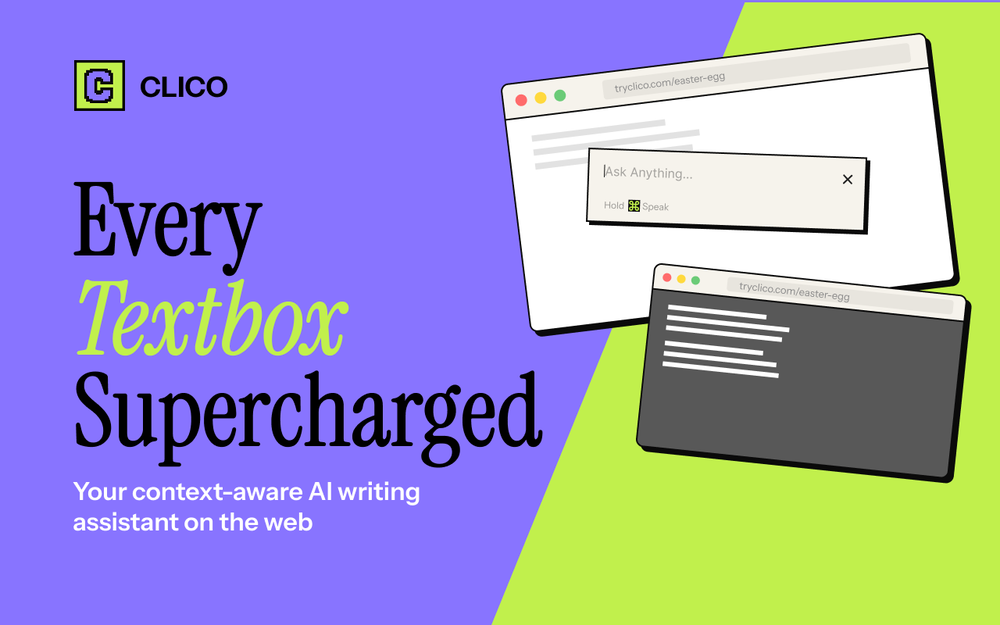 Alex Zhao🛠️ 1 tool 🙏 3 karmaMar 12, 2026@ClicoIt just feels seamless when I ask it to generate my Q2 marketing docs and polish my email replies. I mean you don't need to write a long prompt and copy all the Re:Re:Re:Re email to it like other LLMs do. You just give a clear instruction and it gets things done.
 -

-
-
-
-










Other tools
-
-
This tool has completely transformed my social media content. I can now create engaging talking videos from my photos in minutes. The lip sync is incredibly realistic!
-
KikiVoice does a great job with voice cloning — the results sound very natural and close to the original, and there’s no sign-up required.
- SpotlightSureThing.io - "OpenClaw" for BeginnersTask automation
-
A reaaly good AI, though not completely free, when register will still give you a good word limit, and there's a lot of voices from almost every language.
-
-
 Transform your music into stunning visual experiences with AIOpenThe generation effect is good, the pictures are exquisite, and the transition animations of the pictures are smooth The only drawback is that it would be better if the generation time were a little faster
 -
There are hundreds of programs like that for FREE, so why pay for TSS, if Internet add-ons can do it totally gratis and with "humanlike" voices? I don't get it ;-(
-
-
Voiser is an exceptional platform that seamlessly bridges the gap between text and speech. What sets Voiser apart is its user-friendly interface and the versatility it offers. Whether you're looking to convert written content into speech or vice versa, the platform's intuitive design ensures a smooth and efficient experience.
- Didn't find the AI you were looking for?
-
-
 OpenThe app hardly works. Very bugging and very expensive. Not worth it
 -
Great!! It was easy and it was quick! Thank you
-
-
So, how is it "100% FREE" if there is "PRICING" involved? Did I awake in an alternate universe where "red" is "green" on the traffic light and "free" means "free after you pay?" ;-)
-
 Open
Open -
 OpenFree AI Voice Generator, good
 -
Thank you for making everything simple, i can't and don't need to understand a app and what is doing. This is just how i want it, very good and keep going!
-
nailed it! you can type the shortest and most minimalistic ideas and you get full on lyrics with intro, verses, chorus, outro etc. really good to kickstart a track idea or just sing along to a beat to see if you enjoy it and want to keep writing. 5 starrer.
-
-
-
 OpenI’m testing the app and would love a language selector, with prices/values localized to the selected language/locale (currency and formatting).
 -
-
 AI-powered customer feedback, deeper than surveys, cheaper than interviews.Open
 -
-
Really impressed with audien.to so far. I dropped in a meeting recording and got a clean transcript plus useful notes in just a few minutes, without having to tweak much. The speaker tags and filler cleanup make it way easier to share with the team.
-
 Analyzes writing and generates AI friendly prompt snippets.Open
 -
 Diagnoses car faults, offers solutions, and connects to local mechanics.Open
 -
 Creating bilingual social media posts made easy.Open