 Rocket
 Mini tools
MagicSlides.app AI PPT Maker
 Create Stunning PPTs in Seconds with the AI PPT Maker
Go to 🎥 Presentations
 Gamma
Gamma
 HyperPresent AI
 VoxDeck
 GenPPT
 okkslides
 NextDocs.io
 PresentationGPT
 SlidesPilot
 Xavier AI
 SlidesAI
 Decktopus AI
 Chronicle
 PresentationsAI
 AI GPT for Slides
 Prezo
Prezo
 Alai
Alai
 Beautiful.ai DesignerBot
 PPTX
PPTX
 SlideSpeak
 Peach App
Gamma
89,672
HyperPresent AI
62,115
VoxDeck
48,839
GenPPT
45,139
okkslides
40,116
NextDocs.io
38,607
PresentationGPT
38,314
SlidesPilot
28,424
Xavier AI
27,116
SlidesAI
25,941
Decktopus AI
22,649
Chronicle
21,989
PresentationsAI
20,317
AI GPT for Slides
20,041
Prezo
16,949
Alai
15,936
Beautiful.ai DesignerBot
14,274
PPTX
13,568
SlideSpeak
12,999
Peach App
12,170
Go to 💼 Business
📢
Marketing
(2174)
🔍
Industries
(800)
💾
Data
(774)
💼
Sales
(697)
💰
Finance
(374)
💡
Startups
(292)
👔
Management
(278)
👔
HR
(229)
⚖️
Legal
(216)
📈
Business strategy
(188)
📅
Meetings
(119)
📊
Product management
(116)
🔒
Security
(77)
📞
Calls
(39)
🤝
Networking
(36)
💻
Tech support
(36)
💻
Virtual employees
(26)
🤖
Enterprise
(13)
🚀
Business innovation
(13)
 FirstSign AI
 Bika.ai
 CleeAI
 Avataar's GenAI Creator
 Sreda.ai
 Neferdata
 Activepieces
 AI Agents
 Kong.ai
 BigTeam
 Olivya
 Ridvay
 Abstra
 Calk AI
 Cognition by Mindcorp
 DoubleO
 Pipefy
 Quixl
Quixl
 Cubeo
Cubeo
 Sema4.ai
FirstSign AI
37,586
Bika.ai
19,807
CleeAI
13,446
Avataar's GenAI Creator
2,998
Sreda.ai
2,414
Neferdata
2,145
Activepieces
2,096
AI Agents
1,756
Kong.ai
1,476
BigTeam
1,216
Olivya
1,206
Ridvay
1,202
Abstra
1,193
Calk AI
1,080
Cognition by Mindcorp
1,058
DoubleO
1,038
Pipefy
981
Quixl
901
Cubeo
867
Sema4.ai
687
Go to 📢 Marketing
📣
Marketing channels
(1484)
🔥
Branding
(229)
🎥
Presentations
(101)
🤝
Public relations
(63)
📢
Marketing content
(53)
🎯
Marketing strategies
(52)
📑
Landing pages
(40)
🔍
QR codes
(35)
📣
Marketing campaigns
(17)
🌱
Business growth
(17)
📊
Marketing analysis
(9)
📈
Marketing assistance
(8)
📊
Marketing optimization
(7)
 Averi AI
 Digibate
 DFIRST AI
 Beno One
 Waxwing
 Markifact
 Swipe Insight
 ActiveCampaign
 BrandJet AI
 BOSCO
BOSCO
 Moda
Moda
 mavic.ai
 InstantPersonas
 Sleek
Sleek
 Social Hub.AI
 LiftKit
 Hopprz
 Creative Fast AID
 Planist
 Gentura
Averi AI
35,237
Digibate
28,230
DFIRST AI
14,997
Beno One
8,577
Waxwing
6,004
Markifact
5,097
Swipe Insight
3,757
ActiveCampaign
3,577
BrandJet AI
3,410
BOSCO
3,273
Moda
2,906
mavic.ai
2,808
InstantPersonas
2,008
Sleek
1,933
Social Hub.AI
1,928
LiftKit
1,874
Hopprz
1,549
Creative Fast AID
1,525
Planist
1,362
Gentura
1,169

MagicSlides.app AI PPT Maker
Create Stunning PPTs in Seconds with the AI PPT Maker
Overview
Featured alternatives
 Skywork
 Slidely AI (backed by YC)
Skywork
11,524
Slidely AI (backed by YC)
1,044
Overview
Socials:



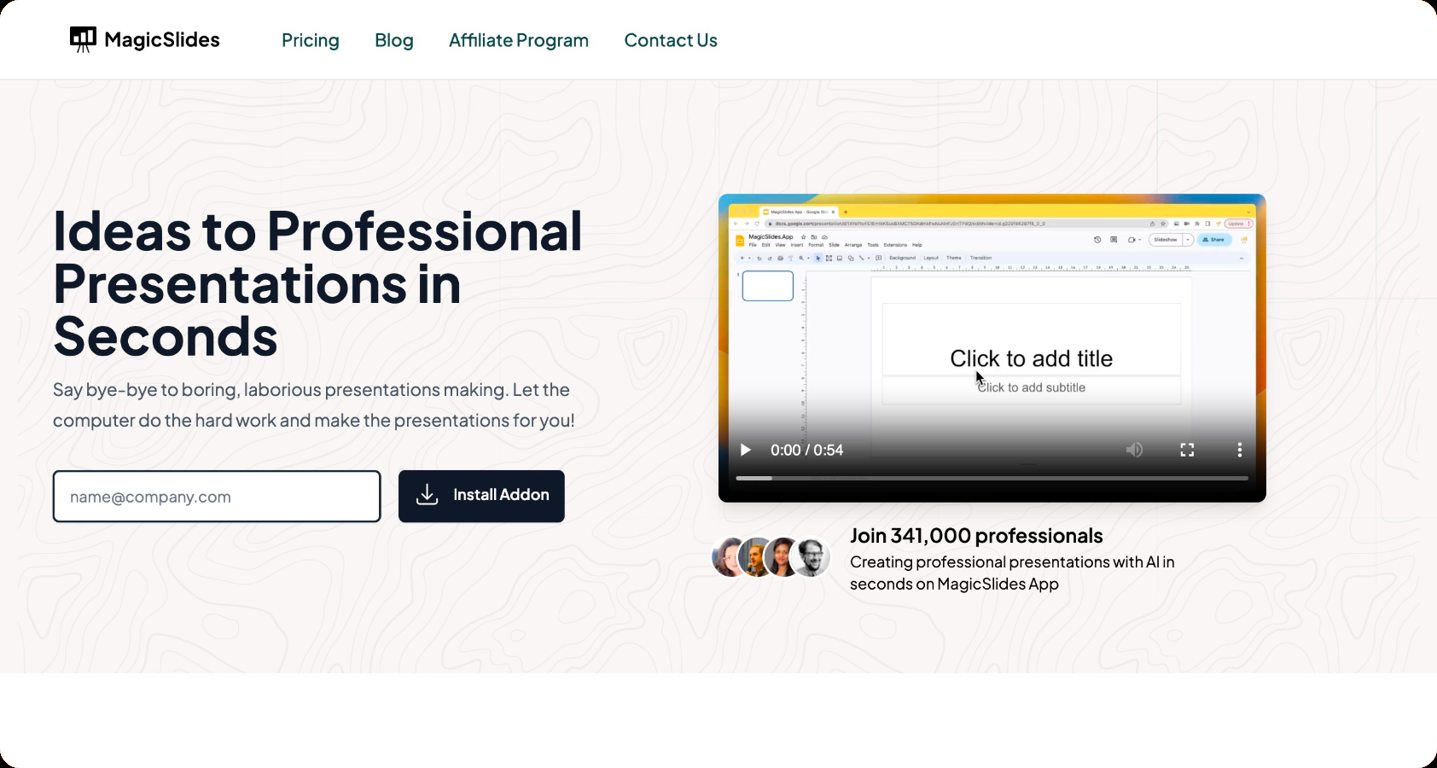
MagicSlides is a powerful AI PPT Maker that instantly transforms any text or topic into a polished presentation. Available as both a Google Slides add-on and a standalone web app, it generates complete slide decks in seconds—no design skills or technical knowledge required.
Using advanced AI, MagicSlides automatically summarizes content, structures slides, and formats layouts with professional-grade accuracy. Users can create presentations from text, topics, YouTube videos, PDFs, DOCX files, and even URLs, making it one of the most versatile AI PPT makers available.
With support for 100+ languages, MagicSlides is trusted by universities, professionals, startups, and teams worldwide. It also offers customizable templates, image generation, and the ability to adjust slide count for tailored output. Presentations can be generated within Google Slides or through the MagicSlides web app with a zero-learning curve.
MagicSlides includes advanced tools such as the AI Pitch Deck Generator, which creates pitch decks directly from a URL, and MagicChart, which converts queries into ready-to-use charts. It also works through GPT, Figma, and Telegram, allowing users to generate presentations wherever they work.
Whether you need a pitch deck, training slides, classroom material, meeting summaries, or project reports, MagicSlides makes PPT creation effortless, fast, accurate, and fully automated. Start creating stunning presentations for free at MagicSlides.app.
Key Features
- Pdf To Ppt
- Docx To Ppt
- Text To Ppt
- Topic To Ppt
Show more
Releases
Get notified when a new version of MagicSlides.app AI PPT Maker is released
Notify me
January 22, 2023

Sanskar Tiwari
Initial release of MagicSlides.app AI PPT Maker.

@indianappguy


Building a portfolio of Saas Apps, Including SheetAI.app , MagicSlides.app, MagicForm.app and more.
Stats
7 tools
130karma
Strategist
Joined: April 2023
Follow
Pricing
Pricing model
Freemium
Paid options from
$6.70/month
Billing frequency
Monthly
Refund policy
No Refunds
Built With AI


Other tools by this author
-
Sanskar Tiwari🛠️ 7 tools 🙏 130 karmaDec 17, 2024@AskVideohello carlo sorry to hear that i will check this right away, sorry for the delay



Top alternatives
-
Makes it easy to get started with a presentation if you have an outline, but as soon as you want more control, you're better off using Google Slides. Gamma's feature that I used the most was image generation - you can select among a variety of models (Ideogram, Flux, DALL-E, but not Midjourney), and it shows 3 variations to choose from. Performance is slow and a little janky, even in Chrome. Prompts and settings are often not respected - e.g. you set it to "preserve text" and just generate slides, and it goes onto dumping an entire 3 paragraphs of text in one slide. You can't overlay text over images (e.g. for image attribution), and there's no precise positioning control, or grouping elements. No way to control table layout, e.g. to have two images slide-by-side in full bleed mode. I tried Gamma for a new presentation, but next time I need to make a presentation, I'll go back to Google Slides and generate images independently.
-
Using it on day-to-day basis to create presentations for my real estate clients. It's good.
-
-
It does it's job and I love that it has a lifetime plan
-
A very useful AI slides tool! The content it generates is genuinely smart.
-
# 🚀 NextDocs v1.3 – Custom Themes & Pageless Document Editor **Released:** December 2025 This release brings brand consistency and document flexibility to NextDocs. Create custom themes that reflect your brand identity, and use the new pageless editor for flowing content like reports, proposals, and articles. Your documents. Your brand. Your way. --- ## 🎨 Complete Theme System Create branded documents that look unmistakably yours: - **12 Built-in Themes** – Professionally designed themes ready to use, from Academic Ivory to Midnight Blue - **Custom Theme Creation** – Define your own fonts, colors, and styling - **AI Theme Generation** – Describe your brand, get a complete theme instantly - **One-Click Application** – Transform your entire document with a single click - **Theme Management** – Edit, duplicate, and delete themes as needed - Works across presentations, documents, posters, and more Example: "Modern tech startup, clean and minimal with blue accents" → Complete theme with fonts and colors generated instantly. --- ## ✏️ Define Your Brand Identity Full control over every visual element: ### Fonts - **Primary Font** – For headings, titles, and display text - **Secondary Font** – For body text and paragraphs - **50+ Google Fonts** – Curated collection that exports perfectly to PDF and Google Slides ### Colors - **Primary Color** – Your main brand color for headings and key elements - **Secondary Color** – Supporting accent for highlights and emphasis - **Background & Foreground** – Page and text colors (supports gradients) - **Extended Colors** – Tertiary, muted, card, border, and shadow colors - **Smart Derivation** – Optional colors are automatically derived if not specified Set up your brand once, and every document follows your guidelines automatically. --- ## 📝 Pageless Document Editor A new way to create documents without page boundaries: - **Continuous Flow** – Content flows naturally without awkward page breaks - **Full Theme Support** – Apply any built-in or custom theme - **AI-Powered Writing** – Generate and edit content with chat commands - **Rich Formatting** – Headings, lists, tables, code blocks, images, and more - **Real-Time Saving** – Auto-save with visible status so you never lose work - **Version History** – Track changes and restore previous versions Perfect for business reports, proposals, technical documentation, meeting notes, and articles. --- ## 🖼️ Professional Image Filters Apply professional-grade filters to any image: - **Blur** – Soften images for background effects - **Brightness** – Control overall lightness - **Contrast** – Adjust light and dark differences - **Grayscale** – Convert to black and white - **Invert** – Reverse colors for creative effects - **Sepia** – Apply warm, vintage toning - **Adjustable Intensity** – Fine-tune every filter - **Export Preservation** – Filters maintained in PDF and Google Slides exports --- ## 📤 Export Anywhere Take your documents everywhere: - **PDF Export** – Professional output with theme colors and fonts preserved - **HTML Export** – Web-ready format with responsive styling - **Google Slides** – Seamless export with full formatting - **Google Docs** – Continue editing in Google's ecosystem - Theme styling preserved across all formats --- ## 🌟 Everything in v1.3 ✅ 12 professionally designed built-in themes ✅ Custom theme creation with fonts and colors ✅ AI theme generation from text descriptions ✅ Theme management (edit, duplicate, delete) ✅ AI instructions per theme ✅ Pageless document editor ✅ Continuous document flow (no page breaks) ✅ AI-powered content generation ✅ Rich formatting and tables ✅ Real-time saving with version history ✅ 6 professional image filters ✅ Multi-format export (PDF, HTML, Google Slides, Google Docs) ✅ Bug fixes and performance improvements --- Ready to create branded documents? 👉 **[Start Creating with NextDocs v1.3](https://nextdocs.io)** Questions or feedback? We're here to help: **[email protected]** --- _Your brand. Your documents. Your way._ **— The NextDocs Team**








#413
 67
67
67



