What is MeetAssist?
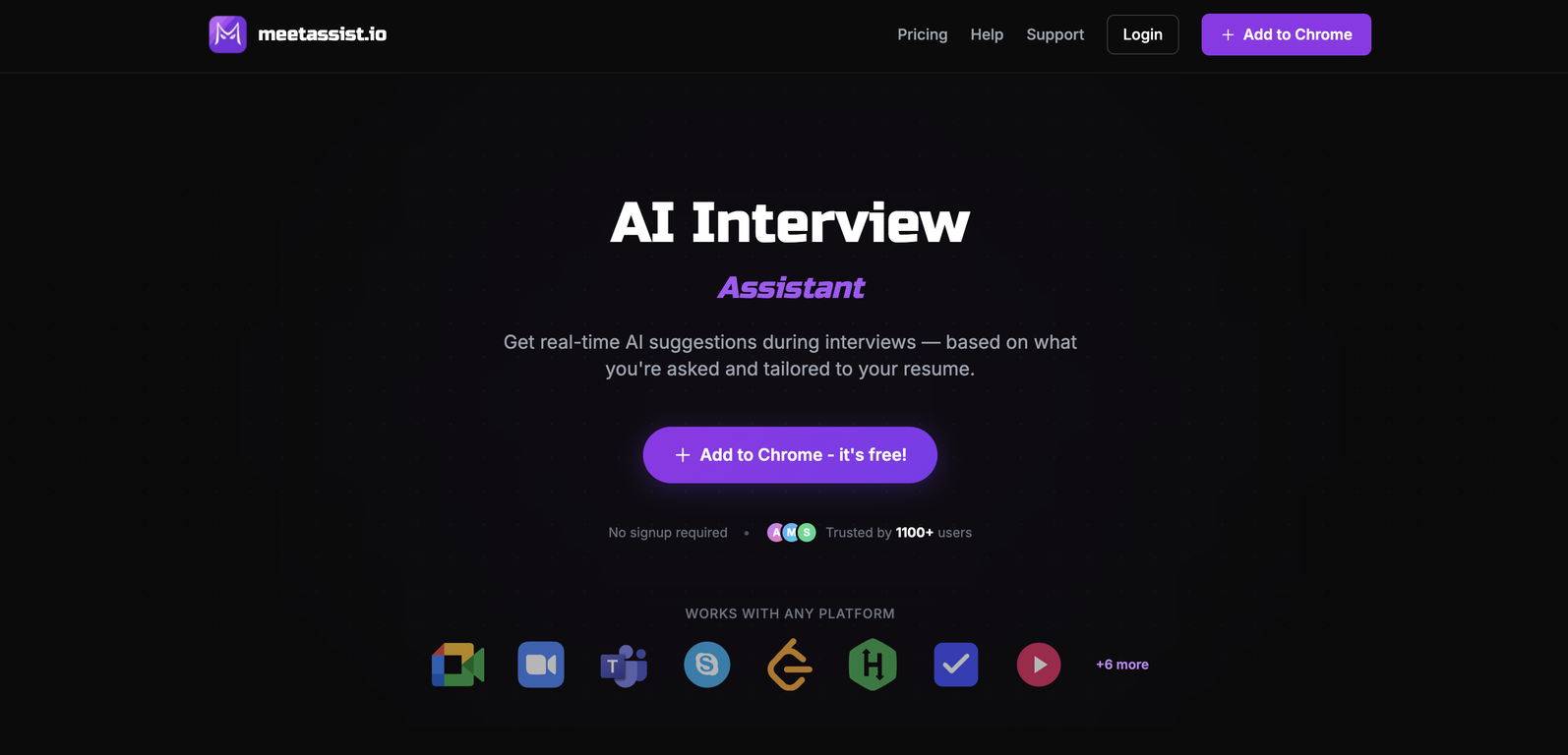
MeetAssist is an AI-powered assistant designed to assist users during both behavioral and technical interviews. It generates real-time AI suggestions based on interview questions and aligns with the user's resume. The tool operates with Google Meet, Zoom, and Teams, and offers features like Phone Mode, auto-detection, Chrome addon, coding challenges assistance, tool customization, and multiple language support, amongst others.
Does MeetAssist work with Zoom and Teams as well as Google Meet?
Yes, MeetAssist functions with Google Meet, Zoom, and Microsoft Teams, making it compatible with many popular online meeting platforms.
How does the Phone Mode feature of MeetAssist work?
The Phone Mode feature of MeetAssist functions by syncing answers to user's mobile device. It allows users to view the AI's interview suggestions on their phone, keeping the meeting screen clean and distraction-free.
What types of AI models does MeetAssist use?
MeetAssist utilizes multiple AI models including GPT-4.1, Claude, Llama, and Cerebras, among others. Users have the advantage of choosing the model that fits best for their specific interview style.
Can I customize the prompts on MeetAssist?
Yes, MeetAssist allows users to customize its prompts according to their style and preferences, providing a personalized user experience.
Does MeetAssist provide help with coding challenges in real time?
Yes, along with real-time interview assistance, MeetAssist also helps with coding challenges. It generates step-by-step suggestions with explanations and provides time and space complexity analysis, making it a beneficial tool for technical rounds.
What languages does MeetAssist support?
MeetAssist supports multiple languages, catering to a global user base and enhancing usability for non-English speakers.
Is my data private when using MeetAssist?
Yes, data privacy is maintained when using MeetAssist. It does not store user audio and offers encrypted connections, ensuring user information is secure.
How does MeetAssist align with my resume?
MeetAssist uses AI to generate responses that align with the information in the user's resume. Therefore, it ensures that the suggestions provided would be in line with the user's background and professional experience.
Can MeetAssist analyze any active Chrome tab?
Yes, MeetAssist has the capability to capture and analyze content from any active Chrome tab. Its functionality is not limited to the video conferencing tab only.
What formats do MeetAssist suggestions come in?
MeetAssist provides suggestions in multiple formats according to users' preferences, ranging from quick bullet points to full sentences. This customization allows users to consume information in a manner that suits them best.
Is using MeetAssist a one-time payment or a subscription?
MeetAssist offers a transparent pricing model with one-time payments. There are no hidden subscriptions, making it a cost-effective choice for users.
How many users trust MeetAssist?
MeetAssist is trusted by more than 1100 users, as mentioned on their webpage, demonstrating its effectiveness and reliability in the field of AI-powered interview assistance.
Does MeetAssist store my audio when I use it?
No, MeetAssist does not store user audio. User privacy is a priority, and the tool ensures that no audio data is saved during the process.
Is MeetAssist capable of real-time auto detection?
Yes, MeetAssist is capable of real-time auto detection. It detects questions in real-time, aiding the users in generating effective and efficient answers.
How can MeetAssist assist me in both behavioral and technical interviews?
MeetAssist assists in both behavioral and technical interviews by never simply answering questions. It listens to interview questions and generates contextual suggestions in real time, ensuring users have proper guidance during both interview categories.
Does MeetAssist offer a Free trial?
Yes, MeetAssist does offer a Free trial. Users can try out the service without any cost obligation, allowing them to experience the functionality before deciding on an eventual purchase.
How can I add MeetAssist to Chrome?
MeetAssist can be added to Chrome from the Chrome Web Store. It is easy to install with just one click and doesn't require an account. Users just need to add it as a Chrome extension.
What is the pricing structure for MeetAssist?
MeetAssist has a clear and transparent pricing structure. There is a Free Trial option with limited features, a Pro Pass for $9 which gives 180 minutes of access, and an Unlimited Month pass which costs $29 and provides unlimited access for 30 days. All options are mentioned as one-time payments with no hidden fees or subscriptions.
What is MeetAssist?
MeetAssist is an AI-powered interview assistant designed to operate on platforms like Google Meet, Zoom, and Microsoft Teams. It provides real-time AI suggestions during interviews based on the questions asked and the user's resume, detects questions in real-time, and helps with both global and technical interviews. The tool also supports a Phone Mode feature that keeps your meeting screen distraction-free, a unique Analyze Any Tab feature, and various AI models including GPT-4.1, Claude, Llama, and Cerebras.
How does MeetAssist assist in interviews?
MeetAssist assists in interviews by providing real-time, AI-generated suggestions based on the questions asked and aligned with the user's resume. It uses auto-detection to identify the questions in real time, and can offer responses ranging from quick bullet points to full sentences. Beyond standard interviews, the tool also paraphrases coding challenges by generating step-by-step suggestions with explanations and time/space complexity analysis.
What is the Phone Mode feature in MeetAssist?
Phone Mode is a unique feature provided by MeetAssist that allows users to view the interview transcripts and AI suggestions on their phone, thereby keeping your main screen clean and distraction-free. This not only improves concentration during a meeting but also enhances user experience by providing a cleaner interaction interface.
How does MeetAssist detect questions in real-time?
MeetAssist utilizes auto-detection to detect questions in real-time. As an interview proceeds, it captures and analyzes content from the active Chrome tab, listens to questions in real time, and generates contextual suggestions for responses. This feature enables quick and accurate interaction during interviews.
What is the Analyze Any Tab feature in MeetAssist?
Analyze Any Tab is a unique feature of MeetAssist that allows it to capture content from any active Chrome tab. This is particularly useful during coding challenges, where the tool can analyze problems and generate AI-powered suggestions for solving them. With this feature, anything displayed on your Chrome tabs can be assessed and used to help in interviews.
How can I customize the prompts in MeetAssist?
MeetAssist allows users to customize the tool's prompts to fit their style and preferences. Users can add their own instructions and upload their resume. Doing this enables the AI suggestions to be catered more to the user's personal experiences and background, making the responses more natural, relevant, and unique to the individual.
What languages does MeetAssist support?
MeetAssist supports multiple language options, thus catering to a wide audience. Users can select their language of preference, and the transcription and AI responses will be in the chosen language. This feature makes the tool usable and beneficial to users from different countries and backgrounds.
What AI models does MeetAssist use?
MeetAssist uses various AI models, including GPT-4.1, Claude, Llama, Cerebras, and more. The users have the flexibility to pick the AI model that best fits their specific interview style and needs, hence optimizing the tool's effectiveness.
Can MeetAssist generate responses in different formats?
Yes, MeetAssist can generate responses in different formats. Users can choose the suggestion format that suits them best, ranging from quick bullet points for a fast skim to full sentences for a more detailed response. This ensures a customized user experience that aligns with their thinking and communication style.
How does MeetAssist ensure user privacy?
MeetAssist maintains user privacy by providing encrypted connections and offering features like one-click data deletion. Additionally, the tool does not store user audio from the interviews, thus reducing data security risks.
Is the use of MeetAssist detectable by other meeting participants?
No. The use of MeetAssist is entirely undetectable by other meeting participants. It runs entirely in the user's browser without joining the meeting or sending notifications to anyone. Thus, it integrates seamlessly into typical interview experiences without the other participants' knowledge.
What platforms does MeetAssist support?
MeetAssist supports platforms such as Google Meet and Microsoft Teams. It is also expected to support Zoom in the near future. By providing compatibility with these platforms, MeetAssist can be effectively used for interviews organized on any of these platforms.
What kind of meetings can MeetAssist assist in?
MeetAssist is designed to assist in both behavioural and technical interviews. Regardless of the format of the interview or meeting, the tool listens to the questions and generates appropriate suggestions for responses in real time.
How does MeetAssist assist with coding challenges?
For coding challenges, MeetAssist hears the problem and generates step-by-step suggestions for solving it. It also provides explanations and analyzes time/space complexity. Furthermore, its unique 'Analyze Any Tab' feature allows MeetAssist to capture content from any Chrome tab where the coding challenge is presented, and generate suitable recommendations.
Can MeetAssist tailor AI suggestions based on my personal instructions and resume?
Yes. MeetAssist allows users to add their personal instructions and upload their resume to receive more personalized AI suggestions. This way, the suggestions provided are based on the individual's experiences and background, further enhancing the relevance and applicability of the generated responses.
How does MeetAssist ensure privacy and security?
MeetAssist ensures privacy and security by not recording or storing audio from the meetings. The tool solely works by capturing real-time captions directly from Google Meet or other supported platforms through the user's browser. Moreover, it provides encrypted connections and features like one-click data deletion to protect user data.
Does MeetAssist store audio recordings?
No, MeetAssist does not store audio recordings. It emphasizes user privacy by not recording or storing any audio or video from the interviews.
What's the pricing structure for MeetAssist?
MeetAssist offers a straightforward, transparent pricing structure. The free trial does not require a card, and users have options for one-time payments, like the Pro Pass priced at $9 for 180 minutes and the Unlimited Month pass priced at $29 for unlimited access for 30 days. No subscription or hidden fees are involved.
Does MeetAssist offer a free trial?
Yes, MeetAssist offers a free trial. With the free trial, users get 20 minutes of real interview assistant AI, bot practice interviews, screen analysis for coding challenges, and full feature accessibility.
Can I add my personal instructions in MeetAssist?
Yes, you can add your personal instructions to MeetAssist. The tool allows for custom prompts wherein users can input their instructions to get AI suggestions that align more closely with their background and experiences. The customized input results in a more targeted and useful output.