What security measures does Quartz have to protect my emails?
Quartz protects your emails by encrypting them on your device with keys that only you hold. It processes your information locally on your device rather than in the cloud, thus reducing the risk of compromising your email privacy.
Does Quartz upload any of my data to the cloud?
No, Quartz does not upload any of your data to the cloud. It performs all processing locally on your device, ensuring your data remains private and secure.
Where does Quartz process its computations?
Quartz processes all its computations locally on your device. This means that it doesn't rely on cloud computations, ensuring greater privacy and security.
Does Quartz automatically categorize my emails?
Yes, Quartz automatically categorizes your emails based on the defined importance. Critical emails are given prominence while routine ones remain scannable.
Why is Quartz currently in private beta?
Quartz is currently in private beta to refine and test the product before its full release. This allows the developers to make necessary changes and improvements based on user feedback.
How can I gain access to Quartz?
You can gain access to Quartz by joining a waitlist. They send invitations in small batches.
How does Quartz handle my email privacy?
Quartz handles your email privacy by processing all data locally on your device, not relying on cloud computations and not requiring a server. Your emails are encrypted on your device with keys that only you hold.
What makes Quartz compatible with Gmail?
Quartz is compatible with Gmail due to its AI capabilities which sift through, categorize, and draft replies for your emails coming from Gmail, improving user experience and productivity.
How does Quartz reduce email noise?
Quartz reduces email noise by discarding spam and low priority emails, and focusing on highlighting the relevant and critical ones. This keeps the inbox clutter-free and more manageable.
Does Quartz provide an AI personal assistant?
While not explicitly stated as an 'AI personal assistant', Quartz's AI functions can be considered similar to an AI personal assistant since it helps organize, categorize, and automate responses to emails.
How does Quartz enhance user experience?
Quartz enhances user experience by providing a personalized, automated, and intelligent email management system. It emphasizes on user-defined email importance, drafts context-suitable responses, and minimizes noise and clutter, facilitating an efficient and personalized email experience.
Does Quartz require a server to operate?
No, Quartz does not require a server to operate. The model for Quartz runs locally on your device. This approach ensures better privacy as the risk of compromising email privacy from server-side breaches is eliminated.
How can I join the waitlist for Quartz?
You can join the waitlist for Quartz by signing up on their website. They send out the invitations in small batches.
Can I define what emails are important with Quartz?
Yes, you can define what emails are important with Quartz. It learns over time and auto-categorizes every message by importance as defined by you, giving critical mail the prominence it deserves while routine items stay scannable.
What is Quartz?
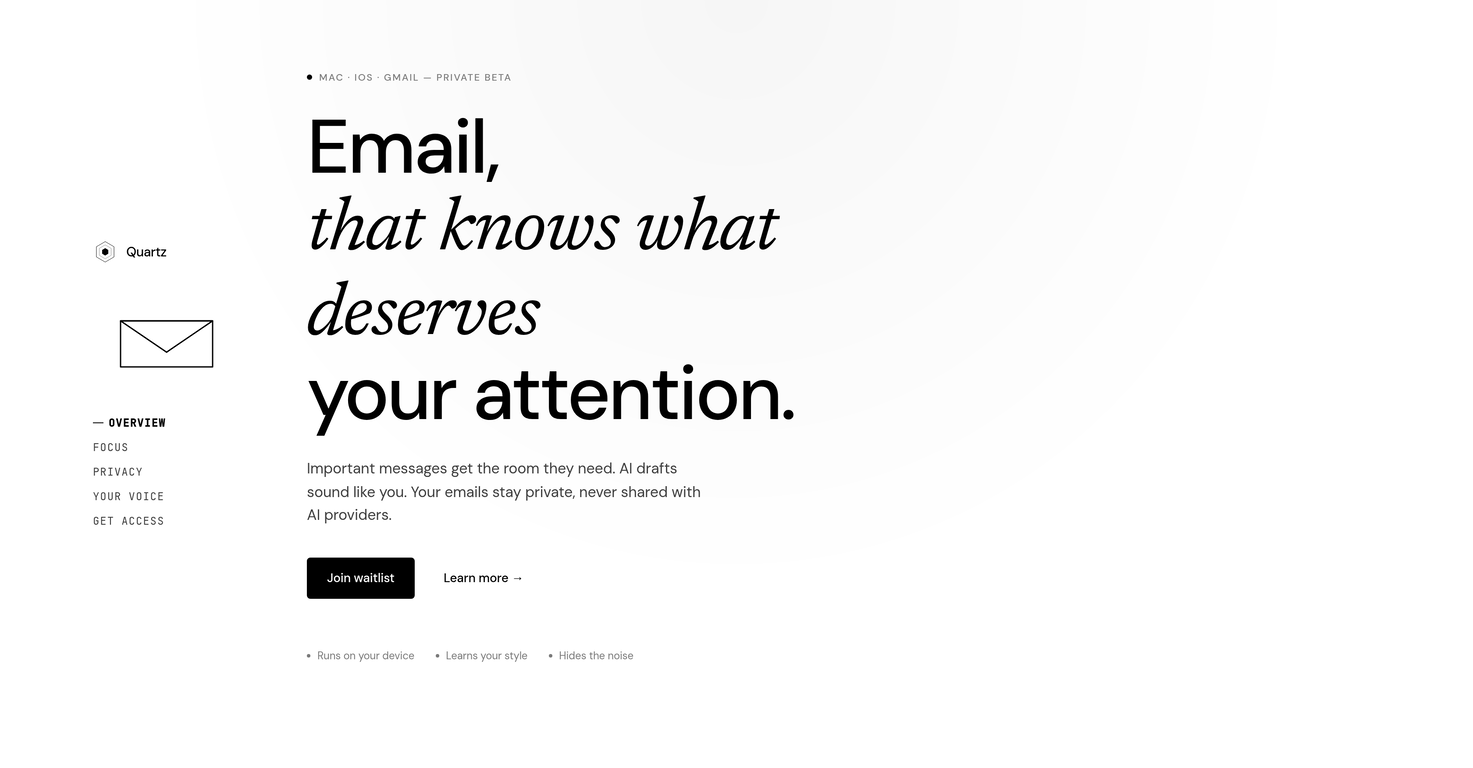
Quartz is an artificial intelligence (AI)-powered, privacy-focused email management tool that emphasizes automation and productivity. It sorts and categorizes emails, drafts personalized responses, and operates exclusively on the local device to preserve user privacy.
What platforms does Quartz support?
Quartz is compatible with MacOS, iOS, and Gmail interfaces.
What are the key features of Quartz?
Key features of Quartz include automation of email management, personalized drafted replies, prioritization of emails, encryption of email data on device, noise reduction by hiding less important mails, pattern recognition to learn user preferences, emphasis on user data privacy, and local processing of emails.
How does Quartz prioritize my emails?
Quartz uses AI to learn user patterns over time and determines the importance level of incoming emails based on that. It categorizes emails based on their relevance and gives prominence to critical emails, making routine ones scannable and hiding away the unnecessary ones.
Can Quartz draft emails on my behalf?
Yes, Quartz has the capability to draft emails. Its AI technology closely adheres to the user's writing style and takes into account the context of the email thread to produce drafts.
How does Quartz mimic my writing style in email drafts?
Quartz mimics the user's writing style in email drafts by learning the way the user converse, their cadence, phrasing, and level of warmth. It builds understanding based on the user's relationship with the sender and context of each email thread.
What measures does Quartz take to protect user privacy?
Quartz handles user privacy by processing emails locally on the device itself without any server interaction, preventing any data uploading or sharing. Quartz also employs end-to-end encryption with keys solely held by the user to secure emails.
How does Quartz process my emails?
Quartz processes all emails locally, meaning right on your device such as your Mac, iPhone, or iPad. No emails are uploaded or shared externally in this process.
Does Quartz require a server?
No, Quartz does not require a server. It operates locally on the user's device, thereby minimizing the risk of email privacy compromise.
How does Quartz categorize my emails?
Quartz utilizes AI technology to automatically categorize emails based on their importance level determined by the user. It uses pattern recognition with messages learned over time to intelligently separate critical, routine, and unimportant mails into their respective categories.
What does it mean that Quartz is in 'private beta'?
'Private beta' means that Quartz is in a testing phase and its availability is limited to a select group of testers or early adopters. It is not fully released to the public yet.
How do I gain access to use Quartz?
Users can gain access to Quartz by joining a waitlist. They will receive an invitation to use the service in small batches as stated on their website.
Is there a waitlist I can join for Quartz?
Yes, there is a waitlist for Quartz which potential users can join. Invitations to use Quartz are sent out from this waitlist.
How does Quartz handle unimportant emails?
Quartz handles unimportant emails by marking them as 'noise' and collapsing them out of the way, thus reducing clutter and maximizing the visibility of more important emails.
Does Quartz upload any of my data?
No, Quartz does not upload any user data. All processing is done locally on the user's device and no information is shared with external servers.
What does 'runs locally on your device' mean in the context of Quartz?
'Runs locally on your device' means that Quartz is designed to operate solely on your personal device such as a Mac, iPhone, or iPad. All data processing, encryption, and other operations are done on the device itself instead of being sent to external servers.
What is email automation in Quartz?
Email automation in Quartz refers to its capacity to categorize and prioritize emails, draft personalized replies, and reduce noise automatically by understanding user's preferences over time, creating a more efficient email management experience.
How does Quartz know which emails are important to me?
Quartz identifies important emails by learning the user's patterns. It observes the emails the user interacts with, the frequency, and type of interactions, and over time, Quartz learns to distinguish between what is important and what is not to the user.
What are the compatibility requirements to use Quartz?
To use Quartz, you will need a device that runs on MacOS or iOS. Additionally, Quartz can be integrated with Gmail.
How does end-to-end encryption work in Quartz?
End-to-end encryption in Quartz means that all email data is encrypted on the user's device and the keys to decrypt it are only held by the user. This ensures that even if the data were to be intercepted, it could not be read without the decryption keys.
What is Quartz?
Quartz is an artificial intelligence (AI)-powered private beta email tool designed exclusively for MAC, iOS, and Gmail. It aims to provide an AI-driven email experience focusing on automating mundane tasks and improving productivity.
What are the main features of Quartz?
Quartz's main features are AI Email Management, Auto-categorization, Privacy-focused, Personalized Responses, Email Filtering, Email Prioritization, End-to-end Encryption, Device-based Processing, User Preference Learning, and Spam Reduction.
How does Quartz use AI to manage emails?
Quartz employs AI to manage emails by discerning relevant and important emails, thereby reducing noise and clutter. It extensively uses machine learning algorithms to draft emails and sort the inbox on the user's device.
How does Quartz enhance productivity?
Quartz enhances productivity by automating email management. It identifies important emails, ensuring they are easily visible to the user while keeping routine items scannable. This results in less time spent sifting through irrelevant emails and more time on tasks that matter.
How does Quartz draft emails?
Quartz utilizes its AI capabilities to draft emails that closely adhere to a user's writing style, bringing in greater personalization. The drafts produced take into account the context of each email thread, the relationship with the sender, and are produced in the user's cadence, phrasing, and level of warmth.
What is the privacy policy of Quartz?
Quartz prioritizes privacy and security. It processes locally on your device (Mac, iPhone, iPad) and does not upload any data. Emails are encrypted on the device with keys that only the user holds. Also, Quartz does not require a server, mitigating the risk of compromising user's email privacy.
How does Quartz process data on the device?
Quartz processes data on the device through local, on-device AI. The machine learning model that supports Quartz's inbox sorting and draft replies operates locally—on the user's Mac, iPhone, or iPad—without uploading any data.
Does Quartz use cloud computations?
No, Quartz does not make use of cloud computations. All computations and processes are performed locally on the user's device, offering an extra layer of security and privacy.
How does Quartz protect user's email privacy?
Quartz protects user's email privacy by encrypting emails on the device with keys that only the user possesses. Furthermore, because it processes data locally on the device rather than relying on a server, the risk of email privacy compromise drops significantly.
What unique features does Quartz offer?
Quartz offers unique features such as AI-powered email drafts that sound like the user, importance-based auto-categorization of emails learning over time from user preferences, and computing on the user's local device providing added privacy and data security.
How does Quartz categorize emails?
Quartz categorizes emails based on the user-defined importance. It auto-categorizes every message by importance—defined by the user and learned over time. Critical emails are given prominence while routine items stay scannable.
Can I join a waitlist to gain access to Quartz?
Yes, users can join a waitlist to gain access to Quartz. Since it is in private beta, invitations are sent in small batches.
On which devices is Quartz accessible?
Quartz is primarily accessible on Mac and iOS devices. It is specifically catered towards Mac, iPhone, iPad users and also supports Gmail.
Does Quartz support end-to-end encryption?
Yes, Quartz supports end-to-end encryption, enhancing the security of user data. Emails are encrypted on the user device with keys uniquely held by the user.
How does Quartz learn user preferences?
Quartz learns user preferences using an AI model that continuously observes and learns from the user's interactions, email categorizations, and writing style, enabling the system to evolve and adapt over time to better cater to the user's needs.
How does Quartz reduce spam?
Quartz reduces spam by auto-categorizing and prioritizing emails. The machine learning algorithms distinguish between relevant and irrelevant emails, reducing the visibility of spam mails, engaging the user with more important contents.
Is Quartz iOS and Mac compatible?
Yes, Quartz is compatible with both iOS and Mac devices. It is specifically designed for those systems, which includes devices like iPhones, iPads, and Mac computers.
How does Quartz handle user data?
Quartz handles user data by processing it locally on the user's device and does not upload any data. It additionally supports end-to-end encryption with keys only held by the user, fortifying the user's privacy and data security.
What is the beta version of Quartz?
The beta version of Quartz is considered a pre-release version that is primarily accessible on Mac and iPhone. Users can join a waitlist to gain access to Quartz and invitations are sent in small batches.
Can Quartz sort my inbox for me?
Absolutely, Quartz can sort your inbox for you. It employs machine learning algorithms to sort your inbox on your device, giving critical emails more visibility while making routine items easily scannable.