 Wispr Flow-Now on Android!
 Mini tools
Taskade
 Automated productivity and collaboration platform.
Go to 🤖 Task automation
 Tendem
 Manus
Manus
 Autopilots by Athena AI
 Barie AI
 Raccoon AI
 Lindy
Lindy
 Hints
Hints
 Incredible.one
 Bardeen
 Einstein GPT
 broadn
 Kortix Suna
 Aident AI
 Nubot
Nubot
 Openwork
 Milo
Milo
 Cheatlayer
 Thinktask
 TimeTo
 Levity
Tendem
235,581
Manus
80,484
Autopilots by Athena AI
48,162
Barie AI
33,194
Raccoon AI
26,413
Lindy
25,033
Hints
21,926
Incredible.one
14,423
Bardeen
7,255
Einstein GPT
6,397
broadn
6,143
Kortix Suna
5,379
Aident AI
5,333
Nubot
5,236
Openwork
5,088
Milo
4,885
Cheatlayer
4,618
Thinktask
4,592
TimeTo
4,146
Levity
4,005
Go to 🚀 Productivity
📚
Knowledge
(203)
🔍
Research
(196)
📧
Email
(149)
🤖
Task automation
(85)
🔎
Search
(83)
💼
Personal assistant
(82)
📋
Task management
(81)
📝
Notes
(48)
🌐
Web browsing
(42)
🎯
Goals
(31)
💻
Operating systems
(29)
🔎
Problem solving
(23)
⌛
Time management
(20)
🗄️
Workspace organization
(9)
📈
Productivity advice
(9)
📝
Form filling
(8)
 TheLibrarian.io
 Supernormal App
 Saidar
 Runable
 ComputerX
 Collate
 AiAssistWorks - GPT Gemini Claude AI for Sheets Docs Slides
 ConsoleX AI
 Skymel: Create Your Own Personal Agents
 Ask Steve
 Alfred by Simbli.ai
 Affint
 BrowseWiz
 Sup AI
 Support Flow
 MiroAI
 Octofy
 Criticly
 Mentor: Get things done
 Singularity AI
TheLibrarian.io
595,231
Supernormal App
148,806
Saidar
124,844
Runable
117,084
ComputerX
113,726
Collate
109,953
AiAssistWorks - GPT Gemini Claude AI for Sheets Docs Slides
104,715
ConsoleX AI
66,591
Skymel: Create Your Own Personal Agents
54,248
Ask Steve
51,063
Alfred by Simbli.ai
41,236
Affint
37,427
BrowseWiz
34,014
Sup AI
33,454
Support Flow
32,431
MiroAI
31,411
Octofy
28,375
Criticly
25,894
Mentor: Get things done
25,504
Singularity AI
24,907
Automated productivity and collaboration platform.
Overview




Overview
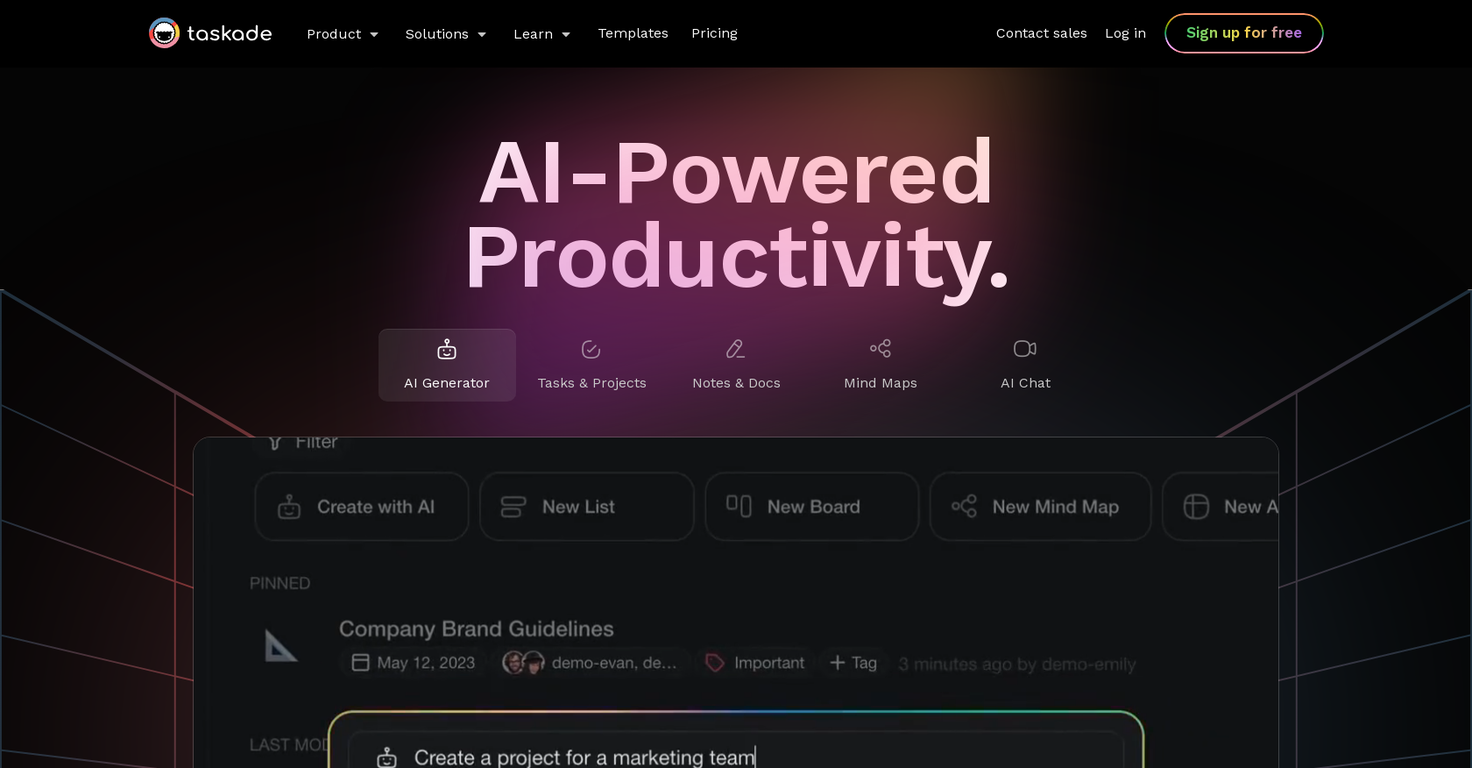
Most existing AI solutions are like grains of sand on a beach, dispersed and disconnected.Taskade offers a different approach by blending artificial intelligence with project & task management features including video calls and real-time collaboration. It’s not just another project management platform. It's a holistic solution for teams and solo professionals who want to work smarter, not harder.
Taskade’s AI features break down into four key components — a writing assistant ✏️ that "lives" inside the project editor, an AI chatbot 🤖, a project & task generator ⚡️, and hundreds of AI-powered templates 🎨. All these tools work in harmony to make your workflows more intuitive and interconnected.
And here's the best part. You can use Taskade’s dynamic workflows to visualize your ideas in many different ways. Start with the classic mind map or to-do list to warm up. And when you’re done, seamlessly transition to a Kanban board or a calendar view without losing context. It's that simple.
Taskade is available on all major platforms, including Mac, Windows, iOS, Android, and Linux. It also works in a web browser so you and your team can stay productive wherever you are.
- 🤖 Use the power of AI to automate and supercharge your workflows.
- ✅ See all your tasks and deadlines in a unified workspace.
- 🧠 Brainstorm ideas that spark conversations.
- 🗓️ Plan, create, and edit your content the easy way.
- ⚙️ Manage all your project efforts in one place.
- ⚡ Collaborate and chat with your team and partners in real time.
- 👁️ Switch between six unique project views without losing context.
- 🔗 Integrate seamlessly with other tools.
Show more
Releases
Get notified when a new version of Taskade is released
Notify me
February 6, 2023

Taskade
Initial release of Taskade.
Author

Pricing
Pricing model
Freemium
Paid options from
$8/month
Billing frequency
Monthly
Refund policy

Top alternatives
-
Vladimir Gromozdin🙏 3 karmaFeb 18, 2026@TendemI work on the Tendem team, so take this with that context — but I also use the product constantly for my own work. I've used Tendem to research AI directories — finding relevant ones, pulling submission requirements, organizing everything into a spreadsheet I could act on. I've also used it for copy edits — sending over drafts and getting back tightened, polished versions without going back and forth with a prompt ten times. The thing that keeps me coming back is how little I have to think about the handoff. I describe what I need, send it, and move on to something else. It's slower than getting a ChatGPT response, sure. But I get something finished — not a starting point I still need to rework. When you use AI tools for this kind of work, you trade waiting time for cleanup time. Tendem flips that. I'd rather wait and get a result I can use than get a fast draft I have to fix myself.
-
-
 OpenFast, Easy to use and makes repetitive tasks easy
 -
Amazing deep research feature! Haven't seen this level of execution through any other tool. It gives a designed socket to view a presentation at the end.
-
We're live folks! Do check us out and drop your feedback or requests.
-
Introducing Lindy Assistant: It reads your email, drafts replies in your voice, manages your calendar, preps you before every meeting, takes notes during, and handles the follow-ups after. Not just words: real action that saves you time and buys you peace of mind, day in, day out. What Lindy Assistant does for you: There is an immense difference between a chatbot that can give answers and an AI assistant that knows you and proactively moves work forward: - Your inbox is under control before your coffee. Lindy triages what matters, drafts replies that sound like you, and flags only what needs you. You review, and you send. You may have the same experience as many Lindy users, who start off by thinking that they are the ones who wrote these drafts — because they're that good. - You walk into every meeting prepared. Lindy pulls context from past emails, previous meetings, and your calendar so you know who you're talking to, what was discussed, and what's at stake. No more scrambling five minutes before a call. - Meetings end, work keeps moving. Notes captured, action items identified, follow-up emails drafted and ready to send. What used to slip through the cracks now happens automatically. - Scheduling just stops being a thing you do. No more back-and-forth. Lindy handles availability, time zones, and preferences. Meetings land on your calendar without you touching it. - Nothing falls through the cracks. Every conversation and commitment is recalled instantly. Ask Lindy what you discussed with a client three weeks ago and get the answer in seconds. Proactive and personalized: Lindy constantly works its magic in the background. It learns how you write, how you prioritize, and what your day looks like — then starts anticipating what you need before you ask. Drafts get better. Prep gets more relevant. Follow-ups stop slipping. The more you use it, the less you have to. Enterprise-ready security: Lindy is built for teams. SOC 2 Type II, GDPR, HIPAA, and PIPEDA compliant. You control what connects, what Lindy can access, and all data stays encrypted. No trade-off between getting time back and keeping things secure. Get started in two minutes: Connect your inbox. Let Lindy triage what needs attention and draft your replies. Then ask it to prep you for your next meeting. Within a day, you'll wonder how you worked without it. Lindy Assistant is live now. Try it at Lindy.ai.





Related topics
















 2
2





