

 Mini tools
 Turn data into presentations in under 5 minutes.
 MagicSlides.app AI PPT Maker
 NextDocs.io
 Gamma
Gamma
 AI Slide Generator
 GenPPT
 okkslides
 VoxDeck
 SlidesPilot
 PresentationGPT
 Tome App AI
 Xavier AI
 SlidesAI
 Chronicle
 SlideSpeak
 Alai
Alai
 PresentationsAI
 AI Presentation Maker by SketchBubble
 AI GPT for Slides
 Prezo
Prezo
 Beautiful.ai DesignerBot
 GetSpiced
 CleeAI
 Starnus
 Activepieces
 Avataar's GenAI Creator
 Olivya
 Abstra
 Pipefy
 DoubleO
 Quixl
Quixl
 Neferdata
 Cubeo
Cubeo
 Sema4.ai
 Ridvay
 Tray.io
 Cognition by Mindcorp
 GoodWork
 Mr David
 UiPath
 Super Amplify
 Averi AI
 Digibate
 Aiter.io | Paste a URL. Ship a Campaign That Sounds Like Your Brand.
 The AI CMO
 BrandJet AI
 Okara
Okara
 DFIRST AI
 Beno One
 NoimosAI
 BlueAlpha
 Layers
 Conversion
 Markifact
 ActiveCampaign
 Octo
Octo
 mavic.ai
 Swipe Insight
 BOSCO
BOSCO
 Planist
 Zenie
Zenie

Data2Slide






Overview

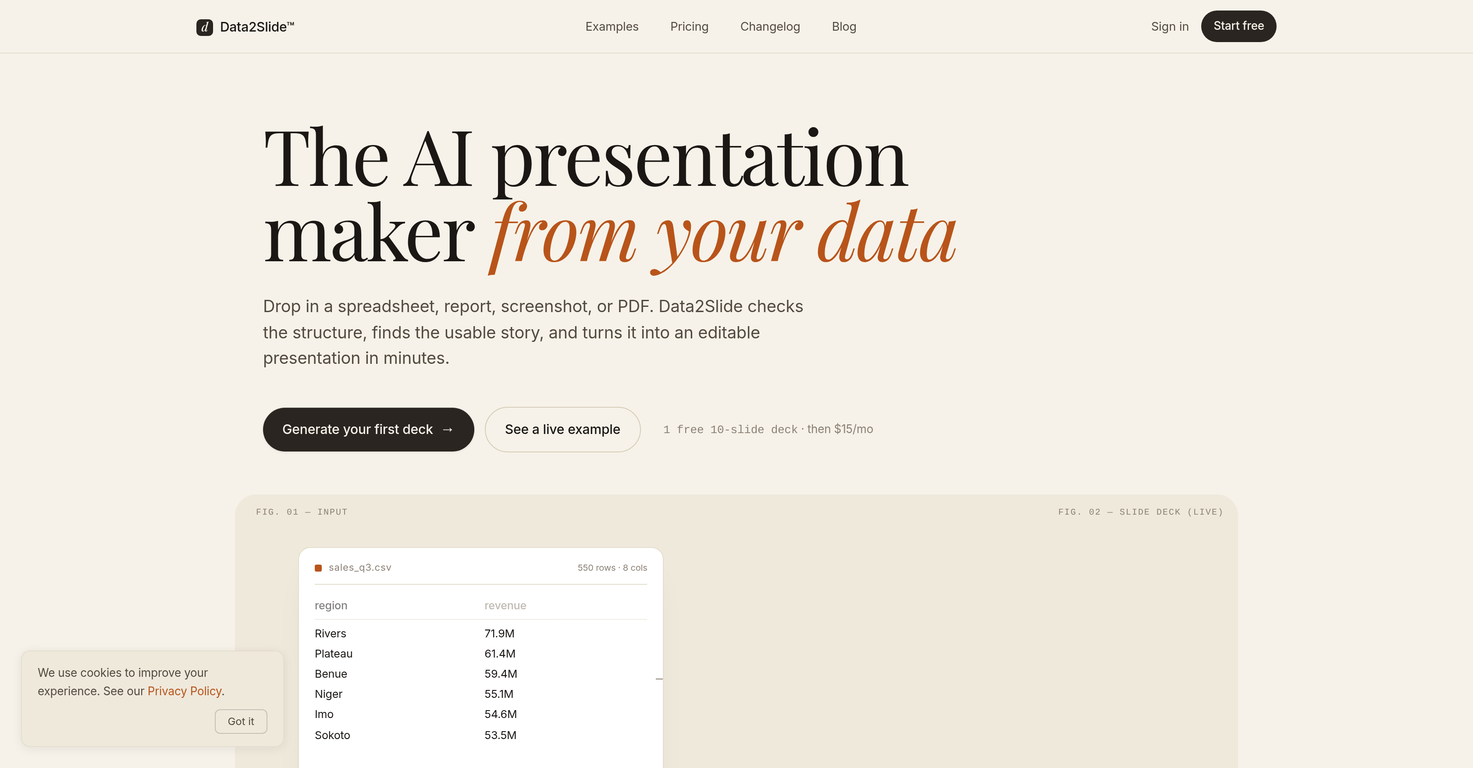
Data2Slide is an AI-driven presentation maker that supports a variety of file formats. This tool has the capability to generate insightful presentations from users' inputted data, offering an innovative time-saving solution for presenting complex amounts of information.
It accepts a myriad of data-containing file formats such as CSV, Excel, PDF, and screenshots. After receiving the input, through a process fuelled by artificial intelligence, Data2Slide produces concise and interactive presentations in a relatively short timespan.
These presentations are designed to be shared, presented live, or downloaded for offline use. In contrast to traditional methods, this tool offers a dynamic and swift approach to converting data into comprehensible visual slides.
This service aims at both business professionals seeking to display data in a more engaging way, and individuals wanting to automate the process of creating a presentation.
Keep in mind, attributes like processing time and specific functionalities may vary as this tool continues to evolve. Therefore, direct engagement with the platform or the provider's official resources is recommended for the most accurate details.
Supported features
Key Features
- Interactive Html Presentations
- Data File Upload
- Screenshot To Presentation
- Pdf To Presentation
- Offline Download
Releases

👨💼 Former Property Accountant & Financial Analyst 📊 Senior Data Analyst | Retail Industry 💻 Web Design & Full-Stack Dev Enthusiast 🎮 Strategy Gamer | SEO


Pricing
Built With AI

Top alternatives
-
 Create Stunning PPTs in Seconds with the AI PPT Maker
 -
 The AI-native editor for docs, slides, and more
 -
 AI-powered content creation, minus the hassle.Dan Dascalescu🙏 75 karmaNov 11, 2024@GammaMakes it easy to get started with a presentation if you have an outline, but as soon as you want more control, you're better off using Google Slides. Gamma's feature that I used the most was image generation - you can select among a variety of models (Ideogram, Flux, DALL-E, but not Midjourney), and it shows 3 variations to choose from. Performance is slow and a little janky, even in Chrome. Prompts and settings are often not respected - e.g. you set it to "preserve text" and just generate slides, and it goes onto dumping an entire 3 paragraphs of text in one slide. You can't overlay text over images (e.g. for image attribution), and there's no precise positioning control, or grouping elements. No way to control table layout, e.g. to have two images slide-by-side in full bleed mode. I tried Gamma for a new presentation, but next time I need to make a presentation, I'll go back to Google Slides and generate images independently.
 -
 Create stunning presentations from any text in secondsYou spent half of hour on describing how your presentation should look like, and just after that getting informed that you need to pay subscription to proceed. Who’ll pay my time back?
 -
 The AI Presentation Tool for Deep, Research-Backed SlidesIt does it's job and I love that it has a lifetime plan
 -
 Transform ideas into professional PowerPoint slides in minutes.A very useful AI slides tool! The content it generates is genuinely smart.





