 Rocket - Start building, Now!
 Mini tools
Recall
 Summarize Anything, Forget Nothing!












Go to 🚀 Productivity
📚
Knowledge
(237)
🔍
Research
(193)
📧
Email
(149)
💼
Personal assistant
(88)
🤖
Task automation
(88)
🔎
Search
(82)
📋
Task management
(81)
📝
Notes
(49)
💻
Operating systems
(45)
🌐
Web browsing
(43)
🎯
Goals
(31)
🔎
Problem solving
(24)
⌛
Time management
(20)
🗄️
Workspace organization
(9)
📈
Productivity advice
(9)
📝
Form filling
(8)
 TheLibrarian.io
 Supernormal App
 Saidar
 Runable
 ComputerX
 Collate
 AiAssistWorks - GPT Gemini Claude AI for Sheets Docs Slides
 ConsoleX AI
 Skymel: Create Your Own Personal Agents
 Ask Steve
 MiroAI
 Alfred by Simbli.ai
 Affint
 Sup AI
 BrowseWiz
 Kolva
Kolva
 Support Flow
 Octofy
 Criticly
 Mentor: Get things done
TheLibrarian.io
605,755
Supernormal App
157,638
Saidar
126,283
Runable
118,883
ComputerX
118,610
Collate
111,402
AiAssistWorks - GPT Gemini Claude AI for Sheets Docs Slides
106,280
ConsoleX AI
66,806
Skymel: Create Your Own Personal Agents
55,574
Ask Steve
51,275
MiroAI
44,579
Alfred by Simbli.ai
42,129
Affint
38,026
Sup AI
35,255
BrowseWiz
34,331
Kolva
33,908
Support Flow
32,578
Octofy
30,292
Criticly
26,528
Mentor: Get things done
25,729
Go to 📚 Knowledge
📰
News
(128)
🗺️
Knowledge maps
(65)
📚
Knowledge bases
(16)
 Constella
 Cerebro
 Liminary
 Keymate.AI
 everfind | AI workspace
 MyMemo
 Keepi
Keepi
 ArcaNotes
 Cortex | BodhiGPT
 Aethera
 Guru
Guru
 Quench.ai
 curioAI
 Confi AI
 Ask by Slite
 Perfect Wiki
 Grokipedia
 IKI AI
 Ariglad
 Tettra
Constella
39,130
Cerebro
29,071
Liminary
18,956
Keymate.AI
10,263
everfind | AI workspace
3,445
MyMemo
3,417
Keepi
2,809
ArcaNotes
2,721
Cortex | BodhiGPT
2,109
Aethera
1,743
Guru
1,661
Quench.ai
1,651
curioAI
1,543
Confi AI
1,165
Ask by Slite
996
Perfect Wiki
974
Grokipedia
969
IKI AI
938
Ariglad
750
Tettra
599
Inputs:
Outputs:
Use code TAAFT
10% OFF
Summarize Anything, Forget Nothing!
Overview



Overview
Socials:




Your personal AI encyclopedia. Turn scattered information into a self-organizing knowledge base that gets smarter as you use it.
Recall is your personal AI encyclopedia. It transforms scattered content into a self-organizing knowledge base that gets smarter the more you use it.
Save content to read later, summarize instantly or chat with your content to cut through the noise and get straight to the point. Take notes, connect ideas, and review what matters on a spaced repetition schedule.
Everything you save is automatically organized and categorized—so it’s easy to find when you need it.
But the most powerful part? Augmented Browsing.
As you explore the web, Recall resurfaces relevant connections in real time, turning passive scrolling into active discovery—all while keeping your data local and secure.
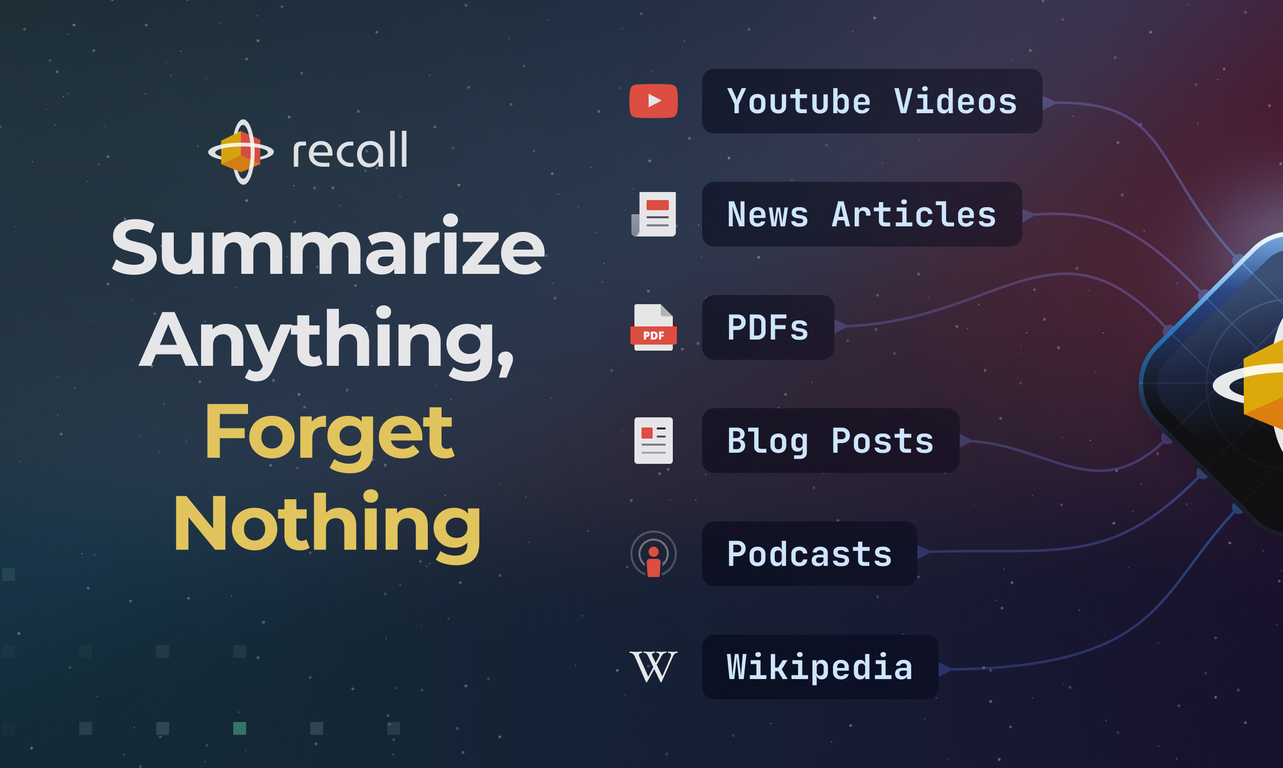
With Recall you can summarize and save the following content:
▶️ YouTube videos
📰 Articles
📃 PDFs
📄 Google Docs
👩🍳 Recipes
🎥 Movie and TV series lists
or any other webpages
Key Features of Recall
▶ Save content to read later
▶ Summarize & chat with your content
▶ Customize and link content together
▶ Automatic organization
▶ Automatic knowledge graph
▶ Active recall & spaced repetition
▶ Augmented browsing – resurfaces related content from your knowledge base as you browse
Step 1:
Using our browser extension, summarize and save any online content including YouTube videos, blog posts, news articles and even PDFs.
Step 2:
Your saved summaries are automatically categorized and connected in your knowledge base.
Step 3:
Recall will strategically schedule reviews of your saved summaries to optimize long-term retention. Additionally, Recall will generate questions from the content in your knowledge base to test your knowledge even further
Key Features
- Global Chat With Your Knowledge Base
- Augmented Browsing - Resurface Content From Your Knowledge Base As You Browse
- Spaced Repetition Quiz
Show more
Releases
Get notified when a new version of Recall is released
Notify me
Jan 12, 2026

Paul Richards
Graph View 2.0 is here, along with dozens of improvements across Recall. This release transforms how you explore and navigate your knowledge: visualizing connections, discovering paths between ideas, and watching your knowledge base evolve over time.
Graph View 2.0
Card drawer - Click any node to open a slide-out drawer showing the full card content. Read and edit without leaving the graph.
Focus mode - Click a node to filter the graph to only that card and its connections. Navigate by clicking connected nodes. The graph builds a visual trail of your path, helping you retrace steps and see how ideas connect. Hover to see the relationship, then jump to the exact spot it was mentioned.
Path Finder - Select two nodes, click the path icon, and discover the shortest connection between them. The graph highlights and zooms to show all cards along the route.
Timeline animation - Visualize how your knowledge base grew over time. Use the date range slider to filter nodes by creation date, or press play to watch an animated timeline of your knowledge evolution.
Graph search - Instantly find and zoom to any node by searching card names.
Connection depth control - Adjust a slider to show 1, 2, or 3+ degrees of separation, revealing indirect relationships between ideas.
Node coloring - Automatically color-code nodes by tags. Hover for tooltips showing topics, customize colors in settings.
Multi-select & bulk actions - Hold Cmd/Ctrl and click to select multiple nodes, then perform bulk operations like deletion.
Graph presets - Save filter settings, color schemes, and layouts as named presets. Switch instantly between different views of your knowledge.
Graph settings - Fine-tune node spacing, link forces, gravity, and visual options through a dedicated settings panel.
9
0
Graph View 2.0
Card drawer - Click any node to open a slide-out drawer showing the full card content. Read and edit without leaving the graph.
Focus mode - Click a node to filter the graph to only that card and its connections. Navigate by clicking connected nodes. The graph builds a visual trail of your path, helping you retrace steps and see how ideas connect. Hover to see the relationship, then jump to the exact spot it was mentioned.
Path Finder - Select two nodes, click the path icon, and discover the shortest connection between them. The graph highlights and zooms to show all cards along the route.
Timeline animation - Visualize how your knowledge base grew over time. Use the date range slider to filter nodes by creation date, or press play to watch an animated timeline of your knowledge evolution.
Graph search - Instantly find and zoom to any node by searching card names.
Connection depth control - Adjust a slider to show 1, 2, or 3+ degrees of separation, revealing indirect relationships between ideas.
Node coloring - Automatically color-code nodes by tags. Hover for tooltips showing topics, customize colors in settings.
Multi-select & bulk actions - Hold Cmd/Ctrl and click to select multiple nodes, then perform bulk operations like deletion.
Graph presets - Save filter settings, color schemes, and layouts as named presets. Switch instantly between different views of your knowledge.
Graph settings - Fine-tune node spacing, link forces, gravity, and visual options through a dedicated settings panel.
March 9, 2023
Paul Richards
Initial release of Recall.
Author

Pricing
Pricing model
Freemium
Paid options from
$7/month
Billing frequency
Monthly
TAAFT Discount
10% off with code "TAAFT"

Built With AI


Top alternatives
-
 Open🚀Meet remio v2.12.0, which added lots of new and useful features to boost your productivity! Let's dive in! 1.🍌 Visualize thoughts faster with Nano Banana 2 Turn complex logic into professional diagrams and infographics instantly with the most affordable model. 2.🎧 Put Podcasts into your personal library Simply paste a link to save full transcripts from your favorite podcasts and get instant summaries. You can chat with your podcast library to find specific insights without listening to every second. 3.💬 Write at the speed of thought With global voice input, remio transforms natural speech into clear and polished writing across all your apps. Experience a creation process up to 5x faster than typing. 4.🔗 Seamless sharing of notes & recordings Knowledge is most powerful when it flows. You can now generate shareable links for your notes and recordings, and move insights from your personal library into team discussions. 5.🆙Advanced models upgrade Switch to the latest Gemini 3.1 and Claude Sonnet 4.6 models for superior accuracy and speed.
 -
Shreeram Bharadwaj🙏 65 karmaDec 28, 2024@SensayA groundbreaking tech project in the AI sector
-
-
-
I like the way I can read, search, write, take note and organize in one seamless place.





Related topics














































#15
 341
341
341



