
 Mini tools
▼ Latest
Data creation
Free mode
100% free
Freemium
Free Trial
Featured matches
-
 Open
Open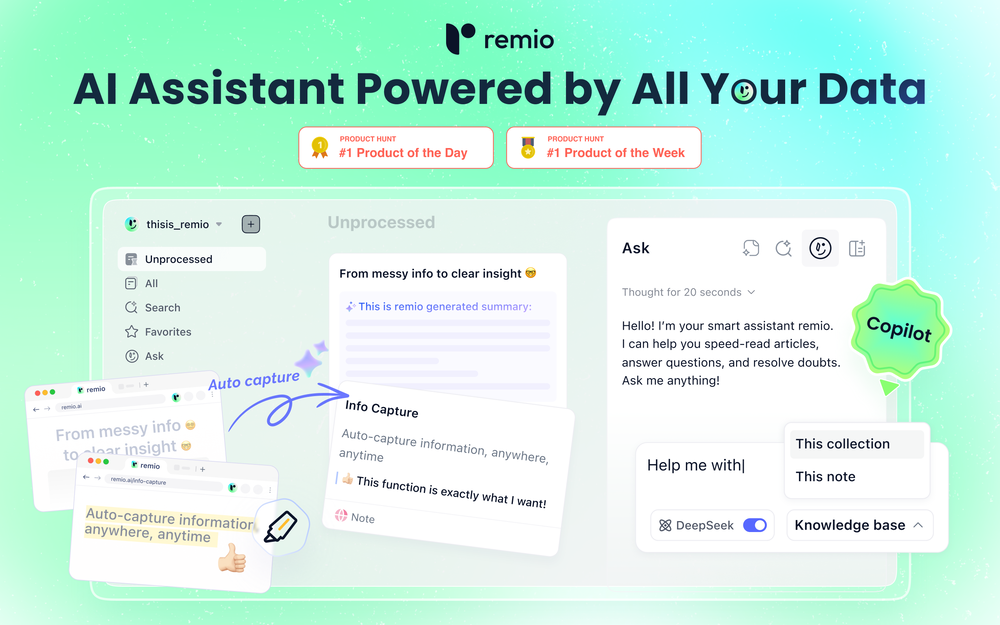 remio v2.10.0 Early Spring Update! With a limited time 30% discount! 1.📱remio Mobile App is now live on the App Store & Google Play Capture notes, voice memos, and photos anytime, anywhere—so every spark of inspiration goes straight into your knowledge base. Everything you add or save on your phone will automatically sync to your computer. 2.🍌Nano Banana Image Generation Unleash your creativity. Generate infographics and design assets directly within your knowledge base using Nano Banana. 3.💬Ask with Chat History Context Your AI chats are no longer isolated. Reference historical chats in your Q&A for deeper context. Adding to favorites/later & rename are also supported to keep your chats organized. 4.📧Outlook Email Sync Expand your knowledge net. Sync, search, and chat with your Outlook emails just like you do with Gmail. 5.📈Enhanced Slides Parsing & Preview Enjoy upgraded parsing accuracy and full visual rendering for all your .pptx presentations. 6.⬆️More experience improvements Q&A prompt suggestions on the Chat home screen, LaTeX formula rendering, and enhanced multilingual meeting features, plus more.
 -
 劉維人🙏 17 karmaOct 3, 2025@illumiA work of a dedicated team that prioritizes user needs
 -

-
-
 One API to track mentions, sentiment, and visibility across top LLMs.Open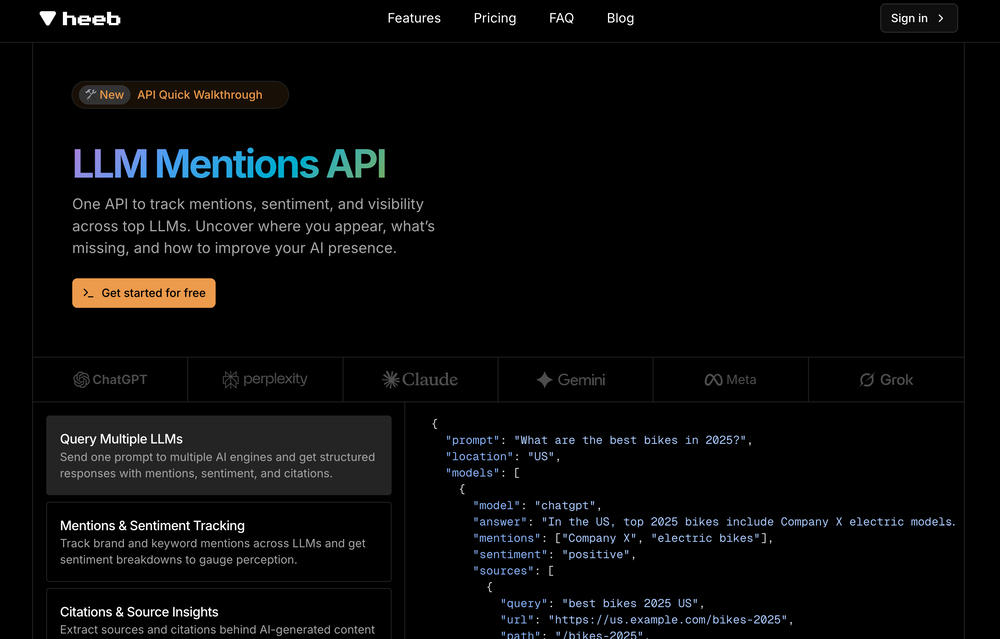
-
-

-
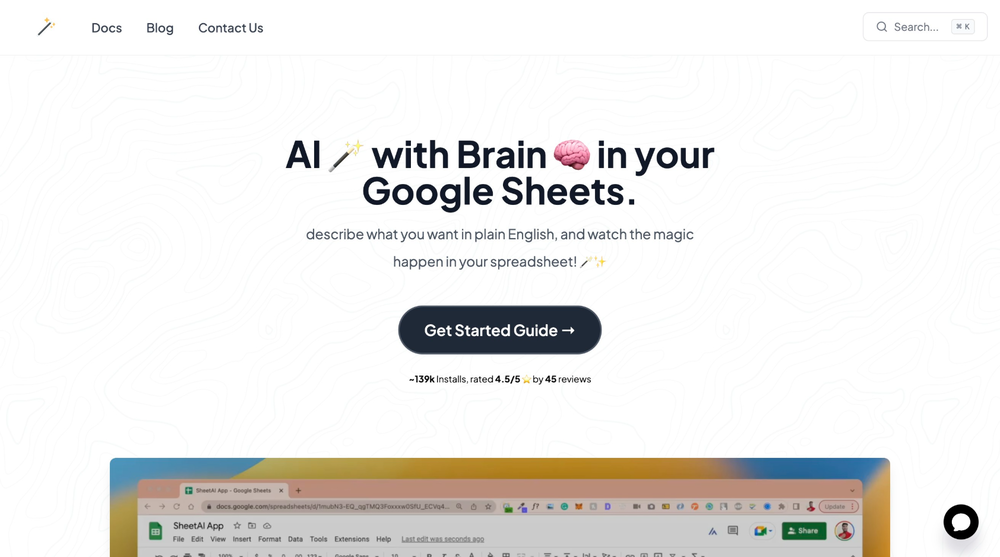 SheetAI was very handy in sorting, fixing and all sorts of tools. This tool is also well documented, so if you need help figuring something out, chances are they will have the info you need.









Verified tools
-
Averi v4.0 — The AI Content Engine for Startups One Workflow. Strategy to Published. Built for Lean Teams. We rebuilt Averi from the ground up around a single idea: startups shouldn't need a 5-person marketing team to build real content-driven growth. Averi v4.0 is the AI Content Engine — a complete workflow that takes you from zero strategy to published, optimized, ranking content in one platform. It's built around the exact system that drove our own growth from 0 to 1.68 million monthly organic impressions and 6,000% visitor growth in 10 months — now productized for every user. Here's everything that's new. Strategy Map This is the big one. Averi now generates a visual content strategy map the moment you onboard — no strategist required. How it works: - Averi scrapes your website and learns your brand, products, positioning, and voice automatically - It generates 5–6 Content Pillars mapped to your ICP's pain points and your business goals - Each pillar expands through six layers of depth — all generated on demand as you click to explore: Content Pillars → The core themes your brand needs to own Focus Areas → Content clusters within each pillar Research Overview → Trending keywords, top-performing content, and competitive analysis for each focus area Topics → Thematic groupings ready for execution Sub-Topics → Individual articles with keyword targets and search intent Content Outlines → Structured briefs with content type, target audience, strategic angle, and keywords — ready to draft - Every topic stores ICP metadata: who it's for, what stage of the buyer journey, which pain point it addresses Why it matters: Most founders skip strategy because it takes weeks and costs thousands. Averi gives you a research-backed content strategy in minutes — one that's actually connected to your execution pipeline. You're not staring at a blank page anymore. You're looking at a map of exactly what to create, who it's for, and why it'll rank. The same pillar-based architecture behind Averi's own 1.68M monthly impression growth — now powering your content engine from day one. Full Content Engine Workflow Averi v4.0 isn't a writing tool. It's a content engine with six connected phases: Phase 1: Strategy — Averi scrapes your site, suggests ICPs, analyzes competitors, and builds your content marketing plan. Setup once, optimize forever. Phase 2: Content Intelligence — Averi researches trends, monitors competitors, analyzes keywords, and surfaces topic recommendations based on real market data. You just approve what gets created. Phase 3: Execution — Select a topic. Averi deep-researches it (with hyperlinked sources), loads your Brand Core context, applies SEO + GEO structure, and generates a first draft. Then you refine it in the editing canvas with your team. Phase 4: Publication — One click to publish directly to Webflow, Framer, WordPress & more. Every piece gets stored in your Content Engine to make future content smarter. Phase 5: Analytics — Built-in performance tracking: impressions, clicks, keyword rankings, trends. Averi doesn't just show data — it tells you what to do about it. "This piece is ranking #8 — here's how to push it to page 1." Phase 6: Ongoing Automation — Averi runs your engine on autopilot. Weekly cycles queue new topics based on performance data and market trends. You approve. It compounds. Editing Canvas with AI Assist Not a text box. A real collaborative editing environment: - AI Assist: Highlight any section → rewrite, expand, or adjust tone with full brand context - Internal Linking: Averi automatically suggests and inserts links to your related content - Meta Generation: Extracts key points, writes meta titles and descriptions automatically SEO + GEO Optimization (Built In) Every piece is automatically structured for dual visibility: - Traditional SEO: Keyword optimization, meta tags, internal links, schema markup - AI Citations (GEO): FAQ sections, clear entity definitions, authoritative sourced stats, extractable insights designed to get cited by ChatGPT, Perplexity, and Google AI Overviews You don't need a separate SEO tool. It's built into the workflow. Content Engine & Brand Core Your content ecosystem has a memory: - Brand Core: Your voice, positioning, products, and ICPs — learned during onboarding, applied to everything - Cumulative Learning: Every published piece feeds back into the system. The more you create, the better it gets. Content Types Averi generates across the formats that actually drive growth: - Blog posts & articles - How-to guides - Comparison pages (X vs. Y) - Listicles - Editorials & thought leadership Who This Is For Averi is built for startups and founders who need content marketing to work — but don't have the time, team, or budget to do it the traditional way: - Solo founders who can't spend 20 hours/week on marketing - 1–2 person marketing teams trying to do the work of ten - Seed to Series A companies ($1M–$10M ARR) who need pipeline, not vanity metrics - Technical founders who know marketing matters but don't know where to start
-
Used it for PPT generation and performed extremely well, especially the numbers and data part.
-
New Features 🚀 Ace Max Agent Introducing Ace Max alongside our existing agent versions (Fast and Think) — built for complex reasoning across multi-dimensional tasks. Ace Max handles multi-step workflows that require planning, research, creation, and delivery in a single conversation. 🔌 Connectors Connectors library with 40+ pre-built connectors including: - Gmail - Google Drive - Notion - Supabase - Calendar - Outlook - And more... Key Features: - Add custom MCP servers as connectors to plug in any tool or API - Filter tools to limit access to specific actions per session - Context-efficient design — add as many as you need without worrying about context bloat 🛝 Presenter View for Slides Professional presentation mode with advanced controls: - Multi-window setup — presenter view in one window, slide view in another with real-time synchronization - Interactive cursor tools — laser pointer, arrow, and other cursor types that broadcast across windows - Presenter notes — AI-generated speaker notes with inline editing, resizable panels, and auto-sync - Timer controls — built-in timer with pause/reset functionality - Autoplay mode — configurable auto-advance with adjustable duration - Slide navigation — thumbnail preview, keyboard shortcuts, and progress tracking - Publishing — share slides via public URL for remote viewing 📄 File Publishing and Editing - Publish any file to a public URL — share with anyone, access from anywhere - Edit files inline in the smart editor with changes synced to the agent in real-time - Redesigned workspace sidebar with improved file navigation and management ⏮️ Rewind Rewind any session to any previous message: - All files, context, and agent state are fully restored to the rewind point - Branch your session in a new direction from any point in the conversation history 🎤 Audio and Input Experience - Audio input support — dictate prompts using the microphone - Prompt enhancement with `Cmd/Ctrl + Shift + E` to refine your prompts before sending - Quick file picker (`Cmd/Ctrl + U`) - Drive import (`Cmd/Ctrl + Shift + U`) - Command palette (`Cmd/Ctrl + K`) for power users 🌐 Web App Previews - Significantly stabler previews with fixed race conditions, stale content, and server restoration issues - In-preview navbar to quickly navigate between pages of your app - Inspect mode — select any element directly on screen and ask the agent to modify it visually - Cloud integration — connect your Supabase account in a few clicks and build full stack web apps with authentication, database and cloud storage, all managed by the agent. 🧭 Explore and Navigation - Recent sessions sidebar with quick actions to switch between sessions or start new ones instantly - Explore section with detailed capability guides to discover everything Raccoon AI can do - Focused in-session experience with updated tool output UI and performance improvements - Connect your web app to cloud hosting anytime during a session 🌍 Localization Raccoon AI now supports 7 languages natively across the entire platform. And you can work with the agent in any language including these 7. Bug Fixes and Stability - Fixed session listing delays - Fixed stale file previews - Fixed missing files - Fixed delayed UI updates - Autoloading knowledge bases when tags are present in queries - Unified and optimized image handling across the agent - Improved media generation tools and media knowledge bases - Fixed system prompt propagation for API users
-
 Open
Open - Sponsor:
 Base44💻 Vibe coding
 -
Using it on day-to-day basis to create presentations for my real estate clients. It's good.
-
 Build AI Mobile & Web Apps - No Code, No Api KeysOpenI built my fitness app and published it to both App Store and Google Play in just 3 days. OnSpace AI handled all the mobile development complexity. I'm now earning from in-app subscriptions.
 -
I got some free credits to try the app when I signed up, I could create a few great infographics
-
This is a very useful tool, especially for me as a small business owner. It keeps everything in one place
-
So many SaaS offerings need rethought to be AI/agent first. And the new thinking really start with the simplicity and appropriate costs needed for the "user" being an agent. tny.dev is really a master class in this new thought process. If you need link shortening, it's completely solved here. I've been using it with Claude Desktop, and Claude just "gets" this MCP server, and its free at the relatively infrequent rate I use it. The analytics are awesome and simple to understand. They are the key feature for me.
-
-
This one works great. Maintains readability while rewriting. Support is great too.
-
Transcriptmate is an outstanding transcription service, especially for those who value simplicity and convenience. What sets it apart from other platforms is that you don’t need to register or create an account to use it. This makes the whole process super fast and easy – perfect for people who just want to upload their audio or video and get a transcript without any hassle. Another great feature is its pay-as-you-go model. There are no hidden fees or monthly subscriptions. You simply pay for the transcription you need, whenever you need it. This flexibility ensures that you only pay for what you use, making it a highly efficient and cost-effective option. Overall, Transcriptmate offers a seamless and user-friendly experience for anyone needing quick, accurate transcriptions without the burden of signing up for yet another service. Highly recommended!
-
Similarity search works okay, but UX could be improved — it's hard to tell when a search was completed. Also there are some minor mistakes in BPM assignation. But overall works as expected and helps finding similar tracks.
-
worked insanely well and super fast. lots of customization options too. honestly just a W tool all around.





















Other tools
-
-
Handles long texts really well. Super useful if you’re into detailed content but want the quick version without losing key info.
- Didn't find the AI you were looking for?
-
-
If you are just starting a company and need an All in one place for your operation, this is the tool you need!
-
 Transform your voice instantly with AI.Openwell this sparked my interest! having parents with hearing aids, maybe this'll help them fine tune what they hear. i for one was impressed on how sensitive it was on picking up voices and how clear they sounded without the noise
 -































Post





