Go to section
Spotlight SureThing.io - "OpenClaw" for BeginnersTask automation
The front page of AI.Used by 90M+ humans.

Generate image
Tasks
Generate text
Free mode
Trending
Leaderboard
Characters
 Mini tools
New
Featured
Lists
Agents
Requests
Jobs
Map
Newsletter
Starter pack
Free tools
Speech to text
Text translator
Remove background
Settings
Edit profile
My tools
Gallery
Dashboard
Inbox
Get featured
Contact TAAFT
For you
Popular
Job impact index
Most saved
Affiliate program
Submit AI tool
Notification preferences
Glossary
Home
Timeline
My profile
Create tool
Deals
Companies
Models
Robots
Papers
Fundraises
Repositories
Devices
Organizations
Events
Prompt Pack
Merchendise
APIs
Features
Tools
Countries
Collections
Videos
Mini tools
New
Featured
Lists
Agents
Requests
Jobs
Map
Newsletter
Starter pack
Free tools
Speech to text
Text translator
Remove background
Settings
Edit profile
My tools
Gallery
Dashboard
Inbox
Get featured
Contact TAAFT
For you
Popular
Job impact index
Most saved
Affiliate program
Submit AI tool
Notification preferences
Glossary
Home
Timeline
My profile
Create tool
Deals
Companies
Models
Robots
Papers
Fundraises
Repositories
Devices
Organizations
Events
Prompt Pack
Merchendise
APIs
Features
Tools
Countries
Collections
Videos
Mini tools
New
Featured
Lists
Agents
Requests
Jobs
Map
Newsletter
Starter pack
Free tools
Speech to text
Text translator
Remove background
Settings
Edit profile
My tools
Gallery
Dashboard
Inbox
Get featured
Contact TAAFT
For you
Popular
Job impact index
Most saved
Affiliate program
Submit AI tool
Notification preferences
Glossary
Home
Timeline
My profile
Create tool
Deals
Companies
Models
Robots
Papers
Fundraises
Repositories
Devices
Organizations
Events
Prompt Pack
Merchendise
APIs
Features
Tools
Countries
Collections
Videos

▼ Latest
Adoption
Free mode
100% free
Freemium
Free Trial
Featured matches
-
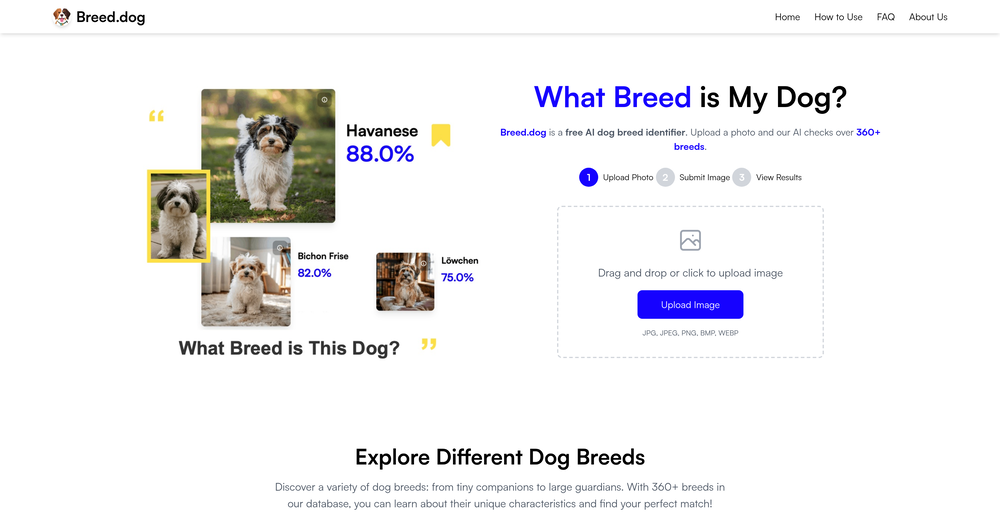
 Span Chen🛠️ 7 tools 🙏 25 karmaMay 28, 2025@Breed.dogtry again, it works well now.
 -
-
 I would call it a "documentation generator for MCP". Would be great to see support for LM Studio too. Other than that, it looks like this tool already follows the best practices for MCP docs. For example, here is a demo for web scraping with Tavily: https://mcpshowcase.com/p/mcp-server-directory/tavily-mcp-server The docs on how to connect your MCP to different AI assistants are essential, but also a pain to maintain on your own. Also nice to see the auto-generated use cases and sample chats!
 -
-

-
-
-








Verified tools
-
It's a fun tool to play around with. They start you with 70 credits, enough to make a model, images, and, a video.
-
 Turn one screen recording into videos, interactive tours, and product guides.Open
 -
A very useful AI slides tool! The content it generates is genuinely smart.
- SpotlightSureThing.io - "OpenClaw" for BeginnersTask automation
-
 10X AI Adoption with Your Change Management Copilot; for digital transformation consultantsOpen
 -
 Create and download your digital clone to live forever. Interact with others.Open















Other tools
- Didn't find the AI you were looking for?
-
I run a small online store and used to rely on stock photos for product mockups and promotional images. The problem was that they never quite fit what I needed. Either the lighting was off, the setting felt too generic, or I’d see the same image pop up on a dozen other websites. Editing them to match my brand took more time than it was worth. I started using Aux Machina a few weeks ago, and it’s completely changed my workflow. Instead of searching endlessly for something that’s *close enough*, I can just describe what I want—like a product sitting on a clean, minimalist desk with soft natural lighting, and get an image that actually fits. What’s even better is that I can refine the results instead of starting over from scratch. It’s been especially useful for seasonal promotions. For example, I needed holiday-themed images with a specific color palette to match my brand, and instead of settling for whatever stock sites had available, I generated exactly what I had in mind. The images look high-quality and professional, and I don’t have to worry about my competitors using the same ones. It’s saved me a ton of time, and the results feel a lot more unique and custom. I still use some stock images here and there, but for anything that needs to stand out, this has been a much better solution.
-
I've used it for personal finance transaction categorisation to sort out my bank statements transactions before import to Quicken. It has been amazing so far and today is just day 1!
-
Excited to share this tool that merges documents with AI, making writing PRDs a breeze! 🚀
-
Great app! Check it out, it does match making using AI. Pretty cool idea!!
-
-
-
 Supportive guide on adoption processes, legal considerations, and emotional support.Open
 -
 Providing expert guidance on skilled trades and AI adoption.Open
 -
Open
-
Open
-
 Open
Open -
 Open
Open -
 Engage, gain insights, and automate tasks with AI.Open
 -
 Open
Open -
 Grow your AI knowledge for daily tasks and business decisions.Open
 -
 Open
Open -
 Assess your company's appetite for new technologies and methods.Open
 -
 Guide on customer service best practices and terminology.Open
 -
 All-in-one coach for enhancing productivity with AI and ChatGPT.Open
 -
 Search data on the impact of AI on jobs, productivity, and operations.Open
 -