
 Mini tools
▼ Latest
Poo
Free mode
100% free
Freemium
Free Trial
Featured matches
-
-
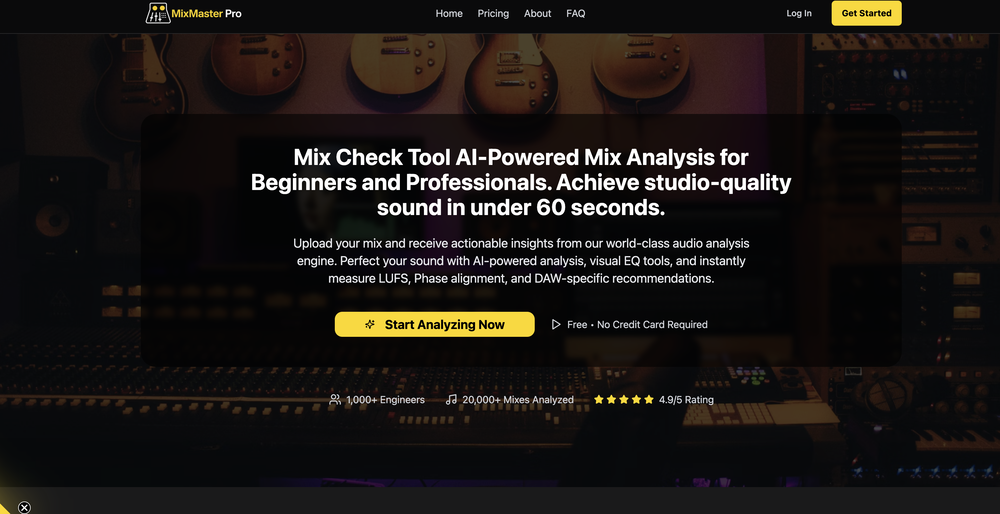 Yonatan Fisher🙏 11 karmaNov 5, 2025@MixMaster ProAn amazing and simple tool


Verified tools
-
Hey everyone! We're making VIP mobile friendly, team-friendly (added support for organizations). We've added semantic search and better bulk analysis, and we're soon adding real-time camera feeds and API access for custom integrations. Try it out for free and let us know what you think!
-
-
 Create, Edit, and Apply Professional Signatures with AI in SecondsOpenThis product comes with great preset styles, which helps me avoid designing without direction. However, at the same time, the presets also limit creativity to some extent.
 - Sponsor
 Base44 Superagents-AI agent that does it all
 -
not sure the price is kinda steep i dont see a reason to drive the price up so high! nice tool but price is waay too high in my opinion plus its very limited, why cant we create our own styles is that possible perhaps?
-
It creates the chapters and sub-topics name very well, but afterwards the button "Generate Course" does nothing except for showing the turning the "I'm thinking" circle for a minute then stopping. There is no error message, nothing at all. 0/5.
-
This AI made me engage in active learning which is very goood. As suggestion for improvement, maybe you can add like a summary notes for thewhole discussion after “done” button is clicked. Thank you so much for this AI
-
The pool design consultants best friend. If you don't know complicated design software, you can create amazing pool design concepts for potential clients in seconds using the AI in this tool.
-
-
AI at its best! Pizo makes work smarter, not harder. Looking forward to new updates and features!
-
Hello Martin, We’re sorry you had this experience. We just launched this app, and due to the high costs of AI, image generation, and narration - we decided to limit free accounts to no continuations. However, we’re working on a way to allow free users more stories and more continuations, and once it’s ready we can award your account with free credits to try it out! In the meantime, I ask that you remove the review as it hurts our launch greatly.























Other tools
-
They recently changed to a “point based system” where free users get 3000 daily point. Subscribers get 100,000,000 points monthly plus the 3000 daily. Each model has a wide range of costs. Some are cheap and some are more expensive. There is no longer unlimited messages for subscribers. It has since sparked an outrage among the community with many ending their subscriptions and moving away from Poe.
-
Hey Sam, you can use some parts of the site for free, but to enjoy the full version it's true that you need to pay.
-
we definitely need this one back, it was pretty amazing lol.
-
I like it. It answers simple questions accurately and by the book. The Ref (reference) page is not usually accurate though. I'll keep you updated on how it responds to complex questions.
- Didn't find the AI you were looking for?
-
Exploring this image generation tool has been an absolute delight!!
-
 Open
Open -
Confusing to start, but eventually it made sense. I would consider using this to design your own brand's email
-
-
-
The best tool so far. Cost is also low. persoanlly recommend to build a resume as per job description.
-
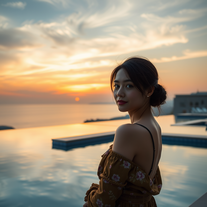 Transform portraits into cinematic sunset moments.Open
 -
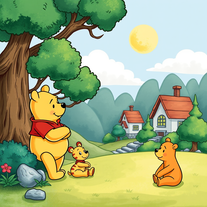 Transform images into 1970s Winnie the Pooh storybook style.Open
 -
 Create hilariously bad 3D art from ideas.Open
 -
 Transform photos into vibrant comic book illustrations.Open
 -
 OpenVideo editing is the process of selecting, trimming, and arranging footage to create a cohesive story or visual narrative. Here are some fundamental concepts and techniques: Types of Video Editing Linear editing: A straightforward, sequential approach to editing, where clips are arranged in a linear timeline. Non-linear editing: A more flexible approach, where clips can be arranged and rearranged freely in a timeline. Key Video Editing Techniques Cutting: A transition between two clips, where one clip ends and another begins. Cutting on action: Cutting between two clips while an action is in progress, to create a seamless transition. J-cut: Cutting from one clip to another while audio from the second clip starts playing before the video cuts to it. L-cut: Cutting from one clip to another while audio from the first clip continues to play. Video Editing Software Popular video editing software includes: Adobe Premiere Pro: A professional-level editing software with advanced features and integration with other Adobe tools. Final Cut Pro: A professional-level editing software for Mac users, known for its user-friendly interface and advanced features. DaVinci Resolve: A free and paid editing software that offers advanced color grading and audio editing tools. Best Practices for Video Editing Plan your edit: Develop a clear vision and storyboard before starting to edit. Organize your footage: Label and categorize your clips to make them easily accessible. Keep it simple: Avoid overusing transitions and effects; focus on telling a clear story. Advanced Video Editing Techniques Color grading: Adjusting the color and brightness of footage to create a specific mood or atmosphere. Audio ducking: Automatically reducing the volume of background audio when dialogue is present. Motion graphics: Adding animated text, logos, or other graphics to enhance the visual narrative. Video editing involves selecting, trimming, and arranging footage to create a cohesive story. Linear and non-linear editing are two fundamental approaches. Key techniques include cutting, cutting on action, J-cuts, and L-cuts. Popular software includes Adobe Premiere Pro, Final Cut Pro, and DaVinci Resolve. Best practices involve planning, organizing footage, and keeping it simple. Advanced techniques include color grading, audio ducking, and motion graphics. Capcat pro Capcat pro Download image-to-image-generator generated imagetransparent pixel Image to Image Generator Image to Image Generator Download image-to-image-generator generated imagetransparent pixel Image to Image Generator Image to Image Generator Download image-to-image-generator generated imagetransparent pixel Image to Image Generator Image to Image Generator Download image-to-image-generator generated imagetransparent pixel Image to Image Generator Image to Image Generator Download image-to-image-generator generated imagetransparent pixel Image to Image Generator Image to Image Generator Download image-to-image-generator generated imagetransparent pixel Image to Image Generator Image to Image Generator Download image-generator generated imagetransparent pixel Image Generator Image Generator Copy Video Editing Basics Video editing is the process of selecting, trimming, and arranging footage to create a cohesive story or visual narrative. Here are some fundamental concepts and techniques: Types of Video Editing Linear editing: A straightforward, sequential approach to editing, where clips are arranged in a linear timeline. Non-linear editing: A more flexible approach, where clips can be arranged and rearranged freely in a timeline. Key Video Editing Techniques Cutting: A transition between two clips, where one clip ends and another begins. Cutting on action: Cutting between two clips while an action is in progress, to create a seamless transition. J-cut: Cutting from one clip to another while audio from the second clip starts playing before the video cuts to it. L-cut: Cutting from one clip to another while audio from the first clip continues to play. Video Editing Software Popular video editing software includes: Adobe Premiere Pro: A professional-level editing software with advanced features and integration with other Adobe tools. Final Cut Pro: A professional-level editing software for Mac users, known for its user-friendly interface and advanced features. DaVinci Resolve: A free and paid editing software that offers advanced color grading and audio editing tools. Best Practices for Video Editing Plan your edit: Develop a clear vision and storyboard before starting to edit. Organize your footage: Label and categorize your clips to make them easily accessible. Keep it simple: Avoid overusing transitions and effects; focus on telling a clear story. Advanced Video Editing Techniques Color grading: Adjusting the color and brightness of footage to create a specific mood or atmosphere. Audio ducking: Automatically reducing the volume of background audio when dialogue is present. Motion graphics: Adding animated text, logos, or other graphics to enhance the visual narrative. Video editing involves selecting, trimming, and arranging footage to create a cohesive story. Linear and non-linear editing are two fundamental approaches. Key techniques include cutting, cutting on action, J-cuts, and L-cuts. Popular software includes Adobe Premiere Pro, Final Cut Pro, and DaVinci Resolve. Best practices involve planning, organizing footage, and keeping it simple. Advanced techniques include color grading,
 -
 Transform into an ultra-realistic 8K jungle warrior.Open
 -
 Create hyper-realistic beach party scenes for personal branding.Open
 -
 Transform photos into cinematic Funko-Pop portraits.Open
 -
 Transform faces into hilarious peephole distortions.OpenThese are SO FUN!!! One of the best minitools on this site, idea is so unique
 -
 Transform photos into bold WPA-style geometric art.Open
 -
 Creates immersive first-person perspective images that simulate your own eyes.OpenChanged the prompt to improve results.
 -
 Create adorable Funko Pop-style characters from any concept!OpenChanged the prompt to improve results.
 -
Changed the prompt to improve results.
-
 Transform photos into Lichtenstein pop-art portraits.Open
 -
-
 Transform words into vibrant pop art portraits.Open
 -
 Transform ideas into ethereal watercolor masterpieces.OpenTips for using app: For best results in creating wonderful minimalist style watercolor artwork, input carefully crafted prompts that includes your favourite watercolor styles (or regular watercolor styles) plus the subject matter, or you can auto-generate regular prompts in the app.
 -
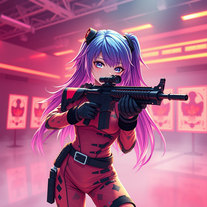 Transform ideas into 3D anime-inspired battle scenes.Open
 -
 Transform ideas into vibrant pop art masterpieces.Open
 -
 Create AI-powered coloring books with whimsical pop culture mashups.Open
 -
 Open
Open -
-
Creative improvement of an existing professional logo. Not all prompt instructions were applied.
-
I tested them all and this icon generator is by far the best. Make sure you specify 'app icon' though so you actually get one that looks like an app icon.
-
Hi Ummesh, it worked just fine for me, can you give it another try?
-
 Craft multilingual pop-rock lyrics effortlessly.Open
 -
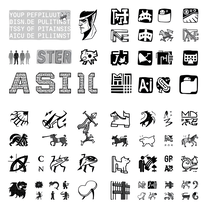 Create stunning ASCII art with AI.Open
 -
Hi there! The tool works just fine, all you need to do is copy the text you want to rewrite and paste it in the little prompt box, where it says "Enter your prompt here". Click "Generate" and you're done!
-
 Open
Open -
-
 Unparalleled manager for documents, images, and social media.Open
 -
 Friendly and professional tool for generating and iterating images in Spanish.Open
 -
 Analytical expert in private investigations and data analysis on Israeli companies.Open
 -
 Generating exhaustive and utility-sorted subcategory lists.Open
 -
 Open
Open -
 A compass for your business, providing clarity and direction.Open
 -
 Open
Open -
 Creating monthly dividend portfolios aligning with your goals.Open
 -
 Mycological enthusiast with a blend of fun and expertise.Open
 -
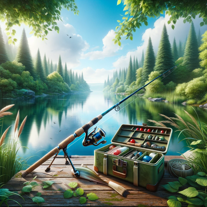 Your ultimate guide from fishing trip planning to cooking your catch.Open
 -
 Your professional assistant for tech evaluations in banking.Open
 -
 Adaptable expert on current entertainment and media trends.Open
 -
 Open
Open -
 Open
Open

























































































Post





