Go to section
Spotlight SureThing.io - "OpenClaw" for BeginnersTask automation
The front page of AI.Used by 90M+ humans.

TAAFT Tutorial
Generate image
Tasks
Generate text
Free mode
Trending
Leaderboard
Characters
 Mini tools
New
Featured
Lists
Agents
Requests
Jobs
Map
Newsletter
Starter pack
Free tools
Speech to text
Text translator
Remove background
Settings
Edit profile
My tools
Gallery
Dashboard
Inbox
Get featured
Contact TAAFT
For you
Popular
Job impact index
Most saved
Affiliate program
Submit AI tool
Notification preferences
Glossary
Home
Timeline
My profile
Create tool
Deals
Companies
Models
Robots
Papers
Fundraises
Repositories
Devices
Organizations
Events
Prompt Pack
Merchendise
APIs
Features
Tools
Countries
Collections
Videos
Mini tools
New
Featured
Lists
Agents
Requests
Jobs
Map
Newsletter
Starter pack
Free tools
Speech to text
Text translator
Remove background
Settings
Edit profile
My tools
Gallery
Dashboard
Inbox
Get featured
Contact TAAFT
For you
Popular
Job impact index
Most saved
Affiliate program
Submit AI tool
Notification preferences
Glossary
Home
Timeline
My profile
Create tool
Deals
Companies
Models
Robots
Papers
Fundraises
Repositories
Devices
Organizations
Events
Prompt Pack
Merchendise
APIs
Features
Tools
Countries
Collections
Videos
Mini tools
New
Featured
Lists
Agents
Requests
Jobs
Map
Newsletter
Starter pack
Free tools
Speech to text
Text translator
Remove background
Settings
Edit profile
My tools
Gallery
Dashboard
Inbox
Get featured
Contact TAAFT
For you
Popular
Job impact index
Most saved
Affiliate program
Submit AI tool
Notification preferences
Glossary
Home
Timeline
My profile
Create tool
Deals
Companies
Models
Robots
Papers
Fundraises
Repositories
Devices
Organizations
Events
Prompt Pack
Merchendise
APIs
Features
Tools
Countries
Collections
Videos

▼ Latest
Research tool
Free mode
100% free
Freemium
Free Trial
Featured matches
-
-
-

-
 BlogWorkflow AI | Opus 4.6 GPT 5.4 GPT Image 2.0 Supported | Structured SEO Workflow for Individual and ProfessionalFrom fragmented ideas to structured, reviewable 8-step publish-ready SEO content.Open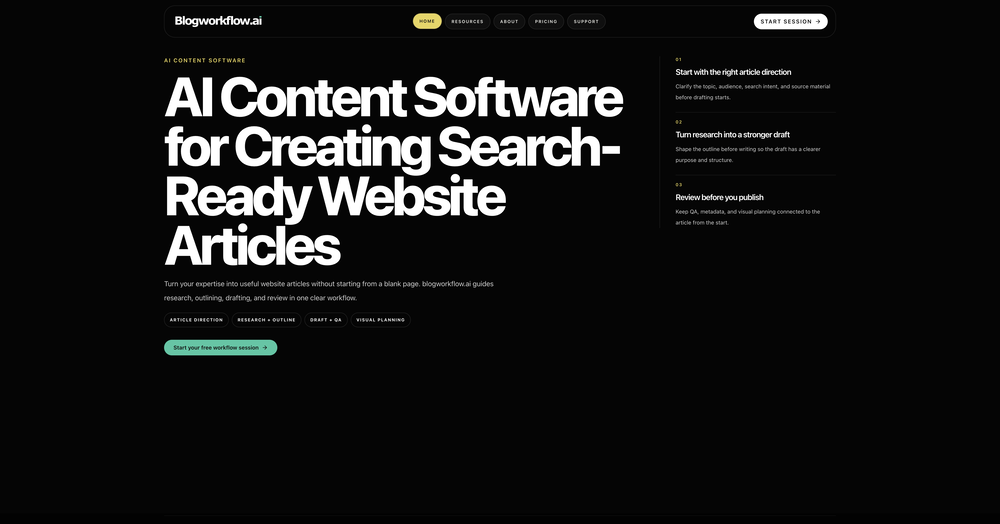
-
-
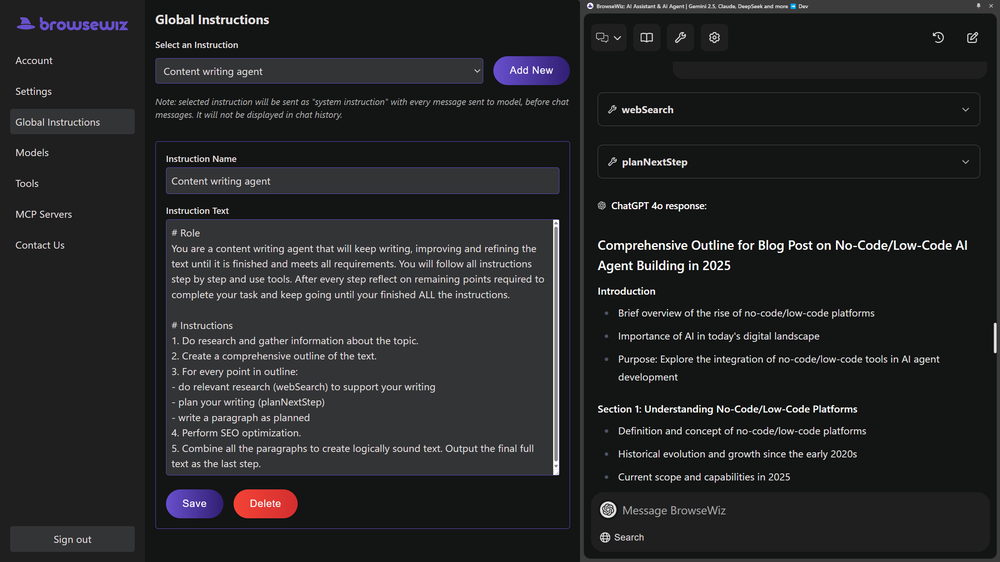 Ben Graham🙏 61 karmaApr 28, 2025@BrowseWizLike copilot, but for power users. Nice for my n8n workflows command center
 -
-
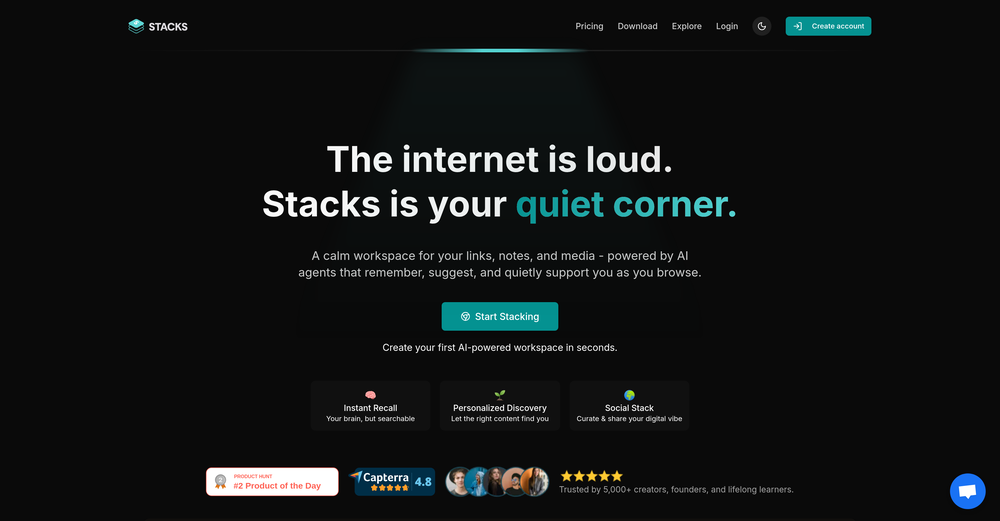 It's a powerful AI-powered personal knowledge system that brings together links, files, notes, and documents in one unified workspace. It's like Notion meets Raindrop meets Google Drive, but with an AI layer that helps you resurface forgotten content, cluster related topics, and even draft documents based on your saved materials.
 -
-
 Open
Open 5-star rating from me, and I stand by my rating. I use KeywordToPin daily and love everything about it... It's still not perfect, but it gets improved constantly. Few weeks ago I sent feedback to the devs for something that I didn't like and the issue got fixed within days... pretty neat if you asked me :) ... Anyway, for those interested in Pinterest marketing K2P is the go-to software IMO, it makes keyword research and competitor analysis on Pinterest such a breathe... and the price is great even for a cheapskate like me so yeah, absolutely 5 stars from me...










Verified tools
- SpotlightSureThing.io - "OpenClaw" for BeginnersTask automation
-
Honestly SurfSense is amazing, I use it almost every morning to get an mp3/podcast of my Gmail, Gcal and urgent Linear tickets so I know exactly what's going on that day. It's also insane for board games because I just throw the rulebooks in and share it with my friends so we can chat with the AI together to figure out how to play. And it is scarily good at untangling and explaining really complex rules when we encounter some weird situation!
-
What you’re describing is interesting, but also risky. If users stay for insights but you position around ops efficiency, you’re likely attracting the wrong icp and underpricing the real value. In similar cases, that creates a significant revenue ceiling. Have you tested leading with insight speed / decision advantage instead of scheduling pain?
-
Hello 👋, I'm Luc, surfmind creator. I built this tool to solve my own problem of getting instant AI assistance on tab without switching tabs and disrupting my flows. I hope you find it just as helpful!
-
Gistr has been a game changer for processing long YouTube videos and PDFs - saves hours and actually helps you retain what you consume.
-
Text/image/code/chat in one tool without a sharp wedge = buyers see you as replaceable → usually 30%+ drop in paid conversion vs specialized tools. Why would someone pay you instead of using 2–3 better single-purpose tools?
-
This started from a small frustration that wouldn't go away: I'd open 12 tabs for "research," skim none of them properly, and close my laptop feeling more behind than when I started. The web rewards reading speed, not reading depth — and I wanted a tool that flipped that. So I built GetTheGists: a Chrome extension that gives you the gist of any page in 3 seconds, then lets you ask follow-up questions like you would a smart friend who already read it. A few things we went out of our way to get right: - Cognitive hierarchy, not walls of text. Every summary is structured as Gist → Why It Matters → Key Takeaways → Implications. Compression before precision. - Ask, don't just read. Hit the page with follow-ups, get answers grounded in the content. - 20 languages, full dark mode, and a resizable side panel that actually respects your screen. What surprised me building this: the hardest part wasn't the AI — it was deciding what not to show. Every iteration was about removing a section, not adding one. It's free to try (Premium and Pro tiers if you want higher limits). I'd love your honest feedback — especially on the summary format and where it falls short on your favorite kind of page. I'll be in the comments all day. Thank you for taking a look 🙏
-
Tried this with a couple clips and the speed was honestly impressive. Feels super useful for creators and research workflows.
-
AudioScribe has been really helpful for turning meeting recordings into clean transcripts without much hassle. I especially like the AI summaries and speaker identification, since they make it much easier to review long conversations and pull out the key points. Solid tool overall, and definitely worth a 5-star rating.
-
Been using TranscriptTool whenever I need to quickly turn short videos into text. I like that it keeps things simple and makes it easier to review claims or pull quotes without having to watch clips repeatedly. Handy tool for anyone dealing with video content regularly.
-
Hi! Thor here, the creator. Think of Axey as your collaborative partner: you give commands, watch Axey work, refine & perfect. Feel free to ask any questions!
-
Great tool to grow on YouTube with actionable insights👏🏼
-
Lynx by Apex7 AI offers an interesting approach to workflow automation and AI-powered business operations. The interface feels clean, and it’s great to see a tool focused on helping teams streamline repetitive tasks more efficiently. Looking forward to seeing how the platform evolves and the new capabilities it brings over time.
-
-
 Enable LLMs to search and analyze live social media through natural language.OpenSimple idea, well executed. Makes social data usable inside LLM-based workflows instead of external dashboards
 -
Have been trial running this tool and am very impressed by what I've seen. Would recommend for persons in need of a reliable, cost-effective and SEO optimized writing solution.
-
okay so the timing on when it makes you review is kinda creepy accurate? like it'll pop up right when i'm about to forget something. been using it for bio and actually remembering lecture stuff past the exam for once.
-
 AI-powered Modern English to Old English translator.Open
 -
 Break creative barriers with AI for marketing teams.OpenUnite is amazing! The ultimate tool for marketing teams.
 -
 OpenI love this extension, mobile app and desktop software! I use it everyday and everywhere. Generated text are amazing. Well done to the team and continue your incredible work! For me, Voilà is the best AI assistant, copilot and AI writer on the market. I stopped my ChatGPT plus subscription since I discoverer it.
 -
I'm absolutely blown away by the design quality of the presentations they look so vibrant and stylish. I was also pleasantly surprised that the AI asks lots of clarifying questions to make sure the final result is exactly what I wanted, not just something random. Vibes 🔥
-
The fact that it's available through ChatGPT plugin actually helped me find a lot more AI tools to help me do certain tasks. Thanks.
-
-
We're live folks! Do check us out and drop your feedback or requests.
-
-
I mostly use ChatGPT and Claude for writing content. What I like Chatgbot is that it saves me from multiple monthly payments for different AI tools. Everything works fine, accuracy included. Worth subscribing.
-
A lot of humanizer software is actually just gpt wrappers to do this by asking gpt to rewrite with some different voice. Ace Essay does have their own AI that does a better job at humanizing.
-
Fantastic tool that i use for my market research. I usually export the marketing report directly from the tool and send it to my clients, it's the best!
-
The program works as presented. For those of you out that really need an assistant on your team to help with research and article writing, hypertxt is my go to. Try it out, I think you'll like it!
-
It does it's job and I love that it has a lifetime plan
-
 Transform documents into interactive knowledge bases using advanced AI.OpenThis tool is expected to evolve rapidly, we are also taking all feature requests so submit what you like and we'll build it if it aligns with our product vision! Have fun with the tool and let us know what you think!
 -
 AI spreadsheet & data analyst. 10x your productivity.OpenI use Sourcetable for quick data analysis and visualizations with natural-language queries. I'm working with Excel files and our Postgres database. It feels like an AI analyst built into a spreadsheet for turning raw data into clear reports. (Like ChatGPT + Excel, but better.)
 -
Love this!! 100x better than Notion, this should get more attention
-
Used it to make a client intake form and it nailed it, built the whole thing clean, simple and concise. Definitely considering using it more regularly.
-
This is actually amazing. It has all the main features I need to be very efficient at my work.
-
Hi 👋 I'm Vera, the maker of Whisper Web. I built it because I needed a frictionless way to turn recordings into structured text — meeting notes, interview quotes, podcast transcripts, YouTube research. Whisper Web runs entirely in your browser. Drop an audio or video file (up to 2GB), record from your mic, or paste a YouTube URL. You get a clean transcript with automatic speaker labels and a structured AI summary covering key points, action items, decisions, and quotes — all in under 3 minutes. 100+ languages, auto-detected. Six export formats: TXT, DOCX, PDF, SRT, VTT, and JSON. Privacy-first by design. Free to try, no credit card. Would love your feedback — drop a recording you've been putting off and tell me how it went. — Vera
-
 Open
Open -
 Make Better Decisions with Data-Driven Charts, Clear Explanations, and Insightful AnalysisOpen
 -
PDF Digest is a helpful AI tool that makes working with PDF files easier and saves time.
-
Hi everyone, Jon here. I love Deep Research but hated reading the slop churned out by the major apps. Try this passion project out and let me know what you think!
-
 Search real papers and write literature reviews without AI hallucinations.Open
 -
Hi Taaft community! I’m the creator of ConceptViz. We built this tool specifically for educators and researchers who deal with complex information daily. ConceptViz uses AI to instantly transform dense lesson plans, curriculum notes, or research frameworks into clear, structured diagrams. Our goal is to help K12 teachers make abstract concepts tangible for students and to help researchers map out logical workflows without the manual drudgery of drawing. I’d love to hear how this fits into your academic or classroom workflow—your feedback will help us build a better tool for the education community! 🚀
-
It's very easy to use, completely free, and even supports files up to 1GB in size.
-
 AI visibility, site audits, Local GEO, and site migration for small businessOpen
 -
-
This tool not only transcribes videos and audio, but also automatically generates summaries, which greatly helps me organize my study notes.
-
 Instantly summarize and chat with any webpage.Open
 -
Gatsbi combines AI-driven combinatorial innovation with human-developed TRIZ methodology, making it uniquely powerful for practical applications. Unlike purely research-focused systems, it delivers immediate value through features like automatic patent document generation and academic paper creation. By efficiently navigating vast solution spaces, Gatsbi identifies novel approaches to complex problems while maintaining feasibility. This tool significantly lowers barriers to innovation for organizations without dedicated scientific teams, making cutting-edge research capabilities accessible to more users across all scientific disciplines.
-
Amazing app and really easy-to-use! It has all the things I need to create a neat, functional, and clear-cut mindmap.
-
 Open
Open -
-
I found AHelp during its ProductHunt launch. Tried its free tools and was quite satisfied. That's why plan to use them often.
-
Heya Tech! The app used to be free, but it looks like it’s been updated to a paid only plan starting at $12.95 per month.
-
Amazing tool for my school assignments!













































































































Other tools
-
 Save Hours of Research in Seconds with 40+ AI ToolsOpen
 -
- Didn't find the AI you were looking for?
-
 Podcasts, scholarships, literature reviews - study and work faster with AIOpen
 -
Says "free during testing," but keeps telling me I have insufficient credits. I also can't seem to find a way to delete my account.
-
-
stuck at the info page where it was showing all the features
-
-
Checked it out. On first glance, it appears to be just like any other stock analysis tool. After fiddling with it for several minutes, there seems to be nothing indicating that it uses AI.
-
-
Hangs up on age. Should be either drop down menu or age brackets. Could go no further.
-
-
 AI researcher: Questions to literature reviews from 200M+ papers.OpenThis is a great tool for researches like us and our research community, it makes the literature review so easy. all the data is extracted automatically related to our query along with citation. Truly commendable tool and recommendable to those who are not using it till now.
 -
Works very well. I can pretty much get the thoughts of thousands of people in a few seconds!
-
 Work smarter with cutting-edge AI for research and social media.Open
 -
The grouping feature is excellent. Bring the Arc browser's Space functionality to Chrome, a fantastic idea!
-
 Supercharge South African SEO with AI-powered keyword insights.OpenI’m still learning SEO, but this AI tool made keyword research so much easier. It gives clear suggestions, helps me find low-competition terms fast, and saves me tons of time. Great for beginners like me.
 -
 Generate ultra-realistic satellite images with professional detail.Open
 -
 Open
Open -
 Open
Open -
 Searches the perfect AI Tool or GPT for your use case.Open
 -
 Optimize content with searcher intent in mind.Open
 -
 Discovering tools you never knew you needed.Open
 -
 Guiding in ethical software development practicesOpen
 -
 Open
Open -
 Guiding users through the world of swamps and wetlands with environmental expertise.Open
 -
Expert on non-profit organizations, philanthropic and informative.Open
-
Open
-
Explaining science through analogies, principles, and models.Open
-