Go to section
Sponsor
 Flow - 4x faster than typing
🎤 Dictation
Flow - 4x faster than typing
🎤 Dictation
The front page of AI.Used by 90M+ humans.

Generate image
Tasks
Generate text
Free mode
Trending
Leaderboard
Characters
 Mini tools
New
Featured
Lists
Agents
Requests
Jobs
Map
Newsletter
Starter pack
Free tools
Speech to text
Text translator
Remove background
Settings
Edit profile
My tools
Gallery
Dashboard
Inbox
Get featured
Contact TAAFT
For you
Popular
Job impact index
Most saved
Affiliate program
Submit AI tool
Notification preferences
Glossary
Home
Timeline
My profile
Create tool
Deals
Companies
Models
Robots
Papers
Fundraises
Repositories
Devices
Organizations
Events
Prompt Pack
Merchendise
APIs
Features
Tools
Countries
Collections
Videos
Mini tools
New
Featured
Lists
Agents
Requests
Jobs
Map
Newsletter
Starter pack
Free tools
Speech to text
Text translator
Remove background
Settings
Edit profile
My tools
Gallery
Dashboard
Inbox
Get featured
Contact TAAFT
For you
Popular
Job impact index
Most saved
Affiliate program
Submit AI tool
Notification preferences
Glossary
Home
Timeline
My profile
Create tool
Deals
Companies
Models
Robots
Papers
Fundraises
Repositories
Devices
Organizations
Events
Prompt Pack
Merchendise
APIs
Features
Tools
Countries
Collections
Videos
Mini tools
New
Featured
Lists
Agents
Requests
Jobs
Map
Newsletter
Starter pack
Free tools
Speech to text
Text translator
Remove background
Settings
Edit profile
My tools
Gallery
Dashboard
Inbox
Get featured
Contact TAAFT
For you
Popular
Job impact index
Most saved
Affiliate program
Submit AI tool
Notification preferences
Glossary
Home
Timeline
My profile
Create tool
Deals
Companies
Models
Robots
Papers
Fundraises
Repositories
Devices
Organizations
Events
Prompt Pack
Merchendise
APIs
Features
Tools
Countries
Collections
Videos

▼ Latest
User
Free mode
100% free
Freemium
Free Trial
Featured matches
-
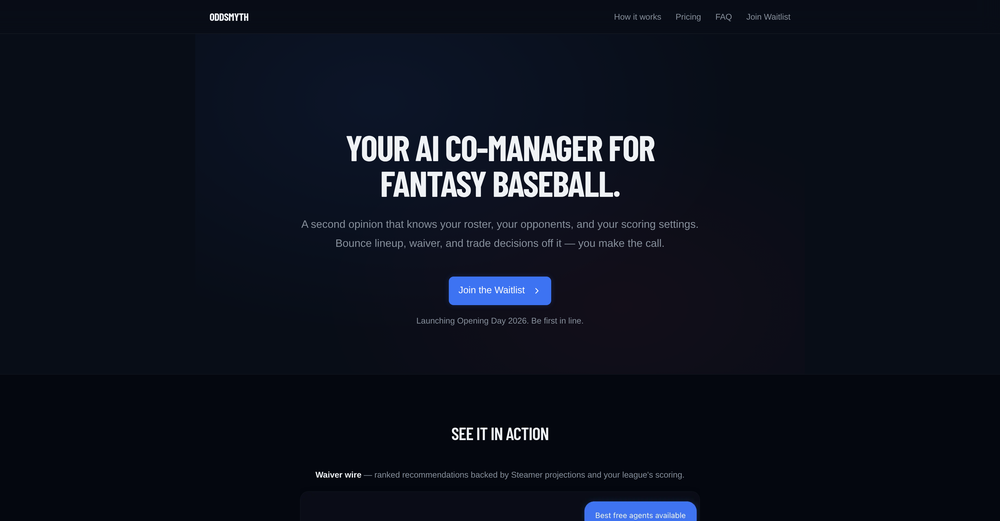
 Kwan Kim🛠️ 1 tool 🙏 6 karmaMar 18, 2026@OddsmythHey! I'm Kwan, the solo founder behind Oddsmyth. I built this because I play in 2 Yahoo H2H fantasy baseball leagues and was spending 30+ minutes every morning researching lineups, scanning the waiver wire, and evaluating trades. The tools I tried (FantasyPros, Yahoo's built-in recs) all had the same problem: they don't know my league. They give generic advice based on generic rankings. Oddsmyth connects to your Yahoo Fantasy league and actually knows your roster, your opponents, your scoring settings, and who's available on your waiver wire. You can ask it anything in plain English ("who should I start today?", "is this trade worth it?", "who should I grab off waivers?") and it gives you a specific answer with reasoning based on your situation. It's not meant to replace doing your own research. It's a second opinion you can bounce decisions off of when you're torn on a close call or managing multiple leagues and don't have time to dig into every decision. The AI is powered by Claude and uses live data from the MLB Stats API, FanGraphs Steamer projections, and your Yahoo league data. You get 5 free credits to try it. Quick questions (game times, scores, injury checks) are always free. I'd love feedback from anyone who plays Yahoo fantasy baseball. What's working, what's not, what would make it more useful. I'm building this in public and actively improving it based on what real users tell me.
 -
-
-
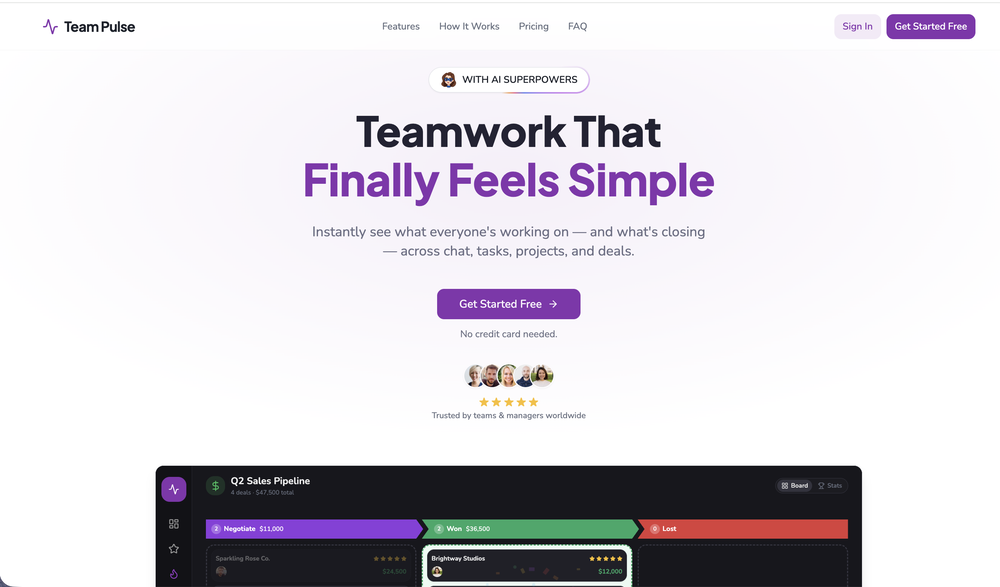 I started using Team Pulse recently, and I really like how simple it feels. Managing projects, tasks, and pipelines in one place is smooth, clean, and easy to understand without overcomplicating the workflow.
 -
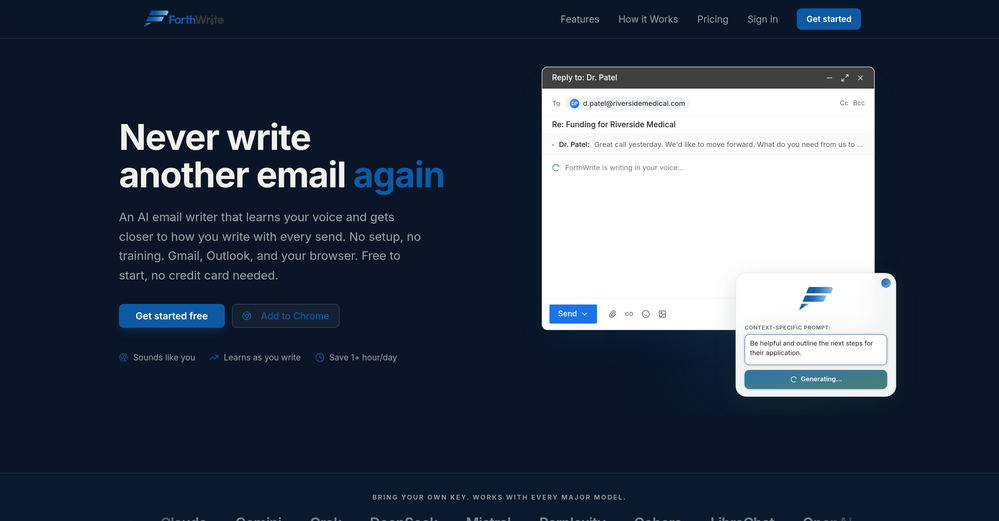 I've tried a lot of AI email tools and they all produce the same generic output. ForthWrite is different because it actually learns from the gap between what it drafts and what I end up sending. After a few weeks the drafts need almost no editing. Works right inside Gmail via the Chrome extension, so there's no new app to learn. The 60-day guarantee made it easy to commit. Highly recommend for anyone who sends a high volume of professional email.
 -
 Open
Open
-
-
 The fastest way to map and streamline inefficient workflowsOpen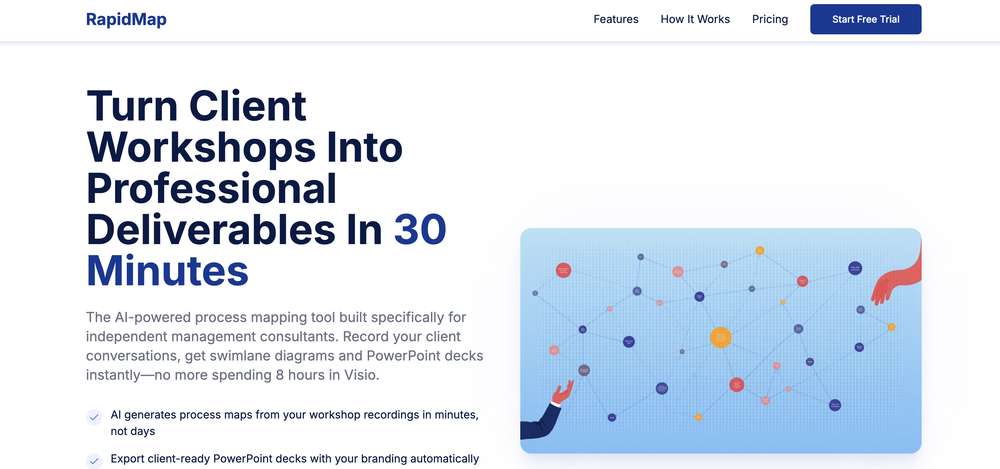
-
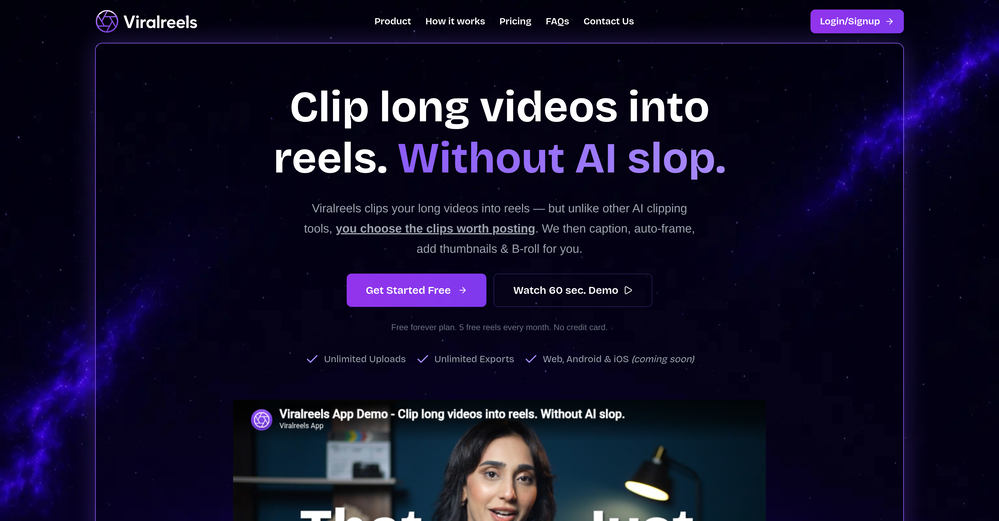 Been using ViralReels.co for a few days and it honestly saves me a ton of time editing shorts. The animated captions look really good, and I can turn one video into multiple Reels and Shorts in minutes.
 -












Verified tools
-
Waitlist
 AI checks your medical bill, fights the overcharges, and lowers it.Open
 - SponsorFlow - 4x faster than typing🎤 Dictation
-
 Open
Open -
Used this for scheduling my last 3 interviews and honestly forgot how annoying it was before. One company wanted to do 4 rounds and instead of me going back and forth with their HR person a dozen times, Workmate just handled it. Saved me from that weird anxiety of 'did I respond fast enough' or 'is this time actually gonna work.'
-
 There's nothing here to work withyet.Open
 -
Looks pretty clean and easy to use! The upload process is straightforward, though the top section feels a little crowded. Maybe add a bit more info about how the credits work.
-
Solid. Not perfect but it gets the job done and the updates have been pretty consistent
-
 Define your ideal customers and craft a winning marketing strategy with Elsa.OpenI rarely leave reviews, but Elsa amazed me. After a few weeks of using it, I'm still excited. Props, guys.
 -
Founder here 👋 I built Clear Cortex because the chat window is the wrong shape for real work. Every new conversation starts from zero — you re-paste the same context, re-explain the same project, and the good answers disappear into scrollback you'll never find again. So the model here is flipped: your work lives in a workspace you own, and the AI comes to it. Every leading model — chat, image, audio, code — works from the same canvas behind one login and one pot of credit. And every answer is cited back to the exact source it was built from, so you can open it a week later and still trust it.
-
-
-
Can't even reach the end of onboarding stuck in the last step
-
 Give your brand superpowers with automated creation, metrics, and analytics.OpenAs a physician, I barely have time to create content — and hiring an agency would be far more expensive. With ContentsPilot, I can keep my social media active, and whenever I get a moment in my day, I just record what’s needed. The rest of the content is already prepared and organized. It’s become the perfect solution for my busy routine.
 -
 Run synthetic user interviews and validate messaging, landing pages, and product ideasOpenWhat's New Since the v2 platform rebuild, Articos has added two new research types (Message Testing and Landing Page Testing), a reusable Persona Library, and dozens of workflow refinements across all five steps. New Research Type: Message Testing ---------------------------------- - Test up to 5 message, headline, or value-proposition variants against your personas and see which one resonates -- not just single-variant interviews - Guided setup with message-type categories (headline, value prop, email subject, ad copy, and more) plus a couple of quick context questions - Every persona is interviewed against every variant, so results are a true per-persona and per-segment comparison rather than a split sample - Dedicated Step 4 view: persona list on the left, that persona's variant-by-variant responses on the right - Report ranks a winning variant with a per-dimension scorecard; single-variant tests get a diagnostic "how does this land" read instead of forced winner/loser language - Add another variant straight from a finished report (up to 5) and get a refreshed head-to-head -- it reuses the same personas and questions, so there's no starting over New Research Type: Landing Page Testing --------------------------------------- - Upload or capture a single landing page, pick one goal, and get persona feedback scored against that goal - Single-page scorecard report -- goal-achievement score, UX-dimension breakdown, themes, and recommendations (not a two-way A/B comparison) - Available on the free Trial, not just paid plans - Interview-script edits in Step 3 now reliably persist through execution Persona Library --------------- - Save any persona -- or a whole audience at once -- to a personal library and reuse it across future studies instead of regenerating every time - New Persona Library page with search, filter, and a full read-only detail view (bio, personality traits, attributes) - "Reuse Existing Personas" option when starting a new study (idea validation, A/B testing, and message testing) - Saved personas show a persistent "Saved" badge so you always know what's already in your library Persona Generation & Step 2 --------------------------- - Refine a persona in plain English -- type an instruction ("make her more skeptical of new tools") and the AI regenerates just that persona; review a before/after diff before applying - Persona names are now guaranteed unique and consistent with each persona's origin; gender is a proper generated attribute for better distribution - Step 2 redesigned into a two-pane layout -- stats and per-role breakdown on the left, a filterable persona grid with a slide-in detail drawer on the right - Add a single persona to a role without regenerating the whole set Step 1: Intake & Onboarding --------------------------- - Attach a document to your Step 1 chat (PDF, Word, TXT, or Markdown, up to 10MB) and the AI reasons over it alongside your messages - Upload your own interview script in Step 3 -- the AI extracts your questions and you choose to append them or replace the generated script - One-click starter-example cards on the Step 1 opener for first-time users - Revamped first-run onboarding: choose your role and primary use case right after signup - Self-service "Forgot password" flow with a branded reset email and reset page Reports (Step 5) ---------------- - Reports now generate in the background -- close the tab or refresh and the report keeps building server-side, ready when you return - Live progress on the Step 4 card ("Generating your report" -> "View Report") - Download your report as a PDF from Step 5 - Shared/public A/B report links now include the same participant count, question count, and variant screenshots as your private view Interviews (Step 4) ------------------- - Download every completed transcript at once as a single combined PDF -- works for standard, A/B, and message-testing studies - Download an individual persona's transcript as a PDF from the interview modal - Interviews are more resilient to transient AI hiccups: a mid-interview failure now retries automatically instead of failing outright, and a permanently failed interview shows a clear "failed" state instead of spinning Plans & Billing --------------- - New "Pay per research" option -- buy a one-time research pack (credits that never expire) instead of a monthly plan, right from the upgrade modal - Trial extended to 7 days (up from 3) - Study limits now count completed studies, not started ones -- create and abandon as many drafts as you like; only a finished study with a report counts against your plan or pack - Trial users now see the full product UI, with upgrade prompts appearing at the point of use instead of grayed-out feature
 -
It just feels seamless when I ask it to generate my Q2 marketing docs and polish my email replies. I mean you don't need to write a long prompt and copy all the Re:Re:Re:Re email to it like other LLMs do. You just give a clear instruction and it gets things done.
-
Early stage development. Little to no training materials available.Cant adjust outcome length for summaries. Disappointing as this tool could be so good.
-
What you’re describing is interesting, but also risky. If users stay for insights but you position around ops efficiency, you’re likely attracting the wrong icp and underpricing the real value. In similar cases, that creates a significant revenue ceiling. Have you tested leading with insight speed / decision advantage instead of scheduling pain?
-
I’m not technical at all, and after hearing about vibe coding for so long, this is one of the first products that actually made me feel like I could try building something myself, just from my phone. It feels like making software is finally becoming something for everyone, not just developers.
-
- Waitlist
-
-
The new ProposAI is live. When we launched ProposAI, the goal was simple: take the pain out of writing proposals and RFP responses. This release is our biggest step yet. What's new: 🔹 A redesigned interface — cleaner, faster, and far fewer clicks from brief to finished proposal 🔹 Truly agentic AI — ProposAI now orchestrates multiple AI models behind the scenes, picking the right one for each part of your response 🔹 Public sector tender search — find the latest public sector tenders directly in the platform, then respond to them without leaving it Less time formatting and searching. More time winning. See it in action 👇 [overview video] Try it at https://proposai.io — I'd love your feedback. #ProposAI #RFP #Proposals #PublicSectorProcurement #AI #BidWriting
-
Askbishop has changed the way i study the bible, digging deeper into scripture to understand the heart of God's word from a personable AI companion. From faith based answers to life's questions - to guided prayer, its really helped me develop and grow in my walk with Christ.
-
 Open
Open -
What I love most about 1ClickReport is how fast it helps you spot what's broken. We started catching conversion drops, budget leaks and underperforming campaigns way earlier than before. Fixed issues we didn't even know existed. Our clients are seeing better results and we look smarter. This is the tool that actually moves the needle.
-
 Save hours by auto-replying to YouTube comments with context-aware AI.Open
 -
Really impressed with Junior.so so far. Having an AI teammate inside Slack that can handle CRM updates and follow-ups without me constantly prompting it feels genuinely useful, especially for small teams juggling sales and ops. Setup was pretty smooth, and the daily reports are a nice bonus.
-
AudioScribe has been really helpful for turning meeting recordings into clean transcripts without much hassle. I especially like the AI summaries and speaker identification, since they make it much easier to review long conversations and pull out the key points. Solid tool overall, and definitely worth a 5-star rating.
-
Been using TranscriptTool whenever I need to quickly turn short videos into text. I like that it keeps things simple and makes it easier to review claims or pull quotes without having to watch clips repeatedly. Handy tool for anyone dealing with video content regularly.
-
 Open
Open -
Great tool to grow on YouTube with actionable insights👏🏼
-
-
Hello, When someone discovers your AI for the first time, what's the biggest misconception they usually have? The reason I asked is because first impressions often shape a product's growth. What do people usually get wrong?
-
-
 OpenHey 👋 — founder of Pinci here. Most AI tools hand you the controls and expect you to figure out the rest, the right model, the right prompt, the right settings. That's fine if you're an AI power user. It's a wall if you're not. Pinci works the opposite way. Each agent is a specialist creative director in one domain: Jules directs product video, Paul directs product photography, Tommy handles brand design. You describe the result you want in plain language. The agent decides how to get there, coordinates the right tools, and hands you a finished, ready-to-publish asset. No prompts. No model-picking. No AI knowledge required. You get 300 free credits on signup, enough to see exactly what I mean on your own product today. I'd love your honest feedback: which agent would you try first, and where does it fall short? 🙏
 -
-
A useful AI tool for homeowners. I used it to convert my basic floor plan into a 3D model and explore different interior styles. The AI interior design feature is a nice bonus because it helps visualize ideas before spending money on renovation. Simple to use and great for early-stage planning.

-
-
As the developer behind Pixado, I built this because I was tired of spending hours on design tools just to get a decent thumbnail. I wanted to create something that focuses purely on CTR and production-ready output, not just 'artistic' images. I’m constantly refining the models to handle real YouTube layouts. Would love to hear your feedback on the latest results—what features would make your content production even faster?
-
 Turn brand visibility gaps into AI recommendations for your SaaS business.Open
 -
I have used AISAFE a lot for security research involving WordPress plugins and CVE-related submissions through the Wordfence program. Pros: + Great with mapping important parts of codebase and highlighting the areas worth looking into. + Reduces a lot of time spent searching trough bloat unrelated code. + Makes the whole manual testing part a lot easier. + Useful for pentesters, bug bounty hunters or any type of source-code audits. Cons: - Some leads might not be exploitable and manual trimming is still required. Overall AISAFE is a great skill MULTIPLIER for any pentester, it wont replace you but it will make you better at it.
-
 Generate AI images. No subscription. Credits never expire.Open
 -
prompted a few different styles and it handled them pretty well. images came out detailed and didn’t take long either. solid for quick ideas.












































































































































Other tools
-
This feels like one of those tools that removes a super annoying workflow people just accepted for years.
-
Hello, If you had to describe your AI in one sentence without using the word "AI," what would you say? The reason I asked is because it's an interesting way to understand what makes a product truly valuable. How would you describe it?
- Didn't find the AI you were looking for?
-
 Open
Open -
 Open
Open -
 Open
Open -
 Open
Open -
 Open
Open -
 Open
Open -
 Crafts 'Mom Test' questions for unbiased product feedbackOpen
 -
 Open
Open -
 Transforms user interview transcripts into tasks.Open
 -
 Provides comprehensive assistance in user experience research and analysis.Open
 -
 Collect and analyze user feedback for product insights.Open
 -
 Creating User Persona images and descriptions for research and design.Open
 -
 Friendly mentor for UI design feedback and improvement.Open
 -
 Optimizing BCI interfaces with user feedback and neural input.Open
 -
 Friendly mentor for improving software UI designs.Open
 -
 Transforming requirements into detailed product personas.Open
 -
 Open
Open -
 Engage, gain insights, and automate with AI.Open
 -
 Identify high-value AI use cases in sales & marketing.Open
 -
 Generating software use cases from a template repository.Open
 -
 Explore Poe's classic tale with rich insights.Open