 Wispr Flow-Now on Android!
 Mini tools
 Elevate your sound with AI-powered mix analysis.





 Creative Minds Think Alike
 GoEnhance
 Ceacle tools
 Remini
 Apple Creator Studio
 cre8tiveAI
 Unboring
 So You Want To Be A Writer?
 Ancient AI powered spirits
 Minka
Minka
 Jvb ai
 somacguffin
 Cuty
Cuty
 Superfly Stoner
 Suno
Suno
 Singify
 MusicStar.ai
 Tunee
Tunee
 Extend music
 MakeBestMusic-Al Song Generator
 Songmastr
 SongBot AI Rajib Gartia
 Video Music-Score by Vidsembly
 Musico
 SongR
SongR
 Raplyrics
 Soundful
 Synthesizer V
 AIMusicGen.ai
 Mubert
 Riffusion
 AI Music Generator
 AI Singing
 Instavibes
 Staccato
 Kits AI
 AudioStack
 Cadenza Music
 fl studio nana beat maker
 create dancehall music old school
 Fl studio Industrial metal 2006 — mechanical beats, distorted guitars, cyber feel 4 mins beat maker
 fl studio abba beat maker
 Fl studio hip hop crunk beat maker 2006
 Fl studio snoop dogg beat maker no g funk
 mtv music generator 2000 beat maker random all styles
 fl studio rihanna 2006 beat maker
 fl studio sean paul 2006 beat maker
 fl studio uk grime 2006 beat maker







Overview





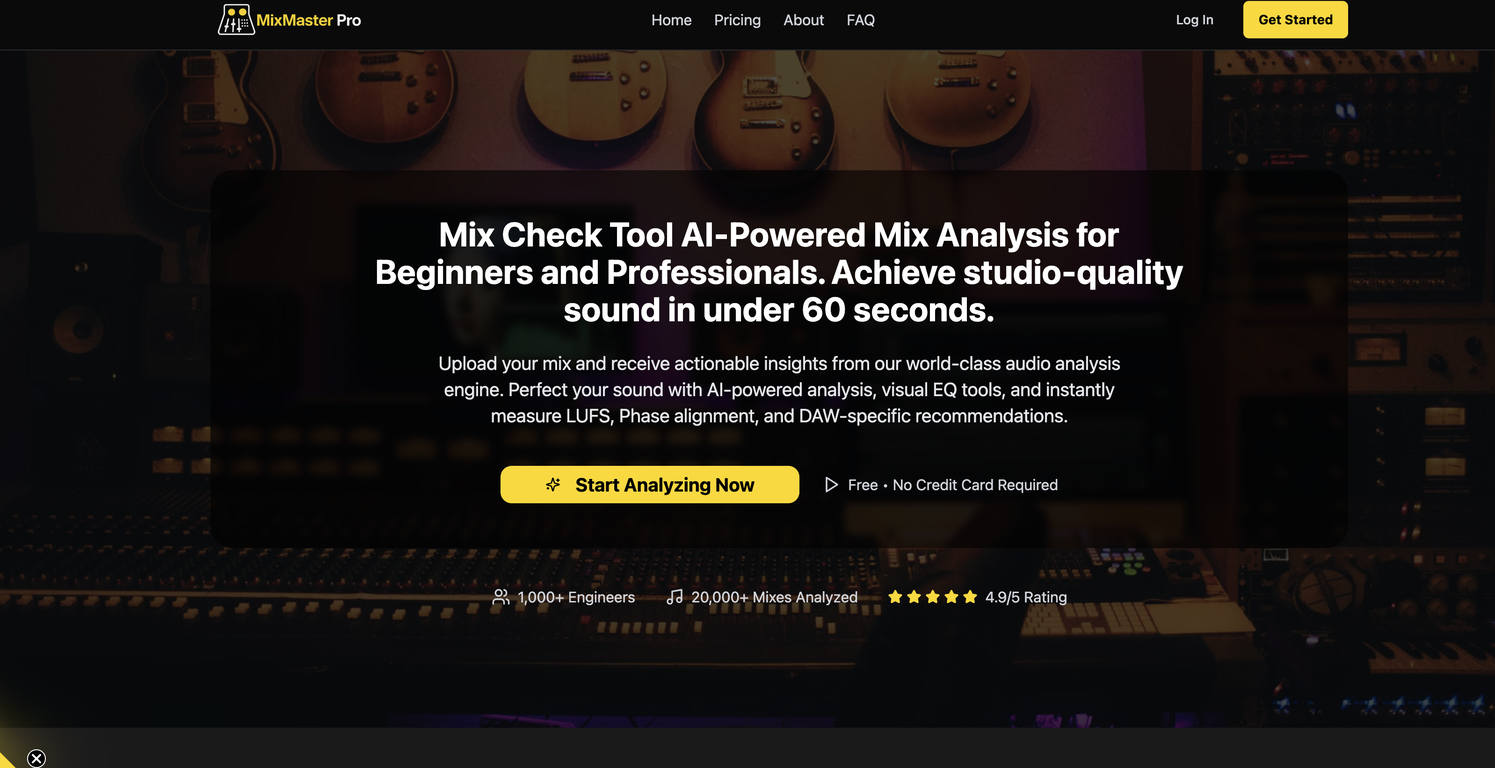
MixMaster Pro is an AI-powered mix analysis tool designed to enhance your sound quality by providing professional feedback and actionable checklists. This tool is useful for both amateur and professional sound engineers looking to achieve studio-quality results.
Notably, it offers DAW-specific tips which are aimed at improving your mixes within your Digital Audio Workstation of choice. This means the tips are tailored to the capabilities and specificities of different DAWs, making them more effective and user-friendly.The program quickly and efficiently analyzes several important audio factors, including Loudness Units Full Scale (LUFS), Root Mean Square (RMS), EQ balance, stereo width, compression, phase alignment, and the frequency spectrum.
LUFS and RMS are essential metrics for proper audio mastering, helping engineers deliver consistency in perceived loudness. EQ balance and stereo width analysis assist in creating a well-balanced and immersive listening experience, while phase alignment ensures the coherence of multi-track recordings.The features of MixMaster Pro are manifold and enable the enhancement of your mix in various ways.
From the AI's compression analysis that helps you maintain appropriate dynamics in your tracks, to the insightful frequency spectrum analysis that aids in identifying and correcting problematic frequency ranges, each aspect of the tool fosters an enhanced mix production experience.MixMaster Pro's functionality, coupled with its AI-driven analytics, makes it a comprehensive and valuable tool for anyone involved in music production, audio engineering, or sound design.
As it allows for a thorough and nuanced analysis of the mix's elements, users can not only perfect their current project but also gain insights for future creative works.
Releases


Pricing

Top alternatives
-
 High-quality stem splitting and voice cloning based on the world's #1 technologyOpen
 Bith Prod🙏 91 karmaApr 22, 2024@LALAL.AIDecent stem splitting, but no better than free options, and definitely not worth paying for. The sound quality is so poor you cannot really use the output for anything apart from making karaoke tracks for personal enjoyment. Don't even think of using Lalal if you're a professional producer who needs to split a mixed song due to lost stems etc.
 -
I enjoyed the experience and it certainly cleaned up my audio files. I really wanted to find an AI driven auto-tuning app that would clean up my vocals. But haven't found one yet.
-
"I was very disappointed to find out that although this AI claims to be free, it requires payment when downloading files. This was not clear upfront and felt misleading. Please provide clearer information about any charges before users get too far in the process."
-
AudioStrip did exactly what I wanted to do, to isolate and denoise an important video I had, there was a lady talking loudly close to the camera but we needed the background conversations to be heard and the noise taken out, this did the job, free and fast!





Related topics


 0
0




