Go to section
Spotlight SureThing.io - "OpenClaw" for BeginnersTask automation
The front page of AI.Used by 90M+ humans.

TAAFT Tutorial
Generate image
Tasks
Generate text
Free mode
Trending
Leaderboard
Characters
 Mini tools
New
Featured
Lists
Agents
Requests
Jobs
Map
Newsletter
Starter pack
Free tools
Speech to text
Text translator
Remove background
Settings
Edit profile
My tools
Gallery
Dashboard
Inbox
Get featured
Contact TAAFT
For you
Popular
Job impact index
Most saved
Affiliate program
Submit AI tool
Notification preferences
Glossary
Home
Timeline
My profile
Create tool
Deals
Companies
Models
Robots
Papers
Fundraises
Repositories
Devices
Organizations
Events
Prompt Pack
Merchendise
APIs
Features
Tools
Countries
Collections
Videos
Mini tools
New
Featured
Lists
Agents
Requests
Jobs
Map
Newsletter
Starter pack
Free tools
Speech to text
Text translator
Remove background
Settings
Edit profile
My tools
Gallery
Dashboard
Inbox
Get featured
Contact TAAFT
For you
Popular
Job impact index
Most saved
Affiliate program
Submit AI tool
Notification preferences
Glossary
Home
Timeline
My profile
Create tool
Deals
Companies
Models
Robots
Papers
Fundraises
Repositories
Devices
Organizations
Events
Prompt Pack
Merchendise
APIs
Features
Tools
Countries
Collections
Videos
Mini tools
New
Featured
Lists
Agents
Requests
Jobs
Map
Newsletter
Starter pack
Free tools
Speech to text
Text translator
Remove background
Settings
Edit profile
My tools
Gallery
Dashboard
Inbox
Get featured
Contact TAAFT
For you
Popular
Job impact index
Most saved
Affiliate program
Submit AI tool
Notification preferences
Glossary
Home
Timeline
My profile
Create tool
Deals
Companies
Models
Robots
Papers
Fundraises
Repositories
Devices
Organizations
Events
Prompt Pack
Merchendise
APIs
Features
Tools
Countries
Collections
Videos

▼ State of the art
Ai-driven creation
Free mode
100% free
Freemium
Free Trial
Other tools
-
 Cherry🙏 14 karmaApr 11, 2026@VidFlux AI Image EditorI like it but sometimes it changes some features in somone
 -
 OpenHere's the rundown. If you thought image editing like Photoshop or Affinity Photo, you were wrong. It's 100% insert a photo and put a filter over it or change it into another AI image. Signing up for an account gets you 4 credits. Enough for one image to image generation. Instead, you should go to aistudio.google.com. This Dreamega site is just using google to generate their stuff anyways. You can do this yourself without paying per generation, the only difference is you need to type the prompt yourself. Is it worth paying some overblown monthly subscription on Dreamega for something you can do yourself or something you'll probably only do once?
 -
Apologies for the delayed response. Let me clarify our free tier benefits: 1.Daily Quick Credits: Free users receive 2 quick generation credits every day. 2.Unlimited Standard Generation: You can generate an unlimited number of images daily. Please note that during peak usage times, generation speeds may be slower to accommodate high traffic. 3.Advanced Features: Free users also have access to our excellent face-swap feature. 4.Our platform features the leading Nanobanana series models, supports various LoRA effects, and includes tools for background removal and image outpainting/expansion. 5.We welcome you to try them out! Regarding your question about pricing: The core features mentioned above are genuinely free. The 'pricing' structure you saw likely refers to optional paid plans for users who need faster speeds during peak times, higher priority, or additional commercial features. It is not 'free after you pay,' but rather a free base service with optional upgrades. We hope this clears up any confusion!"
-
 Open
Open - SpotlightSureThing.io - "OpenClaw" for BeginnersTask automation
-
Looks great, I really appreciated that it gives you credits to test it out first, not many video tools do that. Makes it way easier to actually see what it can do before paying. Nice experience overall :)
-
-
I have been using z.ai for two weeks for web development and it's mind blowing for me. What amaze me more is its capacity to understand my existing code with very little context and suggest -or just write- lot of improvement. I did some test to compare it with ChatGPT, Claude, etc. but the results were no even close. And I keep pushing the limits but it doesn't even blink.
-
This is phenomenal. I demo it in my sessions all the time.
-
-
- Didn't find the AI you were looking for?
-
-
-
-
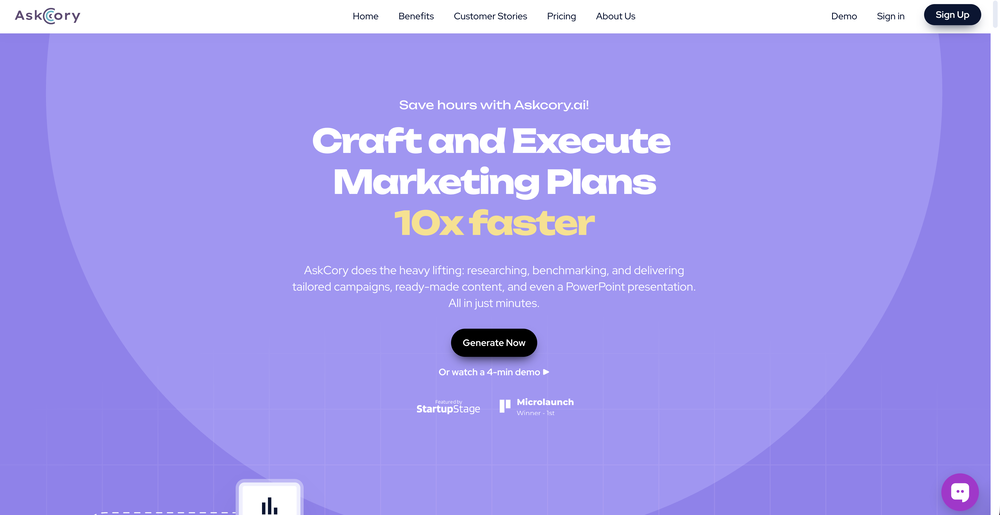
 OpenThe PowerPoint presentation I made met my expectations very well
 -
-
I'm usually kinda skeptical with tools that send stuff over email, but this one had the full book in my inbox in like a min. You can even pick how and what you wanna download, it has text, cover, epub, pdf. The story was an interesting read too. As a heads up though, you only get 1 free book and the max that you can go for is 10 chapters, which adds up to about 20-something pages, so basically don't expect a full novel is what I'm saying. Still really good overall.
-
 Transform your music into stunning visual experiences with AIOpenThe generation effect is good, the pictures are exquisite, and the transition animations of the pictures are smooth The only drawback is that it would be better if the generation time were a little faster
 -
-
There is no image to see after giving prompt and generating
-
Does not copy the exact animations, but it does a good job at coping the styles
-
 Open
Open -
 OpenVery useful, but for me, who only needs the simplest feedback functions, the on-boarding where they force me to do things I don't need to do is unbearable. I've done it once, but I'll never create an account on it again just for that reason.
 -
create stock control, delivery and product management
-
Definitely a good way to grow your LinkedIn audience!
-
-
Thanks for the feedback. We would love to know more about your issue. Could you please provide more details at [email protected] ?
-
I was just trying it out at first, used some free credits a few hours ago to build a simple app. Turns out, it actually came out pretty decent! I got to test it on my phone without spending a dime, and even showed it to my wife, she was pretty surprised too. So we decided to go ahead and pay to polish it up and download it properly. So far, everything’s running smooth
-
-
Super interesting tool! I’ve been using FindTube to learn data analysis, and it solved a problem I always had with YouTube—I could easily collect too many tutorials, but I was always lost about where to start, and everything felt unstructured.
-
 WebsitePublisher v3.5 — Stability Release This release hardens every layer of the platform: High-availability infrastructure — multi-node Redis Sentinel quorum with automatic failover (proven in 1.4 seconds), cluster-wide cache purging, CDN purge on asset overwrite, edge monitoring with geo-routing. Leaner MCP surface — tools consolidated from 59 → 43, so AI assistants (Claude, ChatGPT, Copilot, Cursor, Gemini and more) build faster with less context overhead. Bulletproof checkout — idempotent order creation, server-authoritative pricing, stale-cart recovery, pay-by-invoice option. Billing fully on Mollie — EU VAT & reverse-charge handling, credit notes on refunds, subscription coupons, duplicate-invoice race fixed. Reliable transactional email — unified branded layouts on every path, custom-domain sender fixes, hardened OTP delivery, per-tier sending limits. AI coach pipeline rebuilt — 14 failure scenarios eliminated. 100+ platform fixes and improvements since early June. Publish websites, shops and portals straight from your AI assistant — websitepublisher.ai
 -
ListenHub takes notebookLM to the next level, providing the unique ability to clone your voice for AI podcast production.
-
I was lucky enough to join the early canary testing for this platform, and it’s been impressively simple and transparent to use.
-

-
Its been a game changer for me. It shows what’s actually working in my ads without me having to dig through everything. I’ve saved a ton of time and the competitor insights have given me some solid inspiration.
-
I run a small online store and used to rely on stock photos for product mockups and promotional images. The problem was that they never quite fit what I needed. Either the lighting was off, the setting felt too generic, or I’d see the same image pop up on a dozen other websites. Editing them to match my brand took more time than it was worth. I started using Aux Machina a few weeks ago, and it’s completely changed my workflow. Instead of searching endlessly for something that’s *close enough*, I can just describe what I want—like a product sitting on a clean, minimalist desk with soft natural lighting, and get an image that actually fits. What’s even better is that I can refine the results instead of starting over from scratch. It’s been especially useful for seasonal promotions. For example, I needed holiday-themed images with a specific color palette to match my brand, and instead of settling for whatever stock sites had available, I generated exactly what I had in mind. The images look high-quality and professional, and I don’t have to worry about my competitors using the same ones. It’s saved me a ton of time, and the results feel a lot more unique and custom. I still use some stock images here and there, but for anything that needs to stand out, this has been a much better solution.
-
The quality is definitely there, but yeah... would be dope to get a few more free credits to explore it properly. hard to decide if it's worth upgrading when you barely get to try it out. still, the stuff it does is clean so there's that
-
-
-
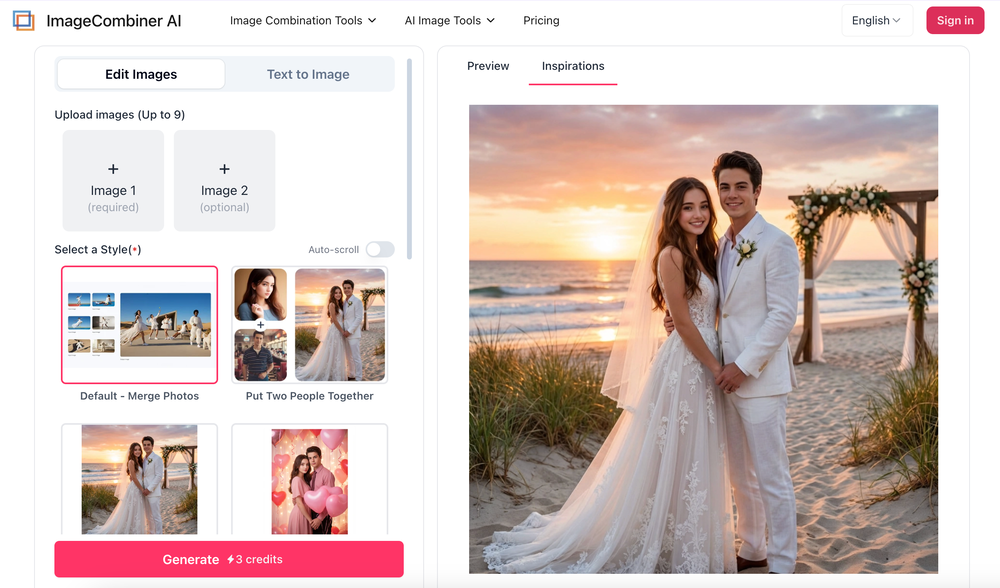
you get 50 credits to generate it costs 80 credits its a cash grab
-
This is a very useful tool, especially for me as a small business owner. It keeps everything in one place
-
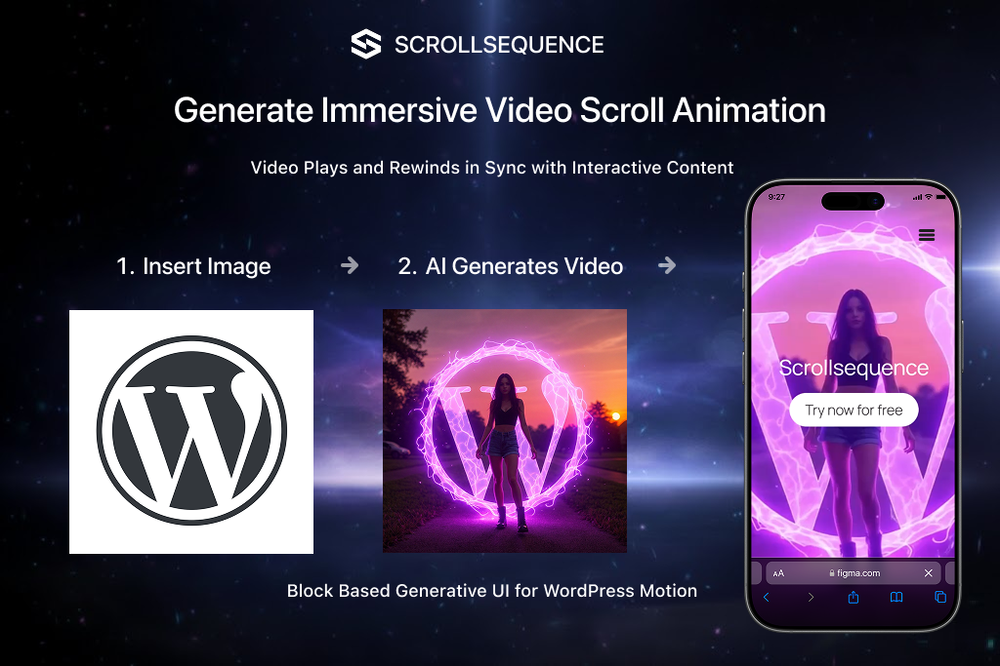 Scrollsequence is a game-changer for interactive storytelling! Smooth animations, intuitive setup, and impressive control over scrolling sequences make it perfect for engaging web experiences. Highly recommend for designers and developers looking to elevate their sites. 🙌
 -
Love this!! Its so easy to use and has made my life wayyyy easier. It got my whole team set up organized and has helped with every aspect from posting time to entire business structure and accounting!
-
 Open
Open -
 Millions of free AI stock images. Download, edit, or generate variations instantly.OpenWe just shipped two new creation tools in StockCake: ✅ AI SVG Creator (from prompts) — generate vector SVG assets from text (great for icons, logos, and game assets). ✅ AI 3D Creator (from images) — turn an image into a 3D GLB model in seconds. Both are available as standalone tools and inside the StockCake editor. Includes a free 7-day trial (cancel anytime). Try it now.
 -
 Open
Open -
-
Been using Typoro for nearly two months, to date this is the best LinkedIn content tool I’ve used. My impressions and reach has grown on LinkedIn since using, I’ve tested other tools in the past and they never really made a dent in impressions. The typoro team are developing quickly and releasing new features plus updating current ones to make them better. Highly recommend.
-
not working when i click Create a new project its just loading for half an hour
-
One of the best tools for small business owners to create, manage and stay consistent with their social media
-
create a background for a website
-
Its actually good. I was able to make 3 screens using the promo code and they were better than the other UI tools.
-
Have to sign up FIRST (give them all your information before you can see if the tool will even work for you).
-
Great tool for developing business ideas and more. Also made a video on it here: https://youtu.be/ozmFFMiFLwM
-
 Open
Open -
-
Very helpful tool in my design process and coming up with new features!
-
-
Super helpful tool! Saved me hours reading comments and gave great insights. Highly recommend for YouTubers!
-
Compared with similar AI tools, this one stands out for the clarity and relevance of its outputs. Instead of producing generic results, it adapts well to different inputs and preserves context effectively. This makes the generated content feel more intentional and less “AI-like.” It’s particularly useful when quality matters more than just speed.
-
Great quality, reviewed AI articles. Can create large quantities of SEO-optimized articles at once, or publish on a daily to weekly basis on its own. Easy to manage, well integrated with WordPress. Really worth it!
-
Particularly useful in scenarios where human voices are clear but background noise is complex.
-
I’ve been using it to make demo tracks before recording real vocals. Saves a lot of time during brainstorming.
-
Lexi has made it easier to meta ads, it's a very useful tool for ROI
-
 Open4K resolution is one of its major advantages in the relevant field.
 -
no way to test the product before purchase of a subscription.
-
This ”Blog post pushing agent” sounds pretty cool! I’m always looking for ways to speed up content creation. Might give it a try and see if it actually saves me some time. Hope it’s as good as it sounds! By the way, if anyone’s interested in exploring AI-powered design tools, I’ve been using an AI design agent called Lovart (https://lovart.ai) and found it really helpful for creative projects.
-
 Open
Open -
CEOfriend doesn’t blow smoke up your proverbial. It tells you what you need to know and gives you actionable advice. I’ve used it to develop personas and bring our product to life.
-
Finally, a tool that gets my brand visual, logo and written aesthetic I can generate images with my logo without having to add context each time like i used to with ChatGPT or Gemini.
-
 Open
Open -
 Turn campaign briefs into launch-ready assets instantly.Open
 -
 Craft dark, captivating posters with AI.Open
 -
 Open
Open -
 Transform keywords into stunning cinematic images with film-style aesthetics.Open
 -
 Conversational contract intelligence powered by enterprise-grade agents.Open
 -
 Create Assignable Forms, Checklists & Workflows via Prompts.Open
 -
 Maximize your YouTube potential with AI-driven insights.Open
 -
 Effortlessly crafting trendy and effective Instagram captions.Open
 -
 Transforming requirements into detailed product personas.Open