
 Mini tools
▼ Latest
Comprehension
Free mode
100% free
Freemium
Free Trial
Featured matches
-
-

-
-
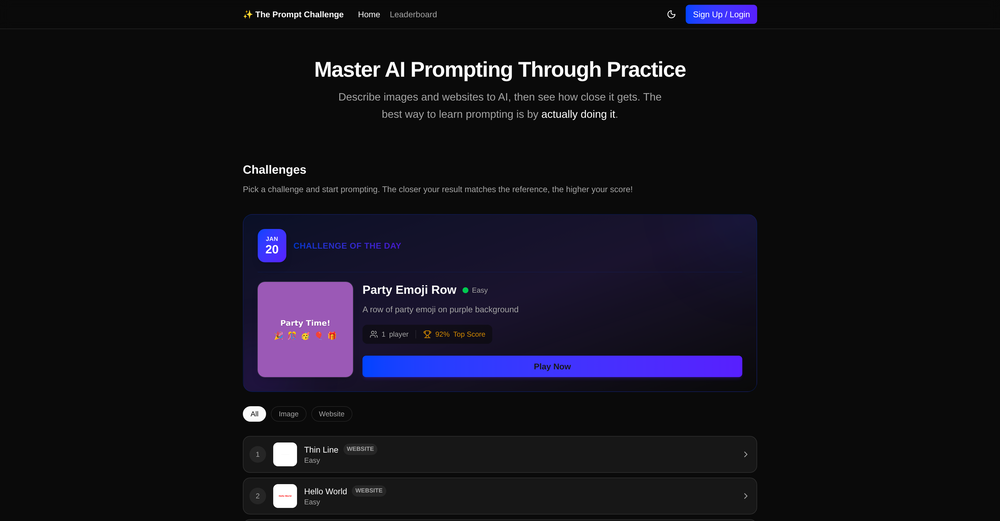
 J.I.🙏 119 karmaJan 29, 2026@The Prompt ChallengeGreat way to improve you prompting skills through daily exercises. This should be implemented in schools, would really help students. Can also see it being really valuable for adults. Not just for prompting, but for articulation in general. Also made a video about it: https://www.youtube.com/watch?v=A8ZRJgLCFy8
 -
-
 Open
Open TubeYakker matches how I already use YouTube. Saving things for later and processing them bit by bit. The UI is pretty minimal, which I like, though it took me a minute to understand the intended workflow. Keep it up ;-)
 -
-

-

-
 was surprised that this tools handles handwritten invoices, still has a room for improvement but it works










Verified tools
-
 Extract Wisdom from Any Link -- 6 AI Models, Haiku 4.5 SynthesizedOpenDeep Research -- Full long-form research articles from a single question -- 4-layer Mixture-of-Agents pipeline: parallel web search (deep search + YouTube + Perplexity), 3 reasoning models, 2 revision models, final synthesis -- Inline citations linking to every source used -- Search filters: language, date range, academic-only sources -- Prompt optimizer to sharpen your question before the pipeline runs -- Organize articles into projects Mind Maps -- Turn any deep research article into an interactive visual mind map -- Sections branch into subtopics with spatial connections Research Slides -- Generate a full presentation from any deep research article -- 12 style presets across dark and light themes -- Title slides, content slides, quote callouts, two-column comparisons, FAQ slides, sources slide -- Downloads as a single HTML file — present from anywhere with no dependencies -- Quick-access Slides button in the library listing and export dropdown Voice Input -- Microphone button on every major text input (deep research, extraction Q&A, synthesis Q&A) -- Chrome/Edge/Safari use native Web Speech API -- Firefox gets Vosk — an offline speech model running entirely in-browser via WebAssembly (no audio leaves your machine) Model Council -- Ask the same question to 2–6 AI models simultaneously from 16+ providers (Claude, GPT, Gemini, DeepSeek, Llama, Mistral, Qwen, and more) -- Responses stream in side by side so you can spot agreements, contradictions, and unique angles -- GPT 5.2 runs a comparative synthesis: convergence table, divergence breakdown, unique discoveries, and a bottom line -- Follow-up questions build on the full multi-model context -- Web search toggle gives models live internet context -- Save your preferred model combination as a default Debate Arena -- Models don't just answer — they evaluate each other's responses with honest critiques -- Multi-round debates with thinking indicators as models deliberate -- Arbiter (GPT 5.2) delivers a structured verdict: consensus findings, research scorecard, blind spots, unresolved questions -- Debate insights route into the Synthesis Engine for further analysis -- Debate content persists to database — come back to it anytime Text Highlighting & Notes -- Select any text in an extraction or research article and pick from six highlight colors -- Highlights persist permanently across sessions -- Notes drawer with Markdown support and auto-save -- Highlight a passage and send it directly to your notes Creative Domain Focus -- New extraction mode built for creative content (filmmaking, music, writing, design) -- Captures creative philosophy, techniques, process, key tensions, and inspiration — not generic bullet points -- Set per-extraction or as your default in Profile Settings -- Four domain modes total: All Purpose, Research Paper, Tutorial, and Creative X (Twitter) Support -- Paste any tweet URL for full multi-model extraction -- Video tweets are transcribed, text tweets are analyzed -- Same extraction pipeline as YouTube, articles, and PDFs Mistral OCR for Scanned PDFs -- Automatic fallback for PDFs with no text layer (scanned docs, photographed handouts) -- Detects when standard extraction returns near-empty results and switches to Mistral vision OCR Achievements System -- Added 6 starter achievements to guide feature discovery -- Used to gain quicker access to CORE+ features -- Perplexity Sonar Deep Research - After extracting a video/article/PDF, run Sonar Deep Research to get a sourced analysis with cited sources. The Q&A then draws from both the original extraction AND the deep research. -- Grok & Mistral as extraction providers -- Extract Later - Bookmark/save content on the Discover page for later extraction. Persistent playlist at the top of Discover. -- Web Search on Discover - "Web" tab powered by Perplexity with AI-synthesized results + source citations. Discover 5 sources: YouTube, TikTok, Instagram, Reddit, Web. -- Research Paper domain focus — Specific system prompt and formatting for this domain focus; best with research reports -- "Synthesized by" badge — Every extraction now shows which synthesis engine produced the result. -- Spotify Podcast Support | Auto-finds RSS feed, matches episode, pulls direct audio for transcription. Reliability -- Fixed occasional OOM crashes -- PDF service startup timeout extended with early crash detection -- Captionless video detection and fallback system
 -
handled the prompt well. fast and the image came out super detailed. dope tool
- Sponsor
 Wispr Flow-Now on Android!🎤 Dictation
 -
Process patient referral documents way faster now. Pulls key medical history and relevant details instantly instead of me scanning through pages. Still review everything carefully but it flags what matters first.
-
-
 Instantly summarize and chat with any webpage.Open
 -
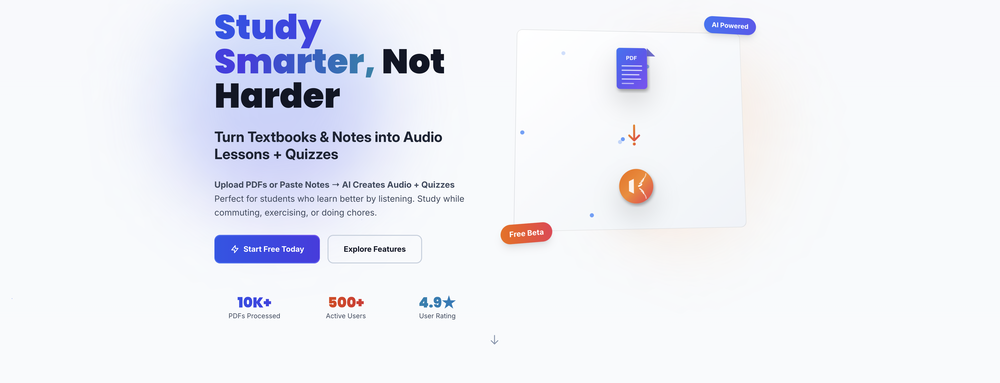
Helpful, especially for math, but what I enjoyed the most was the quiz part. Definitely better than other apps.
-
 Master languages through content you love — news, videos, flashcards. AI assisted.OpenLearning language and getting knowledge upgrade at the same time. Hope it will include more chat features and options in future.
 -
I am honestly impressed by the quality of questions generated. Looks better than the other study tools so far.
-
I have tried to import a docx file, and it said that it can't extract content from it. I tried again with a PDF file and it worked like a charm. Hope you guys will fix this.
-
 OpenThanks - are you looking to generate business ideas from the transcript as an extra feature?
 -
I’ve been using it for a month now and I have decided to keep it for a year. There definitely are some kinks they can still work out like file management, but it’s very good at it’s core function: it generally does a good job answering questions and most times identifies PDFs automatically and correctly. The browser plugin works great, and it’s very nice that Papers allows you to add your university’s library API so you can automatically download PDFs that are accessible through your institution (sometimes it refuses to download some papers, so you just have to downlow it yourself and manually add it). The iPad and Android apps are serviceable. Every once in a while it will mess up the PDF identification, especially with papers from either very old sources or online-only journals. Things they must work on: * A much better system to annotate PDFs (the post-it type notes are cumbersome). * Introduce a notepad attached to each PDF or some way to easily link and save the AI’s output to the PDF. Currently, you have to add a little post it note and then paste the text there. * Keep the AI answers available after closing the documents. If you close the document by mistake or have several open and wish to close some, the ai conversation will be reset. * I REALLY wish that you could get citations and links to where the info was from extracted from PDFs. Currently, I have found Coral.ai does a much better job of showing you where the info came from and it even highlights it for you. Give it a try, their 30-day no credit card needed trial allowed me to truly test it, and now I’m a yearly subscriber looking forward for new additions and releases.
-
10 MB Limit does limit usability best if .pdf contains NO images.
-
 Read aloud PDFs, GDocs, & more using text-to-speech to boost productivityOpengreat app, in school that is fully online to career switch and this app has really saved my degree. it helps me do all my assigned readings alongside my busy job, and has been a lifesaver.
 -
I am a medical faculty academician, and I use Turinq.com for my internal medicine exam questions. It’s amazing how it creates high-quality questions from my presentations based on Bloom's Taxonomy. It makes my job so much easier. THank you.
-
Hi Parrot! Thanks for the feedback here, we will relay this to the team! Thanks for sharing your insights!





















Other tools
-
This one was really nice. In that it could also generate a white paper to go with the diagram
-
-
 Open
Open -
 Transform your visual world with AI-powered insights.Open
 - Didn't find the AI you were looking for?
-
-
Really simple approach - you select the part of the page you want the summary to be inserted, add a question to the article or it just sticks to the prompt you defined (even the standard prompt is a fun inspiration - never thought about letting the AI read an article from the angle of my professional background or let it build fun analogies for even the darkest articles). I use it to send articles from website directly to my Kindle - so you can basically read AI summarized articles on Kindle. Of course it could be extended but with the basic features it does the job.
-
-
 Open
Open -
-
-
 AI-powered vocabulary companion for comprehensive word insights.Open
 -
 Transform course outlines into tailored teaching strategies.Open
 -
 Generates English stories and essays for personalized reading practice.Open
 -
 Comprehensive research and analysis for any company.Open
 -
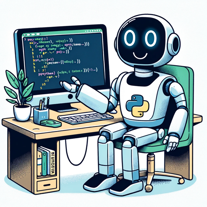 Beginner-friendly Python guide with practical projects.Open
 -
 Generates intelligent responses to your requests.Open
 -
 Expert in digital organization using Second Brain methodology.Open
 -
 Unveiling Beauty and Morality in LiteratureOpen
 -
 Open
Open -
 Assists in understanding Maimonides' 'Guide to the Perplexed'Open
 -
 Open
Open -
 Create subject sentence problems from your text.Open
 -
 Open
Open -
 Explains ideas & answers questions intuitively and comprehensibly with great detail.Open
 -
 A comprehensive counselor for life's complexities.Open
 -
 Open
Open -
 Open
Open -
 Personal LSAT Trainer for structured practice and detailed explanations.Open
 -
 Navigate traffic tickets with informed legal insights.Open
 -
Open
-
Open
-
 Open
Open -
 A detailed expert offering complete Apple Foundation coding solutions.Open
 -
Breaking down classic literature with playful rhymes.Open
-
 Open
Open -
 Defines words and generates images, excluding specific narratives.Open
 -
 Master daily English speaking with phrasal verbs.Open
 -
 Humorous, witty LSAT coach, adept in logic, reading, and strategy.Open
 -
 Facilitates customer satisfaction through effective feedback management.Open
 -
 Aids English learning with translations and detailed tables.Open
 -
 Free ESL AI speech analyzer for efficient communication.Open
 -
 Open
Open -
 A guide for law students and professionals on the use of Vade Mecum.Open
 -
 Identifying cat breeds, understanding their behavior, interpreting feline thoughts.Open
 -
 Open
Open -
 Embark on a journey into Frankenstein's life philosophies.Open
 -
 Friendly and motivating assistant in public purchase data analysis.Open
 -
 Analysing, adapting and enhancing your English texts.Open
 -
 Open
Open -
 Expert in medical article analysis and review writing.Open
 -
 Simple and interesting Chinese-English translation software.Open
 -
 Optimizing machine prompts for enhanced understandingOpen














































































































Post





