
 Mini tools
▼ Latest
Productivity tool
Free mode
100% free
Freemium
Free Trial
Featured matches
-
 Pay-as-you-go productivity. Meeting transcription at $0.25/hour, AI tasks, document search — noOpen
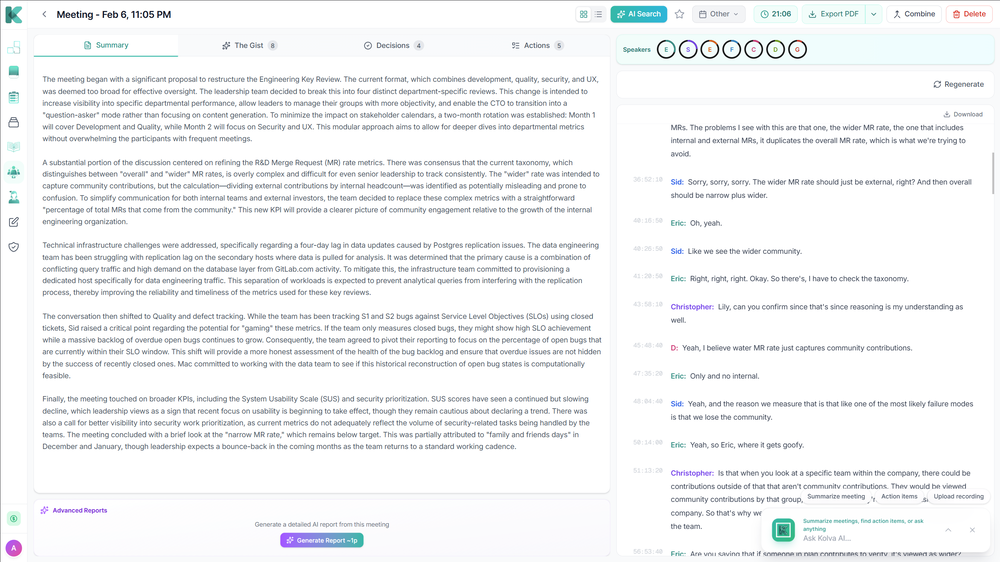 Meeting Intelligence — Record, transcribe, and get AI-generated summaries with headlines, sentiment analysis, and action items from every meeting Custom Meeting Reports — Generate tailored reports from any meeting with customizable templates and one-click PDF export Meeting Series Detection — AI automatically identifies recurring meetings and tracks patterns, decisions, and follow-ups across sessions Premium Transcription — Enhanced speaker detection, entity recognition, chapters, and audio event tagging for professional-grade transcripts
 -
 NextDocs v1.6.6 - Math Equations, Tables, and Code Blocks Released: March 2026 Technical and academic content, built into your slides. NextDocs v1.6.6 adds real LaTeX equations, structured tables, and syntax-highlighted code blocks directly in presentations and documents. If you're a researcher, teacher, student, or engineer, your slides can finally look the way your content demands. Describe what you need. AI generates proper technical content. You get publication-ready results. --- Math Equations Write real math equations in your slides. Inline equations within paragraphs and full block equations on their own line, all rendered with KaTeX. The AI generates proper LaTeX notation that renders beautifully and exports cleanly to PDF, PowerPoint, and HTML. What this means: - Thesis defenses with real formulas instead of screenshots - Lecture slides with equations that render live, not pasted images - Research presentations with statistical models and proofs displayed correctly - Technical reports with inline equations that flow naturally in text Ask AI to create a slide about machine learning and it includes the relevant equations with proper notation. Not pseudocode approximations. --- Tables in Rich Text Real structured tables with rows, columns, and headers. No more arranging rectangles and text boxes to simulate a table layout. Features: - Add and remove rows and columns - Cell background colors - Header row support - Proper export to all formats (PDF, PPTX, Google Slides) AI uses real tables automatically when your content calls for comparisons, data summaries, schedules, or any organized information. --- Code Syntax Highlighting Code blocks render with proper syntax coloring for all major programming languages. Use cases: - Engineering standups with actual code, not IDE screenshots - Teaching with syntax coloring that helps students read code faster - Technical documentation with copy-paste ready API examples - Conference talks with clean, readable code on stage --- Smoother Group Editing Click a group once to select it as a whole. Click again to drill inside and select individual elements. No double-click, no special key combinations. Adjust a single text block or image within a complex slide layout without ungrouping everything first. --- Faster Canvas Rich text blocks on the canvas only mount their full editor when you click to edit. In view mode, they render as lightweight static content. If your slides have many text blocks, you will notice the difference immediately. Faster loading, smoother scrolling. --- Also in v1.6.6 Page Numbers Automatically re-index when you add, delete, or reorder pages. Broken Images Show a "Replace Image" button so you can fix them without opening the side panel. Theme Generation Now produces a balanced set of 2 light and 2 dark themes. Locale Handling Improved for non-English pages with correct lang attribute in HTML. --- Who is this for? Academics and Researchers Real equations in conference talks and thesis defenses. Teachers and Professors Lecture slides with formulas, code examples, and data tables. Students Coursework, lab reports, and thesis presentations. Engineers and Developers Technical content with code snippets and system diagrams. Data Scientists Statistical formulas alongside analysis. --- Try It Go to nextdocs.io. Open a document. Add an equation, a table, or a code block. If you have ever pasted a screenshot of an equation into a slide, v1.6.6 fixes that. - The NextDocs Team
 -

 Efat Borges🛠️ 2 tools 🙏 111 karmaJul 17, 2025@TicketifyAs a student juggling classes and deadlines, this tool is a lifesaver. It helps me stay on track without having to manually check everything.
 -
 Open
Open
-
 Purely magic. It increases the productivity by a lot and the process is pretty addictive. I've been building websites like there's not tomorrow.
 -
 Open
Open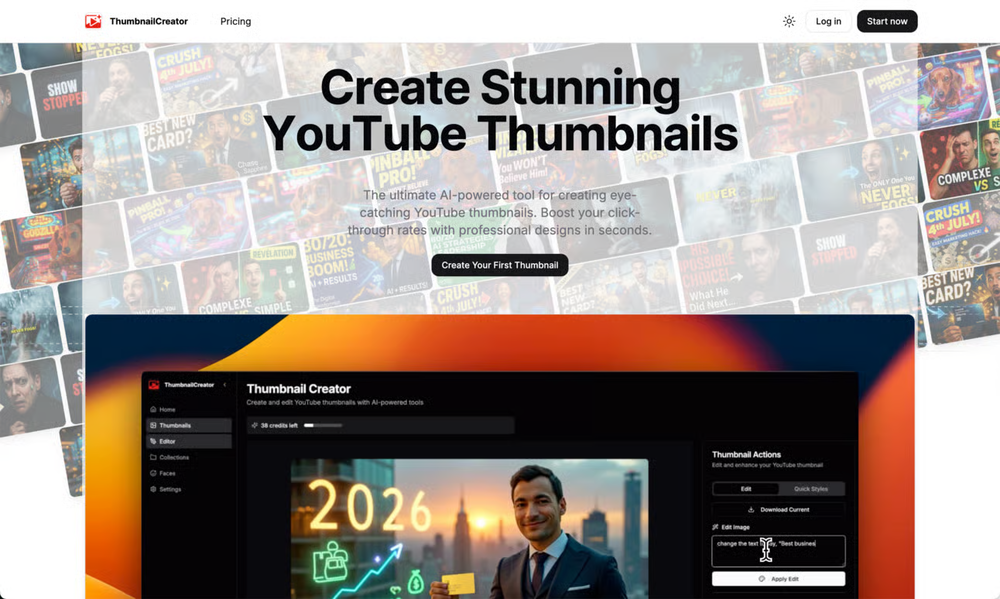 ThumbnailCreator lets you generate YouTube Thumbnails using AI! 🚀
 -
 Open
Open
-
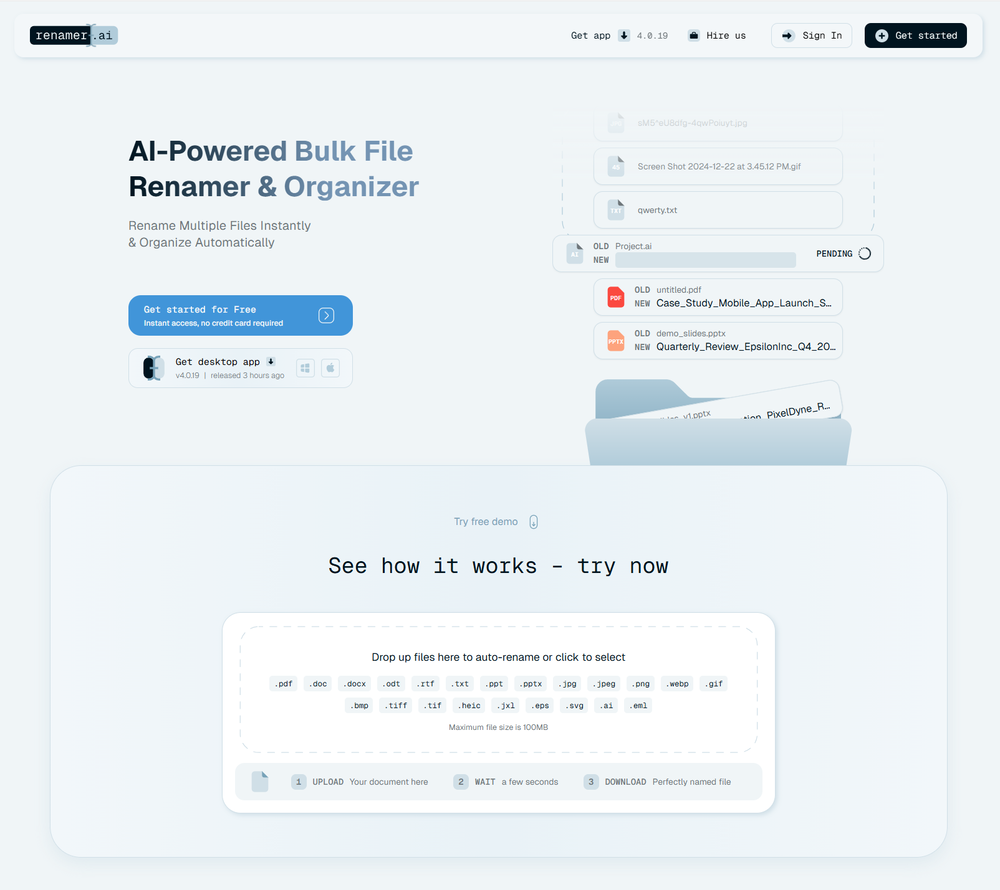 A very simple-to-use, yet very powerful app. It made my work so much easier, my scanned and downloaded files are no longer a mess.
 -
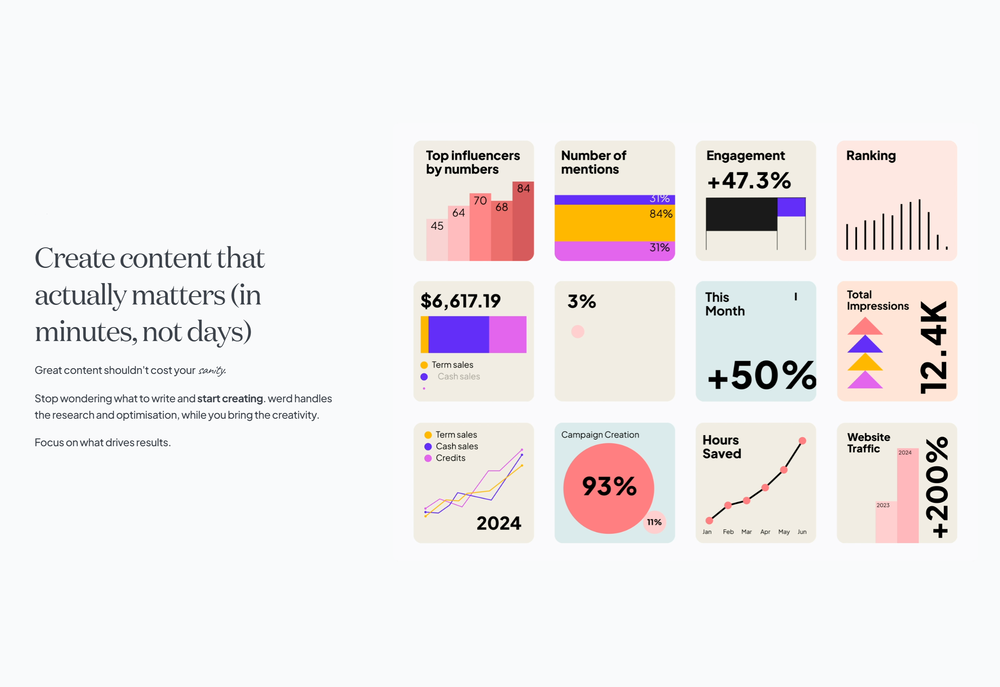 Have been trial running this tool and am very impressed by what I've seen. Would recommend for persons in need of a reliable, cost-effective and SEO optimized writing solution.
 -











Verified tools
- Sponsor
 Rocket - Start building, Now!💻 Vibe coding
 -
It makes drafting emails and cleaning up my LinkedIn posts easier.
-
Honestly SurfSense is amazing, I use it almost every morning to get an mp3/podcast of my Gmail, Gcal and urgent Linear tickets so I know exactly what's going on that day. It's also insane for board games because I just throw the rulebooks in and share it with my friends so we can chat with the AI together to figure out how to play. And it is scarily good at untangling and explaining really complex rules when we encounter some weird situation!
-
 OpenFound this product useful. A great way to add a personal touch to meetings.
 -
-
-
Used this for scheduling my last 3 interviews and honestly forgot how annoying it was before. One company wanted to do 4 rounds and instead of me going back and forth with their HR person a dozen times, Workmate just handled it. Saved me from that weird anxiety of 'did I respond fast enough' or 'is this time actually gonna work.'
-
Great platform! Very impressed by the ability to combine documents to generate full research reports or extract data in large PDF files.
-
-
-
 Create accurate estimates in minutes with AI.Open
 -
Thank you everyone for trying 1UI! If you haven't yet, give it a spin and use code ‘TAAFT’ to get $5 credits to try 1UI.
-
-
Weesp makes your task list proactive. Instead of hunting tasks across tools, Weesp captures them straight from Slack and Email (for now :P). It automates follow-ups, takes accountability for your tasks, and eliminates the hours wasted maintaining task systems. Operate where your work happens —> no context switching, no dropped balls, just a team that actually follows through. Try Weesp free, sign up to the waitlist today.
-
-
 ⚡ Your everyday writing companion: Fix grammar, Reply emails, Paraphrase, and more...Open🧩 TextWisely was born from a personal itch ⚠️ Sending numerous Emails and Slack messages daily, I found myself constantly switching apps and re-entering the same prompts into ChatGPT to refine my writing 💡 This inspired me to create TextWisely to boost writing speed, reduce context switching, and improve quality with instant text actions: → Grammar corrections → Email drafts → Structured writing → Tone changes → Translations ...and more 👉 It's a native macOS desktop app – shortcut-heavy for power users, but also click-friendly for those just starting out 🚀 Give it a try – Share your feedback and experience 👋 Edgar, creator of TextWisely
 -
This is truly a wonderful experience that brings joy and delight.
-
-
Hey everyone! I’m Martin — co-founder, builder, and creator of OneTask 🚀 OneTask is specifically designed for people with ADHD and other creatives who can’t be bothered to spend time “managing” their tasks, and instead need an app that just helps them get things done. We have a Todoist and Google Calendar integration, and offer many other features that will help you optimize your life. Let me know if you have any questions! As of this writing, we have a special lifetime deal featured on our website — be sure to catch it before it’s gone! Martin
-
Fabric is kind of like a combo of bookmarking/webclipper/summarizer/knowledgebase. Basically you can add information and it will auto organize it as well as let you chat with this information and search through it. It is not a “search engine tool” I wouldn’t say. Maybe you will be able to create a knowledge, base and information repository of everything relevant to you and be able to search through that information… But that is still different than a “search engine, tool” in my opinion. So far I think they are shooting for individuals and not enterprise users. Which is great because I have been wanting to find a product that will allow me to add information from PDFs, websites and videos and then be able to search/query/chat with that. But so many of the companies I have found that offer anything close to along these lines are developing knowledge bases with only company customers in mind. I get that that is where the money is, but Fabric appears to be for actual people to use. The product is definitely underdevelopment, and I have the TestFlight of their iOS app. I wouldn’t say the app is perfect yet or anything, but they are actively developing it, and some of their ideas are changing and evolving not just minor changes to their user interface. I am using Fabric and Mem at the same time and I will be interested to see which turns put to be more for me. Definitely check it out if you have not already done so they have the opportunity to make an extremely useful tool and kind of even changing the way individuals think about storing/accessing information important to them.
-
-
Yes, finally a slack tool that does it all. I wonder how safe it is?
-
Well, what can I say, I managed to create quite a few books quickly and with good quality ;)
-
Use it every day! Best AI support for work
-
 Modular & Cross-Platform Vibe Coding Editor and Workflow Automation on Any DeviceOpengood!A different kind of AI tool that has been very helpful for my work!
 -
Echother is exactly what I was looking for to speed up our meetings. While other tools trap you in $X/month subscriptions for basic transcription, echother does something different, it connects your meeting discussions to your actual codebase and generates Jira tickets with real context. The repo-aware ticket generation cut our sprint refinement time in half because we stopped re-explaining everything. Instead of vague tickets that need clarification later, we get tickets with file references, implementation patterns, and technical context pulled directly from our code. It's saved us 10+ hours per week that used to disappear into coordination overhead. No corporate fluff, just meetings that actually turn into actionable work.
-
Finally, process optimization without the 10k consultant fees" Review: As a small business owner, I've always known we could be more efficient, but hiring a business consultant was way out of budget. Maxee.me changed that completely. What I love: ✅ Takes 60 seconds to get concrete optimization suggestions ✅ Shows actual numbers (% efficiency gain, % revenue increase) ✅ Industry-specific recommendations (not generic advice) ✅ First 3 suggestions free - perfect to test before buying I run a hair salon and got suggestions like "digital booking system" (+18% efficiency) and "product sales at point-of-service" (+18% revenue). Actually implemented them and saw results within 2 weeks! The full analysis (€29.95) is worth it if you're serious about optimization. Way cheaper than any consultant and gives you actionable steps immediately. Only minor con: Currently German-focused, but they're working on English version. Best for: Small businesses (1-50 employees), retail, restaurants, service providers Not for: Large enterprises with existing process management systems
-
👋 Hey, I'm the founder of Flowova! We built this because we were tired of spending hours dragging boxes in traditional flowchart tools. A few things you might not know: - Works with anything — text, images, PDFs, Word, PPT, Excel, even photos of whiteboard sketches - 40+ themes designed for presentations - Full Mermaid code support for developers Happy to answer any questions! 🚀
-
Best tool to interact with local AI and search your local files. Instant insights from files and loved the inline citation feature so that I know where the answer is coming from. I can easily verify answer and know more about the context.
-
-
Hello everyone, As a AI power user, I constantly faced the multi-tab scramble and the uncertainty of getting truly reliable answers from various AI tools. That frustration led me to build Singulairity AI. My goal was simple: to create a unified, intelligent, and trustworthy platform where you can access leading AI models with unprecedented clarity and efficiency. I poured my efforts into features like Intelligent Auto-Routing, Side-by-Side Response Comparison, and the innovative Truth Mode to give you the confidence I always sought. I truly hope Singulairity AI enhances your workflow. Please review the tool and share your invaluable feedback; it's essential for Singulairity's continued evolution.
-
It's a powerful AI-powered personal knowledge system that brings together links, files, notes, and documents in one unified workspace. It's like Notion meets Raindrop meets Google Drive, but with an AI layer that helps you resurface forgotten content, cluster related topics, and even draft documents based on your saved materials.
-
Like copilot, but for power users. Nice for my n8n workflows command center
-
spaced repetition actually works when the app reminds you at the right time. been using this for organic chem and i'm retaining stuff way longer than cramming ever did. wish i found this freshman year honestly
-
It pretty much does everything I need and more, I give it 5 stars for accuracy and ease of use. Most of the tools I use are cluttered and complex but this platforms very simple to use and neat
-
 Break creative barriers with AI for marketing teams.OpenUnite is amazing! The ultimate tool for marketing teams.
 -
-
 Boost your creativity with AI-powered brainstorming.OpenI can't explain how impressed i am by this. I've seen tools to help you brainstorm ideas, but not one to break your task down into big steps, then little steps for each of these. Plus "games" to help come up with more ideas for your project. I'm excited to use this!
 -
 Extract Wisdom from Any Link -- 6 AI Models, Haiku 4.5 SynthesizedOpenExtract wisdom from YT, websites, PDFs, any link. Multiple models catch what single perspectives miss. Organized thematically. Honest about uncertainty. Built for understanding, not compression. All feedback welcome!
 -
Used it for PPT generation and performed extremely well, especially the numbers and data part.
-
 OpenHey everyone, I’m Evaldas, co-founder of Guideless, the fastest way to turn any browser workflow into a polished, AI-narrated video guide in minutes. No screen recording. No tedious editing. Just turn on the extension, click through your process as you normally would, and instantly get a share-ready guide. We recently shipped a major update: a sleeker UX and new high-quality AI voiceover characters — making guides sound and feel more vibrant than ever. Give Guideless a try and see how effortless creating high-quality tutorials can be 🪄
 -
 AI-powered whiteboard for marketers to create winning content fast.Open
 -
the founder is cool, definitely a recommendation if you have personal requests and grow the app along with you.
-
-
We're live folks! Do check us out and drop your feedback or requests.
-
Just tried yesterday. The first productivity tool which allowed me to create professional slides, reports, and sheets with my data in a few minutes. Was able to connect 20 of my tools in less than 5 minutes.
-
 OpenThe fact that it's available through ChatGPT plugin actually helped me find a lot more AI tools to help me do certain tasks. Thanks.
 -
-
Hey this is Tan, I'm the creator of NotesBot. I created this tool because I needed it for my own meetings. After using myself and getting great summarization reviews from my peers, I decided to release it to the public. After release, we realized people were also using it for Dungeons and Dragons, I then added a DnD mode. This tool is non-invasive, very easy to set up, and perfect for meetings. I hope you enjoy using it!
-
Works well and connects with my apps easily. I’m considering using it for daily reports and posts
-
 AI spreadsheet & data analyst. 10x your productivity.OpenI use Sourcetable for quick data analysis and visualizations with natural-language queries. I'm working with Excel files and our Postgres database. It feels like an AI analyst built into a spreadsheet for turning raw data into clear reports. (Like ChatGPT + Excel, but better.)
 -
It’s a fantastic tool that makes collaboration seamless and super productive by bringing AI-powered assistance directly into shared workspaces. Highly recommended!
-
ppt.ai has saved me at least 80% of the time spent on making PPTs. I just need to submit rough ideas or drafts to ppt.ai, and it can create a relatively usable PPT. This is simply amazing! Although some revisions and optimizations are still needed afterward, it’s already a huge relief compared to starting from scratch.
-
 Podcasts, scholarships, literature reviews - study and work faster with AIOpen
 -
 OpenEasily saves me an hour every day - I no longer have to type long winded “professional” sounding email replies to my colleagues, I just speak roughly with minimal effort 👏
 -
Every time i switch to a new mac -> this is the first tool i install
-
 AI-timekeeping enabling lawyers, accountants, and consultants to focus on their work.Open
 -
Hey AI fans, I am Kalo, co-founder of Breezemail. If your inbox is anything like mine, you spend at least 20% of your life opening, answering, and unsubscribing from emails. Arguably, the only thing more tedious than this is fixing your grandma’s Windows XP (arguably). Or you just gave up, and your inbox app has a cute red dot with a truncation ellipsis (…), also known as the symbol of inbox doom. Either way, the whole inbox situation is an absolute disaster. We wanted to solve this challenge using AI. Breezemail will help you enter the holy land of Inbox Zero. It’s an email categorizer tool that keeps important emails in your inbox and categorizes the rest into folders using natural language prompts. How does it work? 1. Breezemail has a default Important category which leaves all your real human emails in your inbox. 2. Everything else is organized into AI folders (or labels). Labels using natural language prompts, for example, “All emails from my family”. 3. We give you a bunch of pre-defined categories to start with, and you can create your own custom categories, the same way you would write a ChatGPT prompt (yes, our tool also uses ChatGPT). We’ve been testing it in-house for both our personal and business emails, and it worked so well that I no longer hate link builders and outreach people because their requests are neatly organized into a couple of folders. For my personal inbox, I can finally see all my receipts in one place, and all stock newsletters are ready for daily review in a different folder. Go try it out now for free. We’d love to hear your feedback, so please don’t be shy and drop me a line back. Currently, the tool is only available for Outlook, but we are working on a Gmail app, too. If you’d like to try it for Gmail, please let us know. Thank you, Kalo
-
 Your AI presentation agent for instant professional slides.OpenA great AI presentation maker
 -
Maybe making an browser extension to integrate directly into mail clients would be great here :)
-
We see so many use cases like conducting workshops, doing role plays, monetizing the content, etc.
-
 Your AI partner for effortless social media content, planning, and scheduling.OpenI used Simbli.ai as a beta user and found it really useful. The tool helped me save a lot of time by automating repetitive tasks and organizing my workflow better. It feels smooth, fast, and genuinely improves productivity. What I liked most is that Simbli doesn’t just complete tasks — it understands the context and helps plan things in a smarter way. Within a few days, I could clearly see the difference in how I managed my daily work. Overall, it’s a great AI productivity assistant and definitely worth trying if you want to simplify your work and get more done in less time.
 -
Solid hub for socials. Schedules to a lot of platforms in one place with ai post ideas and short-form tools, plus a free tier to try things out. I like the planner and analytics, ui feels busy at first but once you learn the flow it moves fast.
-
Made writing my first book simple and fast. I turned scattered ideas into a full, professional manuscript in a weekend. The guided flow kept me focused, and the editing felt natural.
-
It's working very well. AI chat is 100% free, but image and video are not free, though they are still good. You get a few daily credits, but at least you still have some
-
👋 Hey everyone — I’m Yusef, founder of Jamy. We built Jamy because we were tired of wasting time after meetings — rewriting notes, chasing action items, and trying to remember what was actually said. Jamy handles all of that automatically: it joins your calls, transcribes, summarizes, pulls tasks and quotes, and even sends branded follow-ups. It works with Zoom, Google Meet, Teams, and phone calls — and connects with tools like Slack, Trello, and Notion. If you’re curious, give it a spin — jamy.ai. Would love your feedback! — Yusef
-
 AI email co-pilot: Draft, triage, and capture notes effortlessly.OpenGreat tool! Look forward to trying!
 -
Hoox app is a very easy and simple app to navigate and generate your script video for social media. My experience so far has been top-notch and the customer service in the name of Alan Hoox is always pronto to assist whenever needed. I recommend it for anyone that want to create a faceless youtube Ai without editing, selecting or mixing all you details. All you need is just drop your script and wellah your video is ready .
-
I’ve been playing with cogmi for a week and it’s really cool what insights it’s giving me about performance. Usually I don’t even think about when to stop, but now there’s some data to focus on. It’s like keeping tabs on circardian rhythm but for brain performance.
-
Who doesn’t have a never-ending list of saved items they never go back to? This app alleviates that by automatically tagging and grouping what you save. A chore becomes a joy!
-
It fetches the picture location and uses that information to generate relevant hashtags. If there’s text inside the picture, it parses it and uses it for context. Recommended
-
Amazing app and really easy-to-use! It has all the things I need to create a neat, functional, and clear-cut mindmap.
-
This AI PDF Summarizer worked really well
-
Would love to see this in other lenguages. works great.
-
For me, watching Pointer AI in action is like witnessing magic - editing even the longest documents is a breeze. Thanks for being such a supportive community. I hope you find as much joy in using Pointer AI as I did in creating it! 😊
-
-
-
Amazing tool to get things done! Trully amazing use of AI
-
 OpenLove this app! So great at implementing several proven concepts to help with efficiency, productivity, and the ability to be consistent with tracking, rewards and gasification. Game changer in this space.















































































































































Other tools
-
I like the concept and the convenience of Refer.me; it gives job seekers like me access to networks I wouldn’t normally have.
-
 Your HTS classification assistant for accurate tariff codes.Open
 -
Didn't really like the output, made some good directives for me and insight that i haven't came across so far. Not really sure if i will trust it with my main projects though. How safe is it?
-
Not bad, its freemium and the feature is good like private pdf and support OCR
-
ChatGPT — v5.4Combines improvements in reasoning, coding, and agent workflows, integrating the coding strengths of GPT-5.3-Codex. Upfront reasoning plans in ChatGPT allow users to adjust the model’s direction mid-response. Native computer-use capabilities, enabling agents to operate software, browsers, and workflows across applications. Up to 1M token context window and improved tool use with tool search for complex multi-step workflows. More accurate and efficient, with fewer hallucinations and significantly lower token usage than GPT-5.2. Improved performance on professional tasks like coding, spreadsheets, presentations, and deep web research.
-
 Improve Your Productivity with Copilot–Your AI-Powered ChatAssistantOpenCopilot on mobile keeps me sharp during sales calls. I use it to quickly draft follow up emails right after meetings or pull contract language on the fly. Voice input works smooth and it formats responses professionally.
 - Didn't find the AI you were looking for?
-
-
-
-
Registration before trial is a bad 1st impression and even worse user experience.
-
Pretty handy, not always helpful since sometimes notes are not in a simple text format, but it does the job
-
 Instantly generates precise Excel formulas with explanations.Open
 -
great tool,great tool,great tool
-
 Transform subjects into structured, easy-to-digest notes.Open
 -
 AI coach delivers 10+ strategies to boost motivation for any goal.Open
 -
 Open
Open













































Lists
-
Useful productivity tools to increase efficiencyPublicSubscribe15112







-
AI Productivity ToolsPublicSubscribe85






Post





