Go to section
Spotlight SureThing.io - "OpenClaw" for BeginnersTask automation
The front page of AI.Used by 90M+ humans.

TAAFT Tutorial
Generate image
Tasks
Generate text
Free mode
Trending
Leaderboard
Characters
 Mini tools
New
Featured
Lists
Agents
Requests
Jobs
Map
Newsletter
Starter pack
Free tools
Speech to text
Text translator
Remove background
Settings
Edit profile
My tools
Gallery
Dashboard
Inbox
Get featured
Contact TAAFT
For you
Popular
Job impact index
Most saved
Affiliate program
Submit AI tool
Notification preferences
Glossary
Home
Timeline
My profile
Create tool
Deals
Companies
Models
Robots
Papers
Fundraises
Repositories
Devices
Organizations
Events
Prompt Pack
Merchendise
APIs
Features
Tools
Countries
Collections
Videos
Mini tools
New
Featured
Lists
Agents
Requests
Jobs
Map
Newsletter
Starter pack
Free tools
Speech to text
Text translator
Remove background
Settings
Edit profile
My tools
Gallery
Dashboard
Inbox
Get featured
Contact TAAFT
For you
Popular
Job impact index
Most saved
Affiliate program
Submit AI tool
Notification preferences
Glossary
Home
Timeline
My profile
Create tool
Deals
Companies
Models
Robots
Papers
Fundraises
Repositories
Devices
Organizations
Events
Prompt Pack
Merchendise
APIs
Features
Tools
Countries
Collections
Videos
Mini tools
New
Featured
Lists
Agents
Requests
Jobs
Map
Newsletter
Starter pack
Free tools
Speech to text
Text translator
Remove background
Settings
Edit profile
My tools
Gallery
Dashboard
Inbox
Get featured
Contact TAAFT
For you
Popular
Job impact index
Most saved
Affiliate program
Submit AI tool
Notification preferences
Glossary
Home
Timeline
My profile
Create tool
Deals
Companies
Models
Robots
Papers
Fundraises
Repositories
Devices
Organizations
Events
Prompt Pack
Merchendise
APIs
Features
Tools
Countries
Collections
Videos

▼ Latest
Professional tool
Free mode
100% free
Freemium
Free Trial
Featured matches
-
 The fastest way to map and streamline inefficient workflowsOpen
 Michael Adair🙏 5 karmaDec 1, 2025@RapidMap - powered by LeanifyVery good. I like it
 -
 Its a promising project and works well so far. Wishing them all the best and godspeed.
 -

-
-
-
 BlogWorkflow AI | Opus 4.6 GPT 5.4 GPT Image 2.0 Supported | Structured SEO Workflow for Individual and ProfessionalFrom fragmented ideas to structured, reviewable 8-step publish-ready SEO content.Open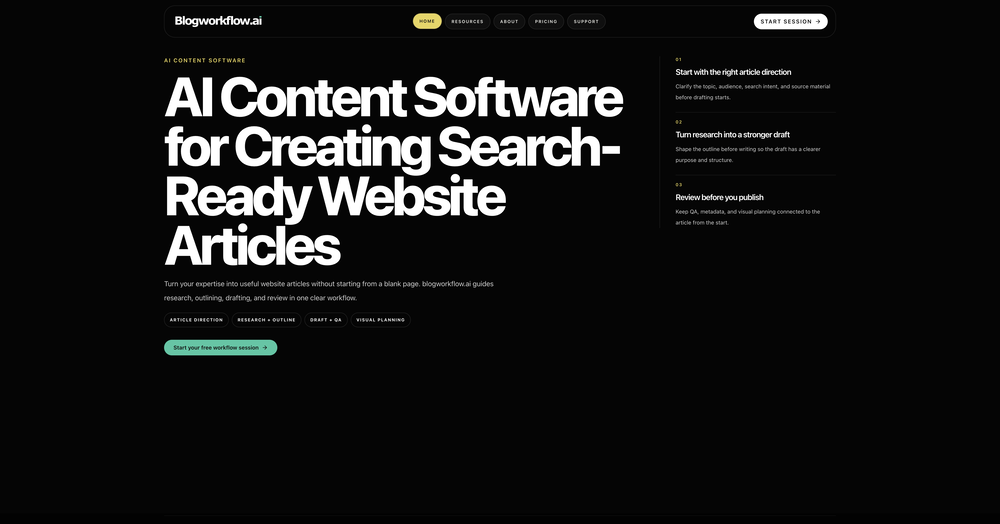
-
-
-
 Have to sign up, but can't even sign up because they refuse to accept my password.
 -









Verified tools
- SpotlightSureThing.io - "OpenClaw" for BeginnersTask automation
-
I just went in and made it easier to see where to add a custom role under Roles/Hats (not roles from your existing resumes) and it will create a draft of any resume you want from your profile information.
-
 OpenFound this product useful. A great way to add a personal touch to meetings.
 -
Whacka now lives in your chats. Build real apps from Telegram, Discord, or WhatsApp. Not a screenshot. Not a prototype. A live website with its own link, ready to share and install. Say hi once. Whacka remembers what matters and turns your words into a real app.
-
-
This started from a small frustration that wouldn't go away: I'd open 12 tabs for "research," skim none of them properly, and close my laptop feeling more behind than when I started. The web rewards reading speed, not reading depth — and I wanted a tool that flipped that. So I built GetTheGists: a Chrome extension that gives you the gist of any page in 3 seconds, then lets you ask follow-up questions like you would a smart friend who already read it. A few things we went out of our way to get right: - Cognitive hierarchy, not walls of text. Every summary is structured as Gist → Why It Matters → Key Takeaways → Implications. Compression before precision. - Ask, don't just read. Hit the page with follow-ups, get answers grounded in the content. - 20 languages, full dark mode, and a resizable side panel that actually respects your screen. What surprised me building this: the hardest part wasn't the AI — it was deciding what not to show. Every iteration was about removing a section, not adding one. It's free to try (Premium and Pro tiers if you want higher limits). I'd love your honest feedback — especially on the summary format and where it falls short on your favorite kind of page. I'll be in the comments all day. Thank you for taking a look 🙏
-
I've been using WriteHybrid and it really does just make AI text sound normal. It doesn't sound robotic, and I don't have to rewrite everything after.
-
 Turn notes into perfect infographics from 500+ designs.OpenHi TAAFT! I'm Henry, the founder of CartoMind. CartoMind offers a fully automated AI workflow to help you quickly organize text content and generate the perfect infographics to match. 【Why did I build this?】 When creating infographics with AI today, users are often forced to choose between two extremes. You either use generic AI image SaaS tools that trap you in complex prompt engineering and steep design learning curves with zero knowledge management, or you use products like NotebookLM. While they are fantastic for knowledge management, their infographic generation is just an afterthought, lacking design freedom and rich templates. 【Here is where CartoMind stands out:】 1. Lightweight knowledge & note management: We support uploading multiple file formats and automatically parsing text, allowing you to freely select the exact knowledge snippets you want to visualize. 2. Fully automated workflow: Based on your selected content, our AI automatically distills the key text elements and instantly matches you with the ideal infographic design from over 500 professional combinations. 3. Massive template library: A rich selection of infographic templates offering a true what-you-see-is-what-you-get experience. 【Who is using it?】 Marketers, educators, social media creators... In fact, anyone who needs to make their domain knowledge "visible" and loves to share it will find it incredibly useful. 【I can't wait for you all to try it out!】
 -
 Generate USPTO-compliant patent figures from photos or sketches with AI.Open
 -
AudioScribe has been really helpful for turning meeting recordings into clean transcripts without much hassle. I especially like the AI summaries and speaker identification, since they make it much easier to review long conversations and pull out the key points. Solid tool overall, and definitely worth a 5-star rating.
-
Hi! Thor here, the creator. Think of Axey as your collaborative partner: you give commands, watch Axey work, refine & perfect. Feel free to ask any questions!
-
-
I use Finepoint all the time. it just makes things easy. I tend to be wordy, and Finepoint captures the context perfectly and delivers much more succinct copy.
-
-
 Open
Open -
 LinkedIn automation, LinkedIn outreach, sales engagement, lead generation, AI sales assistant, socialOpenWe built Inboundy to solve our own problem: keeping LinkedIn outreach consistent without living in the browser or risking the account. It runs connection requests, follow-ups, and posts from the cloud, drafts messages in your own tone, and respects LinkedIn's daily limits so nothing gets flagged. Still early — no public API yet and LinkedIn is the only channel for now — but the core workflow (connect, message, post, track) works reliably every day.
 -
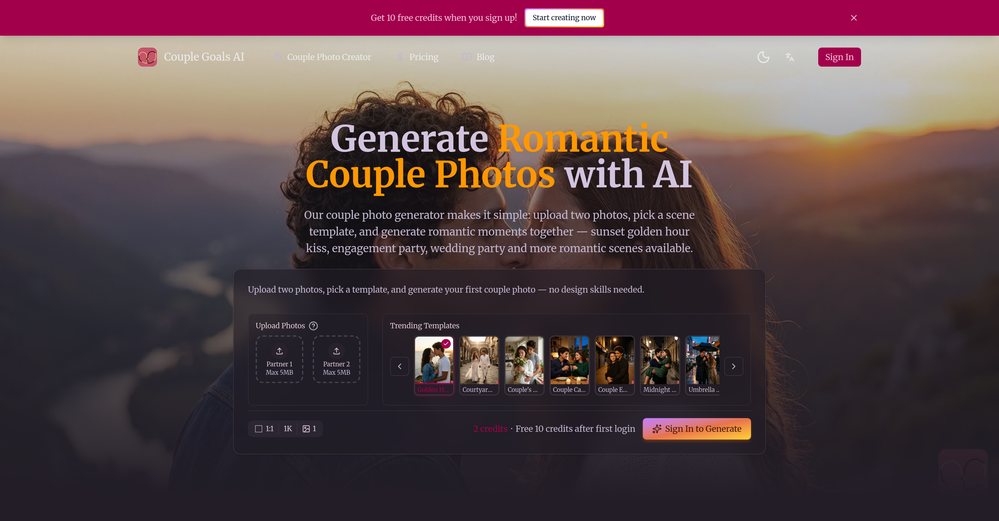
I tried it with my selfie and output photos were so realistic well done! Vibes variety and variations are proper for dating profile! Would deff recommend it to my single friends.
-
The Agent is really handy. It's much more streamlined and convenient than canvas-based AI tools. There's a bit of a learning curve at the start, but once you get the hang of it, it's incredibly useful
-
This is a very useful app! Going to use it on all my products.
-
Really solid on Windows. I’ve tried several similar transcription tools before, but this one feels much better integrated into the system. The customizable global shortcuts are a game changer, you can either just do plain transcription or trigger your own custom prompts/actions with Adifferent hotkeys. A lot of competitors do Aroughly the same thing, but EchoWrite stands out because the basic transcription is essentially free (you just need your own OpenAI API key, which costs next to nothing). If you want the custom prompts and translations, it’s a one-time payment instead of yet another subscription. In 2026 that’s actually pretty fair compared to everything else out there. Big thumbs up.
-
been using this for a bit and the songs it makes are honestly pretty good, way better than i thought. love the clean design too, makes it easy to use. only thing i wish is there was some kind of playlist feature so i can organize all the songs i made, gets hard to find stuff after a while. but yeah solid app overall
-
 Make Better Decisions with Data-Driven Charts, Clear Explanations, and Insightful AnalysisOpen
 -
No constraints implememnted yet. Work in progress, a lot can still be done on quality and constraint
-
made a presentation for my site with just 1 prompt, lol how did the AI get so much information out of my website lol
-
I found this telegram bot especially useful now that Upwork has removed the RSS feature. It helps me get notifications about relevant jobs while I'm away from keyboard. What I have noticed is that the quality of generated proposals increases significantly when you not just upload your standard resume / CV, but use an "extended" version of it, where you list as much info as possible, all your portfolio items, all your skills. Something that's too much for a regular CV. I already had such a document; I used it in another similar tool. Also liking the feature where you can reply to the generated proposal and make small changes because it's not very convenient to edit text on the phone. Also it's not mentioned anywhere, but it can also generate answers to questions (when they exist in a job). The proposal generator is also very attentive and when the clients asks to include the word "pineapple", it does so. But I tested it for only one day. One thing I'd like the author to improve is to make the "JOB ANALYZER" a bit better. Now it sends lots of information, most of it just water. Would love to see some condensed analysis. Not sure how to do this.
-
-
-
a very useful music generator
-
⭐⭐⭐⭐⭐ Great AI Presentation Tool! I really liked the Brand PPT feature. It helped me create professional, on-brand presentation slides in under 60 seconds. The AI-generated content was well-structured, the design looked polished, and the editing process was simple. It has saved me a lot of time compared to creating presentations manually. Highly recommended for anyone who needs fast, professional-quality PowerPoint presentations.
-
 Edit smarter, faster and easier with Filmora’s powerful AI video tools.Open
 -
Didn't even get the country right. The place looked nothing like the location on my image. :/
-
It's kind of lame to promise the moon and deliver essentially nothing.
-
Big fan of 1Template. Building my resume is the bane of my existence, so this is something really helps me out. Nice one.
-
Definitely the best AI resume tailoring I've used so far. Easy to use, without the typical bloat, and the results were actually impressive.
-
👋 Hey, I'm the founder of Flowova! We built this because we were tired of spending hours dragging boxes in traditional flowchart tools. A few things you might not know: - Works with anything — text, images, PDFs, Word, PPT, Excel, even photos of whiteboard sketches - 40+ themes designed for presentations - Full Mermaid code support for developers Happy to answer any questions! 🚀
-
 Open
Open -
I'm absolutely blown away by the design quality of the presentations they look so vibrant and stylish. I was also pleasantly surprised that the AI asks lots of clarifying questions to make sure the final result is exactly what I wanted, not just something random. Vibes 🔥
-
I mostly use ChatGPT and Claude for writing content. What I like Chatgbot is that it saves me from multiple monthly payments for different AI tools. Everything works fine, accuracy included. Worth subscribing.
-
Been using CloneViral for my UGC ad campaigns and it's honestly a game-changer. The Agent Mode feature is what sold me - you basically describe what you want, and their AI agents collaborate to handle everything from scripting to final video. No more jumping between 5 different tools. The UGC Ads generator is surprisingly good. I can create authentic-looking user testimonials and product demos in minutes instead of hiring creators or spending days editing. Quality is solid enough that my clients can't tell the difference. Not perfect, but for the price and time it saves me, it's become essential in my workflow. If you're doing any kind of social media marketing or content creation at scale, worth trying out.
-
Gave it a spin today—absolutely blown away. For anyone building something and tired of delays and complexity, this is a game-changer. I spent ages navigating technical back-and-forth before this made it effortless. Had my site up almost instantly. Couldn’t ask for more.
-
 Your AI presentation agent for instant professional slides.Open- Added MCP support, allowing AI agents and MCP-compatible tools to connect with Dokie directly. - Enabled agent-driven presentation creation, making it easier to turn prompts, documents, and structured content into slides. - Improved workflow compatibility for AI agent use cases, including research-to-slides and report-to-PPT scenarios. - Optimized generation stability when creating presentations through external AI tools. - Improved the handoff from AI-generated content to editable, export-ready PPTs.
 -
- Added the Chrome extension: get voice-matched reply suggestions directly on LinkedIn, drawn from your tone profile - Added the Pipeline plan: turn inbound engagement into relationships with an Opportunity Inbox, a weekly Comment Queue, relationship threads with follow-up nudges, and Sources for watching up to 5 profiles - Added the Monthly Planner: generate a full month of on-brand post ideas on a calendar, with drag-to-reschedule and one-click batch drafting - Added Content Remix: paste any article or URL and turn it into a LinkedIn post in your voice - Improved scheduling and voice modeling across the board
-
Thank you — this honestly means a lot 🙏 "No design experience needed" was exactly the goal, so it's awesome to hear it clicked for you. Thanks for creating with MagicReels, and don't hesitate to reach out if you ever need anything!
-
 Stop guessing if your photo is good. Get instant, objective feedback.Open
 -
Didn't really do the graphs that i thought it would do. Good for simple graphs, like for a presentation
-
Love how it offers stuff for both free and premium users. huge thanks to the devs and keep it up!
-
Apologies for the delayed response. Let me clarify our free tier benefits: 1.Daily Quick Credits: Free users receive 2 quick generation credits every day. 2.Unlimited Standard Generation: You can generate an unlimited number of images daily. Please note that during peak usage times, generation speeds may be slower to accommodate high traffic. 3.Advanced Features: Free users also have access to our excellent face-swap feature. 4.Our platform features the leading Nanobanana series models, supports various LoRA effects, and includes tools for background removal and image outpainting/expansion. 5.We welcome you to try them out! Regarding your question about pricing: The core features mentioned above are genuinely free. The 'pricing' structure you saw likely refers to optional paid plans for users who need faster speeds during peak times, higher priority, or additional commercial features. It is not 'free after you pay,' but rather a free base service with optional upgrades. We hope this clears up any confusion!"
-
-
A very useful AI slides tool! The content it generates is genuinely smart.
-
PPT.AI is an outstanding AI-powered presentation tool that has completely transformed my workflow! With just a few clicks, it turns my ideas, documents, or even YouTube links into polished, professional slides in minutes. The platform offers over 800 premium templates and smart editing tools, making customization both powerful and intuitive. I especially appreciate the real-time cloud collaboration and version control features, which make working in teams seamless. Whether you’re a professional, educator, or entrepreneur, PPT.AI saves a tremendous amount of time and ensures every presentation looks visually engaging and consistent. Highly recommended—definitely a five-star experience!
-
 Get Realistic, Natural-Looking AI-Generated Professional Headshots in 2 Hours.OpenI never thought I’d be using an AI service for something like this, but I’m glad I did. The headshot looks like it was taken by a professional photographer, without the pain.
 -
 Turn architectural sketches into photorealistic renders in seconds.Open
 -
I’ve tried almost every AI slide generator out there, and Tosea is in a league of its own. Most tools just scrape the surface, but Tosea actually digs into my research PDFs. It captures the nuance and logical flow of the original document without the usual AI hallucinations. The slides it produced for my last project were surprisingly deep and well-structured. Plus, being able to export directly to PPTX and make my own tweaks is a lifesaver. It’s easily saved me hours of manual formatting this week.
-
-
-
 AI render enhancer built for archviz professionals.Open
 -
This AI stock-picking tool delivers real-time data-driven insights, user-friendly interface and smart rankings, simplifying wise investment decisions.
-
 Open
Open -
-
-
wow, I just tried this and I'm actually shocked as to how good this is... Half the price of using GPT/Claude to help me with my notetaking and it's honestly 10x faster. This is a gamechanger for me, thank you!!
-
 Chat with any PDF, ask questions, summarize and extract insights effortlessly.OpenThe maximum number of pdf pages for the free tier is 10, which is a bit small. Generally, I think people need this service for pdf documents over 50 pages or so.
 -
All of this tools offer API access, which is useful for developing your own AI tools at a low cost.
-
Awesome! Another fun tool to use! Daisy never fails to innovate!




































































































































Other tools
-
Tried AnyGen for a bit and I like how flexible it feels compared to more rigid AI generators. Seems useful for quickly experimenting with different types of content and ideas without overcomplicating the workflow.
-
easy to use meets very specific need but for general purpose ( quick enhance)
-
The AI reuse all your last posts to know you. It's impressive.
- Didn't find the AI you were looking for?
-
 Open
Open -
Bruv, where was this when i was 15? Quick, easy and gave me the feelin' that i could read 1000 books xD
-
Currently, the website provides free text-to-speech (TTS) with emotions without requiring registration. You can generate 50,000 characters using generic Microsoft voices which are available also within any ReadAloud/Read out Loud apps. However, these voices lack emotion, but you can generate 5,000 characters with emotion per generation for free. Firstly, you have to select a voice, preview it, and then select it - paste your text or write it down and after a few minutes, you can listen and download it for free. However, the website's reviews are likely fake, suggesting that this free service might not last long.
-
Doesn't work on a PDF I uploaded. Seems like it just wants to collect (l)users.
-
i am terribly sorry - as much as i try to be encouraging towards new apps - this one is NOT something i recommend the free version is very limited and they do not have a monthly subscription plan - they want all the money for a whole year - tools that bind you to them for a whole year in advance are no no for me.
-
-
 Transform ideas into vibrant PNG art illustrations.Open
 -
 Friendly and professional tool for generating and iterating images in Spanish.Open
 -
 Summarizing academic papers for clarity and accessibility.Open
 -
 Expert at crafting personalized Creative BriefsOpen
 -
 A dental care innovation assistant for professionals and researchers.Open
 -
 Open
Open -
 Open
Open -
 Expert in European Law, focusing on precise legal references.Open
 -
 Converts images of math formulas into LaTeX code.Open
 -
 Open
Open -
 Providing guidance on crypto regulations globally.Open