Go to section
Spotlight SureThing.io - "OpenClaw" for BeginnersTask automation
The front page of AI.Used by 90M+ humans.

Generate image
Tasks
Generate text
Free mode
Trending
Leaderboard
Characters
 Mini tools
New
Featured
Lists
Agents
Requests
Jobs
Map
Newsletter
Starter pack
Free tools
Speech to text
Text translator
Remove background
Settings
Edit profile
My tools
Gallery
Dashboard
Inbox
Get featured
Contact TAAFT
For you
Popular
Job impact index
Most saved
Affiliate program
Submit AI tool
Notification preferences
Glossary
Home
Timeline
My profile
Create tool
Deals
Companies
Models
Robots
Papers
Fundraises
Devices
Organizations
Events
Prompt Pack
Merchendise
APIs
Features
Tools
Countries
Collections
Videos
News
Investors
Repositories
Mini tools
New
Featured
Lists
Agents
Requests
Jobs
Map
Newsletter
Starter pack
Free tools
Speech to text
Text translator
Remove background
Settings
Edit profile
My tools
Gallery
Dashboard
Inbox
Get featured
Contact TAAFT
For you
Popular
Job impact index
Most saved
Affiliate program
Submit AI tool
Notification preferences
Glossary
Home
Timeline
My profile
Create tool
Deals
Companies
Models
Robots
Papers
Fundraises
Devices
Organizations
Events
Prompt Pack
Merchendise
APIs
Features
Tools
Countries
Collections
Videos
News
Investors
Repositories
Mini tools
New
Featured
Lists
Agents
Requests
Jobs
Map
Newsletter
Starter pack
Free tools
Speech to text
Text translator
Remove background
Settings
Edit profile
My tools
Gallery
Dashboard
Inbox
Get featured
Contact TAAFT
For you
Popular
Job impact index
Most saved
Affiliate program
Submit AI tool
Notification preferences
Glossary
Home
Timeline
My profile
Create tool
Deals
Companies
Models
Robots
Papers
Fundraises
Devices
Organizations
Events
Prompt Pack
Merchendise
APIs
Features
Tools
Countries
Collections
Videos
News
Investors
Repositories

▼ Most saved
Text to visual
Free mode
100% free
Freemium
Free Trial
Featured matches
-
-
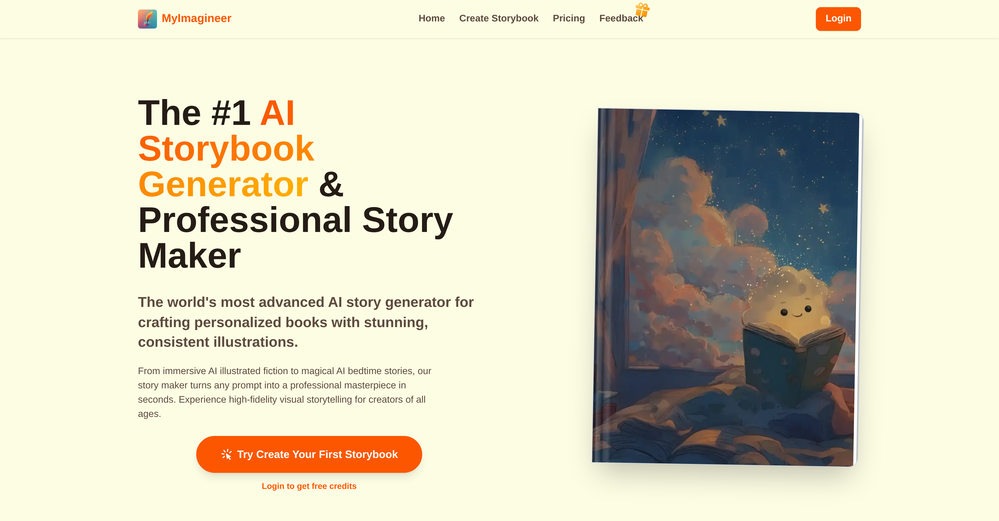
 Elizabeth C🛠️ 1 tool 🙏 130 karmaJul 17, 2026@MyImagineerTried it for a little story idea and it was really fun seeing it come together so quickly. Nice for getting past that blank-page moment!!
 -
-
-
-
-
-
-
-










Other tools
-
-
The feature of having a file as reference is great, having two files for reference would be better when conceptualizing conplex ideas. Like I want A element from pic A and B element from pic B to make C
- SpotlightSureThing.io - "OpenClaw" for BeginnersTask automation
-
Definitely not an app that can be used for adult horror themed pages. Disappointed.
-
If you want ultra realistic pictures then use this my ZN image generater tool 🔥
-
 Create stunning, ultra-realistic images from text prompts.Open
 -
Speed is amazing ! I will definitely utilize the tool in the future for film generation
-
 Transform ideas into stunning, photorealistic images.OpenJust kept copying my original image, and inserting a background that's a painting not photorealistic. 🤨
 -
- Didn't find the AI you were looking for?
-
-
I had to tweak a few things to match my brand style, but overall it saved me a ton of time. Definitely handy if you need something fast and professional-looking.
-
 Transform text descriptions into professional circuit diagrams instantly.Open
 -
 Transform words into vibrant pop art portraits.Open
 -
I forgot to take videos on my trip, so I gave this a shot with just the photos I had. Surprisingly, it created a short clip that actually looked real, super cool. Just wish it didn’t take forever to render
-
False advertising and broken. Did not do what it claimed. AI chat has footnote that it cannot do multiple types of outputs. It generally felt dumb. Documentation lacking. Costs $7 per month and only available via auto renewing subscription. I got $5 credit from a competing ai I found here and in less than 10 hours I got all kinds of charts and it used $2 of the $5 credit in tokens. Meanwhile I lost more dignitiy, time and dollars to what amounts to a fraudster masrquaqrading as a developer making an AI that cannot do what it claims it can. Who in the end, has a response time of minutes to tell me no refunds can be issued when inquired. Which is fine, I accepted the risk of $7, but this is daylight robbery with a broken app. either fix it, or stop the fraud, or you get reported and reviewed like this. I needed user journey map, or a flow chart, or a sequence diagram, could have been happy with either one, and this app completely failed to do anything useful at all. Even when it did generate anything, it was giant text boxes nad a few arrows, no ability to decipher, summarize, and make it short and sweet in visuals. Needs a lot of work at best.
-
 Transform your music into stunning visual experiences with AIOpenThe generation effect is good, the pictures are exquisite, and the transition animations of the pictures are smooth The only drawback is that it would be better if the generation time were a little faster
 -
It does exactly what is expected and more. I asked it to create a map with pins for 30 addresses and it did exactly that within a few seconds. It has great customization options also.
-
i tried creating an image and it was really nice, warm and cozy, with a true nature vibe
-
It works surprisingly well. Clean plus you can actually try it first without having to drop money right away. helps if you are not sure it'll fit your needs. Solid stuff.
-
good platform to create my short video
-
I've tried so many image enhancing apps but I couldn't believe that this one works so much better than the others!
-
 Transform text descriptions into stunning cartoon images instantly.OpenDid not match my image 100%, but it still slayed! Good job
 -
 Transform text into photorealistic images with exceptional accuracy.Open
 -
 Open
Open -
 Transform text descriptions into stunning cartoon images instantly.Open
 -
Apologies for the delayed response. Let me clarify our free tier benefits: 1.Daily Quick Credits: Free users receive 2 quick generation credits every day. 2.Unlimited Standard Generation: You can generate an unlimited number of images daily. Please note that during peak usage times, generation speeds may be slower to accommodate high traffic. 3.Advanced Features: Free users also have access to our excellent face-swap feature. 4.Our platform features the leading Nanobanana series models, supports various LoRA effects, and includes tools for background removal and image outpainting/expansion. 5.We welcome you to try them out! Regarding your question about pricing: The core features mentioned above are genuinely free. The 'pricing' structure you saw likely refers to optional paid plans for users who need faster speeds during peak times, higher priority, or additional commercial features. It is not 'free after you pay,' but rather a free base service with optional upgrades. We hope this clears up any confusion!"
-
Thank you — this honestly means a lot 🙏 "No design experience needed" was exactly the goal, so it's awesome to hear it clicked for you. Thanks for creating with MagicReels, and don't hesitate to reach out if you ever need anything!
-
pretty good for quick visuals. output’s clean and it follows prompts better than i expected, not bad at all.
-
 AI infographic generator that turns blog posts into link magnetsOpen
 -
I used the Punk subscription for 2 months and really went deep into it. Plazmapunk offers great flexibility and a lot of option to create videos/animated visuals that can look stunning and cool. My favorite part is the Scene Editor where you can be your own story director. Sometimes videos won't turn out the way you like them, but upon refining you usually get it to be satisfying for you. So in short, I enjoyed it a lot :)
-
Never in my ENTIRE life have I seen pieces of art more stunning than what this tool can create. Absolutely phenomenal!
-
 Transform simple text into stunning square album covers instantly.Open
 -
 Transform any image into stunning AI-enhanced visuals.OpenIt can generate any image I want freely, it's amazing!
 -
Terrible experience. Spent over $200 to produce a music video that Musid.ai was never able to complete. System crashed during the final production generation/rendering - over and over and over. Contacted [email protected] - no response whatsoever after 2 days. Don't touch it! UPDATE: minutes after posting this Musid.ai responded by reinstating all of the credits purchased. Doesn't compensate for the wasted time but better that a poke in the eye with a sharp stick! I'll review again once I get to the other side of this drama...
-
 OpenThe features are incredibly comprehensive. I really love it — the AI videos I created got a ton of praise when I shared them. Likes galore!
 -
Says "free during testing," but keeps telling me I have insufficient credits. I also can't seem to find a way to delete my account.
-
 AI image generator that transforms text into high-quality visuals instantly.Open
 -
-
 Generate AI images. No subscription. Credits never expire.Open
 -
Looks great, I really appreciated that it gives you credits to test it out first, not many video tools do that. Makes it way easier to actually see what it can do before paying. Nice experience overall :)
-
-
Every detail and quality of the photo is very good
-
 Open
Open -
I used this to find memes for my TikTok video but I think 3 credits are less you should add them to 5 free credits, since even mostly it doesn't bring the right search but overall it is perfect I will recommend it to people especially content creators who post memes
-
As the founder of Genstory.app, I’ve always believed that every child deserves a story of their own. Genstory.app was built with one simple idea: anyone should be able to use AI to easily create high-quality, imaginative, and personalized stories that truly spark a child’s curiosity. We simplified the entire creative process into three steps—enter a theme, choose characters, and generate both the story and illustrations. In just a few minutes, you can have a complete mini storybook. Since launch, the feedback we hear most often is: “I no longer have to struggle to make up stories every night.” “My child loves seeing themselves as the main character.” This is exactly what we hoped to achieve: making storytelling easier, more fun, and more personal. Genstory.app is growing fast, and we’ll continue refining the experience to become a creative playground that anyone can enjoy.
-
 Turn simple prompts into viral videos, stunning images, and realistic audio.Open
 -
The workflow is straightforward, the output quality is clean, and it’s especially useful for marketing videos, product demos, and social media content. Overall, it’s a solid AI video generator that saves a lot of time. Highly recommended.
-
Hey everyone 👋 I’m excited to introduce VidFab, an AI-powered tool that turns text and images into cinematic videos in seconds. We built VidFab to help creators and startups make beautiful videos without complex editing or long render times. Just type an idea — and our AI brings it to life. I’d love to hear your feedback and ideas for what features you’d like to see next. Your thoughts really help us shape the future of VidFab!
-
I’ve used this product, and the AI video generation quality is excellent. Most importantly, it offers the best value for money I’ve ever seen. In addition, if you need help optimizing your video prompts, you can email their professional advisors for free consultation.
-
-
-
Well, it did give me an insanely good image, but you only get one free trial, i.e, generate one image for free. And the model is costly for someone who wants free AI tools. But it does the job if you're willing to pay.
-
Works wonders for anime, has me taking it in consideration for a tool rotation.
-
-
 Microsoft BING alternative that generates ONE precise, anatomically correct image per request.Open
 -
Vireel offers the best realistic ai image to video and ai text to video tools. Incredible no watermark quality!
-
was looking for comfyui alternatives - i want workflows - but there's so much pain to get nodes to work on comfy - but this floyo solves this entirely
-
I'm giving it two stars because it does do an ok job on videos but I would NOT recommend this. The "free trial" gives you 80 credits. It's not even enough to make a 60 second video so you can't really "trial" anything. I then spent $35 to make a 60 second video and I did two edits to it and I only have 451 credits left for the month. Until the costs come down, this is not feasible.
-
Glad to see LitVideo listed here. Have been using it for a while. Easy to use, and LitVideo provides a relatively low-cost entry point into AI video creation.
-
Nice art! This tool seems promising, keep up the good work
-
 Open
Open -
This release introduces Flint, a new family of each::labs image models designed to deliver frontier-quality results with production-ready economics.
- flint-image: Generate four distinct images from a single prompt in one call for $0.20, compared with $0.60 for a standard generation.
- Flexible output controls: Set the output format and aspect ratio for each run, so generated images fit directly into your layout.
- Available across each::labs: Access Flint through the API at api.eachlabs.ai or the visual no-code AI Flows builder, with pay-per-call pricing and no subscription required.
- Coming next: Additional Flint models for clean 4K image generation and editing, available at the same $0.20 per-call price.
-
-
 Turn text into studio-quality illustrations in seconds. No design skills required.OpenLook great, good luck with the launch!
 -
No free use because I use a VPN?? I'm out. I should have a choice to stay private if I want to and still be able to review the product without penalty. Others allow it - I will use them before buying. If you have that big of an issue with what you feel are multiple accounts using your free services, then reduce the amount of free use.
-
 Remove unwanted text, watermark or logo from images online free.Open
 -
 Open
Open -
 Open
Open -
Looks pretty clean and easy to use! The upload process is straightforward, though the top section feels a little crowded. Maybe add a bit more info about how the credits work.
-
As a student, I regularly work with research papers and long PDFs. PodcastorAI has been a helpful way to turn that content into something I can listen to while commuting or walking. I like that it creates a structured podcast rather than simply reading the text aloud. The dialogue format is surprisingly engaging and makes dense material easier to get through. I still rely on the original documents for deeper study, but for review and knowledge retention, it's been a genuinely useful tool.
-
 Turn product photos into marketing videos instantly.Open
 -
 Transform text prompts into polished, design-ready visuals.Open
 -
Been using Playyy for a while now and it's become a core part of my design workflow. I'm juggling a few different brands and projects at once, a clothing label's brand identity book, podcast cover art, poster design, and the brand kit feature has been a lifesaver for keeping each one's visual style separate and consistent. No more mixing up palettes or fonts across projects.
-
Hi Taaft community! I’m the creator of ConceptViz. We built this tool specifically for educators and researchers who deal with complex information daily. ConceptViz uses AI to instantly transform dense lesson plans, curriculum notes, or research frameworks into clear, structured diagrams. Our goal is to help K12 teachers make abstract concepts tangible for students and to help researchers map out logical workflows without the manual drudgery of drawing. I’d love to hear how this fits into your academic or classroom workflow—your feedback will help us build a better tool for the education community! 🚀
-
AI Video Prompt (1 Minute): > Create a 1-minute ultra-realistic cinematic video about a poor 12-year-old boy named Ali. Ali lives with his widowed mother in a small mud house in a village. They struggle to afford food, but Ali is hardworking, humble, and always smiles. Every morning, Ali wakes up before sunrise, helps his mother, carries vegetables to the market, shines shoes, and works honestly all day. One afternoon, he finds a wallet full of money on the road. Although his family is poor, Ali chooses to return the wallet to its owner. The owner is deeply touched by Ali's honesty and rewards him with a good job and financial support. In the final scene, Ali and his mother are smiling in their improved home, grateful for a brighter future. Ultra-realistic, emotional storytelling, cinematic lighting, realistic facial expressions, smooth camera movements, golden-hour colors, inspiring background music, 4K, movie-quality visuals.
-
 Extract structured data from images and PDFs into usable tables with AIOpen
 -
messed around with this for some 3D character concepts and the results are wild. hit or miss but when it works it WORKS. saved a few that are going straight into my portfolio
-
The "Lion and Sun" symbol is seen on streets where protests are underway, fires are spreading, and the nation has risen up for freedom.
-
 Open
Open -
It's a pity I got a red line saying there is an error Actually, after a while, I got an email with the presentation So it was created, delivery was average I'd say, I didn't use it
-
 Instantly rewrite, polish, and perfect any text without leaving your current tabOpen
 -
-
 Skip the complexity. Create professional-quality music with simple prompts.Open
 -
Just tried the Seedance 2.0 experience on LumeFlow and I’m honestly blown away. That "uncanny AI jitter" I’m used to seeing in other models is practically gone—the motion is just so smooth and fluid. I was a little skeptical at first since it’s tagged as an "Early Access Lab" feature, but the output quality is 100% the real deal. If you’re looking for cinematic physics that actually make sense, this is easily one of the best AI video experiences out there right now. Highly recommend giving it a spin.
-
create a ppt with example and small case study on augmented marketing mix
-
I did not like it. Seems very generic and did not adapt or recognized the topic to change the figures and the templates. Simply put my text to templates not related to the topic.
-
 Open
Open -
 Open
Open