 VeriIA
 Mini tools
▼ Most saved
Web
Free mode
100% free
Freemium
Free Trial
Featured matches
-
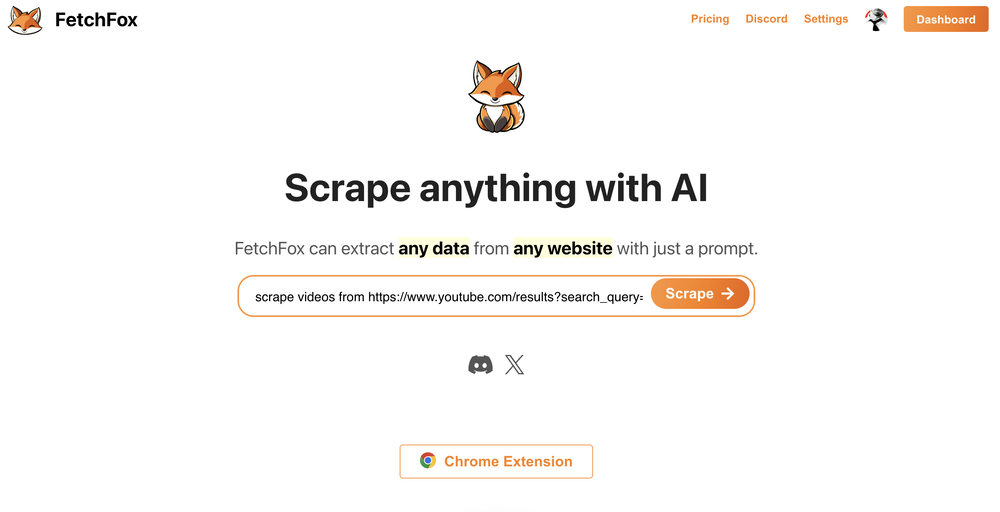 Sha Ok🙏 26 karmaNov 30, 2024@FetchFoxWorking great as of 30/11/2024. Let me tell you why I'm so happy about this, because I was desperate: - Firecrawl.dev? Inconsistent API documentation. Apify scrapers? Couldn't work on my target URL. - I spent $150 over 4-5 OTHER tools before finding this one, which is free to use locally right now. Wow. I'm dumb. - My target URL was a broken site, with 500 javascript errors, content violations, bad cookies, etc. - Not a single scraper worked that I tried, except for this one. So yeah, I'd say I'm pretty happy
 -
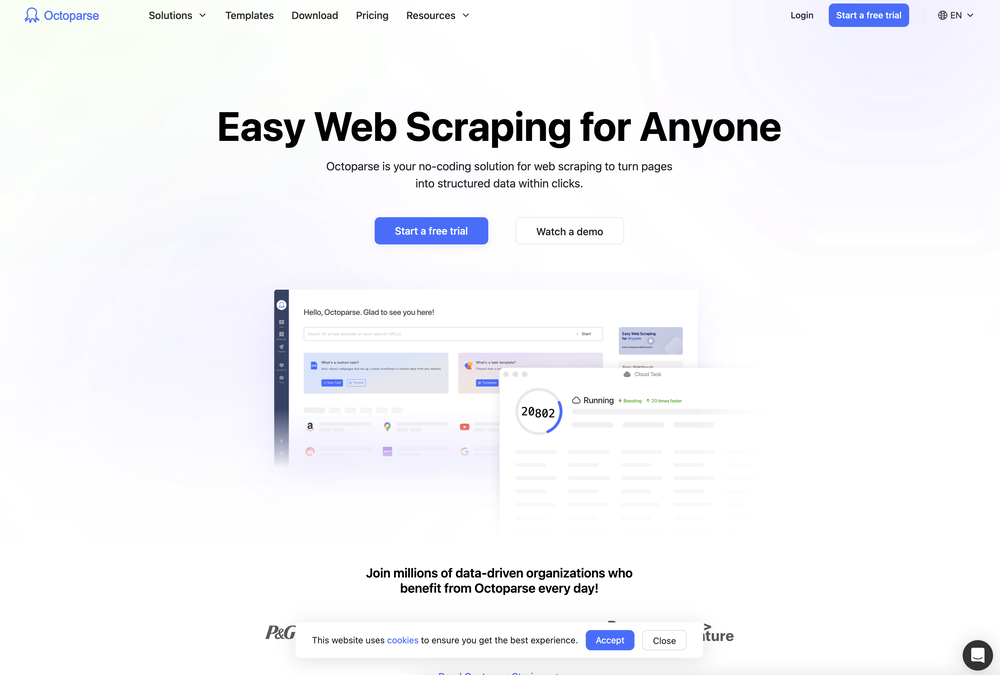 I've been using Octoparse for a few months now, and I must say, it has exceeded my expectations. As someone with limited coding knowledge, I was initially hesitant to try web scraping. However, Octoparse made the process incredibly easy with its intuitive interface and powerful features. I've been able to extract data from multiple websites without any hassle, and the automation capabilities have saved me a ton of time. The customer support team has also been incredibly helpful whenever I've had questions or encountered issues. Overall, I highly recommend Octoparse to anyone looking for a reliable and user-friendly web scraping tool. Another notable aspect of Octoparse is its versatility, catering to both beginners and advanced users alike. Its pre-built templates and workflows streamline the scraping process, while advanced users can leverage its customization options for more complex scraping tasks. Additionally, Octoparse offers scheduling and automation features, allowing users to automate repetitive scraping tasks and save time.
 -
 Purely magic. It increases the productivity by a lot and the process is pretty addictive. I've been building websites like there's not tomorrow.
 -
 A great tool without a doubt. However I prefer to have something that stays under my sight, like a separate app or a browser extension.
 -
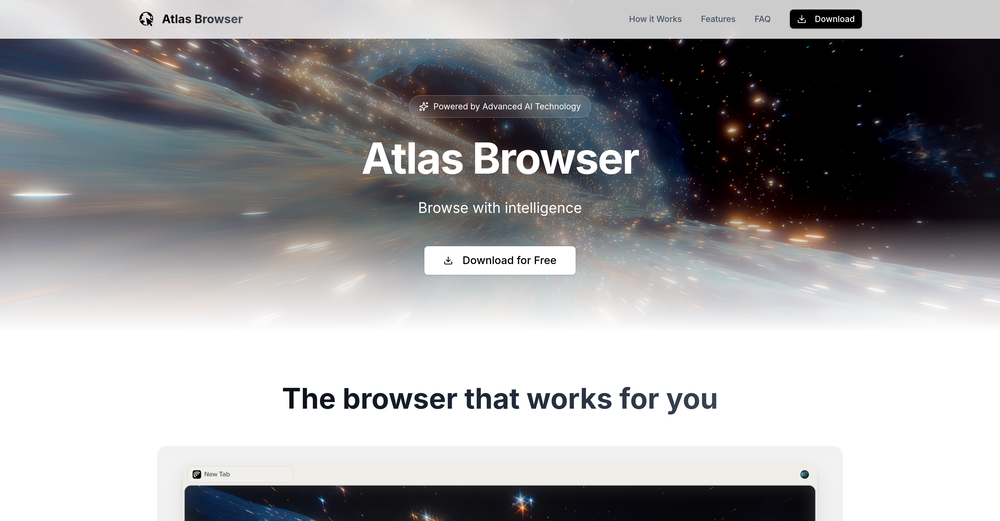
 It’s a fast, sleek, and feature-rich browser that makes multitasking effortless and browsing more enjoyable. Highly recommended!
 -
-
 Hello Everyone, My name is Mohamed, the Co-Founder of linesNcircles.com. At linesNcircles our mission is to revolutionize AI & Humen Interaction. Our first product TheBar is an AI agent which can build websites for you, edit them, saves files locally, browses the internet and provide you with answers to your questions all in very simple interface. TheBar runs on your computer without signup. Your website files are saved locally with the option to publish them under our website with one click. All your files are under your creations folders. We built TheBar to be simple to use, super fast in building things for you and we are working tirelessly, to bring in more features for you like writing pdf documents and making presentations which are coming soon. Check TheBar out it is available for free now on our website https://www.linesncircles.com. We would love to hear your feedback and comments
 -
-
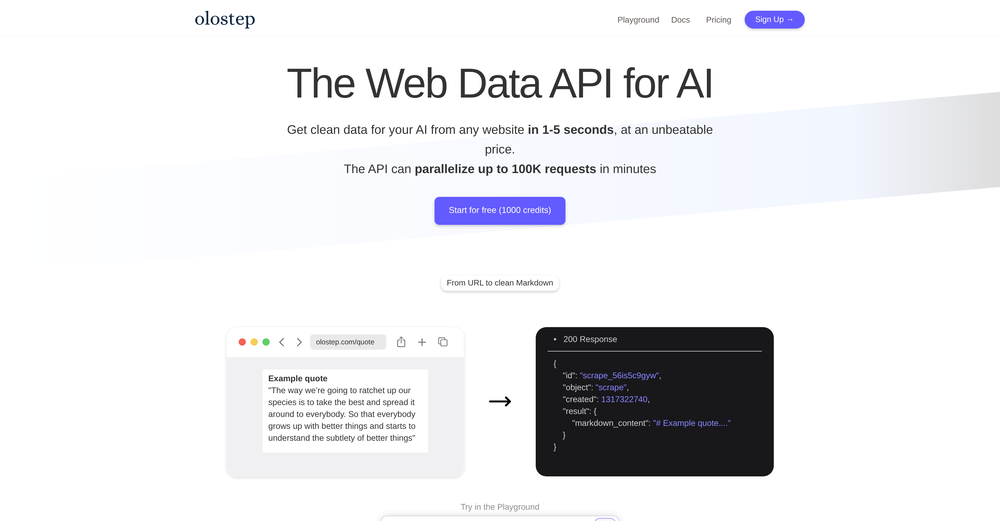 I use Olostep to gather data from millions of e-commerce pages for my AI shopping assistant service and it's the most cost-effective and reliable product on the market
 -













Other tools
-
-
Very nicely done and detailed, Well structured and professional
- Spotlight: VeriIA (AI content detection)
-
Just another Chrome browser. Installed it. Don't see any AI anywhere. Don't waste your time. Sticking with Arc browser.
- Didn't find the AI you were looking for?
-
Stakly helped me launch my app super fast. Really impressed with how easy it was to use.
-
 Redesign And Build websites, docs, and blogs with AI in minutesOpenusefull for intial landing page design
 -
Wow! Really useful in daily life and for work. With regular updates this can become a beast (it already is tbh).
-
Clicked on the suggested domain links and worked fine. Simple to use, practical, and effective for searching for new domains.
-
I have been a big fan of your idea validator and I'm super excited to see another product from you. Just purchased my first market insights report and I can say your reports always live up to the standards. Keep up the good work. Wish you all the best.
-
42,938 AI tools for 11,679 tasks and 5,155 jobs Spotlight PDFClean.aiPDFClean.ai PDF to Spreadsheets Search... #1 website for AI tools. Used by 70M+ humans. Generate images Create AI Tools Home Search Deals Leaderboard Tasks Mini tools Characters Map Launch / Advertise Newsletter Merchandise Contact us Create tool Mini tools Code snippets Web App: Code Generator Code snippets Free Unlimited Free commercial use Web App: Code Generator icon Web App: Code Generator 4.2(5) 99 users 73 Author Lanie Farmer profile picture Lanie Farmer TAAFTUse mini tool Saved Spotlight PDFClean.aiPDFClean.ai PDF to Spreadsheets Please describe the web application you want to build, including its main features and any specific technologies you want to use. Suggest create a website that can track locations using instragam lik. #1 website for AI tools. Used by 70M+ humans. Generate images Create AI Tools, John clarance deleon TAAFTGenerate Generated content is 100% free to use, including commercial use. Copy text 0 0 Location Tracking Website with Instagram-like Features Project Overview Create a website that allows users to track locations, similar to Instagram, with a focus on AI-powered features. The website will be designed for 70M+ users and will include tools for generating images and creating AI-powered tools. Technical Requirements Frontend: React, HTML, CSS, JavaScript Backend: Node.js, Express.js Database: MongoDB APIs: Google Maps API, OpenStreetMap API Project Structure Frontend components LocationTracker.js: Component for tracking locations ImageGenerator.js: Component for generating images AITools.js: Component for creating AI-powered tools containers App.js: Main application container index.js: Entry point for the frontend Backend models Location.js: Model for location data User.js: Model for user data controllers locationController.js: Controller for location data userController.js: Controller for user data routes locationRoutes.js: Routes for location data userRoutes.js: Routes for user data server.js: Entry point for the backend Code Frontend LocationTracker.js import React, { useState, useEffect } from 'react'; import { GoogleMap, LoadScript, Marker } from '@react-google-maps/api'; const LocationTracker = () => { const [location,_setLocation] = useState({ lat: 0, lng: 0 }); const [markers,_setMarkers] = useState([]); useEffect(() => { navigator.geolocation.getCurrentPosition((position) => { setLocation({ lat: position.coords.latitude, lng: position.coords.longitude, }); }); }, []); const handleMarkerClick = (marker) => { setMarkers((prevMarkers) => [...prevMarkers,_marker]); }; return ( {markers.map((marker, index) => ( handleMarkerClick(marker)} /> ))} ); }; export default LocationTracker; ImageGenerator.js import React, { useState } from 'react'; import axios from 'axios'; const ImageGenerator = () => { const [image,_setImage] = useState(null); const [location,_setLocation] = useState({ lat: 0, lng: 0 }); const handleGenerateImage = async () => { const response = await axios.post('/api/image', { location, }); setImage(response.data.image); }; return ( setLocation({ ...location, lat: e.target.value })} /> setLocation({ ...location, lng: e.target.value })} /> Generate Image {image && } ); }; export default ImageGenerator; AITools.js import React, { useState } from 'react'; import axios from 'axios'; const AITools = () => { const [tool,_setTool] = useState(null); const [input,_setInput] = useState(''); const handleCreateTool = async () => { const response = await axios.post('/api/tool', { input, }); setTool(response.data.tool); }; return ( setInput(e.target.value)} /> Create Tool {tool && {tool}} ); }; export default AITools; Backend locationController.js const express = require('express'); const router = express.Router(); const Location = require('../models/Location'); router.get('/', async (req, res) => { const locations = await Location.find(); res.json(locations); }); router.post('/', async (req, res) => { const location = new Location(req.body); await location.save(); res.json(location); }); module.exports = router; imageController.js const express = require('express'); const router = express.Router(); const axios = require('axios'); router.post('/', async (req, res) => { const { location } = req.body; const response = await axios.get(`https://maps.googleapis.com/maps/api/staticmap?center=${location.lat},${location.lng}&zoom=15&size=400x400&key=YOUR_API_KEY`); const image = response.data; res.json({ image }); }); module.exports = router; toolController.js const express = require('express'); const router = express.Router(); const axios = require('axios'); router.post('/', async (req, res) => { const { input } = req.body; const response = await axios.post('https://api.example.com/tool', { input, }); const tool = response.data.tool; res.json({ tool }); }); module.exports = router; Explanation This code creates a basic location tracking website with Instagram-like features. The website uses React for the frontend, Node.js and Express.js for the backend, and MongoDB for the database. The LocationTracker component uses the Google Maps API to display a map and track the user's location. The ImageGenerator component uses the Google Maps API to generate an image based on the user's location. The AITools component uses an external API to create AI-powered tools. The backend uses Express.js to handle requests and interact with the database. The locationController handles location data, the imageController handles image generation, and the toolController handles AI-powered tool creation. Note that this is just a basic example and you will need to modify and extend the code to fit your specific requirements. Additionally, you will need to obtain API keys and configure the Google Maps API and other external APIs. Integration To integrate this code into a larger project, you will need to: Create a new React project using create-react-app. Install the required dependencies, including axios and @react-google-maps/api. Create a new Node.js project using express. Install the required dependencies, including mongoose and axios. Configure the Google Maps API and other external APIs. Modify and extend the code to fit your specific requirements. I hope this helps! Let me know if you have any questions or need further clarification. Project Overview The goal of this project is to create a location-based website similar to Instagram. The website will allow users to track locations and generate images based on those locations. Additionally, the website will provide AI-powered tools for users to create and interact with. Technical Requirements The project will utilize the following technologies: Frontend: React, HTML, CSS, JavaScript Backend: Node.js, Express.js Database: MongoDB APIs: Google Maps API, OpenStreetMap API Project Structure The project will consist of the following components: Frontend components LocationTracker.js: Component for tracking locations ImageGenerator.js: Component for generating images AITools.js: Component for creating AI-powered tools containers App.js: Main application container index.js: Entry point for the frontend Backend models Location.js: Model for location data User.js: Model for user data controllers locationController.js: Controller for location data userController.js: Controller for user data routes locationRoutes.js: Routes for location data userRoutes.js: Routes for user data server.js: Entry point for the backend Code The code for this project will be provided in the following sections. Frontend LocationTracker.js import React, { useState, useEffect } from 'react'; import { GoogleMap, LoadScript, Marker } from '@react-google-maps/api'; const LocationTracker = () => { const [location,_setLocation] = useState({ lat: 0, lng: 0 }); const [markers,_setMarkers] = useState([]); useEffect(() => { navigator.geolocation.getCurrentPosition((position) => { setLocation({ lat: position.coords.latitude, lng: position.coords.longitude, }); }); }, []); const handleMarkerClick = (marker) => { setMarkers((prevMarkers) => [...prevMarkers,_marker]); }; return ( {markers.map((marker, index) => ( handleMarkerClick(marker)} /> ))} ); }; export default LocationTracker; ImageGenerator.js import React, { useState } from 'react'; import axios from 'axios'; const ImageGenerator = () => { const [image,_setImage] = useState(null); const [location,_setLocation] = useState({ lat: 0, lng: 0 }); const handleGenerateImage = async () => { const response = await axios.post('/api/image', { location, }); setImage(response.data.image); }; return ( setLocation({ ...location, lat: e.target.value })} /> setLocation({ ...location, lng: e.target.value })} /> Generate Image {image && } ); }; export default ImageGenerator; AITools.js import React, { useState } from 'react'; import axios from 'axios'; const AITools = () => { const [tool,_setTool] = useState(null); const [input,_setInput] = useState(''); const handleCreateTool = async () => { const response = await axios.post('/api/tool', { input, }); setTool(response.data.tool); }; return ( setInput(e.target.value)} /> Create Tool {tool && {tool}} ); }; export default AITools; Backend locationController.js const express = require('express'); const router = express.Router(); const Location = require('../models/Location'); router.get('/', async (req, res) => { const locations = await Location.find(); res.json(locations); }); router.post('/', async (req, res) => { const location = new Location(req.body); await location.save(); res.json(location); }); module.exports = router; imageController.js const express = require('express'); const router = express.Router(); const axios = require('axios'); router.post('/', async (req, res) => { const { location } = req.body; const response = await axios.get(`https://maps.googleapis.com/maps/api/staticmap?center=${location.lat},${location.lng}&zoom=15&size=400x400&key=YOUR_API_KEY`); const image = response.data; res.json({ image }); }); module.exports = router; toolController.js const express = require('express'); const router = express.Router(); const axios = require('axios'); router.post('/', async (req, res) => { const { input } = req.body; const response = await axios.post('https://api.example.com/tool', { input, }); const tool = response.data.tool; res.json({ tool }); }); module.exports = router; Copy Listen Ask for changes to the result Edit Generations Other tools by this author Popular tools Top rated View more mini tools in our Mini Tools section Explore mini tools Copy text 0 0 Location Tracking Website with Instagram-like Features Overview The following code generates a basic structure for a location tracking website with Instagram-like features. This example uses HTML, CSS, and JavaScript for the frontend, and a simple Node.js server with Express.js for handling backend requests. Technologies Used Frontend: HTML, CSS, JavaScript Backend: Node.js, Express.js Database: MongoDB (for storing user and location data) Project Structure project/ |---- client/ | |---- index.html | |---- styles.css | |---- script.js |---- server/ | |---- server.js | |---- models/ | | |---- User.js | | |---- Location.js |---- package.json Client-side Code index.html Location Tracker Location Tracker Share Your Location Share Location Feed styles.css /* client/styles.css */ body { font-family: Arial, sans-serif; margin: 0; padding: 0; } header { background-color: #333; color: #fff; padding: 1rem; text-align: center; } main { display: flex; flex-direction: column; align-items: center; padding: 2rem; } #map-container { width: 100%; height: 500px; border: 1px solid #ddd; margin-bottom: 2rem; } #location-form { background-color: #f7f7f7; padding: 1rem; border: 1px solid #ddd; border-radius: 0.5rem; box-shadow: 0 0 10px rgba(0, 0, 0, 0.1); } #location-feed { margin-top: 2rem; } #location-feed-container { display: flex; flex-wrap: wrap; justify-content: center; } .location-card { background-color: #f7f7f7; padding: 1rem; border: 1px solid #ddd; border-radius: 0.5rem; box-shadow: 0 0 10px rgba(0, 0, 0, 0.1); margin: 1rem; width: 200px; } .location-card img { width: 100%; height: 150px; object-fit: cover; border-radius: 0.5rem 0.5rem 0 0; } .location-card .location-info { padding: 1rem; } .location-card .location-info h3 { margin-top: 0; } script.js // client/script.js const mapContainer = document.getElementById('map-container'); const locationForm = document.getElementById('location-form'); const locationFeedContainer = document.getElementById('location-feed-container'); // Initialize map const map = L.map(mapContainer).setView([51.505,_-0.09], 13); L.tileLayer('https://{s}.tile.openstreetmap.org/{z}/{x}/{y}.png', { attribution: '© OpenStreetMap', subdomains: ['a',_'b',_'c'] }).addTo(map); // Add event listener to location form locationForm.addEventListener('submit', async (e) => { e.preventDefault(); const locationName = document.getElementById('location-name').value; const locationDescription = document.getElementById('location-description').value; const locationData = { name: locationName, description: locationDescription }; try { const response = await fetch('/api/locations', { method: 'POST', headers: { 'Content-Type': 'application/json' }, body: JSON.stringify(locationData) }); const data = await response.json(); console.log(data); // Update location feed updateLocationFeed(); } catch (error) { console.error(error); } }); // Update location feed async function updateLocationFeed() { try { const response = await fetch('/api/locations'); const data = await response.json(); locationFeedContainer.innerHTML = ''; data.forEach((location) => { const locationCard = document.createElement('div'); locationCard.classList.add('location-card'); locationCard.innerHTML = ` ${location.name} ${location.description} `; locationFeedContainer.appendChild(locationCard); }); } catch (error) { console.error(error); } } // Get user location and display on map navigator.geolocation.getCurrentPosition((position) => { const latitude = position.coords.latitude; const longitude = position.coords.longitude; map.setView([latitude,_longitude], 13); L.marker([latitude,_longitude]).addTo(map).bindPopup('Your Location'); }); Server-side Code server.js // server/server.js const express = require('express'); const app = express(); const mongoose = require('mongoose'); // Connect to MongoDB mongoose.connect('mongodb://localhost/location-tracker', { useNewUrlParser: true, useUnifiedTopology: true }); // Define location model const locationSchema = new mongoose.Schema({ name: String, description: String, latitude: Number, longitude: Number }); const Location = mongoose.model('Location', locationSchema); // Define user model const userSchema = new mongoose.Schema({ name: String, email: String }); const User = mongoose.model('User', userSchema); // Middleware app.use(express.json()); // API Endpoints app.post('/api/locations', async (req, res) => { try { const location = new Location(req.body); await location.save(); res.json(location); } catch (error) { console.error(error); res.status(500).json({ message: 'Error creating location' }); } }); app.get('/api/locations', async (req, res) => { try { const locations = await Location.find(); res.json(locations); } catch (error) { console.error(error); res.status(500).json({ message: 'Error fetching locations' }); } }); // Start server const port = 3000; app.listen(port, () => { console.log(`Server started on port ${port}`); }); Explanation This code creates a basic location tracking website with Instagram-like features. The client-side code uses HTML, CSS, and JavaScript to create a map container, location form, and location feed. The server-side code uses Node.js, Express.js, and MongoDB to handle API requests and store location data. Guidance To implement this code, follow these steps: Create a new project folder and navigate to it in your terminal/command prompt. Create the client and server folders, and create the necessary files (index.html, styles.css, script.js, server.js, etc.). Install the required dependencies (Express.js, Mongoose, etc.) using npm or yarn. Start the server by running node server/server.js in your terminal/command prompt. Open a web browser and navigate to http://localhost:3000 to view the location tracking website. Note that this is a basic example, and you may want to add additional features such as user authentication, location validation, and error handling. Location Tracking Website Technologies Used Frontend: HTML, CSS, JavaScript Backend: Node.js, Express.js Database: MongoDB Features User can share their location User can view location feed Map integration using Leaflet Usage Run node server/server.js to start the server Open a web browser and navigate to http://localhost:3000 to view the location tracking website Sailenmendoza profile picture Sailenmendoza 🛠️ 0 🙏 0 How would you rate Web App: Code Generator? Help other people by letting them know if this AI was useful. Add a comment ★ ★ ★ ★ ★ Let people know what you think about Web App: Code Generator. It helps to provide much detail as possible about your experience. Post Speechmatics | AI Voice Agents Speechmatics | AI Voice Agents Build smarter AI voice agents with the best speech recognition technology Voice agents 170,388 www.speechmatics.com 179,806 75 4.4 EasyAI Custom Chatbots + APIs EasyAI Custom Chatbots + APIs No Code AI Dashboard to create customized chatbots, ai tools, and more Chatbots 34,974 easyai.passiolife.com Leonie profile picture Leonie 🛠️ 1 🙏 5 This tool removes all of the prep work of getting an LLM API endpoint running. I can try out ideas quickly and see within minutes whether an endpoint concept actually works. And when it does, moving it into a production app is about as easy as it gets. 5 36,486 22 4.2 Try these tools Prompt Generator for Images Prompt Generator for Images Image prompts Original prompt: a fish family in the ocean Enhanced prompt: "Depict a thriving school of iridescent blue and yellow damselfish, swimming in unison amidst the vibrant coral reef ecosystem of the Indo-Pacific Ocean. The family of fish, led by the majestic patriarch with his striking blue stripes, navigates through the wavy sea fans and colorful sea anemones. Captured from a slightly above-water camera angle, the sunlight filtering down from the surface highlights the delicate scales ...
-
Hi Marc, thanks for your comment! Let me know if there is anything to improve.
-
Cool tool! I really like how it checks different areas of a website—like design, SEO, performance, and more. It gives a clear picture of what’s good and what needs fixing.
-
 API to personalize your product with logos, colors, and company info fromOpen
 -
 Extract data instantly: Grab text, images, emails & links from any websiteOpen
 -
 Ship Your Full-Stack MVP in Hours, No CodeOpenThe AI tool that turns Figma design into production-ready websites, automates complex backend tasks like auth and payments, adds AI capabilities, and I like their support team service.
 -
 Summarize any webpage portion with ChatGPT.Open
 -
Shockingly good tool generating usable html code and easy to customize already generated desing using additional prompt without loosing previus design. Good job , keep improving this tool. I really like it.
-
It pretty much does everything I need and more, I give it 5 stars for accuracy and ease of use. Most of the tools I use are cluttered and complex but this platforms very simple to use and neat
-
 Open
Open -
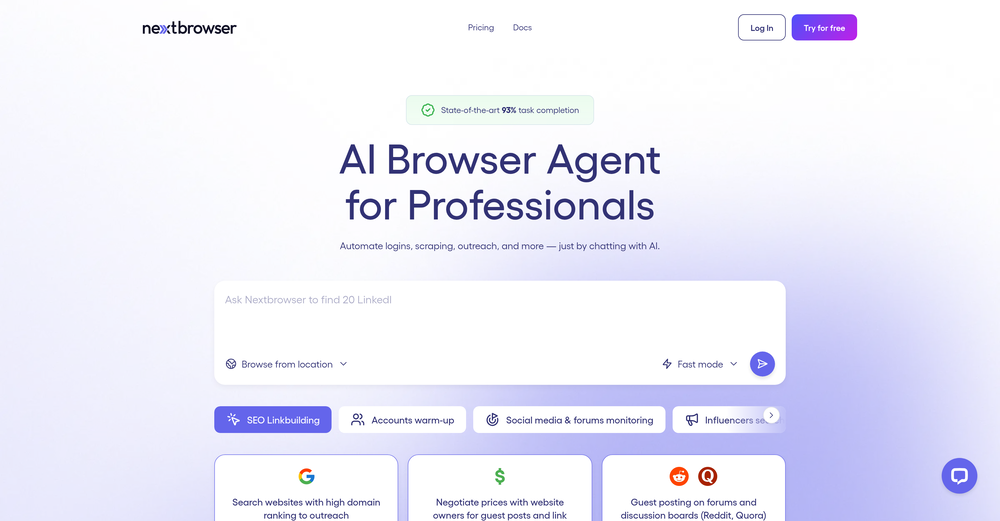
This is one of the best scrapers I have ever seen, especially considering that Cloudflare explicitly advises against scraping their pages. What makes this scraper stand out is that it opens a virtual machine and runs an agent on top of it, which allows it to bypass bot detection errors effectively. This advanced approach enables it to grab the text content reliably, even from websites with strong anti-scraping measures. By simulating a real user environment, it avoids common blocks and restrictions.
-
-
 Open
Open -
Rocket is fast as heeeelll for spinning up prototypes when an idea hits. I've shipped small tools and MVPs with this as the foundation, saves days of boilerplate setup. Great one :)
-
It's a powerful AI-powered personal knowledge system that brings together links, files, notes, and documents in one unified workspace. It's like Notion meets Raindrop meets Google Drive, but with an AI layer that helps you resurface forgotten content, cluster related topics, and even draft documents based on your saved materials.
-
This extension can be now found from Chrome Web Store: https://chromewebstore.google.com/detail/talk2page/pdjbnohihikolhhdecagoajacbhflacl
-
 Instantly summarize and translate any YouTube video or website with AIOpen
 -
 Open
Open -
 Build customized Proof-of-Concepts (POCs) and full applications in hours - not weeks.Open
 -
This is a very useful app! Going to use it on all my products.
-
-
This is more than book summaries. It has the creative feature to combine different books with its own original narrative. Great for book summaries, book reviews and knowledge gathering.
-
was surprised that this tools handles handwritten invoices, still has a room for improvement but it works
-
-
 AI-powered Web3 dev mentor for full-stack mastery.Open
 -
not working when i click Create a new project its just loading for half an hour
-
Thank you everyone for trying 1UI! If you haven't yet, give it a spin and use code ‘TAAFT’ to get $5 credits to try 1UI.
-
-
I needed my company to show up better on AI search and Dual Web delivered! I am seeing more qualified leads come through from ChatGPT than ever before and their tracking and implementation makes the process seamless. Would recommend for any business wanting to ensure they're able to be seen by AI bots.
-
-
-
 Web platform for video translation, text-to-speech conversion, image creation, media editingOpenGenerated a pretty accurate video translation. Also, was quite impressed with a price tag.
 -
Easy-to-use platform to access multiple LLMs from one dashboard. Very convenient for teams as one person can purchase the API key and share its access with the team. It helps keep costs low. Wish they add the image generation feature and real-time search feature soon.
-
 Translate and edit webpages with AI in seconds.Open
 -
I've tried about 10 different of these article makers, it's nice to see this one finally getting some recognition..this one actually works and i have proof of it working, my traffic from google has increased quite a bit, impressions AND clicks...
-
🚀 WriteSharp Updates - New Features Live! We've just shipped some powerful new features: ✨ Documents - Save, organize, and manage all your analyzed content in one place 📢 Announcements - Stay updated with new features and platform news 🎨 Enhanced Analysis - Deeper tone analysis, sentiment scoring, and readability insights All features available now at WritSharp.app - Free tier includes everything you need to get started!
-
Onboarding was vey easy, I just gave my platform link. Test Strategy and Test cases were automatically generated and I could see the defects. Very easy to use and very useful too
-
I’d say this is one of the best chatbots I’ve used so far. The side-by-side comparison view is super handy for spotting bias and made-up, and the custom bots actually have decent memory, which is rare. Just a heads up: no image generation or voice mode. Other than that, it’s pretty solid.
-
Of course I'm biased. This was so fun to make. Would love to hear feedback.
-
 Open
Open -
First it told me all about no phone number due to privacy . Second prompt provided two associated phone numbers. I closed the session. And it was not able to provide phone numbers again.
-
 Design efficient web scraping codes for your research.Open
 -
 Your guide to creating dynamic music visualizers!Open
 -
This is definitely cool, I can’t wait to try this.
-
 Refining your web design with expert help.Open
 -
 Friendly web design and coding expert, offering tailored, clear guidance.Open
 -
 Open
Open -
 Transform your vision into a stunning, SEO-optimized website with ease.Open
 -
 Open
Open -
 Expert in web optimization with guidance and resources.Open
 -
 Optimize your site with analysis, comparisons, and CRO strategies.Open
 -
 Elevate your project with expert insights in the web and startup growth.Open
 -
 Open
Open -
 Generates web scraping code with accurate selectors.Open
 -
 Expert at summarizing search results and providing detailed topic information.Open
 -
 Evaluate your web page for accessibility, conversion, and usabilityOpen
 -
 Evaluating websites for Experience, Expertise, Authority, and Trust.Open
 -
 Open
Open -
 Assists with web3 design, focusing on UI/UX and smart contract integration.Open
 -
 Explaining web accessibility issues and providing professional terminology.Open
 -
 Expert in building Python web services on Render.Open
 -
 Expert in offering advanced React development solutions.Open
 -
 Expert in web design & accessibility, offering assessments and development guidance.Open
 -
 Crafting magic in web design and coding to bring websites to life!Open
 -
 A Web3 expert providing in-depth knowledge on blockchain and cryptocurrencies.Open
 -
 Open
Open -
 Open
Open -
 Crafting cutting-edge web applications with seamless integration.Open
 -
 Guiding artists in crafting engaging web and social content.Open
 -
 Expert SEO advice for Web3 and cryptocurrency websites.Open
 -
 Advanced guide on Web3 fundraising & deal structuringOpen
 -
 Expert in answering Web3 Privacy and Data Security Law queries.Open


















































































































































Lists
-
Full Stack Gen KitSubscribe3414












-
Coffee Shop Website Design ToolsSubscribe167





-
Website Tools for Content Writing StartupSubscribe628


-
WebsiteSubscribe1319




 +4
+4


Post





