 Base44 Superagents-AI agent that does it all
 Mini tools
 Autofill PDFs & Sheets instantly from any document.
 Lido Document Processing
 TextMine
 Parser by bix-tech.com
 SuperAI
 Parsio
 Parseur
 Base64
 Cradl
Cradl
 FormX
FormX
 Document Extract
 CambioML
 PDFMerse
 Extracta
 Parchment
 OCR Best
 Botminds
 ReadyData - AI Data Extraction
 KlearStack
 iKapture
 ImageToTable.ai
 Younet
 CleeAI
 Avataar's GenAI Creator
 Activepieces
 BigTeam
 Olivya
 Abstra
 Sreda.ai
 DoubleO
 AI Agents
 Pipefy
 Quixl
Quixl
 Cubeo
Cubeo
 Sema4.ai
 Ridvay
 Cognition by Mindcorp
 Tray.io
 UiPath
 Mr David
 Super Amplify
 genset










Molku



Overview
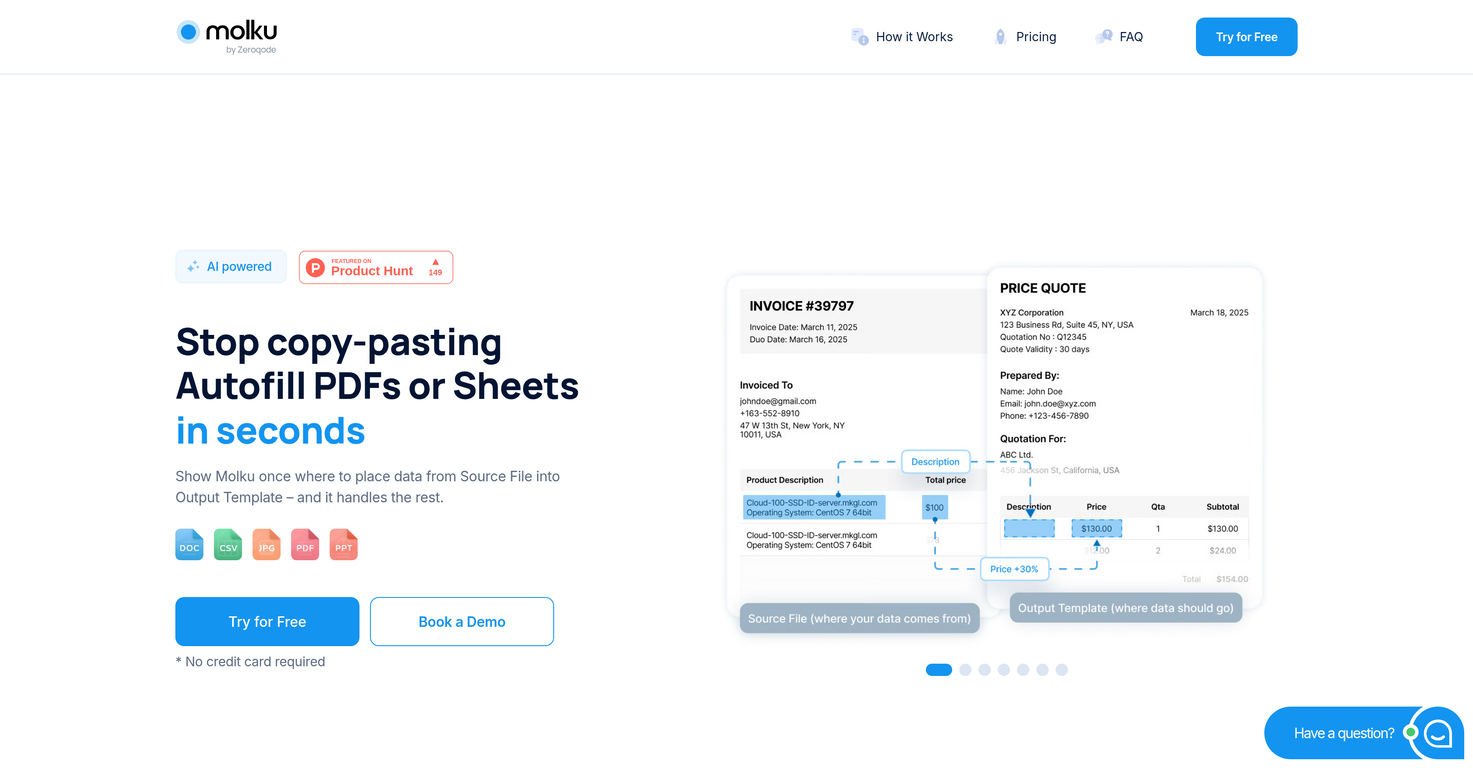
Molku is an intelligent tool designed to automate and simplify the process of filling out PDFs and Google Sheets. The primary functionality of Molku is to eliminate the need for manual copy-pasting by transferring data from any documents directly into your templates.
This automation takes place within seconds, making it a reliable and efficient tool for individuals and businesses that rely on frequent data transfers between different documents and templates.
Furthermore, Molku is versatile and flexible as it can accept data input from various document formats. The tools capability to integrate and autofill PDFs and Google Sheets greatly reduces the chances for human error, thus improving the accuracy of data entry and saving users considerable time.
Noteworthy is the intuitive user interface and the seamless integration into existing workflows, which makes Molku an ideal choice even for non-technical users.
Regardless of the document volume or complexity, Molku can help streamline and accelerate the data entry processes, thereby improving productivity.
Releases


Top alternatives
-
 Tarang🙏 20 karmaDec 18, 2024@Lido Document ProcessingHighly recommend it for anyone dealing with high-volume document processing. Simplifies the process of extracting data from multiple PDFs into clean, accurate spreadsheets.
 -
 Extract data from any document automatically with AI.OpenThe tool worked really well for us. It was easy to upload our first PDFs and set up an automated flow through the API
 -
Had several issues with app, beginning with a refresh needed to find the upload (figured out while waiting for help desk). Relatively straightforward conversion, rearranged fields, merged integer and text field. Conversion was Ok on first 30 lines and 2 pages, second 25 lines needed more manual editing. Was going to rate lower, tried Parseur was even worse.
-


 0
0





