Go to section
Spotlight SureThing.io - "OpenClaw" for BeginnersTask automation

 Mini tools
New
Featured
Lists
Agents
Requests
Jobs
Map
Newsletter
Starter pack
Free tools
Speech to text
Text translator
Remove background
Settings
Edit profile
My tools
Gallery
Dashboard
Inbox
Get featured
Contact TAAFT
For you
Popular
Job impact index
Most saved
Affiliate program
Submit AI tool
Notification preferences
Glossary
Home
Timeline
My profile
Create tool
Deals
Companies
Models
Robots
Papers
Fundraises
Devices
Organizations
Events
Prompt Pack
Merchendise
APIs
Features
Tools
Countries
Collections
Videos
News
Investors
Repositories
Modalities
Mini tools
New
Featured
Lists
Agents
Requests
Jobs
Map
Newsletter
Starter pack
Free tools
Speech to text
Text translator
Remove background
Settings
Edit profile
My tools
Gallery
Dashboard
Inbox
Get featured
Contact TAAFT
For you
Popular
Job impact index
Most saved
Affiliate program
Submit AI tool
Notification preferences
Glossary
Home
Timeline
My profile
Create tool
Deals
Companies
Models
Robots
Papers
Fundraises
Devices
Organizations
Events
Prompt Pack
Merchendise
APIs
Features
Tools
Countries
Collections
Videos
News
Investors
Repositories
Modalities

Ai editing tool
Featured matches
-
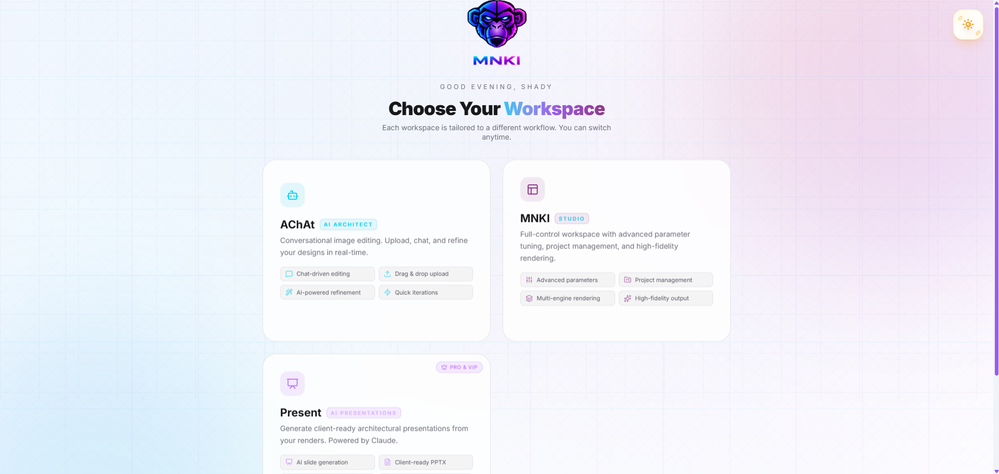 La Maison Development🙏 7 karmaJul 18, 2026@MNKIAmazing renders, maintaining all details and smoothly micro edit any element in the image without changing anything else
 -
-
-
-
 Use it every day! Best AI support for work
 -
 Honestly SurfSense is amazing, I use it almost every morning to get an mp3/podcast of my Gmail, Gcal and urgent Linear tickets so I know exactly what's going on that day. It's also insane for board games because I just throw the rulebooks in and share it with my friends so we can chat with the AI together to figure out how to play. And it is scarily good at untangling and explaining really complex rules when we encounter some weird situation!
 -
 Hello! Thor here, creator of Axell. We're the first generative AI application with real-time sync for multiple users, happy to answer any questions.
 -
-
-











Verified tools
- SpotlightSureThing.io - "OpenClaw" for BeginnersTask automation
-
 Turn phone photos into compliant passport photos instantly.Open
 -
One thing we kept noticing with AI music: Great songs were being generated… but most of them still looked like demos when shared online. We built LyricMV to help turn AI-generated music into something that actually feels publishable — cinematic lyric videos with synced visuals, emotional pacing, and short-form friendly formats. Would love feedback from the AI music community 👀
-
You are absolutely right. There are a lot of founder and certain types of tools that assume their users are experts, making their products very technical. GeekLink is not that kind of product. A creator shouldn't have to know the exact parameters, meanings, and depths behind it. All of that is handled behind GeekLink.
-
-
I use Finepoint all the time. it just makes things easy. I tend to be wordy, and Finepoint captures the context perfectly and delivers much more succinct copy.
-
 Open
Open -
-
-
I have to be honest I tried so many ai headshot generators and in my opinion they all still are not strong and output image still looks ai generated but I just gave @Fotto AI a try and im shocked with the quality of output photos, so realistic photos and consistent. great job guys
-
 100% private, browser-based bulk background removal with flawless AI precision.OpenSuch a clean, lightning-fast, and user-friendly tool. I really appreciate that they let you test the AI with unlimited free watermarked previews before you pay. It builds instant trust. The UI is minimalist, and the Magic Eraser tool is super handy for quick manual touch-ups. At $6/mo for the Lite plan, it’s an absolute steal for creators.
 -
-
GoFaceless turns a single prompt into a finished, ready-to-post video — script, AI voiceover, B-roll, music, titles, and captions, fully assembled. No timeline to wrestle with, no stock clips to hunt down.
New in this release:
- Edit by chatting — change the voice, script, pacing, language, or any setting just by typing, and it re-renders instantly.
- Full timeline control when you want it — trim, split, reorder, and adjust volume on any track.
- Reusable AI presenters + faceless B-roll — pick a character once, reuse it across every video.
- 30+ languages, vertical and landscape (16:9), with grounded visuals that match real places and facts.
Describe your video, get a finished one back, then refine it in plain English. Faceless content on autopilot.
-
The Agent is really handy. It's much more streamlined and convenient than canvas-based AI tools. There's a bit of a learning curve at the start, but once you get the hang of it, it's incredibly useful
-
The world first multi-angle virtual staging tool for all room types and style!
-
tried it for a quick edit and it was super easy to figure out. saved me a bunch of time cutting out the boring parts lol. would be nice to have a few more options for tweaking things, but overall it gets the job done :))
-
 ⚡ Your everyday writing companion: Fix grammar, Reply emails, Paraphrase, and more...Open🧩 TextWisely was born from a personal itch ⚠️ Sending numerous Emails and Slack messages daily, I found myself constantly switching apps and re-entering the same prompts into ChatGPT to refine my writing 💡 This inspired me to create TextWisely to boost writing speed, reduce context switching, and improve quality with instant text actions: → Grammar corrections → Email drafts → Structured writing → Tone changes → Translations ...and more 👉 It's a native macOS desktop app – shortcut-heavy for power users, but also click-friendly for those just starting out 🚀 Give it a try – Share your feedback and experience 👋 Edgar, creator of TextWisely
 -
prompted a few different styles and it handled them pretty well. images came out detailed and didn’t take long either. solid for quick ideas.
-
 Open
Open -
made a presentation for my site with just 1 prompt, lol how did the AI get so much information out of my website lol
-
Vireel offers the best realistic ai image to video and ai text to video tools. Incredible no watermark quality!
-
Works wonders for anime, has me taking it in consideration for a tool rotation.
-
 Transform any image into stunning AI-enhanced visuals.OpenIt can generate any image I want freely, it's amazing!
 -
typed in my prompts and boooooom. clean descriptions in secs lol. handy if you suck at writing (like me). lowkey a cheat code (no san andreas)
-
-
 Edit smarter, faster and easier with Filmora’s powerful AI video tools.Open
 -
 OpenTried it with one photo and was surprised how natural the video looked — lots of effects and models to play with too
 -
I am the builder of WUI.AI, an innovative content repurposing application designed to help global individual creators transform their text, audio, and video content into platform-optimized short and long videos for YouTube, TikTok, Reels, and more, with automated publishing capabilities. I try to build in public so any feedbacks will be appreciated
-
 OpenI love this extension, mobile app and desktop software! I use it everyday and everywhere. Generated text are amazing. Well done to the team and continue your incredible work! For me, Voilà is the best AI assistant, copilot and AI writer on the market. I stopped my ChatGPT plus subscription since I discoverer it.
 -
 Turn baby photos into talking podcast videos.OpenWow, The AI tool is so interesting for the AI talking baby podcast. I like it. Thank you for the AI
 -
👋 Hey, I'm the founder of Flowova! We built this because we were tired of spending hours dragging boxes in traditional flowchart tools. A few things you might not know: - Works with anything — text, images, PDFs, Word, PPT, Excel, even photos of whiteboard sketches - 40+ themes designed for presentations - Full Mermaid code support for developers Happy to answer any questions! 🚀
-
Insanely easy to use yet reliable automation tool. Recommend to give it a try.
-
I created this platform to solve a problem I saw everywhere: AI videos that looked too unnatural. AI Kiss is designed for high-quality, lifelike animation. We capture the subtle details of intimacy, specifically the eye contact between partners, making the moment feel truly authentic. Founder of AIKiss.Art Cherry
-
I'm absolutely blown away by the design quality of the presentations they look so vibrant and stylish. I was also pleasantly surprised that the AI asks lots of clarifying questions to make sure the final result is exactly what I wanted, not just something random. Vibes 🔥
-
Generating captions was super fast like seconds. Wish they had Anton font though
-
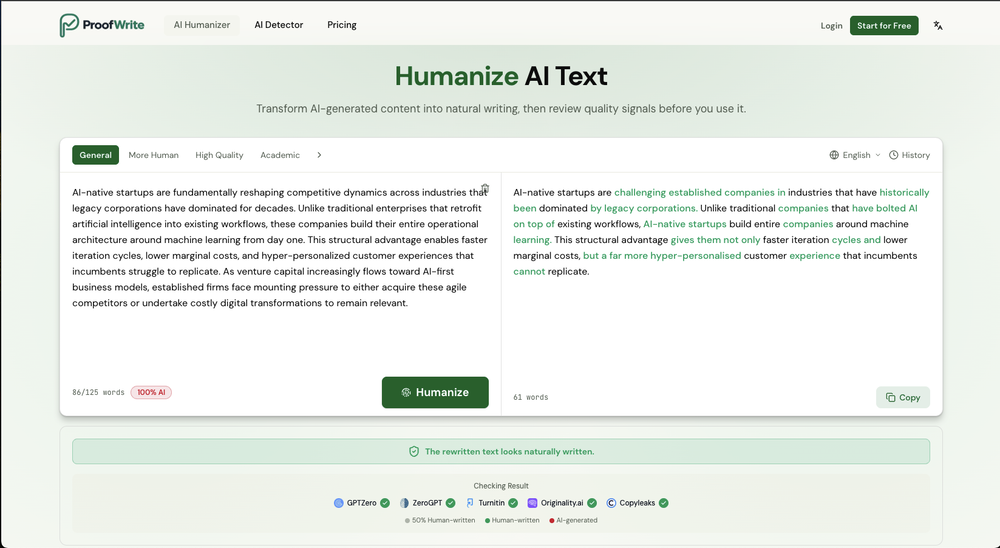
A lot of humanizer software is actually just gpt wrappers to do this by asking gpt to rewrite with some different voice. Ace Essay does have their own AI that does a better job at humanizing.
-
Added an AI camera that cuts, frames, and captions every clip for you
Added burned-in captions, auto-placed text hooks, and silence trim
Added publishing and scheduling to YouTube and TikTok, plus one-tap share links
Added Kick and Google Drive alongside YouTube, Twitch, and uploads
Improved analysis to about 2x faster, with clips streaming in as they are found
-
Smarter Music Analysis, Better AI Music Videos, and Lyrics Video Creation
AirMusic v2.6 introduces major improvements across music analysis and video creation workflows.
This update upgrades AI Music Analyzer with deeper song insights, improves the AI Music Video Generator experience, adds subtitle editing for MVs, and introduces a new Lyrics Video Maker for creating lyric-based music videos.
🎵 AI Music Analyzer — Deeper Music Understanding
AirMusic’s AI Music Analyzer has been redesigned with more detailed song analysis capabilities.
The analyzer now provides:
- BPM analysis — detect the tempo and rhythm of your track
- Key detection — identify the musical key of the song
- Genre analysis — understand the main music category
- Mood analysis — identify emotional tone and atmosphere
- Style analysis — understand the overall musical direction
- Detailed instrument analysis — detect instruments used in the track
- Vocal style analysis — analyze singing characteristics and vocal expression
- Song structure analysis — identify sections such as intro, verse, chorus, bridge, and outro
- Style description — generate a detailed description of the song’s sound and creative direction
These improvements help creators better understand their music and provide richer input for AI-powered music creation and video generation.
🎬 AI Music Video Generator — Cleaner Interface, Smoother Workflow
The AI Music Video Generator interface has been redesigned with a cleaner and more intuitive layout.
Improvements include:
- Simplified page structure
- Clearer creation steps
- Easier video style selection
- More focused controls for music video generation
The updated workflow makes it easier to go from song upload to finished AI music video.
💬 Subtitle Editing for AI Music Videos
AirMusic now supports subtitle editing for generated music videos.
Creators can customize subtitles and lyrics display to better match their video style, making it easier to create:
- Lyric-based music videos
- Social media music clips
- Performance videos with synced lyrics
🎤 New Lyrics Video Maker
AirMusic v2.6 introduces Lyrics Video Maker, a new tool for creating engaging lyric videos from songs.
Users can turn their music into visual lyric content with synchronized text and AI-generated visuals, making it easier to create shareable videos for:
- YouTube music uploads
- TikTok and Instagram Reels
- Song promotion and artist branding
🛠️ Bug Fixes & Improvements
Based on user feedback, AirMusic v2.6 also includes multiple bug fixes and stability improvements.
These updates improve overall reliability across music analysis, video generation, and content creation workflows.
🎯 Best For
- Musicians and independent artists who want deeper insights into their songs and better tools for promoting their music
- AI music creators who need detailed song analysis before generating music videos
- YouTube, TikTok, and Instagram creators who want to create lyric videos and music content faster
- Suno and AI-generated music users who want to transform songs into polished visual content
- Creators producing multiple music videos who need a simpler and more efficient workflow
With AirMusic v2.6, creators get a more intelligent music analysis system, a smoother AI music video creation experience, and new ways to turn songs into engaging visual content.
-
 Turn any song into scroll-stopping videos in minutes with AI-directed scripts andOpen
 -
 Turn your slides into narrated videos with AI voiceoverOpen
 -
 Your AI presentation agent for instant professional slides.OpenA great AI presentation maker
 -
 Stop guessing if your photo is good. Get instant, objective feedback.Open
 -
Didn't really do the graphs that i thought it would do. Good for simple graphs, like for a presentation
-
Thanks for the feedback. We would love to know more about your issue. Could you please provide more details at [email protected] ?
-
Lovart is the 1st design agent, built for socials, posters, videos, 3D and more.
-
very slow , no help and you did not have any feedbck on what happened also It deducts points even without providing any videos or photos.
-
Every time i switch to a new mac -> this is the first tool i install
-
 Get Realistic, Natural-Looking AI-Generated Professional Headshots in 2 Hours.OpenI never thought I’d be using an AI service for something like this, but I’m glad I did. The headshot looks like it was taken by a professional photographer, without the pain.
 -
 Turn prompts into polished images and videos, instantly.Open
 -
Just paste content in, layout will automatically be desigend
-
-
 Open
Open -
No constraints implememnted yet. Work in progress, a lot can still be done on quality and constraint
-
 Turn images into videos with advanced AI All with Fylia AI.Open
 -
 Open
Open -
 Open
Open -
-
The "Lion and Sun" symbol is seen on streets where protests are underway, fires are spreading, and the nation has risen up for freedom.
-
As a student, I regularly work with research papers and long PDFs. PodcastorAI has been a helpful way to turn that content into something I can listen to while commuting or walking. I like that it creates a structured podcast rather than simply reading the text aloud. The dialogue format is surprisingly engaging and makes dense material easier to get through. I still rely on the original documents for deeper study, but for review and knowledge retention, it's been a genuinely useful tool.
-
Particularly useful in scenarios where human voices are clear but background noise is complex.
-
Very simple and easy to use. The premium feature of Lyrics helper really helped me to write lyrics exactly the way i wanted.
-
-
 Turn one product upload into complete ecommerce image sets.Open
 -
 Open
Open -
 Open
Open -
⭐⭐⭐⭐⭐ Great AI Presentation Tool! I really liked the Brand PPT feature. It helped me create professional, on-brand presentation slides in under 60 seconds. The AI-generated content was well-structured, the design looked polished, and the editing process was simple. It has saved me a lot of time compared to creating presentations manually. Highly recommended for anyone who needs fast, professional-quality PowerPoint presentations.
-
-
 AI-powered YouTube thumbnail maker for click-ready designs.Open
 -
-
 Turn architectural sketches into photorealistic renders in seconds.Open
 -
"WriteSongAI offers an incredibly smooth end-to-end experience for music creation. The AI vocals sound remarkably human-like across different genres, and the ability to export studio-grade WAV files directly from the browser is a huge plus. Whether you are a beginner or a pro needing a quick arrangement, this tool delivers quality results in seconds."
-
AITextSong.com is a solid choice for creators who need high-quality music without a background in production. The ability to extend tracks up to 8 minutes is a standout feature, and the built-in vocal remover is a massive plus for those who want to remix or create karaoke versions. While it could use more vocal customization options, it’s one of the most efficient tools I've found for turning lyrics into fully produced WAV files.
-
 Transform AI-generated content into natural, human-like text.Open
 -
 Open
Open -
 AI website builder that helps small businesses win customers.Open
 -
Steer clear of this by any cost ! it gives you ONE video for free and then ask you for no less than FIFTY dollars a month for only FIVE videos ! they must be crazy with all the alternatives.
-
I tried Animon for a bit and it’s actually pretty solid. It does a good job with simple animations and keeps the original image style pretty well, so the results usually look clean.
-
Although the results are slightly inferior to Nano Banana, it has more relaxed content restrictions, including NSFW content.




































































































































Other tools
-
Tried AnyGen for a bit and I like how flexible it feels compared to more rigid AI generators. Seems useful for quickly experimenting with different types of content and ideas without overcomplicating the workflow.
-
- Didn't find the AI you were looking for?
-
 Open
Open -
-
Tried it. No idea what it's supposed to do. It mentioned things that weren't on my resume. Not very useful.
-
MusicAura is an AI music generation tool designed to help creators quickly turn ideas into royalty-free music. It focuses on a simple workflow where users can generate music from text prompts in seconds, making it useful for content creators, indie developers, and marketers who need fast audio ideas without complex production tools.
-
I just used LumiClip to make clips from my long podcast video and Im so amazed how it differs from other ai video clipper tools like Opus or vizard, It does the highlight finding very well and reframe comes our so clean with no editing required. Only thing i would suggest is adding b-roll videos to clips automaticaly.
-
works wonderfully, really good for cleaning up writing. just wish the monthly plan was a bit cheaper.
-
Free, but requires monthly subscription. With limitations on the free version 3 stars
-
 Craft AI-powered single-purpose tools autonomouslyOpenGood app if u struggling with prompt
 -
 Generate cinematic overhead shots with vintage film aesthetics.Open
 -
 Transform photos into hyper-realistic ballpoint pen portraits.OpenBeautiful, great job, I love it! It is extremely accurate, no need to even enter a prompt.
 -
 Open
Open