Go to section
Sponsor
 Flow - 4x faster than typing
🎤 Dictation
Flow - 4x faster than typing
🎤 Dictation
The front page of AI.Used by 90M+ humans.

Generate image
Tasks
Generate text
Free mode
Trending
Leaderboard
Characters
 Mini tools
New
Featured
Lists
Agents
Requests
Jobs
Map
Newsletter
Starter pack
Free tools
Speech to text
Text translator
Remove background
Settings
Edit profile
My tools
Gallery
Dashboard
Inbox
Get featured
Contact TAAFT
For you
Popular
Job impact index
Most saved
Affiliate program
Submit AI tool
Notification preferences
Glossary
Home
Timeline
My profile
Create tool
Deals
Companies
Models
Robots
Papers
Fundraises
Repositories
Devices
Organizations
Events
Prompt Pack
Merchendise
APIs
Features
Tools
Countries
Collections
Videos
Mini tools
New
Featured
Lists
Agents
Requests
Jobs
Map
Newsletter
Starter pack
Free tools
Speech to text
Text translator
Remove background
Settings
Edit profile
My tools
Gallery
Dashboard
Inbox
Get featured
Contact TAAFT
For you
Popular
Job impact index
Most saved
Affiliate program
Submit AI tool
Notification preferences
Glossary
Home
Timeline
My profile
Create tool
Deals
Companies
Models
Robots
Papers
Fundraises
Repositories
Devices
Organizations
Events
Prompt Pack
Merchendise
APIs
Features
Tools
Countries
Collections
Videos
Mini tools
New
Featured
Lists
Agents
Requests
Jobs
Map
Newsletter
Starter pack
Free tools
Speech to text
Text translator
Remove background
Settings
Edit profile
My tools
Gallery
Dashboard
Inbox
Get featured
Contact TAAFT
For you
Popular
Job impact index
Most saved
Affiliate program
Submit AI tool
Notification preferences
Glossary
Home
Timeline
My profile
Create tool
Deals
Companies
Models
Robots
Papers
Fundraises
Repositories
Devices
Organizations
Events
Prompt Pack
Merchendise
APIs
Features
Tools
Countries
Collections
Videos

▼ Popular
Choose
Free mode
100% free
Freemium
Free Trial
Featured matches
-
 ChatGPT-powered assistant that guides you step-by-step to choose the best product/serviceOpen
-
-


Other tools
-
 OpenSuresh Ritardi🙏 81 karmaSep 2, 2024@Gift BoxNice process quick
 -
After not even ONE try, it asks for Pro. No success, just imo developer hyper-greed. Avoid!
- SponsorFlow - 4x faster than typing🎤 Dictation
-
-
-
Good and the new creative and they new images and diffrent photos to be creative awesome features real time . human relationships are generally hopeful for positive usage
-
I was able to generate great quality of photos. Photo quality is just amazing.
-
-
It’s a powerful and intuitive tool that simplifies complex tasks, boosts productivity, and makes managing work smoother than ever. Highly recommended!
- Didn't find the AI you were looking for?
-
-
Works really well, I will definitely be recommending to our clients. - [email protected]
-
 OpenVideo editing is the process of selecting, trimming, and arranging footage to create a cohesive story or visual narrative. Here are some fundamental concepts and techniques: Types of Video Editing Linear editing: A straightforward, sequential approach to editing, where clips are arranged in a linear timeline. Non-linear editing: A more flexible approach, where clips can be arranged and rearranged freely in a timeline. Key Video Editing Techniques Cutting: A transition between two clips, where one clip ends and another begins. Cutting on action: Cutting between two clips while an action is in progress, to create a seamless transition. J-cut: Cutting from one clip to another while audio from the second clip starts playing before the video cuts to it. L-cut: Cutting from one clip to another while audio from the first clip continues to play. Video Editing Software Popular video editing software includes: Adobe Premiere Pro: A professional-level editing software with advanced features and integration with other Adobe tools. Final Cut Pro: A professional-level editing software for Mac users, known for its user-friendly interface and advanced features. DaVinci Resolve: A free and paid editing software that offers advanced color grading and audio editing tools. Best Practices for Video Editing Plan your edit: Develop a clear vision and storyboard before starting to edit. Organize your footage: Label and categorize your clips to make them easily accessible. Keep it simple: Avoid overusing transitions and effects; focus on telling a clear story. Advanced Video Editing Techniques Color grading: Adjusting the color and brightness of footage to create a specific mood or atmosphere. Audio ducking: Automatically reducing the volume of background audio when dialogue is present. Motion graphics: Adding animated text, logos, or other graphics to enhance the visual narrative. Video editing involves selecting, trimming, and arranging footage to create a cohesive story. Linear and non-linear editing are two fundamental approaches. Key techniques include cutting, cutting on action, J-cuts, and L-cuts. Popular software includes Adobe Premiere Pro, Final Cut Pro, and DaVinci Resolve. Best practices involve planning, organizing footage, and keeping it simple. Advanced techniques include color grading, audio ducking, and motion graphics. Capcat pro Capcat pro Download image-to-image-generator generated imagetransparent pixel Image to Image Generator Image to Image Generator Download image-to-image-generator generated imagetransparent pixel Image to Image Generator Image to Image Generator Download image-to-image-generator generated imagetransparent pixel Image to Image Generator Image to Image Generator Download image-to-image-generator generated imagetransparent pixel Image to Image Generator Image to Image Generator Download image-to-image-generator generated imagetransparent pixel Image to Image Generator Image to Image Generator Download image-to-image-generator generated imagetransparent pixel Image to Image Generator Image to Image Generator Download image-generator generated imagetransparent pixel Image Generator Image Generator Copy Video Editing Basics Video editing is the process of selecting, trimming, and arranging footage to create a cohesive story or visual narrative. Here are some fundamental concepts and techniques: Types of Video Editing Linear editing: A straightforward, sequential approach to editing, where clips are arranged in a linear timeline. Non-linear editing: A more flexible approach, where clips can be arranged and rearranged freely in a timeline. Key Video Editing Techniques Cutting: A transition between two clips, where one clip ends and another begins. Cutting on action: Cutting between two clips while an action is in progress, to create a seamless transition. J-cut: Cutting from one clip to another while audio from the second clip starts playing before the video cuts to it. L-cut: Cutting from one clip to another while audio from the first clip continues to play. Video Editing Software Popular video editing software includes: Adobe Premiere Pro: A professional-level editing software with advanced features and integration with other Adobe tools. Final Cut Pro: A professional-level editing software for Mac users, known for its user-friendly interface and advanced features. DaVinci Resolve: A free and paid editing software that offers advanced color grading and audio editing tools. Best Practices for Video Editing Plan your edit: Develop a clear vision and storyboard before starting to edit. Organize your footage: Label and categorize your clips to make them easily accessible. Keep it simple: Avoid overusing transitions and effects; focus on telling a clear story. Advanced Video Editing Techniques Color grading: Adjusting the color and brightness of footage to create a specific mood or atmosphere. Audio ducking: Automatically reducing the volume of background audio when dialogue is present. Motion graphics: Adding animated text, logos, or other graphics to enhance the visual narrative. Video editing involves selecting, trimming, and arranging footage to create a cohesive story. Linear and non-linear editing are two fundamental approaches. Key techniques include cutting, cutting on action, J-cuts, and L-cuts. Popular software includes Adobe Premiere Pro, Final Cut Pro, and DaVinci Resolve. Best practices involve planning, organizing footage, and keeping it simple. Advanced techniques include color grading,
 -
 Historical philosophers debate your business dilemmas and deliver decision frameworksOpenThe idea is cool, doesn't really live up to expectations though.
 -
Hey Thanks for the insightful review. You have raised some important points. It is $9/month and we do have a trial now and adding more options.
-
W TOOL! Threw in my random pantry stuff and it gave me legit recipes with steps, portions and a clean pic. UI's simple and really cute, one recipe took a bit to load once, but overall IT'S AWESOME!!
-
 Open
Open -
Mate i'm pretty impressed with the recommendations not gonna lie. Most of them gave exactly the vibe that i was going for, kind of a mix between hype books and deeper cuts.
-
 AI-powered wizard for crafting Chrome extensions effortlesslyOpen
 -
Makes some pretty houses, gives a good idea for when I want to do it one day.. 4/5
-
 Transform ideas into striking vintage comic close-ups.Open
 -
This is simple if at first you don't get the image correct opptunity to edit until satisfied
-
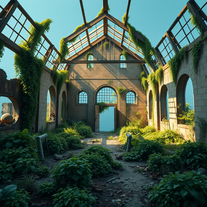 AI art generator for hauntingly beautiful abandoned placesOpen
 -
 Open
Open -
 Transform faces into hilarious peephole distortions.OpenThese are SO FUN!!! One of the best minitools on this site, idea is so unique
 -
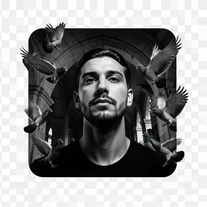 Transform any reference into cinematic 8K portraits.Open
 -
 Transform inputs into hyper-realistic, surreal digital art.Open
 -
 Create whimsical 3D cartoon backgrounds with charming houses.Open
 -
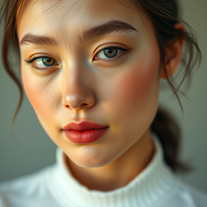 Generate ultra-realistic cinematic portraits with absolute precision.Open
 -
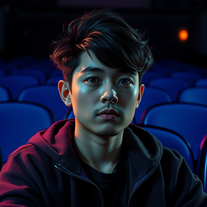 OpenHi, everything alright? Sorry my friend, the intention of the prompt is exactly to use the photo you send; just insert the characters and create the environment. It was trained to do only that, meaning you just need to send the photo and generate it. I have Star Wars in my tools; take a look at the most recent ones I created and you'll find it. Thanks.
 -
 Create surreal street art in European cityscapes.Open
 -
 Transform photos into hilarious cartoon wake-up scenes.OpenSimply upload your photo; you don't need to type anything in the prompt field. Just click "generate" and watch the magic happen.
 -
 Open
Open -
 Transform imagination into reality with AI-powered art.Open
 -
 Open
Open -
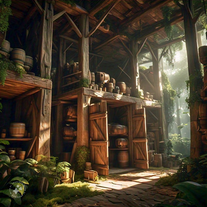 Open
Open -
 Craft adorable Kuromi wallpapers with AI magicOpen
 -
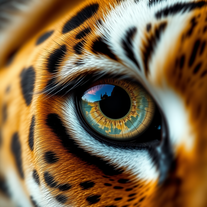 Creates stunning ultra-realistic animal eyeball close-ups.Open
 -
 Transform your photos into cinematic masterpieces.Open
 -
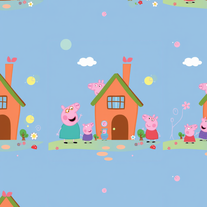 AI-powered Peppa Pig wallpapers for magical kids' roomsOpen
 -
 Transform yourself into a Fast & Furious action hero!Open
 -
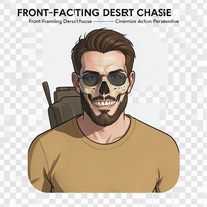 Generate hyper-realistic 8K cinematic motorcycle chase scenes.Open
 -
 Transform dream home ideas into stunning architectural visualizations.Open
 -
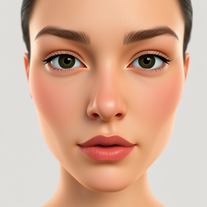 Transform selfies into cinematic horror scenes.Open
 -
 Open
Open -
Doesn't actually generate animations - uses Dall-e to generate 5 different images, then just sticks them together in a GIF. Seems misleading to me.
-
 Crafting interactive Choose Your Own Adventure booksOpen
 -
 Open
Open -
 Expertise in developing Chrome extensions with a humorous touch.Open
 -
 Choose the best gold investment companies with our tool.Open
 -
 Open
Open -
-
 Experience Christmas with a Choose-Your-Own-Adventure game.Open
 -
 Choose your fighters, let NY Rappers battle for the crown!Open
 -
 Open
Open -
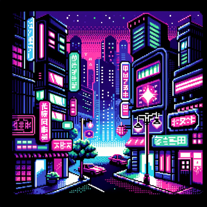 Choose your character, create your own chat universe.Open
 -
 Choose a persona and let ChatGPT mimic the American.Open
 -
 Find your future gaming chair tailored to your preferences, shape, and budget.Open
 -
 A ChatGPT-powered Choose Your Own Adventure GameOpen
 -
 Explore Poe's classic tale with rich insights.Open
 -
 Open
Open -
 A comical interactive game leading a tech giant into chaos.Open
 -
 Open
Open -
 Your Personal Expert in Precise Troubleshooting AdviceOpen
 -
 Transform your home search into an epic journeyOpen