Go to section
Spotlight SureThing.io - "OpenClaw" for BeginnersTask automation
The front page of AI.Used by 90M+ humans.

Generate image
Tasks
Generate text
Free mode
Trending
Leaderboard
Characters
 Mini tools
New
Featured
Lists
Agents
Requests
Jobs
Map
Newsletter
Starter pack
Free tools
Speech to text
Text translator
Remove background
Settings
Edit profile
My tools
Gallery
Dashboard
Inbox
Get featured
Contact TAAFT
For you
Popular
Job impact index
Most saved
Affiliate program
Submit AI tool
Notification preferences
Glossary
Home
Timeline
My profile
Create tool
Deals
Companies
Models
Robots
Papers
Fundraises
Repositories
Devices
Organizations
Events
Prompt Pack
Merchendise
APIs
Features
Tools
Countries
Collections
Videos
Mini tools
New
Featured
Lists
Agents
Requests
Jobs
Map
Newsletter
Starter pack
Free tools
Speech to text
Text translator
Remove background
Settings
Edit profile
My tools
Gallery
Dashboard
Inbox
Get featured
Contact TAAFT
For you
Popular
Job impact index
Most saved
Affiliate program
Submit AI tool
Notification preferences
Glossary
Home
Timeline
My profile
Create tool
Deals
Companies
Models
Robots
Papers
Fundraises
Repositories
Devices
Organizations
Events
Prompt Pack
Merchendise
APIs
Features
Tools
Countries
Collections
Videos
Mini tools
New
Featured
Lists
Agents
Requests
Jobs
Map
Newsletter
Starter pack
Free tools
Speech to text
Text translator
Remove background
Settings
Edit profile
My tools
Gallery
Dashboard
Inbox
Get featured
Contact TAAFT
For you
Popular
Job impact index
Most saved
Affiliate program
Submit AI tool
Notification preferences
Glossary
Home
Timeline
My profile
Create tool
Deals
Companies
Models
Robots
Papers
Fundraises
Repositories
Devices
Organizations
Events
Prompt Pack
Merchendise
APIs
Features
Tools
Countries
Collections
Videos

▼ Latest
Code prototyping
Free mode
100% free
Freemium
Free Trial
Featured matches
-
 Build web apps and websites without writing any code.Open
🛠️ Development & Backend
- Built-in code editor
- Auto-generated Supabase backend code
- Native Supabase integration
- All-in-one backend infrastructure
- Improved publishing stability
- Better error auto-fixing
-
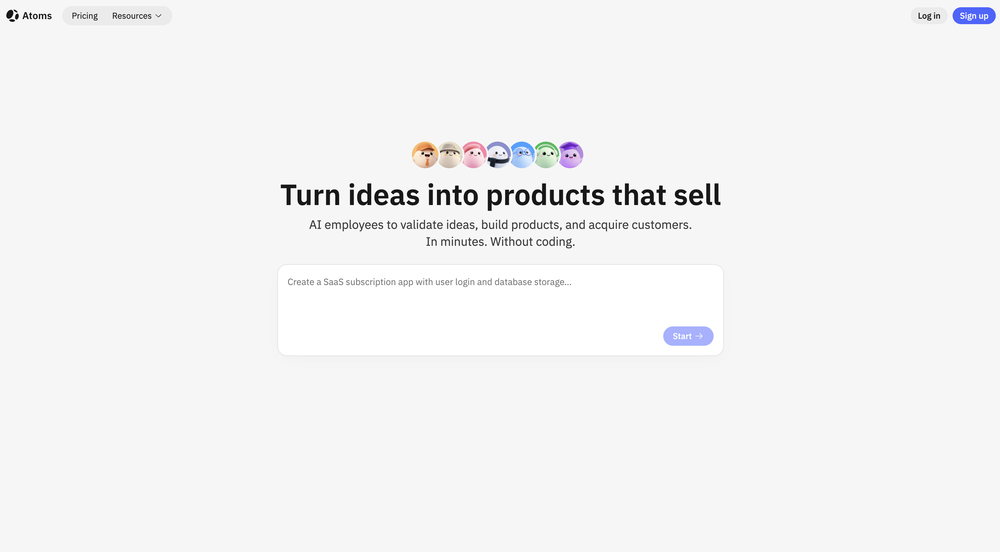
 Kolsi Adam🛠️ 3 tools 🙏 98 karmaFeb 24, 2026@AtomsMan, with the free models that we have web creation became so easy. But everyone had the same websites. I really like how different they look from others.
 -
-
-





Verified tools
-
New: Added multilingual support.
Improved: Enhanced the AI agent building experience and refreshed the website visuals for better usability.
Fixed: Fixed some known issues to improve overall stability.
-
I tested. Loved it. Tried with 3 different websites. Full Marks to the output! Worth paying for!
-
Purely magic. It increases the productivity by a lot and the process is pretty addictive. I've been building websites like there's not tomorrow.
- SpotlightSureThing.io - "OpenClaw" for BeginnersTask automation
-
Base44 is an AI-powered platform for building fully-functional apps with no code and minimal setup hassle. The platform leverages advanced AI technology to translate simple, natural language descriptions into working apps. Let’s make your dream a reality. Right now.
-
-
It’s super easy to use! Trickle can handle everything from forms to analytics, and you can deploy your project in no time. Impressive!
-
-
Generating both Android and iOS while staying native is impressive.
-
Personally it was really helpful for my experiments and it supports the inline edits like figma.
-
 Build AI Mobile & Web Apps - No Code, No Api KeysOpenI built my fitness app and published it to both App Store and Google Play in just 3 days. OnSpace AI handled all the mobile development complexity. I'm now earning from in-app subscriptions.
 -
huge timesaver, had an ideea for an app to help me with my invoices and it made a working website without me needing to set up anything, I didn't even have to leave the chat to do this
-
Honestly, this took waaaay too long to generate. I didn’t really have the patience for it. However, I did appreciate the little group chat animation during the wait, definitely more fun than just staring at a boring loading bar. But still, I couldn't wait until the website was done
-
As a technical entrepreneur, working with designers is often way too slow - when I have an idea, I want a prototype the same day - not days/weeks later. I created UX Canvas because I wanted a better way to communicate my UI/UX ideas to developers, without having to spend thousands on hiring UI/UX designers or opening Figma and spending days/hours manually creating, iterating on, and prototyping designs myself. UX Canvas unlocks the ability for anyone - technical or not - to rapidly prototype their design ideas and instantly share them with team members in minutes. If you can put your idea into words, you can design it. No design skills required. (Although they are helpful) The agent has the ability to do cool things like generate it’s own image assets to be used in the design, and you can even export your designs to clean React/Typescript code - so you can hand the code over to your developers (or other AI tools like Cursor, Windsurf, etc.) to bring your product idea to life. Try it for free and let me know what you think! https://uxcanvas.ai
-
 OpenLove that it’s open source. I built a whole GPT content pipeline in a weekend.
 -
No free option all models are behind a pay wall.
-
It’s easy to plan and test app ideas and the AI helps a bit with coding. Some things could be smoother, but it works fine for simple projects.
-
Export code is impressive for them after the ai site generation.
-
not working when i click Create a new project its just loading for half an hour




































Other tools
-
Try doing anything real with Lovable and welcome to the error loop. Has a lot of potential but Lovable does not seem to be ready to produce real apps with multiple pieces that need to work together without getting stuck in error loops. Disappointing.
-
A Dragon transforming into a Phoenix, surrounded by flames and rising from the
-
Seemed good, the concept of 'vibe coding' is reaaally cool, but I couldnt generate anything with this tool :(
-
it's actually kinda crazy. turned nothing (or lazy ideas) into tiny apps. and you can even tweak stuff. love that it's open source too. big ups to the dev. oh and it's really REALLY quick
-
gave it a shot with a small full-stack idea and it got surprisingly far before I had to step in. The setup is nice, but I’d still want to test it on a bigger repo before trusting it with anything serious.
- Didn't find the AI you were looking for?
-
It missed my expectations, because I got smth completely different.
-
Seems to work fine for me, maybe try and give it another chance :D
-
Code varies from run to run. Still it is a helpful app. You can specify coding languages that are not in the dropdown menu.
-
Design of a two-wheeled, obstacle-avoiding, Bluetooth-powered car
-
This is a simple, private, free tool that helps me unload my thought stack to decompose and solve any creative tasks. I love to use this app as an alternative to the official ChatGPT to conveniently apply my frequent prompts to the results of my brainstorming.
-
Uizard is so great for spinning out ideas and iterating. You can generate designs from text prompts as well as individual screens and themes. Also has a ton of other cool AI features like turning screenshots into editable designs and attention heatmaps. I suck at design so this is a game changer for me.
-
 Expert in Python and OpenAI Assistant API, focusing on modular coding and documentation.Open
 -
 Open
Open