
 Mini tools
▼ State of the art
Free tool
Free mode
100% free
Freemium
Free Trial
Other tools
-
 Juju🙏 94 karmaSep 11, 2024@Cabina.AIPersonal top 5 most convenient tools for creating content for website or social media. Writing text and generating images immediately
 -
Will not let you test on a HD picture without paying. I found a lot of these "programs" do a poor job and I am tired of paying for a test. Maybe offer 1 HD picture, but crop it (user crop)?
-
-
- Sponsor
 Rocket - Think it. Type it. Launch it.
 -
This app is awesome because it has two cool features. First, it lets you chat with an AI that talks like a real person, perfect for customer service or just having fun conversations. The second feature lets you create amazing artwork instantly using AI. The app is super easy to use, and you don’t even need to sign up. Plus, it’s a free mobile app, so you can take it anywhere! It’s a fun, creative tool for everyone.
-
It is a good tool, but it requires a good knowledge of prompting.
-
Privacy Nightmare. Your content will belong to Adobe.
-
Used it for PPT generation and performed extremely well, especially the numbers and data part.
-
You have the option to waitlist or you can login with your email/pass or google account. I chose google. Once inside you have a suite of tools but im sure when you go to publish you have to sign up for a paid plan. So if your looking for a free option it will be branded. Use at your own risk. Thanks
-
 AI chat with images – Create, edit, innovate for free!Openthis is completely free, and it is amazing that you can change pictures into art and animations without paying anything.
 - Didn't find the AI you were looking for?
-
A very clean website — simple, clear, and fast to generate results.
-
-
I want an impressive audit working papers, that show the audit program, and all audit samples with and steps done (ticks or symbols). They should enable the supervisor to track and assess the work of the team. This audit working paper should be interrelated and cover all accounting cycle and contain also the manufacturing cycle. It is worthwhile to be in the form of template in any file format (Pdf, word or excel).
-
 Create stunning anime art effortlessly with AIOpen
 -
-
This tool is just rewriting the text, and the limit is 1500 words.
-
Sorry for inconvenience, Its up and running now
-
-
-
Although not very detailed, the key points are almost all included. Not only can PDFs be uploaded, but other text files as well, and can be translated into the specified language, Overall, it's quite practical!
-
This is the first slide creator I found that actually creates an outline, and nice looking slides with images. The one negative/con is it takes yoursubject and title and generates an outline, but it doesn't allow you to put in your own outline
-
-
-
 Big fan of 1Template. Building my resume is the bane of my existence, so this is something really helps me out. Nice one.
 -
Nothing special. It could be done on any imaging app. The images mostly just look like filters.
-
it does only do one image per time i am looking for multiple images to video
-
 Hey everyone! I’m Martin — co-founder, builder, and creator of OneTask 🚀 OneTask is specifically designed for people with ADHD and other creatives who can’t be bothered to spend time “managing” their tasks, and instead need an app that just helps them get things done. We have a Todoist and Google Calendar integration, and offer many other features that will help you optimize your life. Let me know if you have any questions! As of this writing, we have a special lifetime deal featured on our website — be sure to catch it before it’s gone! Martin
 -
-
only the part of my own voice is not possible, but it's amazing as application
-
-
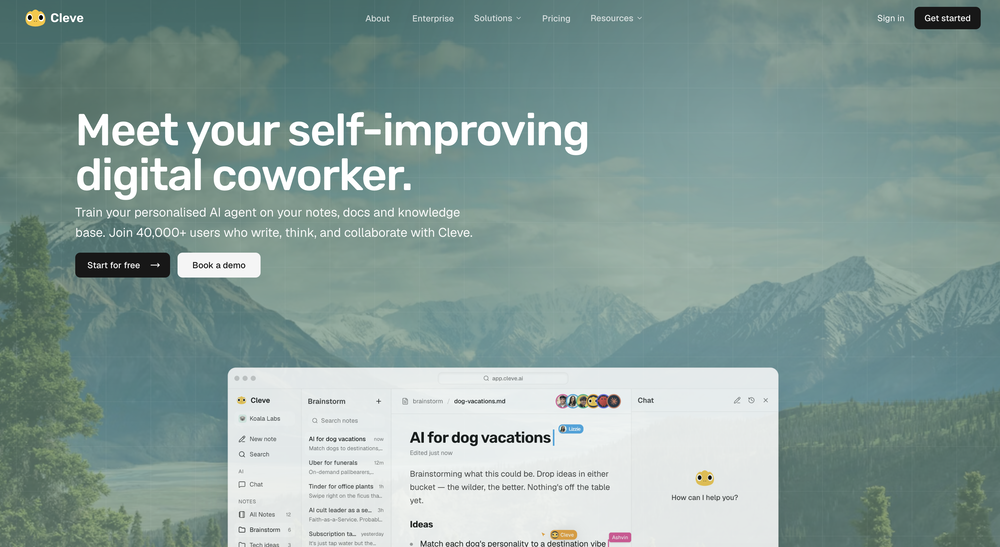
-
Maybe you don’t have a subscription, so there are no credits on your account, and a lot of features require credits to use.
-
Just made Ronaldo scream "Siuuuuu" , pretty fun.
-
We created FreeMangaTranslator.com to make manga translation truly accessible — no logins, no paywalls, no watermarks. Just upload your manga page and get a clean, AI-powered English translation in seconds. Perfect for fans, scanlation teams, or anyone exploring manga across languages. And yes — it's completely free.
-
 OpenIs the best. Free and ullimited
 -
Not free as they indicated. Gives only 1 free trial, and then u gotta purchase credits to continue using it. The generation is nice thought.
-
-
It's not free, 3 free credits per day is not enough. It's kind of tourist trap
-
This tool not only transcribes videos and audio, but also automatically generates summaries, which greatly helps me organize my study notes.
-
Apologies for the delayed response. Let me clarify our free tier benefits: 1.Daily Quick Credits: Free users receive 2 quick generation credits every day. 2.Unlimited Standard Generation: You can generate an unlimited number of images daily. Please note that during peak usage times, generation speeds may be slower to accommodate high traffic. 3.Advanced Features: Free users also have access to our excellent face-swap feature. 4.Our platform features the leading Nanobanana series models, supports various LoRA effects, and includes tools for background removal and image outpainting/expansion. 5.We welcome you to try them out! Regarding your question about pricing: The core features mentioned above are genuinely free. The 'pricing' structure you saw likely refers to optional paid plans for users who need faster speeds during peak times, higher priority, or additional commercial features. It is not 'free after you pay,' but rather a free base service with optional upgrades. We hope this clears up any confusion!"
-
 OpenVAN GOGH FREE VIDEO GENERATOR 2.0 – Update Highlights 1.Choose the New VAN GOGH FREE Mode – Users can now select the VAN GOGH FREE mode to generate videos for 0 credits. 2.Unlimited Generation for Paid Users – Paid subscribers can generate unlimited videos and images at 0 credits. 3.New AI Effects Added – Explore a wide range of exciting new AI-powered effects. 4.Pricing and Subscription Optimized – Added a one-time credit pack and introduced a lower-priced Starter subscription plan. 5.New User Annual Discount – New users can enjoy 50% off annual subscriptions. 6.Exclusive TAAFT Platform Offer – TAAFT users receive an additional 20% off. Enter promo code TAAFT at checkout.
 -
-
 Open
Open -
Using Meloflow felt almost magical—it instantly turned my rough ideas into music that sounded alive, polished, and truly my own.
-
I personally think it's unfair for companies to use ATS to decide on candidates, when most of the time it's specifically that search that helps you find the diamond in a pool of dirt. This at least levels the playing field 👍
-
This is a text extraction service. Not image to text.
-
Hi Guys its Prefind Team. 1. We are free to use 2. We powered by Claude-3 and GPT-4 3. Its a very fast Chrome extensions. Please give it a try and tell us your feedback!
-
as mentioned before by somebody else, it's great that it's free that's a big plus. quality isn't anything crazy, but it does the job especially with human faces. tried it on a bunch of random stuff like objects, places, animals but the results vary depending on the original image quality. don't expect miracles on super lowres pics. still, the fact that it's 100% free is already good so yeah, that's a 4 starrer in my book
-
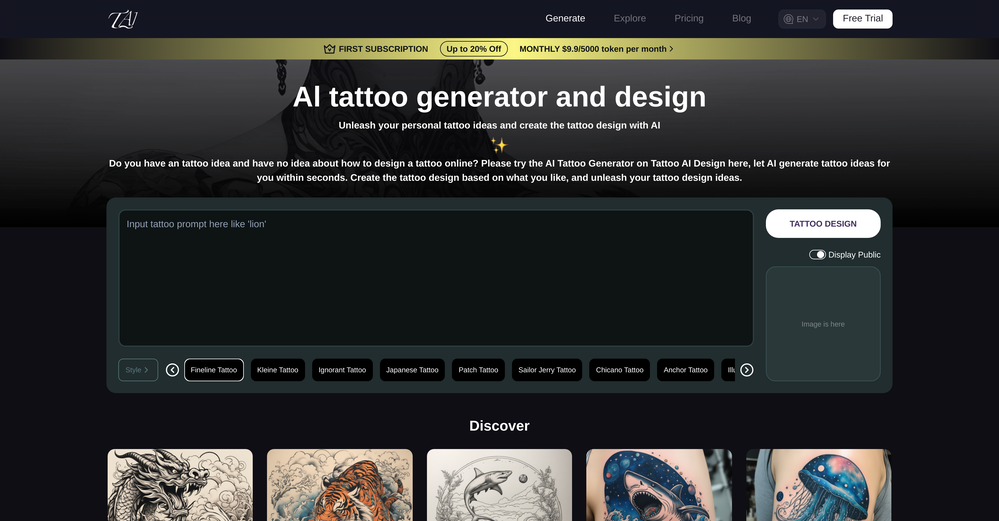 as somebody else said it doesn't always follow the prompt fully (stuff like colors or body placement) but honestly mine came out actually nice, at least design wise. it missed a couple details, sure, but overall it looked fire. good starting point if youre trying to visualize an idea
 -
Let me the first to share... The scoring looks at Spelling
-
 Convert YouTube videos to text fast and freeOpenHands down the best ai tool for content creators. Their free YouTube transcriptor is always on point
 -
-
 Create pro LinkedIn carousels in seconds, no design skills needed.OpenThis is an awesome tool for creating content very fast. I use it daily for my LinkedIn posts. However, you need to be crystal clear about what you actually want from it. Superb tool!
 -
haha nice tool, it is fun to use and it gives you some really good responses but don't forget to also maintain your originality ;)
-
 Extract Wisdom from Any Link -- 6 AI Models, Haiku 4.5 SynthesizedOpenExtract wisdom from YT, websites, PDFs, any link. Multiple models catch what single perspectives miss. Organized thematically. Honest about uncertainty. Built for understanding, not compression. All feedback welcome!
 -
I would just feel like a POS to create something like this. Like you got to be down bad or a degenerate...
-
i wasted time to explain which format to build, provided all details including even the finished product to match it and simply the normal reply for any free AI tool on? how? explain!
-
 been using this for a bit and the songs it makes are honestly pretty good, way better than i thought. love the clean design too, makes it easy to use. only thing i wish is there was some kind of playlist feature so i can organize all the songs i made, gets hard to find stuff after a while. but yeah solid app overall
 -
As a junior, my biggest fear is grinding out a paper word-for-word only to have the school's system falsely flag it as AI. ZeroGPT Plus has been a massive help! I run everything through here before submitting. It's super accurate, and if it flags high-risk paragraphs, I know exactly where to edit. I feel so much safer submitting my work now. Huge recommendation to any student stressed about their papers!
-
The translation is good enough. It's free, so waiting longer for the result is not a problem
-
it's good. but is not totally free. there's a limit of captions you can run daily.
-
Threw a pic of my living room in, asked for warm modern and it gave me a layout that was actually really nice. Some renders look a bit plastic and it guesses weird details here and there, but as a quick vibe check it’s legit.
-
 Open
Open -
-
it works.. it's free.. but the results are not crazy.
-
The talking avatar is something to been seen. Improvements are needed but AI technology is coming along. This looks promising!
-
 Stop guessing if your photo is good. Get instant, objective feedback.Open
 -
-
-
Protaige really made my life easier in creating Campaign across different platforms in a single click just by providing my Briefs. Thank you! Awesome Time Saving AI Tool. Really loved using it.
-
-
 Chrome extension that turns lazy prompts into pro-level instructions.Open
 -
 Open
Open -
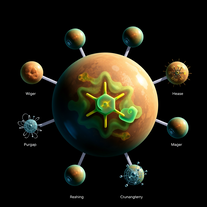 Generate stunning scientific visuals with AI precision.Open
 -
It's super easy to use, and the humanizer works. I tried a sample text, and it could pass ZEROGPT and GPTZERO (as a human). Recommended.
-
easy to use meets very specific need but for general purpose ( quick enhance)
-
Used this for scheduling my last 3 interviews and honestly forgot how annoying it was before. One company wanted to do 4 rounds and instead of me going back and forth with their HR person a dozen times, Workmate just handled it. Saved me from that weird anxiety of 'did I respond fast enough' or 'is this time actually gonna work.'
-
-
 Enable LLMs to search and analyze live social media through natural language.OpenSimple idea, well executed. Makes social data usable inside LLM-based workflows instead of external dashboards
 -
-
 Instant compression, zero restrictions just fast, free, and flawless.Open
 -
 Turn any idea or face photo into polished square icons instantly.Open
 -
Feels like outbound is shifting from manual SDR work to autonomous sales agents. Are your users mostly SaaS founders running their own outbound, or larger sales teams?
-
 AI browser assistant for intelligent automation.Open
 -
Amazing AI tool. I really use it all the time as a student.
-
I am glad to rate it as one of the best tool for website creation maybe developer recognise me and reply me. I really want to thank the developers personally
-
-
Impressive work from the team at Tented.ai, their approach to AI-driven automation is genuinely next-level.
-
I'm absolutely blown away by the design quality of the presentations they look so vibrant and stylish. I was also pleasantly surprised that the AI asks lots of clarifying questions to make sure the final result is exactly what I wanted, not just something random. Vibes 🔥
-
-
Finally, process optimization without the 10k consultant fees" Review: As a small business owner, I've always known we could be more efficient, but hiring a business consultant was way out of budget. Maxee.me changed that completely. What I love: ✅ Takes 60 seconds to get concrete optimization suggestions ✅ Shows actual numbers (% efficiency gain, % revenue increase) ✅ Industry-specific recommendations (not generic advice) ✅ First 3 suggestions free - perfect to test before buying I run a hair salon and got suggestions like "digital booking system" (+18% efficiency) and "product sales at point-of-service" (+18% revenue). Actually implemented them and saw results within 2 weeks! The full analysis (€29.95) is worth it if you're serious about optimization. Way cheaper than any consultant and gives you actionable steps immediately. Only minor con: Currently German-focused, but they're working on English version. Best for: Small businesses (1-50 employees), retail, restaurants, service providers Not for: Large enterprises with existing process management systems
-
 Turn any song into scroll-stopping videos in minutes with AI-directed scripts andOpen
 -
I just published a children's drawing book on Amazon in 2-3 hours of fiddleing with this tool. Really really good!
-
Man, with the free models that we have web creation became so easy. But everyone had the same websites. I really like how different they look from others.
-
 Open
Open -
Gave it a try, before i used to use Calendly and manually tag them as important. Used some trackers on Appstore but this works just as well if not better, really like it!
-
Nice interface and a good ai humanizer.
-
It's suitable for beginners like me. I think it is simple and comprehensive, which can solve music creation problems. The creation speed is also prettey fast. And I hope it can keep improving, so we can create better music together.
-
TutorGPT has been a lifesaver for my math assignments. What I love most is that it doesn't just give the final answer—it provides clear, step-by-step explanations that actually help me understand the logic. It's fast, accurate, and highly recommended for anyone struggling with complex problems!
-
 Open
Open -
The infographic maker lets you use it once for free without signing in. This infographic maker is simple and easy to use, even more so than Canva or Venngage. However, the available styles and templates are still limited. I hope they add more design options and customization in future updates. Overall, a good choice for quickly creating infographics.
-
 AI-powered financial guidance that turns data into actionable roadmaps.Open
 -
-
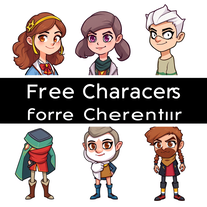 Create vibrant character illustrations from your specifications.Open
 -
Terrible, first of all the audio quality, I asked for brass, in purpose, the timbre was absolutely sythntectic, the supposed Tuba was hilariously low, then it did not follow boundary conditions (Use only this instruments), I would do the task 30 times faster. Pointless
-
 Create social media-ready visuals with perfect text rendering.Open
 -
 Create stunning, ultra-realistic images from text prompts.Open
 -
-






































































































































































Lists
















Post





