
 Mini tools
▼ Latest
Text video
Free mode
100% free
Freemium
Free Trial
Featured matches
-
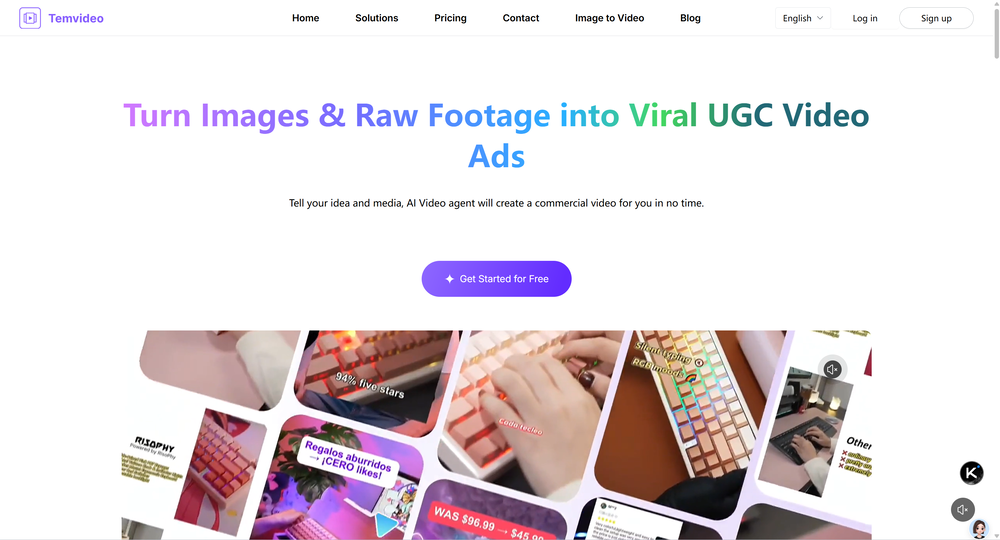 abbey🙏 1 karmaFeb 24, 2026@TemVideo AI Video Ad MakerI was skeptical about the "one-click video" claim, but I gave TemVideo a shot for a new product I'm testing. The biggest headache with AI video tools is usually the prompt engineering—you spend 30 minutes typing descriptions just to get a weird-looking hand. TemVideo completely bypasses that. My honest take after using it: The "From Raw Footage" feature is the real MVP. You know those random 10-second clips you take on your phone just to check lighting? The AI somehow turns those messy scraps into coherent ads. It’s almost spooky how well it edits around the product. It’s built for speed. If you are a dropshipper who needs to test 5 different products today, this workflow is unbeatable. Upload, click, done. I had an export ready faster than I could find a coffee. Multi-language is a bonus. It’s smart they included localization. If you sell globally, having the AI handle the lip sync and narration in different languages from one workflow is a massive time-saver. Best part? The built-in "Viral Hooks" library. It takes the guesswork out of what text to put on screen to stop the scroll.
 -
-
 Transform photos into cinematic videos with AI.Open
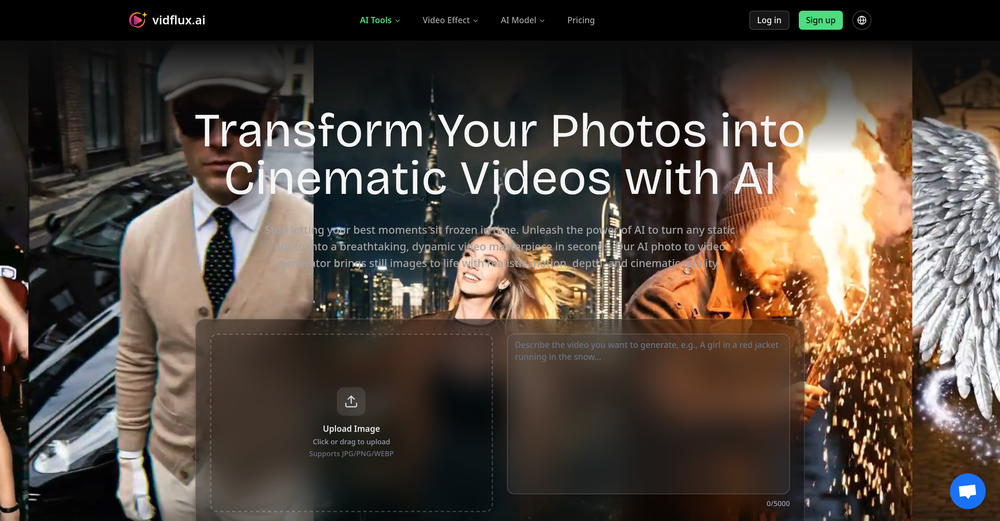 ✨ New: Edit images before video generation Better results across Veo, Kling, Sora, Wan, and Seedance
 -
 Great reader app that allows for importing many articles. I hope the interface can be made to look a bit better. 期待を込めて5星を。
 -
 We're live folks! Do check us out and drop your feedback or requests.
 -
-

-
 "I’m genuinely impressed by how quickly AI to Song turns a simple text prompt into a coherent track. As someone without a musical background, it’s a game-changer for creating quick demos or just having fun with song ideas. The UI is clean and the generation speed is top-notch!"
 -
 Been using it for the past few days and it is exactly what I hoped it was. Nothing complicated, does exactly what it says it does without the fluff. The analysis section is great, does not produce canned summaries. It appears to be doing something different for every different type of topic, which is great. Still playing with it.
 -












Verified tools
-
 Remove subtitles, captions, and watermarks from videos instantly.Open
 - Sponsor
 Rocket - Think it. Type it. Launch it.
 -
 OpenThe features are incredibly comprehensive. I really love it — the AI videos I created got a ton of praise when I shared them. Likes galore!
 -
 OpenI built Vocova to solve a simple problem — people consume content across languages and platforms every day, but turning that content into accurate, readable text is still painfully fragmented. You need one tool to download, another to transcribe, another to translate. It should be one step. We build Vocova the way you'd build a piece of art — every detail is intentional. How natural the speaker labels read, how precisely timestamps align with every word, how a bilingual export looks like a polished document rather than a raw data dump. We don't ship anything that we wouldn't be proud to put our name on. Vocova supports 100+ languages, imports from 1,000+ platforms, and translates into 145+ languages. Try it and let me know what you think — your feedback directly shapes what we build next.
 -
-
 OpenHonestly, the kissing effect on Viyou is remarkably fluid—way better than other AI tools I’ve tried. The preset scenes are a great touch and super fun to play with. My only tip? The default prompts could be a bit more polished to get even better details, but the results are already top-tier. Definitely worth checking out!
 -
Scrollsequence is a game-changer for interactive storytelling! Smooth animations, intuitive setup, and impressive control over scrolling sequences make it perfect for engaging web experiences. Highly recommend for designers and developers looking to elevate their sites. 🙌
-
 Convert YouTube videos to text with 99% accuracy.Open
 -
 Transcribe audio & video with Whisper. Export TXT/SRT/VTT. Auto-delete 24h.Open
 -
 OpenI was struggling to create some free Christmas and New Year's e-cards, and these templates are really good. I recommend giving them a try. The only downside is that each free template can only be used once.
 -
 Open
Open -
-
it removed the watermark cleanly while keeping the original quality.
-
Been using CloneViral for my UGC ad campaigns and it's honestly a game-changer. The Agent Mode feature is what sold me - you basically describe what you want, and their AI agents collaborate to handle everything from scripting to final video. No more jumping between 5 different tools. The UGC Ads generator is surprisingly good. I can create authentic-looking user testimonials and product demos in minutes instead of hiring creators or spending days editing. Quality is solid enough that my clients can't tell the difference. Not perfect, but for the price and time it saves me, it's become essential in my workflow. If you're doing any kind of social media marketing or content creation at scale, worth trying out.
-
By using AI to generate ASMR videos with sound, you can choose your favorite ASMR scenes to DIY. It's so cool.
-
This is truly a wonderful experience that brings joy and delight.
-
 Web platform for video translation, text-to-speech conversion, image creation, media editingOpenGenerated a pretty accurate video translation. Also, was quite impressed with a price tag.
 -
 Extract Wisdom from Any Link -- 6 AI Models, Haiku 4.5 SynthesizedOpenExtract wisdom from YT, websites, PDFs, any link. Multiple models catch what single perspectives miss. Organized thematically. Honest about uncertainty. Built for understanding, not compression. All feedback welcome!
 -
 AI-powered outreach and multimedia delivery to help sales and marketing teams close.Open
 -
 🎯 3 free transcripts every day. 🔥 Unlimited transcription starting at $10/mo.OpenNo other tool quite like this, it's pretty straightforward. Needed to extract a long interview from YouTube and it extracted everything, providing it in different meaningful formats in less than two minutes. Awesome
 -
Speed is amazing ! I will definitely utilize the tool in the future for film generation
-
The ability to create a short video as a demo of the output is great. It had good imagery and it created a good script.
-
 OpenThere is nothing here that meets the presentation requirements. The slides are monotonous and boring; it's as if I just copied my entire text and pasted it onto 10 slides - there's no value in that. The information is inconvenient and uninteresting to read. It's even summarised and organized worse than I could do it in 5 mins. It's better to use free GPT and put all into slides then use this. Omg it's really very bad, extremely poor, and I will never use it again.
 -
 OpenVAN GOGH FREE VIDEO GENERATOR 2.0 – Update Highlights 1.Choose the New VAN GOGH FREE Mode – Users can now select the VAN GOGH FREE mode to generate videos for 0 credits. 2.Unlimited Generation for Paid Users – Paid subscribers can generate unlimited videos and images at 0 credits. 3.New AI Effects Added – Explore a wide range of exciting new AI-powered effects. 4.Pricing and Subscription Optimized – Added a one-time credit pack and introduced a lower-priced Starter subscription plan. 5.New User Annual Discount – New users can enjoy 50% off annual subscriptions. 6.Exclusive TAAFT Platform Offer – TAAFT users receive an additional 20% off. Enter promo code TAAFT at checkout.
 -
 Open
Open -
the founder is cool, definitely a recommendation if you have personal requests and grow the app along with you.
-
 Transform your music into stunning visual experiences with AIOpenThe generation effect is good, the pictures are exquisite, and the transition animations of the pictures are smooth The only drawback is that it would be better if the generation time were a little faster
 -
 Open
Open -
It works surprisingly well. Clean plus you can actually try it first without having to drop money right away. helps if you are not sure it'll fit your needs. Solid stuff.
-
 Edit smarter, faster and easier with Filmora’s powerful AI video tools.Open
 -
 Unlimited transcripts, summaries, 99.8% accuracy, speaker recognition, superfastOpenI already have another transcription tool, but this one is much better. I love the different features such as the summary, quiz, and chapters. It does a great job of them. I've only done one transcript so far to try it out, but I'm truly impressed and am going to grab another code. A couple things that would make it even better are: - the ability to rename the files and organize them through folders. - the ability to download a copy of the other features as well as the transcript. Copying and pasting it works, but doesn't keep the format.
 -
-
best part? it doesn't fight my process. i can iterate fast, try different moods and play with compositions while the idea's still hot.
-
-
-
Sorry for inconvenience, Its up and running now
-
Immo currently best solution if you want to convert / enchant your how-to tutorials to more professional!
-
I’ve found Jogg.ai to be super convenient, especially for creating short ad videos for products! If you haven’t tried it yet, you should check out this tutorial: https://www.jogg.ai/blog/4-steps-to-create-your-product-video-ads-in-minutes/
-
I tried to look at what their avatars look and sound like but could not find it on their website. I'm not going to make a purchase if I can't see what I'm buying.
-
Can't test without entering a credit card directly after sign up, I won't be using without testing it first. sorry!
-
Vocallab AI is honestly the easiest tool I’ve ever used. The interface is super simple and intuitive. Generations take less than 2 seconds. The quality is also incredible. The voices sound very realistic — almost like real people. You can even add emotions and details like coughs, laughs, sighs, and other subtle effects, which makes everything feel much more natural and alive. Highly recommend it to anyone working with content, videos, or voice projects.
-
 Open
Open -
 Turn product photos into marketing videos instantly.Open
 -
AIReel provides a convenient way to generate videos or images from text prompts or photos using several AI models in one place. When trying different prompts and images, the platform produced AI creations with noticeably different visual styles depending on the model selected. Compared with accessing many AI video models directly on their native platforms, the overall cost is more affordable, making it easier to experiment with AI-generated content, including both AI videos and AI images.
-
was looking for comfyui alternatives - i want workflows - but there's so much pain to get nodes to work on comfy - but this floyo solves this entirely
-
-
Great platform to increase your productivity. The infographic generator is my favorite tool.
-
The workflow is straightforward, the output quality is clean, and it’s especially useful for marketing videos, product demos, and social media content. Overall, it’s a solid AI video generator that saves a lot of time. Highly recommended.
-
needed broll for a travel vlog and didn't have footage of certain locations. generated some establishing shots with this and they blend in perfectly. not replacing my camera but great for filling gaps
-
-
 Free AI video generator without watermarks.OpenSovideo.org is an advanced AI SaaS web platform built to unify powerful AI image generation and AI video generation in one simple, accessible workspace. It is designed for creators, marketers, and teams who want to turn ideas into high-quality visual content faster and easier than ever before. As an all-in-one AI image generator & AI video generator, Sovideo brings together multiple cutting-edge models, including Sora2, Nano Banana Pro, Veo3, and Seedream. Users can generate realistic images, creative illustrations, and cinematic AI videos from text or visual prompts—all without switching tools or learning complex workflows. Sovideo runs entirely in the browser, requiring no installation or technical setup. Its clean interface and cloud-based architecture make it easy to create, manage, and iterate on visual projects from anywhere. Whether you are producing social media content, marketing assets, concept art, or short videos, Sovideo helps streamline the entire creative process. By combining speed, flexibility, and powerful AI models, Sovideo reduces production time and lowers the cost of visual creation. It empowers users to experiment freely, scale content creation, and explore new creative possibilities. Sovideo.org is redefining how AI-driven images and videos are created—one platform, all-in-one AI, built for the future of visual content.
 -
Terrible experience. Spent over $200 to produce a music video that Musid.ai was never able to complete. System crashed during the final production generation/rendering - over and over and over. Contacted [email protected] - no response whatsoever after 2 days. Don't touch it! UPDATE: minutes after posting this Musid.ai responded by reinstating all of the credits purchased. Doesn't compensate for the wasted time but better that a poke in the eye with a sharp stick! I'll review again once I get to the other side of this drama...
-
 AI-powered social content calendar that automatically creates content.Open
 -
-
Well, it did give me an insanely good image, but you only get one free trial, i.e, generate one image for free. And the model is costly for someone who wants free AI tools. But it does the job if you're willing to pay.
-
 OpenThe watermark was removed so cleanly, it's amazing!
 -
 Open
Open -
It's very easy to use, completely free, and even supports files up to 1GB in size.
-
I'm giving it two stars because it does do an ok job on videos but I would NOT recommend this. The "free trial" gives you 80 credits. It's not even enough to make a 60 second video so you can't really "trial" anything. I then spent $35 to make a 60 second video and I did two edits to it and I only have 451 credits left for the month. Until the costs come down, this is not feasible.
-
I used it to generate several Christmas-related videos, and the results were excellent. It’s a really great product and definitely worth trying.
-
-
I’m not a professional animator, but Elser AI made it easy to turn a simple script into an anime-style video. The workflow feels straightforward, and the results are more consistent than I expected.
-
 Skip the complexity. Create professional-quality music with simple prompts.Open
 -
-
✨ Key Advantages of Pixwith: 1. Wide range of AI models: From video generation to image creation, enhancement, and style transformation — you get access to a full suite of cutting-edge AI models in one place. 2. Affordable and transparent pricing: Our credit-based system is flexible and offers better value compared to many similar platforms. 3. Free trials available: Several models can be used for free, allowing you to test the quality before purchasing credits. 4.Beginner-friendly interface: Simple and intuitive design — generate high-quality content in just a few clicks. 5.Constant updates: We continuously add new models and features, ensuring you always have access to the latest AI capabilities.
-
Just tried the Seedance 2.0 experience on LumeFlow and I’m honestly blown away. That "uncanny AI jitter" I’m used to seeing in other models is practically gone—the motion is just so smooth and fluid. I was a little skeptical at first since it’s tagged as an "Early Access Lab" feature, but the output quality is 100% the real deal. If you’re looking for cinematic physics that actually make sense, this is easily one of the best AI video experiences out there right now. Highly recommend giving it a spin.
-
 All-in-one AI platform for content creation, marketing, automations and business growthOpen
 -
Hey everyone 👋 I’m excited to introduce VidFab, an AI-powered tool that turns text and images into cinematic videos in seconds. We built VidFab to help creators and startups make beautiful videos without complex editing or long render times. Just type an idea — and our AI brings it to life. I’d love to hear your feedback and ideas for what features you’d like to see next. Your thoughts really help us shape the future of VidFab!
-
 vocal remover, remove vocal, vocal remover online free, vocal remover AIOpen
 -
-
Clean UI, multiple video models in one place, and fair credit refunds when generations fail. Nice that you can try it for free before committing.
-
Glad to see LitVideo listed here. Have been using it for a while. Easy to use, and LitVideo provides a relatively low-cost entry point into AI video creation.
-
his platform is amazing! The AI-generated images exceed expectations in quality. Fast creation speed and professional results. Highly recommended for all creators!
-
 Turn scripts into creator-style videos instantly.OpenI built this because I had a spare RTX 5090 sitting idle and friends in e-commerce kept telling me UGC videos were too expensive. Most AI UGC tools cost 80 to 110 dollars a month, about 10 dollars per video. My prototype can already create 3-minute videos, but it takes almost an hour on one GPU, so I limited the public version to 30 seconds while I scale to 4 GPUs. Would love feedback on the best pricing model and go-to-market.
 -
 Transform photos into sketches, anime, paintings instantly.OpenNOT even 1 FREE demo to TEST it. It demands subscription right away! IT'S A BANDIT ON STEROIDS! ;-(
 -
This tool not only transcribes videos and audio, but also automatically generates summaries, which greatly helps me organize my study notes.
-
This ai is insane, i recommended it to everyone. It's pretty fast, have alot of options and the cost of it is low for what it gave. Really good.
-
Looks great, I really appreciated that it gives you credits to test it out first, not many video tools do that. Makes it way easier to actually see what it can do before paying. Nice experience overall :)
-
 OpenHere's the rundown. If you thought image editing like Photoshop or Affinity Photo, you were wrong. It's 100% insert a photo and put a filter over it or change it into another AI image. Signing up for an account gets you 4 credits. Enough for one image to image generation. Instead, you should go to aistudio.google.com. This Dreamega site is just using google to generate their stuff anyways. You can do this yourself without paying per generation, the only difference is you need to type the prompt yourself. Is it worth paying some overblown monthly subscription on Dreamega for something you can do yourself or something you'll probably only do once?
 -
Very accurate.I check videos and audios to detect fakes before sharing viral news
-
One platform gives me access to various high-quality video models — it’s been used to generate 110k viral social media posts.



































































































































Other tools
-
 Convert audio and video to text with AI precisionOpen
 -
I think it delivers on all of its claims, specially the transcription and Blogs.
-
 Apply spooky Halloween filters and scary makeup effects online for free.Open
 -
too expensive for me, I just want to make memes, not pay that much
-
I forgot to take videos on my trip, so I gave this a shot with just the photos I had. Surprisingly, it created a short clip that actually looked real, super cool. Just wish it didn’t take forever to render
-
-
- Didn't find the AI you were looking for?
-
I recently started using Napkin AI, and I couldn't be more impressed! This tool is incredibly user-friendly and intuitive, making it easy to generate clear visual representations from text. Moreover, the interface is clean and visually appealing, which enhances the overall user experience. Napkin AI is a fantastic companion. Highly recommended for anyone looking to elevate their creative process!
-
When uploading a 30-minute video file, I was surprised to receive the transcript in just a few seconds. The speed and quality of the transcription process blew me away, especially considering the complexity of the video content.
-
Diffusion pulls out extremely good images from simple prompts. Renders were a little slow on higher quality, but totally worth it for the results. The controls feel clear enough and the outputs look legit. Good one here!
-
-
No free use because I use a VPN?? I'm out. I should have a choice to stay private if I want to and still be able to review the product without penalty. Others allow it - I will use them before buying. If you have that big of an issue with what you feel are multiple accounts using your free services, then reduce the amount of free use.
-
It's suitable for beginners like me. I think it is simple and comprehensive, which can solve music creation problems. The creation speed is also prettey fast. And I hope it can keep improving, so we can create better music together.
-
Finally an API provider that is actually affordable. Nano Banana Pro API saved me over 50% on my bill. Also super impressed that they have access to video models like Sora 2. Wisdom Gate is legit!
-
Does not allow you to see your creations when you press the button 'my creations' it just redirects to a music samples page and/or original music generation page, so the only way to see your generated music is if you try to use other features like 'extend', which is very shady. Clone of other known platforms for sure. Also when you delete your account it states that some data remain on the platform which means it is not gpdr compliant and it keeps some of your information. Be wary of all this. I would not give them any money or cc details, seems way too shady.
-
-
No no no. This is not what it claims to be. Yes there claim to be a free trial but free trial does not work at all. Its just a workaround.👎🏻
-
-
-
-
 Create storyboards and prompts from text for AI Video generators.Open

















































Post





