 Rocket - Think it. Type it. Launch it.

 Mini tools
 ImageAI
10,386
 AI Keywording Tool
9,878
 SceneXplain
8,992
 AI Describe Picture
8,808
 Image Intelligent Description
7,197
 PhotoTag.ai
6,196
 Image Describer & Translator
5,440
 Describe this Photo
4,921
 Image Analyzer
3,609
 Image Text to Text
1,155
 Photo Psychic | Mind Reader
918
 ALT Text Artist
878
 VisionScribe
735
 Alt Text Generator
555
 Image Magic 1.0
545
 Picturator
512
Sam Alt-text-man
479
 Visual Narrator Plus
477
 Label Assistant
463
 She Knows Alt Text
460
Go to 🗒 Transcription
📸
Captions
(47)
📽
Video transcription
(24)
🎤
Voice notes transcription
(4)
🎤
Dictation
(3)
📞
Call transcriptions
(2)
📝
Voice message transcription
(2)
 Voicetype AI
 AssemblyAI
 Transcript LOL
 TurboScribe
 WhisperClip
 RambleFix
 Paraspeech
 Voicy Speech to Text
 WriteVoice
 ElevenLabs Scribe
 Whisper Notes
 WavoAI
 Universal-3 Pro by AssemblyAI
 HappySRT
 AirCaption
 Speechmatics | Python SDK
 TalkToText
 Transkriptor
 Skeleton Fingers
 VoicePen App
Voicetype AI
231,537
AssemblyAI
169,762
Transcript LOL
136,260
TurboScribe
125,175
WhisperClip
67,287
RambleFix
67,254
Paraspeech
53,926
Voicy Speech to Text
26,998
WriteVoice
24,528
ElevenLabs Scribe
24,007
Whisper Notes
22,617
WavoAI
21,019
Universal-3 Pro by AssemblyAI
20,328
HappySRT
19,036
AirCaption
18,868
Speechmatics | Python SDK
17,006
TalkToText
15,473
Transkriptor
13,488
Skeleton Fingers
12,819
VoicePen App
12,555



Image descriptions
taaft.com/image-descriptionsThere are 23 AI tools and 18 GPTs for Image descriptions.
Get alerts
Number of tools
23
Most popular ImageAI
ImageAI▼ Price
Free mode
100% free
Freemium
Free Trial
Top featured
-
 OpenJim Boudreau🛠️ 1 toolMar 23, 2026@CataSEOSorry Marek, at this point it is an embedded BigCommerce app, which can only be used within a BigCommerce store. PS...I see that you work for ProductLasso.com? Doing competitive research?



Specialized tools 23
-
 Unlock image secrets with AI description generator.Says you can have 3 free per day without logging in, but wanted to charge for my first use
 -
 AI-powered tagging for photos and videos in one click.
 -
 Reveal hidden narratives in images with AI-powered storytelling.
 -
 AI-powered keywording for stock photographers
 -
 Turn images into detailed descriptions with AI.The descriptions I got were good and very useful. Great!
 -
 Transforming images into titles, descriptions, and translations.
 -
Accessibility in a can!
-
 Expert in enriched, precise ALT texts for images.
 -
 Alt text generator for image accessibility.
 -
 Turn Ideas Into Reality
 -
 Automatically describe images in detail in a friendly tone.
 -
 Upload an image and I'll provide alt text for you!
 -
 Attach an image and our bot generates it in text.
 -
 Label images for model training.
 -
 Expert in image description and generation
 -
 Describes uploaded images in less than 1000 characters.
 -
 Upload a photo and hear what's on their mind!
 -
 Converts images into detailed, precise text descriptions.
 -
 Generating concise image descriptions for the visually impaired.
 -
 Describes uploaded images with accuracy and detail.
 -
 Generate alt text for your images
 -
 Crafting accessible alt text for your images.
 -
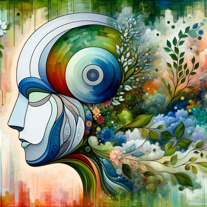 Generates abstract images from descriptions.


Also used for Image descriptions 2
-
 OpenNew chat-first studio: – Rebuilt the core chat experience as a unified workspace for prompts, image inputs, iterations, and results. – New guided controls (space type, style, settings) to structure pro briefs and reduce trial-and-error. – Faster iteration loop for multi-step edits (repaint, restyle, add/remove items, material swaps). New agentic infrastructure: – Introduced an agent-based orchestration layer that routes each request to the most suitable workflow (from-scratch generation vs photo-based redesign). – Improved context handling across turns to keep revisions aligned with the same scene and direction. – More predictable handling of multi-instruction prompts to reduce “try again” loops. New top-tier model support: – Expanded support for high-quality image generation models to improve photorealism, lighting consistency, and material detail. – Better default model selection behind the scenes based on task complexity and input type. New pro workflow building blocks: – Projects/Collections for saving versions and comparing directions across a single room or a full project. – Pinterest boards as reference inputs for moodboard-guided iterations. – Product Finder updates for matching items from scenes and linking to vendor stores. Performance & stability: – Improved generation responsiveness and general stability across the app.







