 Base44 Superagents-AI agent that does it all
 Mini tools
BoltAI
 macOS assistant for automated tasks.
Go to 💻 MacOS
 FridayGPT
 MindMac
 PaletteBrain
 PDF Pals — ChatPDF on Mac
 MacGPT
 Embra
Embra
 Raycast AI
 Gpt-tab
 Atua
Atua
 Sidekick
 Alter
Alter
 Legacy AI
 Machato
 Yack
Yack
 HelloAI
 MacCopilot
 Blue - ChatGPT for Mac
 Thinkbuddy
 Beam
Beam
 Peek AI
FridayGPT
27,009
MindMac
14,357
PaletteBrain
11,822
PDF Pals — ChatPDF on Mac
7,329
MacGPT
6,176
Embra
4,392
Raycast AI
3,277
Gpt-tab
3,113
Atua
3,027
Sidekick
2,813
Alter
2,640
Legacy AI
2,580
Machato
2,425
Yack
2,350
HelloAI
2,310
MacCopilot
2,225
Blue - ChatGPT for Mac
2,185
Thinkbuddy
1,973
Beam
1,716
Peek AI
1,386
Go to 🚀 Productivity
📚
Knowledge
(238)
🔍
Research
(193)
📧
Email
(149)
🤖
Task automation
(91)
💼
Personal assistant
(89)
🔎
Search
(82)
📋
Task management
(81)
📝
Notes
(49)
💻
Operating systems
(45)
🌐
Web browsing
(42)
🎯
Goals
(31)
🔎
Problem solving
(24)
⌛
Time management
(20)
🗄️
Workspace organization
(9)
📈
Productivity advice
(9)
📝
Form filling
(8)
 TheLibrarian.io
 Supernormal App
 Saidar
 Runable
 ComputerX
 Collate
 AiAssistWorks - GPT Gemini Claude AI for Sheets Docs Slides
 ConsoleX AI
 Skymel: Create Your Own Personal Agents
 Ask Steve
 MiroAI
 Alfred by Simbli.ai
 Affint
 Sup AI
 Kolva
Kolva
 BrowseWiz
 Support Flow
 Octofy
 Criticly
 Mentor: Get things done
TheLibrarian.io
606,786
Supernormal App
158,829
Saidar
126,567
Runable
119,376
ComputerX
119,092
Collate
111,681
AiAssistWorks - GPT Gemini Claude AI for Sheets Docs Slides
106,547
ConsoleX AI
66,833
Skymel: Create Your Own Personal Agents
55,797
Ask Steve
51,309
MiroAI
49,829
Alfred by Simbli.ai
42,196
Affint
38,104
Sup AI
35,335
Kolva
35,023
BrowseWiz
34,373
Support Flow
32,605
Octofy
30,558
Criticly
27,077
Mentor: Get things done
25,755


macOS assistant for automated tasks.
Overview
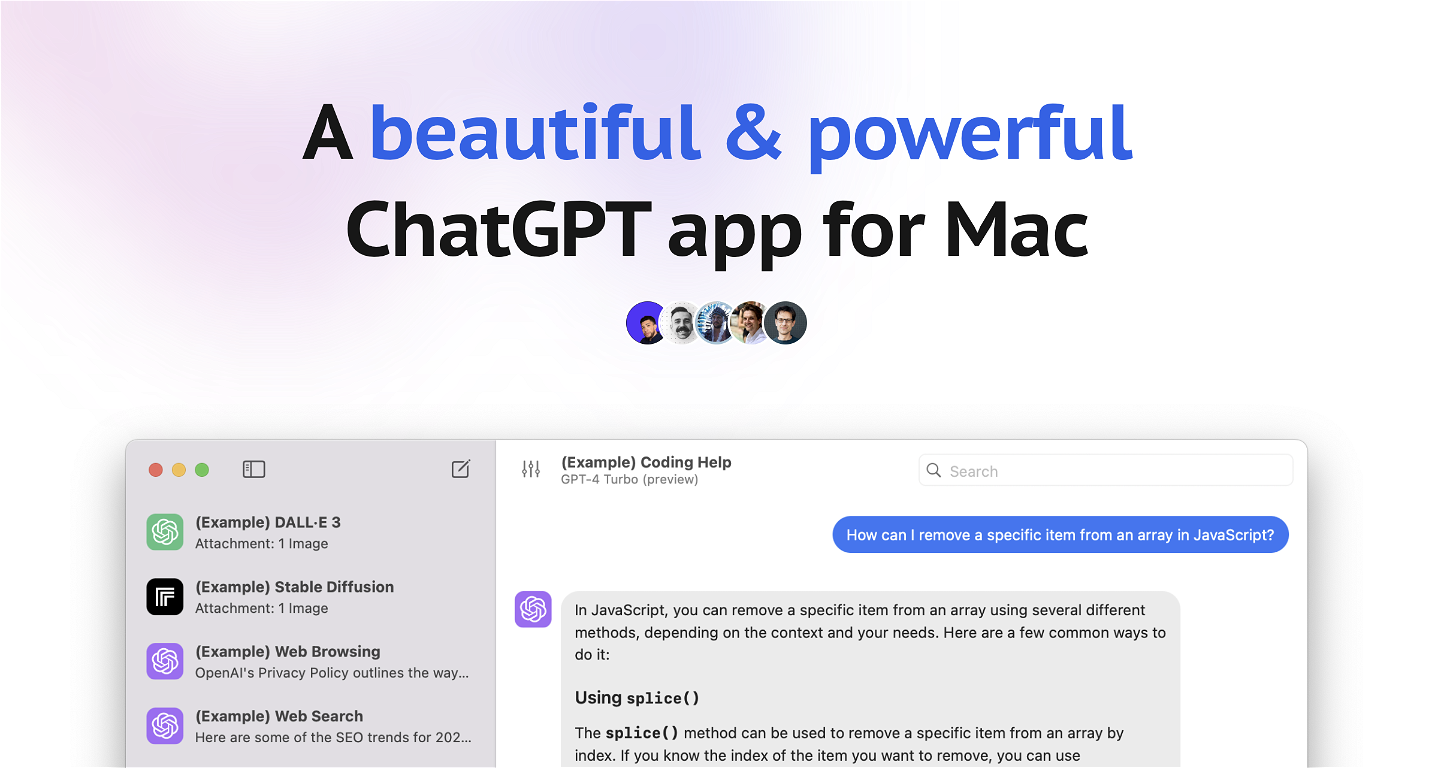





Overview
BoltAI is a native macOS ChatGPT client that allows entrepreneurs, developers, marketers, students, and anyone else to integrate AI assistance into their daily tasks.It is designed to enhance productivity across a wide range of professions, from writing and development to management and entrepreneurship.
BoltAI provides access to OpenAI's GPT to offer AI suggestions as users work on tasks, be it emails, reports, coding, or idea generation.
BoltAI has a range of use cases, including developers, content creators and marketers, students, and everyone who wishes to use AI assistance.
BoltAI is highly customizable, allowing users to create their custom AI assistants, tailoring the AI's behavior to suit specific tasks or roles. Besides, it comes with a prompt library that users can leverage to make the most out of AI assistance.
BoltAI is also secure and privacy-focused as it stores the key securely in the Apple Keychain and features automatic redaction of sensitive data, ensuring user privacy and peace of mind.
BoltAI is a fast and powerful native macOS app, unlike many other bulky Electron-based apps, and also offers a full chat experience.
Finally, BoltAI offers a range of pricing plans, and users can purchase a one-time license that includes one year of free updates.
Related App: https://pdfpals.com — Instantly chat with PDF on Mac
Show more
Releases
Get notified when a new version of BoltAI is released
Notify me
June 27, 2023

Daniel Nguyen
Initial release of BoltAI.
Author

@daniel_nguyenx
Founder ⚡ http://BoltAI.com — ChatGPT for macOS 🌟 http://PDFpals.com — Chat w/ PDF for macOS
Stats
2 tools
522karma
Visionary
Joined: June 2023
Follow
Pricing
Pricing model
Paid
Paid options from
$37
Billing frequency
One-time
Top alternatives
-
Dylan🙏 16 karmaFeb 7, 2024@MindMacAbsolutely love MindMac, I have been giving large amounts of feedback and support to help improve the app for some time now, and the only reason why I am doing that out of my own time, without any incentive is to help the community, but I also want to help this app succeed. Having small developers, like MindMac's is incredible, to create something as powerful and helpful, for users that do not need a computer science degree just to operate it I find very exciting. The developer listens and actions requests that are helpful, and reasonable, and that is something you won't get with the larger developers for months. Keep it up MindMac!
-
-
It does give you the option to choose what you want to pay, including trying it out without a set price. Totally fair setup and it's nice that the flexibility is there for users.





Related topics















 5
5





