
 Mini tools
▼ Latest
House
Free mode
100% free
Freemium
Free Trial




























Featured matches
-

-
 Generate custom invitations with AI in seconds.Open
 Yair Zamir🙏 2 karmaDec 8, 2025@Greetings Island | AI Invitation GeneratorWith minimal effort I was able to make the perfect invite for my event, Loved it.
 -
 Track the Tooth Fairy's magical journey to your house.Open


Verified tools
-
-
The fact that it does not use ChatGPT but their own private AI models is a must for confidentiality !
- Sponsor
 Wispr Flow-Now on Android!🎤 Dictation
 -
-
No idea how the app works. The website won’t let me ask a question. It tells me I’m using links or some unacceptable character. The only non alphabet character I used was an apostrophe.
-
 OpenI often travel and work remotely. Finding accommodation with good facilities for working in a hotel room is very important to me. TripOffice made this process much easier. The website is intuitive and easy to use.
 -













Other tools
-
Threw a pic of my living room in, asked for warm modern and it gave me a layout that was actually really nice. Some renders look a bit plastic and it guesses weird details here and there, but as a quick vibe check it’s legit.
-
 Streamline legal processes with AI-powered contract management.Open
 - Didn't find the AI you were looking for?
-
-
not good. just changes a bit to same image. not creative at all. i tried free version for demo to know if good to take paid plan. i would not recommend at all.
-
 OpenGreat templates for a real estate agent. This AI is way more convenient than ChatGPT
 -
The application arbitrarily adds doors and windows, making the final design unusable. It also changes the view from the window. In the final you are looking at a completely different room than the one you are interested in redesigning.
-
The site produces successful indoor rendering results with accurate prompt usage. Its ability to generate prompts based on interior design styles is a useful feature.
-
Using Homestyler AI has been an absolute game-changer for my interior design projects! The AI Home Designer feature makes bringing my ideas to life effortless, and the range of design options caters to every style. Plus, the collaboration capabilities make teamwork seamless. Truly impressed!
-
It is an amazing tool I've been using it for a month and it really helped glow up my listings as a realtor it creates more appeal to my customers.
-
Went on to test uploaded an image but instead of allowing me to test the system it required buying credits . Seems like an initial freebie would be good to run a test on it . Just my view . Brendan
-
 Transform dream home ideas into stunning architectural visualizations.Open
 -
 Open
Open -
 Create whimsical 3D cartoon backgrounds with charming houses.Open
 -
 OpenVideo editing is the process of selecting, trimming, and arranging footage to create a cohesive story or visual narrative. Here are some fundamental concepts and techniques: Types of Video Editing Linear editing: A straightforward, sequential approach to editing, where clips are arranged in a linear timeline. Non-linear editing: A more flexible approach, where clips can be arranged and rearranged freely in a timeline. Key Video Editing Techniques Cutting: A transition between two clips, where one clip ends and another begins. Cutting on action: Cutting between two clips while an action is in progress, to create a seamless transition. J-cut: Cutting from one clip to another while audio from the second clip starts playing before the video cuts to it. L-cut: Cutting from one clip to another while audio from the first clip continues to play. Video Editing Software Popular video editing software includes: Adobe Premiere Pro: A professional-level editing software with advanced features and integration with other Adobe tools. Final Cut Pro: A professional-level editing software for Mac users, known for its user-friendly interface and advanced features. DaVinci Resolve: A free and paid editing software that offers advanced color grading and audio editing tools. Best Practices for Video Editing Plan your edit: Develop a clear vision and storyboard before starting to edit. Organize your footage: Label and categorize your clips to make them easily accessible. Keep it simple: Avoid overusing transitions and effects; focus on telling a clear story. Advanced Video Editing Techniques Color grading: Adjusting the color and brightness of footage to create a specific mood or atmosphere. Audio ducking: Automatically reducing the volume of background audio when dialogue is present. Motion graphics: Adding animated text, logos, or other graphics to enhance the visual narrative. Video editing involves selecting, trimming, and arranging footage to create a cohesive story. Linear and non-linear editing are two fundamental approaches. Key techniques include cutting, cutting on action, J-cuts, and L-cuts. Popular software includes Adobe Premiere Pro, Final Cut Pro, and DaVinci Resolve. Best practices involve planning, organizing footage, and keeping it simple. Advanced techniques include color grading, audio ducking, and motion graphics. Capcat pro Capcat pro Download image-to-image-generator generated imagetransparent pixel Image to Image Generator Image to Image Generator Download image-to-image-generator generated imagetransparent pixel Image to Image Generator Image to Image Generator Download image-to-image-generator generated imagetransparent pixel Image to Image Generator Image to Image Generator Download image-to-image-generator generated imagetransparent pixel Image to Image Generator Image to Image Generator Download image-to-image-generator generated imagetransparent pixel Image to Image Generator Image to Image Generator Download image-to-image-generator generated imagetransparent pixel Image to Image Generator Image to Image Generator Download image-generator generated imagetransparent pixel Image Generator Image Generator Copy Video Editing Basics Video editing is the process of selecting, trimming, and arranging footage to create a cohesive story or visual narrative. Here are some fundamental concepts and techniques: Types of Video Editing Linear editing: A straightforward, sequential approach to editing, where clips are arranged in a linear timeline. Non-linear editing: A more flexible approach, where clips can be arranged and rearranged freely in a timeline. Key Video Editing Techniques Cutting: A transition between two clips, where one clip ends and another begins. Cutting on action: Cutting between two clips while an action is in progress, to create a seamless transition. J-cut: Cutting from one clip to another while audio from the second clip starts playing before the video cuts to it. L-cut: Cutting from one clip to another while audio from the first clip continues to play. Video Editing Software Popular video editing software includes: Adobe Premiere Pro: A professional-level editing software with advanced features and integration with other Adobe tools. Final Cut Pro: A professional-level editing software for Mac users, known for its user-friendly interface and advanced features. DaVinci Resolve: A free and paid editing software that offers advanced color grading and audio editing tools. Best Practices for Video Editing Plan your edit: Develop a clear vision and storyboard before starting to edit. Organize your footage: Label and categorize your clips to make them easily accessible. Keep it simple: Avoid overusing transitions and effects; focus on telling a clear story. Advanced Video Editing Techniques Color grading: Adjusting the color and brightness of footage to create a specific mood or atmosphere. Audio ducking: Automatically reducing the volume of background audio when dialogue is present. Motion graphics: Adding animated text, logos, or other graphics to enhance the visual narrative. Video editing involves selecting, trimming, and arranging footage to create a cohesive story. Linear and non-linear editing are two fundamental approaches. Key techniques include cutting, cutting on action, J-cuts, and L-cuts. Popular software includes Adobe Premiere Pro, Final Cut Pro, and DaVinci Resolve. Best practices involve planning, organizing footage, and keeping it simple. Advanced techniques include color grading,
 -
 Transform imagination into reality with AI-powered art.Open
 -
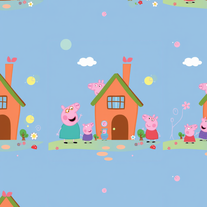 AI-powered Peppa Pig wallpapers for magical kids' roomsOpen
 -
Makes some pretty houses, gives a good idea for when I want to do it one day.. 4/5
-
 Create charming cartoons of animal friends for kids.Open
 -
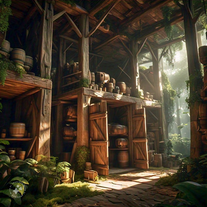 Open
Open -
This is simple if at first you don't get the image correct opptunity to edit until satisfied
-
 Open
Open -
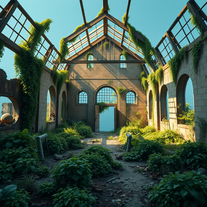 AI art generator for hauntingly beautiful abandoned placesOpen
 -
 Create stunning AI art with fluid, hyper-realistic visuals.Open
 -
i have shared my front elevation image and for that front elevation i want diffrent coloures images
-
 Transform any space with AI-powered interior design sketches.Open
 -
 AI-powered interior design at your fingertips.Open
 -
 Your Personal Expert in Precise Troubleshooting AdviceOpen
 -
 Explore Poe's classic tale with rich insights.Open
 -
Doesn't actually generate animations - uses Dall-e to generate 5 different images, then just sticks them together in a GIF. Seems misleading to me.
-
 Open
Open -
 Open
Open -
 Interactive haunted house psychological horror game.Open
 -
 Open
Open -
 Interactive haunted house psychological horror game in dieselpunk style.Open
 -
 Your expert in house plants, offering simple tips and book suggestions.Open
 -
 Experience interactive horror with our text-based adventure game.Open
 -
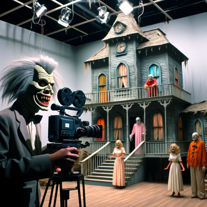 Experience lights, frights, and late night TV with our interactive horror game.Open
 -
 Expert in Labrador training and behavior.Open
 -
 A real estate assistant for scheduling home showings, knowledgeable in market trends.Open
 -
 Experience a haunting adventure, illustrated with nostalgic Polaroid style.Open
 -
 Provides current info on Canadian bills and HoC members.Open
 -
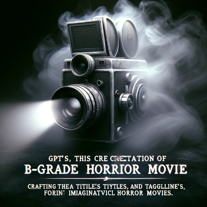 Creating B-grade horror movie titles, taglines, and posters.Open
 -
 Transform your home search into an epic journeyOpen


















































































Lists










Post





