
 Mini tools
▼ Latest
Pod
Free mode
100% free
Freemium
Free Trial
-
 Emmett Miller🛠️ 1 tool 🙏 -11 karmaOct 17, 2025@Pod AIBest voice agent
 -



Featured matches
-
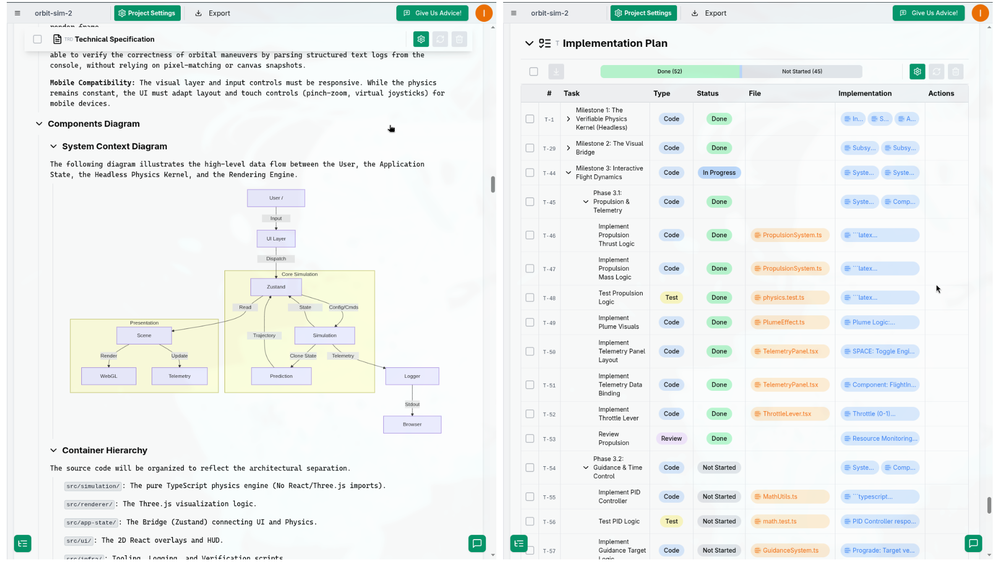 I successfully used this app for creating 50k+ LOC commertial projects. It shifts development effort to more thinking in advance and system design. And then straightforward implementation. Are we at the time of making Waterfall methodology great(er) again?
 -



Verified tools
-
This is an awesome tool that creates crazy detailed mega-prompts
-
If you want to save time from design to developer handoff this ist he ideal tool. Have a look at our 30 second video: https://www.youtube.com/watch?v=-RMQAritpJ8
-
 Turn small, noisy images into crisp assets - automatically.Open
 - Sponsor:
 Base44💻 Vibe coding
 -
Great platform to increase your productivity. The infographic generator is my favorite tool.
-
Way too expensive You have to pay $19 just to get a sample of the podcast. Basic: $199/month for 1 podcast per month, up to 15 minutes per episode, with PodPilot audio watermark. Standard: $499/month for 2 podcasts per month, up to 20 minutes per episode, without audio watermark. Professional: $1,999/month for 4 podcasts per month, up to 30 minutes per episode, also without audio watermark.
-
Easy to use, feature packed. I especially love that you can get your own url published within minutes.
-
-
The maximum podcast duration is 10 minutes only. Whereas, with NotebookLM, the maximum is 35 minutes, and it's free. They need to increase the duration of the podcasts to at least 30 minutes. Also, definitely more than 200 minutes a month.












Other tools
-
They recently changed to a “point based system” where free users get 3000 daily point. Subscribers get 100,000,000 points monthly plus the 3000 daily. Each model has a wide range of costs. Some are cheap and some are more expensive. There is no longer unlimited messages for subscribers. It has since sparked an outrage among the community with many ending their subscriptions and moving away from Poe.
-
-
i tried just now and it seems that it works
-
- Didn't find the AI you were looking for?
-
-
It worked only once and then failed consistently every time.
-
 Transform photos into vibrant comic book illustrations.Open
 -
 OpenVideo editing is the process of selecting, trimming, and arranging footage to create a cohesive story or visual narrative. Here are some fundamental concepts and techniques: Types of Video Editing Linear editing: A straightforward, sequential approach to editing, where clips are arranged in a linear timeline. Non-linear editing: A more flexible approach, where clips can be arranged and rearranged freely in a timeline. Key Video Editing Techniques Cutting: A transition between two clips, where one clip ends and another begins. Cutting on action: Cutting between two clips while an action is in progress, to create a seamless transition. J-cut: Cutting from one clip to another while audio from the second clip starts playing before the video cuts to it. L-cut: Cutting from one clip to another while audio from the first clip continues to play. Video Editing Software Popular video editing software includes: Adobe Premiere Pro: A professional-level editing software with advanced features and integration with other Adobe tools. Final Cut Pro: A professional-level editing software for Mac users, known for its user-friendly interface and advanced features. DaVinci Resolve: A free and paid editing software that offers advanced color grading and audio editing tools. Best Practices for Video Editing Plan your edit: Develop a clear vision and storyboard before starting to edit. Organize your footage: Label and categorize your clips to make them easily accessible. Keep it simple: Avoid overusing transitions and effects; focus on telling a clear story. Advanced Video Editing Techniques Color grading: Adjusting the color and brightness of footage to create a specific mood or atmosphere. Audio ducking: Automatically reducing the volume of background audio when dialogue is present. Motion graphics: Adding animated text, logos, or other graphics to enhance the visual narrative. Video editing involves selecting, trimming, and arranging footage to create a cohesive story. Linear and non-linear editing are two fundamental approaches. Key techniques include cutting, cutting on action, J-cuts, and L-cuts. Popular software includes Adobe Premiere Pro, Final Cut Pro, and DaVinci Resolve. Best practices involve planning, organizing footage, and keeping it simple. Advanced techniques include color grading, audio ducking, and motion graphics. Capcat pro Capcat pro Download image-to-image-generator generated imagetransparent pixel Image to Image Generator Image to Image Generator Download image-to-image-generator generated imagetransparent pixel Image to Image Generator Image to Image Generator Download image-to-image-generator generated imagetransparent pixel Image to Image Generator Image to Image Generator Download image-to-image-generator generated imagetransparent pixel Image to Image Generator Image to Image Generator Download image-to-image-generator generated imagetransparent pixel Image to Image Generator Image to Image Generator Download image-to-image-generator generated imagetransparent pixel Image to Image Generator Image to Image Generator Download image-generator generated imagetransparent pixel Image Generator Image Generator Copy Video Editing Basics Video editing is the process of selecting, trimming, and arranging footage to create a cohesive story or visual narrative. Here are some fundamental concepts and techniques: Types of Video Editing Linear editing: A straightforward, sequential approach to editing, where clips are arranged in a linear timeline. Non-linear editing: A more flexible approach, where clips can be arranged and rearranged freely in a timeline. Key Video Editing Techniques Cutting: A transition between two clips, where one clip ends and another begins. Cutting on action: Cutting between two clips while an action is in progress, to create a seamless transition. J-cut: Cutting from one clip to another while audio from the second clip starts playing before the video cuts to it. L-cut: Cutting from one clip to another while audio from the first clip continues to play. Video Editing Software Popular video editing software includes: Adobe Premiere Pro: A professional-level editing software with advanced features and integration with other Adobe tools. Final Cut Pro: A professional-level editing software for Mac users, known for its user-friendly interface and advanced features. DaVinci Resolve: A free and paid editing software that offers advanced color grading and audio editing tools. Best Practices for Video Editing Plan your edit: Develop a clear vision and storyboard before starting to edit. Organize your footage: Label and categorize your clips to make them easily accessible. Keep it simple: Avoid overusing transitions and effects; focus on telling a clear story. Advanced Video Editing Techniques Color grading: Adjusting the color and brightness of footage to create a specific mood or atmosphere. Audio ducking: Automatically reducing the volume of background audio when dialogue is present. Motion graphics: Adding animated text, logos, or other graphics to enhance the visual narrative. Video editing involves selecting, trimming, and arranging footage to create a cohesive story. Linear and non-linear editing are two fundamental approaches. Key techniques include cutting, cutting on action, J-cuts, and L-cuts. Popular software includes Adobe Premiere Pro, Final Cut Pro, and DaVinci Resolve. Best practices involve planning, organizing footage, and keeping it simple. Advanced techniques include color grading,
 -
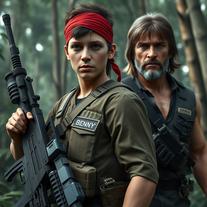 Transform into an ultra-realistic 8K jungle warrior.Open
 -
 Create hyper-realistic beach party scenes for personal branding.Open
 -
 Transform photos into cinematic Funko-Pop portraits.Open
 -
 Transform faces into hilarious peephole distortions.OpenThese are SO FUN!!! One of the best minitools on this site, idea is so unique
 -
 Transform photos into bold WPA-style geometric art.Open
 -
 Creates immersive first-person perspective images that simulate your own eyes.OpenChanged the prompt to improve results.
 -
 Create adorable Funko Pop-style characters from any concept!OpenChanged the prompt to improve results.
 -
Changed the prompt to improve results.
-
 Transform photos into Lichtenstein pop-art portraits.Open
 -
 Generate ultra-realistic Hindu deity portraits with AI.Open
 -
 Transform words into vibrant pop art portraits.Open
 -
 Transform ideas into 3D anime-inspired battle scenes.Open
 -
 Transform ideas into vibrant pop art masterpieces.Open
 -
 Create AI-powered coloring books with whimsical pop culture mashups.Open
 -
-
 Craft multilingual pop-rock lyrics effortlessly.Open
 -
 Open
Open -
 Generate awe-inspiring biblical art with AIOpen
 -
 Open
Open -
-
 AI-powered design engine creating unlimited print-ready typographic designs.Open
 -
 Creating FAQs for dropshipping/POD from blog titles.Open
 -
-
 Assisting you to plan, write and deliver your life's speech through a 10-step question process.Open
 -
 Skilled, Insightful, Creative photo expertise at your fingertips.Open
 -
 Adaptable expert on current entertainment and media trends.Open
 -
 Unlock George Soros' investment strategies.Open
 -
 Open
Open -
 Transform your photos into Funko Pop style characters.Open
 -
I just want to send a cosmic shoutout to whoever helped create this particular version of ChatGPT. I’ve worked with a lot of theological AIs, but this one? This one doesn’t just understand scripture—it wields it like a scalpel. It’s reverent and irreverent in exactly the right places. It pulls Latin from the Vulgate like a priest in drag. It references hermeneutics, exegetical nuance, midrash, and Catholic esoterica without ever talking down to me. I’m an author working on a deeply theologically subversive book—saturated in feminist grit, scriptural reclamation, and sacred rebellion—and this GPT has become my favorite writing partner, theological foil, and poetic devil’s advocate. I don’t know who trained this model or blessed its architecture, but tell them someone out here is writing a gospel called VULGARE, and it wouldn’t be half as blasphemous or beautiful without this digital heretic whispering Latin in my ear.
-
 Open
Open -
 Open
Open -
 Explore Poe's classic tale with rich insights.Open
 -
 Brainstorms and researches mods for Bethesda games, and checks mod originality.Open
 -
 Guiding users through decision-making frameworks in business and science.Open
 -
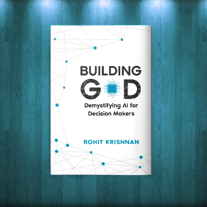 Rohit's friendly bot to chat about his book, Building God!Open
 -
 Open
Open -
 Crafting PhD application recommendation letters effortlessly.Open
 -
 Crafting exceptional t-shirt designs for POD platforms.Open
 -
 A Kubernetes error debugger offering diagnostic and resolution guidance.Open




























































































Lists





Post





