
 Mini tools
▼ Latest
Pop
Free mode
100% free
Freemium
Free Trial


Featured matches
-
 Chan Denny🛠️ 1 tool 🙏 1 karmaFeb 26, 2026@WallnoraIt is easy to use and the functional details are well done.
 -
-
 Open
Open



Verified tools
-
-
Lmao this is gold. Kirkify my friend's face in seconds. 😂
-
 AI-driven personalization engine boosting engagement and conversions.Open
 -
 Open
Open - Sponsor
 Rocket - Start building, Now!💻 Vibe coding
 -
AISinging.net embodies AI's artistic frontier, where lyrics spark vocals. In a world of image and text gens, this nails singing, fusing tech with soul. Community potential: Share your vocals, collaborate on remixes, and build a forum. My first prompt? "Empowering anthem about dreams in upbeat pop with strong male vocals" – it delivered inspiration!
-
A very good music generator, with nice voices and able to handle complex sound prompts and lyrics.
-
vraiment nul ..je j'ai rien pu faire avec le plan gratuit même pas un echnatillon et il m'envoie sur le plan payant????!!!!...
-
the revolutionary free AI song generator that's simplifying music creation for everyone! As a longtime music enthusiast who's struggled with traditional tools, this platform is a breath of fresh air. Built on advanced algorithms that mimic composition patterns, GSong.ai lets you generate unique songs instantly from a brief description in default mode or fine-tune with custom lyrics, titles, and styles in custom mode.
-
I would have given five stars but it cut off before the song ended. The vocals were very good.
-
 Become the main character in your own algorithm.Open













Other tools
-
They recently changed to a “point based system” where free users get 3000 daily point. Subscribers get 100,000,000 points monthly plus the 3000 daily. Each model has a wide range of costs. Some are cheap and some are more expensive. There is no longer unlimited messages for subscribers. It has since sparked an outrage among the community with many ending their subscriptions and moving away from Poe.
-
-
-
Seems to be working fine on my end. Maybe try again using a different browser or clear your cache, could've just been a temporary glitch.
- Didn't find the AI you were looking for?
-
Changed the prompt to improve results.
-
-
 Transform photos into vibrant comic book illustrations.Open
 -
 OpenVideo editing is the process of selecting, trimming, and arranging footage to create a cohesive story or visual narrative. Here are some fundamental concepts and techniques: Types of Video Editing Linear editing: A straightforward, sequential approach to editing, where clips are arranged in a linear timeline. Non-linear editing: A more flexible approach, where clips can be arranged and rearranged freely in a timeline. Key Video Editing Techniques Cutting: A transition between two clips, where one clip ends and another begins. Cutting on action: Cutting between two clips while an action is in progress, to create a seamless transition. J-cut: Cutting from one clip to another while audio from the second clip starts playing before the video cuts to it. L-cut: Cutting from one clip to another while audio from the first clip continues to play. Video Editing Software Popular video editing software includes: Adobe Premiere Pro: A professional-level editing software with advanced features and integration with other Adobe tools. Final Cut Pro: A professional-level editing software for Mac users, known for its user-friendly interface and advanced features. DaVinci Resolve: A free and paid editing software that offers advanced color grading and audio editing tools. Best Practices for Video Editing Plan your edit: Develop a clear vision and storyboard before starting to edit. Organize your footage: Label and categorize your clips to make them easily accessible. Keep it simple: Avoid overusing transitions and effects; focus on telling a clear story. Advanced Video Editing Techniques Color grading: Adjusting the color and brightness of footage to create a specific mood or atmosphere. Audio ducking: Automatically reducing the volume of background audio when dialogue is present. Motion graphics: Adding animated text, logos, or other graphics to enhance the visual narrative. Video editing involves selecting, trimming, and arranging footage to create a cohesive story. Linear and non-linear editing are two fundamental approaches. Key techniques include cutting, cutting on action, J-cuts, and L-cuts. Popular software includes Adobe Premiere Pro, Final Cut Pro, and DaVinci Resolve. Best practices involve planning, organizing footage, and keeping it simple. Advanced techniques include color grading, audio ducking, and motion graphics. Capcat pro Capcat pro Download image-to-image-generator generated imagetransparent pixel Image to Image Generator Image to Image Generator Download image-to-image-generator generated imagetransparent pixel Image to Image Generator Image to Image Generator Download image-to-image-generator generated imagetransparent pixel Image to Image Generator Image to Image Generator Download image-to-image-generator generated imagetransparent pixel Image to Image Generator Image to Image Generator Download image-to-image-generator generated imagetransparent pixel Image to Image Generator Image to Image Generator Download image-to-image-generator generated imagetransparent pixel Image to Image Generator Image to Image Generator Download image-generator generated imagetransparent pixel Image Generator Image Generator Copy Video Editing Basics Video editing is the process of selecting, trimming, and arranging footage to create a cohesive story or visual narrative. Here are some fundamental concepts and techniques: Types of Video Editing Linear editing: A straightforward, sequential approach to editing, where clips are arranged in a linear timeline. Non-linear editing: A more flexible approach, where clips can be arranged and rearranged freely in a timeline. Key Video Editing Techniques Cutting: A transition between two clips, where one clip ends and another begins. Cutting on action: Cutting between two clips while an action is in progress, to create a seamless transition. J-cut: Cutting from one clip to another while audio from the second clip starts playing before the video cuts to it. L-cut: Cutting from one clip to another while audio from the first clip continues to play. Video Editing Software Popular video editing software includes: Adobe Premiere Pro: A professional-level editing software with advanced features and integration with other Adobe tools. Final Cut Pro: A professional-level editing software for Mac users, known for its user-friendly interface and advanced features. DaVinci Resolve: A free and paid editing software that offers advanced color grading and audio editing tools. Best Practices for Video Editing Plan your edit: Develop a clear vision and storyboard before starting to edit. Organize your footage: Label and categorize your clips to make them easily accessible. Keep it simple: Avoid overusing transitions and effects; focus on telling a clear story. Advanced Video Editing Techniques Color grading: Adjusting the color and brightness of footage to create a specific mood or atmosphere. Audio ducking: Automatically reducing the volume of background audio when dialogue is present. Motion graphics: Adding animated text, logos, or other graphics to enhance the visual narrative. Video editing involves selecting, trimming, and arranging footage to create a cohesive story. Linear and non-linear editing are two fundamental approaches. Key techniques include cutting, cutting on action, J-cuts, and L-cuts. Popular software includes Adobe Premiere Pro, Final Cut Pro, and DaVinci Resolve. Best practices involve planning, organizing footage, and keeping it simple. Advanced techniques include color grading,
 -
 Transform photos into cinematic Funko-Pop portraits.Open
 -
 Transform photos into bold WPA-style geometric art.Open
 -
 Create adorable Funko Pop-style characters from any concept!OpenChanged the prompt to improve results.
 -
 Transform photos into Lichtenstein pop-art portraits.Open
 -
 Transform words into vibrant pop art portraits.Open
 -
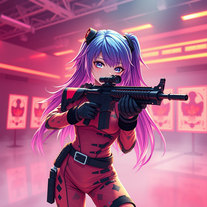 Transform ideas into 3D anime-inspired battle scenes.Open
 -
 Transform ideas into vibrant pop art masterpieces.Open
 -
 Create AI-powered coloring books with whimsical pop culture mashups.Open
 -
 Craft multilingual pop-rock lyrics effortlessly.Open
 -
-
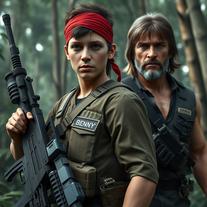 Transform into an ultra-realistic 8K jungle warrior.Open
 -
 Create hyper-realistic beach party scenes for personal branding.Open
 -
 Open
Open -
 Transform faces into hilarious peephole distortions.OpenThese are SO FUN!!! One of the best minitools on this site, idea is so unique
 -
 Open
Open -
 Creates immersive first-person perspective images that simulate your own eyes.OpenChanged the prompt to improve results.
 -
To be honest it's insane how accurate the logos are, it really listens to your prompt. Good first sketch.
-
Well... it does make pizza pies, but it hardly listens to the instructions you give it, and as a result, you get very samey pies.
-
 Open
Open -
 Open
Open -
 Open
Open -
 Transform photos into Back to the Future scenes.Open
 -
 Open
Open -
 Transform selfies into horror movie group photos.Open
 -
 Generate nostalgic 90s-style analog photos of yourself.Open
 -
 Transform any idea into authentic Simpsons-style artwork.OpenChanged the prompt to improve results.
 -
 Generate epic 3D fisheye selfies with original TMNT.Open
 -
 Generate authentic 80s New Wave song lyrics instantly.Open
 -
the designs made by this tool are so nice, it also follows the exact description and includes all the details :)
-
 Transform photos into electrifying Ozzy Osbourne rock art.Open
 -
Rhyme style very basic, no double entendre, no intricate rhyme style even if you ask to, seems it lacks a bit of inspiration, but it was fast i must say that.
-
 Turn ideas into 1920s-30s cartoons instantly.OpenReally poor prompt adherance. Needs work.
 -
 Open
Open -
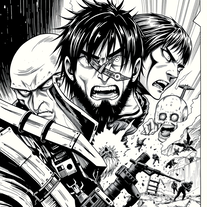 Craft manga visuals in Hajime Isayama's iconic style.Open
 -
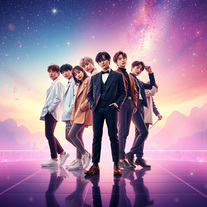 Create BTS wallpapers with dynamic poses and captivating backgrounds.Open
 -
 Open
Open -
 Open
Open -
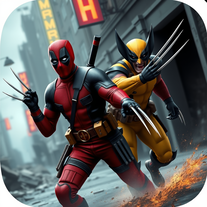 Unleash Marvel mayhem with AI-generated wallpapers.Open
 -
 Create eerie Stranger Things wallpapers with AIOpen
 -
Such a legendary epic badass tool and I sincerely appreciate it being free and thx very much to the adept developer. Exquisite tool. Peace. ✌️
-
 Adaptable expert on current entertainment and media trends.Open
 -
 Transform your photos into Funko Pop style characters.Open
 -
 Open
Open -
 Open
Open -
 Open
Open -
 Grades op-eds with reasoning, engagement, and open-mindedness.Open
 -
 Creating FAQs for dropshipping/POD from blog titles.Open
 -
 Discover top online deals and exclusive discount coupons.Open
 -
 Providing top CPA business tax services in Jacksonville.Open
 -
 Find top-rated bookkeeping services effortlessly.Open
 -
 Open
Open -
 Find top-rated virtual creator specialized CPA that suits your business.Open
 -
 Open
Open -
 Best Palm Beach CPA accounting services at your fingertips.Open
 -
 Providing top Tampa CPA Accounting services for financial insights.Open
 -
 Providing top-tier CPA business tax services in Boca Raton.Open
 -
 Impartial explanations of CDS-PP proposals.Open
 -
 Open
Open -
 Open
Open -
 Sourcing and summarizing 20+ Australian news headlines.Open
 -
 Explore Poe's classic tale with rich insights.Open
 -
 Convert salaries across countries, PPP adjusted.Open
 -
 Expert in top 10 actions for success in any topic.Open
 -
 Expert in League of Legends' Riven gameplay, specializing in top lane strategies.Open
 -
 Open
Open -
 Creates standalone reusable PHP scripts, tools and batch processes.Open
 -
 Open
Open -
 Concocting alternate endings for popular films and series.Open
 -
 Your guide to movies, music, gaming, and pop culture.Open
 -
 Crafts motivational speeches as popular characters.Open
 -
 Creating lyrics in Miree style focusing on anime and pop culture.Open






































































































Lists













Post





