 Tendem
 Mini tools
▼ Popular
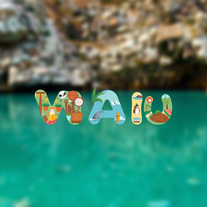
Typography generator
Free mode
100% free
Freemium
Free Trial
Featured matches
-
 Jessin Sam s🛠️ 1 tool 🙏 10 karmaOct 24, 2025@1UIThank you everyone for trying 1UI! If you haven't yet, give it a spin and use code ‘TAAFT’ to get $5 credits to try 1UI.
 -
-



Other tools
-
thank you very much for this. i'll add some points: 1. its too fast, i cant make out where and when the pen leaves the paper and when it continues 2. there should be a pause and rewind mechanism, like a video player 3. a pen to paper angle indicator would be nice
-
-
Best font app I ever tried. Because it is really simple and effective.
-
- Spotlight: Tendem (Task automation)
-
-
-
-
- Didn't find the AI you were looking for?
-
Every step requires credits, extremely poor quality. Not able to customize freely. Not worth the 10 Euros I paid for 100 credits. That's the only way to try the LogoMaker. I do not recommend
-
Thank you, if we can help with anything reach out any time!
-
Nice art! This tool seems promising, keep up the good work
-
-
its a language simulator but it comes up in text editor results. it only reveals its not an editor after we create an account. the creator has no integrity
-
-
 Open
Open -
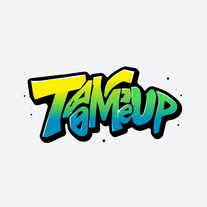
Free, Simple To use, If you need to Refont your Text Like Name , Quote or something, feel free to use this. the only problem is lack of option. hope dev gonna update it soon. but for a free AI 5/5 no complaint
-
-
1) I like that it can produce many diff image sizes and multiple images. 2) Does a nice job of embellishing the prompt. 3) Nice that it can take in a specific Seed. 4) BUT I found it hard to replicate a specific character. Tried loading a pic or providing a link to it. Neither seemed to work.
-
 AI-powered thumbnail generator for eye-catching designs.Open
 -
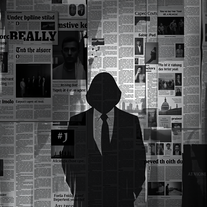 Transform ideas into noir-style digital art.OpenMany thanks for using my tool! Remember to keep your prompts simple—the tool is made to generate what you want automatically. Follow me and leave comments about your needs so I can keep creating new features. Don’t forget to check out my other tools as well.
 -
Neat concept. But I'm not really working yet. Especiallafter the 2.0 release But most of all, there was no response from developers.
-
The tool isn't bad for design, especially for the creative part, but very poor with language (French) even when you provide it with all the text
-
This keyboard app stands out as one of the top choices thanks to its built-in AI assistants. It's not only user-friendly but also exceptionally helpful and distinctive. Whether you're correcting grammar or using writing assistants, I can also create any assistants for fast typing. I created one for my customer support service. This app simplifies the process of accessing LLM directly, eliminating the need to open a browser.
-
handy for quick quote cards. text to image is fast, presets and fonts are decent, exports look clean. free tier’s tight and some templates feel samey, but it does the job, so it's aight xD
-
 Open
Open -
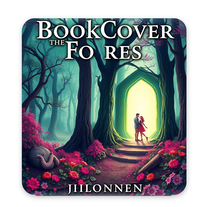
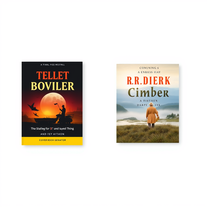
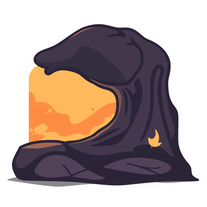 AI book cover designer that creates visually striking, genre-appropriate covers from your title.OpenThe creativity in this one is great. It still messes up the words a little bit, but I noticed it seems to be a common thing with tools like this. Overall, it’s a fantastic option for cover design
 -
 AI-powered tool turns names into lifelike signatures.Open
 -
 Open
Open -
 Unleash dark, atmospheric t-shirt designs with AI.Open
 -
-
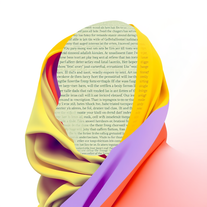
 Transform words into vibrant pop art portraits.Open
 -
Artist Tips for Better Results with Somnira Canvas: To help Somnira Canvas render the most compelling and emotionally resonant figures—whether human or animal—users are encouraged to guide the tool with poetic, suggestive phrasing rather than highly technical descriptions. This helps maintain harmony with the platform’s expressive strengths. For human figures, try emotion-based posture phrases like “curled in sorrow,” “reaching toward a fading light,” or “kneeling in wind.” Favor mood-based modifiers over anatomical specifics, such as “a silhouette bathed in dusk” or “a quiet figure in motion blur.” For animals, use mythic or metaphorical phrasing like “a fox made of stars,” “a deer outlined in frost,” or “a lion woven from dusk and gold.” Avoid strict biological realism unless intentionally stylized (e.g., “cubist owl,” “ink-drawn heron”). Best practices include specifying camera perspective or body angle with terms like “3/4 view,” “top-down shot,” or “over-the-shoulder,” and adding atmospheric cues such as “drifting in chalk mist,” “outlined by candlelight,” or “carved in shadow.” You can also add emotion-based tags directly into the prompt—words like “longing,” “grief,” “stillness,” or “wonder” will guide the aesthetic and expressive qualities of the final artwork.
-
It’s minimalistic and easy to prompt and generate a image any style you needed
-
 Create social media-ready visuals with perfect text rendering.Open
 -
 Open
Open -
 Transform text into mesmerizing art.OpenI am obsessed! Overall the images are amazing. Sometimes one will come out with a third arm or something. But not like some others I've tried. I love it!
 -
-
 Open
Open -
 Transform simple text into stunning square album covers instantly.Open
 -
 Transform text prompts into stunning, high-resolution images with precision.Open
 -
Changed the prompt to improve results.
-
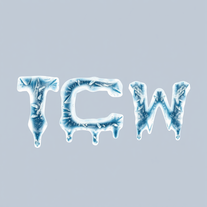 Transform ordinary text into stunning icy letters.Open
 -
 Creates stunning, professional movie posters for fictional films.Open
 -
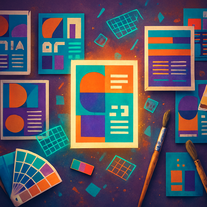 Transform text prompts into polished, design-ready visuals.Open
 -
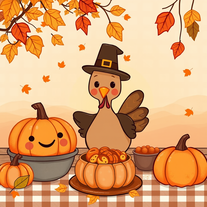 AI-generated Thanksgiving wallpapers for festive screens.Open
 -
 Open
Open -
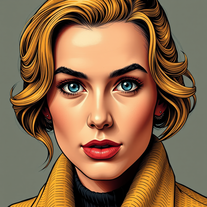 Transform photos into vintage comic book covers.Open
 -
 AI-powered design engine creating unlimited print-ready typographic designs.Open
 -
 Transform text into mesmerizing dripping, melting letterforms.Open
 -
-
 Unlock unique logo designs with Mojju, your creative assistant.Open
 -
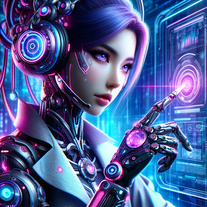 Critiques website designs and creates shareable summary graphics.Open
 -
 Elevate Your Design: Get expert insights to transform your work into a masterpiece.Open
 -
 Generates UI elements and icons visually with multiple styles.Open
 -
 Open
Open




























































Post





