Go to section
Spotlight SureThing.io - "OpenClaw" for BeginnersTask automation
The front page of AI.Used by 90M+ humans.

Generate image
Tasks
Generate text
Free mode
Trending
Leaderboard
Characters
 Mini tools
New
Featured
Lists
Agents
Requests
Jobs
Map
Newsletter
Starter pack
Free tools
Speech to text
Text translator
Remove background
Settings
Edit profile
My tools
Gallery
Dashboard
Inbox
Get featured
Contact TAAFT
For you
Popular
Job impact index
Most saved
Affiliate program
Submit AI tool
Notification preferences
Glossary
Home
Timeline
My profile
Create tool
Deals
Companies
Models
Robots
Papers
Fundraises
Repositories
Devices
Organizations
Events
Prompt Pack
Merchendise
APIs
Features
Tools
Countries
Collections
Videos
Mini tools
New
Featured
Lists
Agents
Requests
Jobs
Map
Newsletter
Starter pack
Free tools
Speech to text
Text translator
Remove background
Settings
Edit profile
My tools
Gallery
Dashboard
Inbox
Get featured
Contact TAAFT
For you
Popular
Job impact index
Most saved
Affiliate program
Submit AI tool
Notification preferences
Glossary
Home
Timeline
My profile
Create tool
Deals
Companies
Models
Robots
Papers
Fundraises
Repositories
Devices
Organizations
Events
Prompt Pack
Merchendise
APIs
Features
Tools
Countries
Collections
Videos
Mini tools
New
Featured
Lists
Agents
Requests
Jobs
Map
Newsletter
Starter pack
Free tools
Speech to text
Text translator
Remove background
Settings
Edit profile
My tools
Gallery
Dashboard
Inbox
Get featured
Contact TAAFT
For you
Popular
Job impact index
Most saved
Affiliate program
Submit AI tool
Notification preferences
Glossary
Home
Timeline
My profile
Create tool
Deals
Companies
Models
Robots
Papers
Fundraises
Repositories
Devices
Organizations
Events
Prompt Pack
Merchendise
APIs
Features
Tools
Countries
Collections
Videos

▼ Latest
Sign-creation
Free mode
100% free
Freemium
Free Trial
Featured matches
-
-
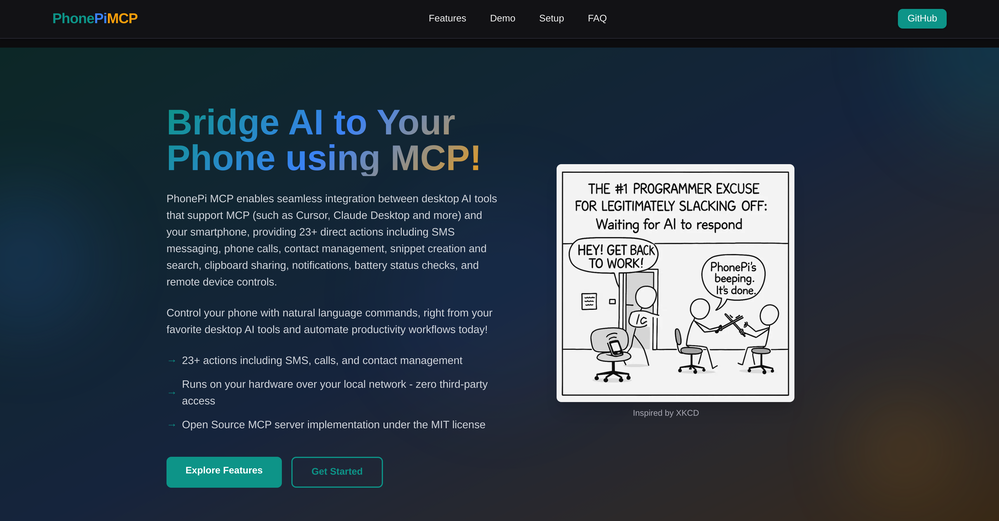 Nitish Kumar🙏 5 karmaJul 24, 2025@PhonePi MCPits paid model not an free model
 -
-
 Open
Open
-

-
 Remove GIF backgrounds while keeping animation smooth.Open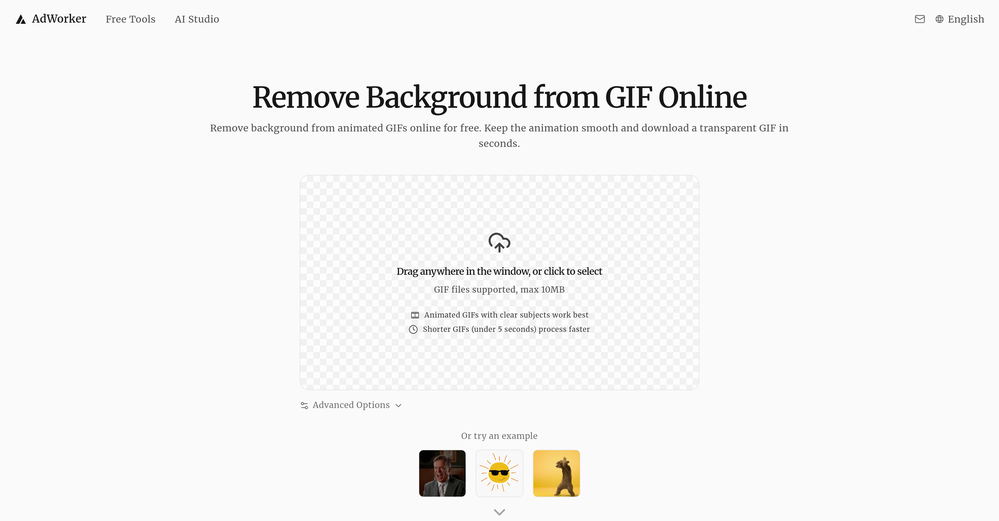
-
-
-
 Save hours by auto-replying to YouTube comments with context-aware AI.Open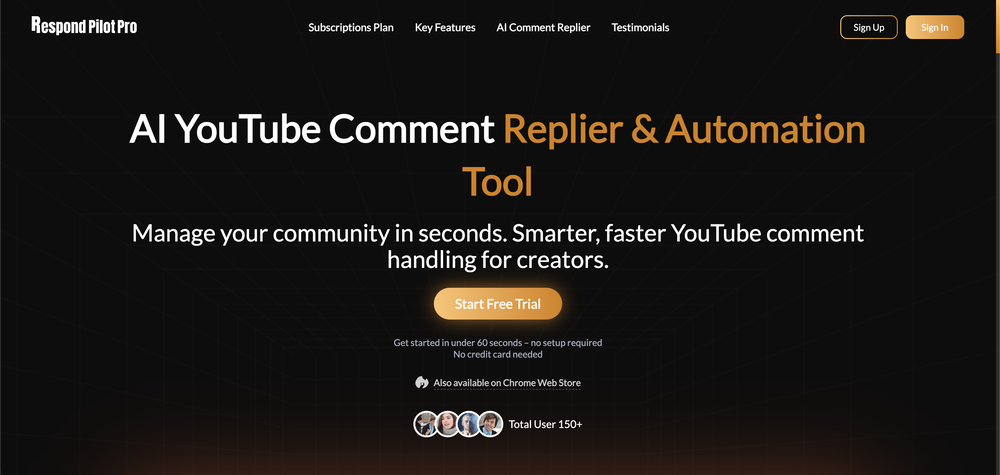
-






Verified tools
- SpotlightSureThing.io - "OpenClaw" for BeginnersTask automation
-
 Turn a product photo into lifestyle visuals + a complete editorial calendarOpen
 -
-
-
Works wonders for anime, has me taking it in consideration for a tool rotation.
-
SheetAI was very handy in sorting, fixing and all sorts of tools. This tool is also well documented, so if you need help figuring something out, chances are they will have the info you need.
-
It's kind of lame to promise the moon and deliver essentially nothing.
-
 Turn text and images into production-ready 3D models with AI in seconds.OpenThis tool is definitely good for basic stuff, no doubt. Just keep the prompts super duper simple and it gets the job done. But once I put in something a bit more complex at it… it kinda screwed up the thing. Still, I see potential here
 -
I handle a large number of tasks simultaneously through VoooAI to complete my creative work, thereby accomplishing the workload equivalent to one month in one day
-
Hello Everyone, My name is Mohamed, the Co-Founder of linesNcircles.com. At linesNcircles our mission is to revolutionize AI & Humen Interaction. Our first product TheBar is an AI agent which can build websites for you, edit them, saves files locally, browses the internet and provide you with answers to your questions all in very simple interface. TheBar runs on your computer without signup. Your website files are saved locally with the option to publish them under our website with one click. All your files are under your creations folders. We built TheBar to be simple to use, super fast in building things for you and we are working tirelessly, to bring in more features for you like writing pdf documents and making presentations which are coming soon. Check TheBar out it is available for free now on our website https://www.linesncircles.com. We would love to hear your feedback and comments
-
very slow , no help and you did not have any feedbck on what happened also It deducts points even without providing any videos or photos.
-
Hi everyone. 👋 I created Ozigi because I was tired of seeing AI slop in content all over the internet, from social media posts to long-form content. Ozigi operates on two principles: 1. We eliminate AI slop words from your content, using a banned lexicon feature that filters common/known AI words or structures from getting into your content. 2. We encourage a human-in-the-loop philosophy. We do not believe in mindless automation that values quantity over quality. We value quality, and that is why it is important to us to make sure that you--a human--reviews the generated content first before setting it up for publishing. Ozigi does more than just social media content. It generates email newsletters and blogppsts as well.
-
 Turn any image into AI video. No watermark, 10+ models, free.OpenVdoo is excellent; it can freely generate all sorts of videos and images I want. I highly recommend giving it a try.
 -
 Get 99.9% accurate TikTok transcripts in seconds.OpenOne tool that really impressed me—I honestly can’t believe something this good is free. Even if it becomes paid later, I’d still keep using it. The results are just that good.
 -
Great free tool. Simple and easy to use. Best of all don't need any subscriptions.
-
-
The infographic maker lets you use it once for free without signing in. This infographic maker is simple and easy to use, even more so than Canva or Venngage. However, the available styles and templates are still limited. I hope they add more design options and customization in future updates. Overall, a good choice for quickly creating infographics.
-
 Open
Open -
Great tool for experimenting with paint effects. It's like an AI-powered version of microsoft paint. Also made a video on it https://youtu.be/ZWOP1M7pgSE
-
KikiVoice does a great job with voice cloning — the results sound very natural and close to the original, and there’s no sign-up required.
-
It's super easy to use, and the humanizer works. I tried a sample text, and it could pass ZEROGPT and GPTZERO (as a human). Recommended.
-
Great platform to increase your productivity. The infographic generator is my favorite tool.
-
 Convert YouTube videos to text with 99% accuracy.OpenI’ve used Riverside before and it’s a really solid tool for recording and producing high-quality audio and video. If you’re looking for a YouTube transcript generator, I’ve also been using Saveto AI. It’s been pretty handy for turning videos into clean text and quick notes.
 -
Excellent site. Super clean interface. Developer was very fast to get back to me on my question. Would highly recommend buying from these guys.
-
Hi Taaft community! I’m the creator of ConceptViz. We built this tool specifically for educators and researchers who deal with complex information daily. ConceptViz uses AI to instantly transform dense lesson plans, curriculum notes, or research frameworks into clear, structured diagrams. Our goal is to help K12 teachers make abstract concepts tangible for students and to help researchers map out logical workflows without the manual drudgery of drawing. I’d love to hear how this fits into your academic or classroom workflow—your feedback will help us build a better tool for the education community! 🚀
-
Very useful tool, especially that it's free and easy to use.
-
 AI browser assistant for intelligent automation.Open
 -
 vocal remover, remove vocal, vocal remover online free, vocal remover AIOpen
 -
This tool not only transcribes videos and audio, but also automatically generates summaries, which greatly helps me organize my study notes.
-
Hey TAAFT, real talk. AI gives you ideas. But, it doesn't give you a voice. Enter Humanize.sh. We make AI text sound like a real person, not a bot. Fast, private, and low effort. How: Paste. Humanize. Copy. Done. Works with ChatGPT, Gemini, Claude, and all the usual suspects. Made for students who want clear essays, honest emails to profs, and captions that don’t scream “generated”. Teachers, creators, everyone welcome. Privacy: we never store your text. Want a demo? Drop one sentence and we'll humanize it live :)
-
poor tool doesn't take your prompts correctly i asked for specific colors and still gave me colors i didn't want even when asked not to.. waste of time
-
-
The tool is working for me. Try giving it another chance.
-
At last, we have a voice AI hub that works like OpenRouter.
-
-
 Create Celebrity voices and voiceovers in 120 languages with 800+ AI voices.OpenThis is a cool little generator for a quick clip! Could see some potential quick use cases if you needed to generate something with an accent on the fly. Not a bad little tool!
 -
OMG this is the best AI music generation tool I have ever seen
-
Just another Chrome browser. Installed it. Don't see any AI anywhere. Don't waste your time. Sticking with Arc browser.
-
AI Notebook does what it promises, it's a decent on the go note-taking app. I like the automated tweak of these newer note-taking apps. I can just throw in pdfs, voice memos or youtube videos, and it'll generate all type oof different format like summaries, mind maps or flashcards. Extremely useful for students and professionals as it digest lengthy materials into small chunks of text. Recommended for anyone looking for a no-frills note taker tool
-
After trying this feature for a few days, I found that it writes more human-like articles than ordinary AI-generated ones, with higher depth and less wordiness than traditional AI articles.
-
Transcriptmate is an outstanding transcription service, especially for those who value simplicity and convenience. What sets it apart from other platforms is that you don’t need to register or create an account to use it. This makes the whole process super fast and easy – perfect for people who just want to upload their audio or video and get a transcript without any hassle. Another great feature is its pay-as-you-go model. There are no hidden fees or monthly subscriptions. You simply pay for the transcription you need, whenever you need it. This flexibility ensures that you only pay for what you use, making it a highly efficient and cost-effective option. Overall, Transcriptmate offers a seamless and user-friendly experience for anyone needing quick, accurate transcriptions without the burden of signing up for yet another service. Highly recommended!
-
Excellent to restore old interlaced video, and to add FPS in order to make the motion smooth. The best part is that is accessible in browser, from any device, no equipment request.
-
Their latest studio release it’s pretty insane! It can generate speech bubbles and custom characters. I haven’t seen any other tool doing so!
-
 Create, Edit, and Apply Professional Signatures with AI in SecondsOpenThis product comes with great preset styles, which helps me avoid designing without direction. However, at the same time, the presets also limit creativity to some extent.
 -
 AI fills out your PDF forms — then notarizes them by videoOpen
 -
Was really impressed with the quality of logo gen! I created a logo for my business in 5 minutes and was able to convert it to a vector
-
Every step requires credits, extremely poor quality. Not able to customize freely. Not worth the 10 Euros I paid for 100 credits. That's the only way to try the LogoMaker. I do not recommend
-
Great tool for getting some logo ideas, works fine 👍



















































































Other tools
-
I have been using z.ai for two weeks for web development and it's mind blowing for me. What amaze me more is its capacity to understand my existing code with very little context and suggest -or just write- lot of improvement. I did some test to compare it with ChatGPT, Claude, etc. but the results were no even close. And I keep pushing the limits but it doesn't even blink.
-
-
-
 Get AI-powered facial attractiveness ratings with detailed analysis.Open
 -
Not free as they indicated. Gives only 1 free trial, and then u gotta purchase credits to continue using it. The generation is nice thought.
-
Hey there! Quick question — did you already purchase the subscription and it’s not working, or were you just assuming that because there’s no free trial? Just want to make sure I understand where you’re coming from.
- Didn't find the AI you were looking for?
-
I really like SignatureGen.ai — it makes creating a clean, professional-looking signature super easy, and the download options are genuinely useful for documents, email signatures, and branding.
-
Quick and easy to use, but it doesn't offer many creative signature styles.
-
thank you very much for this. i'll add some points: 1. its too fast, i cant make out where and when the pen leaves the paper and when it continues 2. there should be a pause and rewind mechanism, like a video player 3. a pen to paper angle indicator would be nice
-
As a longtime namecheap customer, I got to say, this tool is... just ok. One I can use in a pinch for a slide deck / pitch / MVP, but nothing worth sharing. I doubt anyone will be vowed with the logos made here.
-
Free, Simple To use, If you need to Refont your Text Like Name , Quote or something, feel free to use this. the only problem is lack of option. hope dev gonna update it soon. but for a free AI 5/5 no complaint
-
Tried this logo tool and it was actually great. It did a really good job incorporating some of the elements I mentioned in the prompt into the design. Definitely helpful for getting ideas.
-
 Crafting perfect, SEO-optimized blog posts for magical bloggingOpen
 -
 Master DALL-E 3 image creation with our AI trainer.Open
 -
 Expert assistant in Godot 4.2, uses official documentation for precise answers.Open
 -
 Open
Open -