TAAFT Tutorial
Generate image
Tasks
Generate text
Free mode
Trending
Leaderboard
Characters
 Mini tools
New
Featured
Lists
Agents
Requests
Jobs
Map
Newsletter
Starter pack
Free tools
Speech to text
Text translator
Remove background
Settings
Edit profile
My tools
Gallery
Dashboard
Inbox
Get featured
Contact TAAFT
For you
Popular
Job impact index
Most saved
Affiliate program
Submit AI tool
Notification preferences
Glossary
Home
Timeline
My profile
Create tool
Deals
Companies
Models
Robots
Papers
Fundraises
Repositories
Devices
Organizations
Events
Prompt Pack
Merchendise
APIs
Features
Tools
Countries
Collections
Videos
Mini tools
New
Featured
Lists
Agents
Requests
Jobs
Map
Newsletter
Starter pack
Free tools
Speech to text
Text translator
Remove background
Settings
Edit profile
My tools
Gallery
Dashboard
Inbox
Get featured
Contact TAAFT
For you
Popular
Job impact index
Most saved
Affiliate program
Submit AI tool
Notification preferences
Glossary
Home
Timeline
My profile
Create tool
Deals
Companies
Models
Robots
Papers
Fundraises
Repositories
Devices
Organizations
Events
Prompt Pack
Merchendise
APIs
Features
Tools
Countries
Collections
Videos
Mini tools
New
Featured
Lists
Agents
Requests
Jobs
Map
Newsletter
Starter pack
Free tools
Speech to text
Text translator
Remove background
Settings
Edit profile
My tools
Gallery
Dashboard
Inbox
Get featured
Contact TAAFT
For you
Popular
Job impact index
Most saved
Affiliate program
Submit AI tool
Notification preferences
Glossary
Home
Timeline
My profile
Create tool
Deals
Companies
Models
Robots
Papers
Fundraises
Repositories
Devices
Organizations
Events
Prompt Pack
Merchendise
APIs
Features
Tools
Countries
Collections
Videos

▼ Latest
Into
Free mode
100% free
Freemium
Free Trial
Featured matches
-
 Open
Open
-
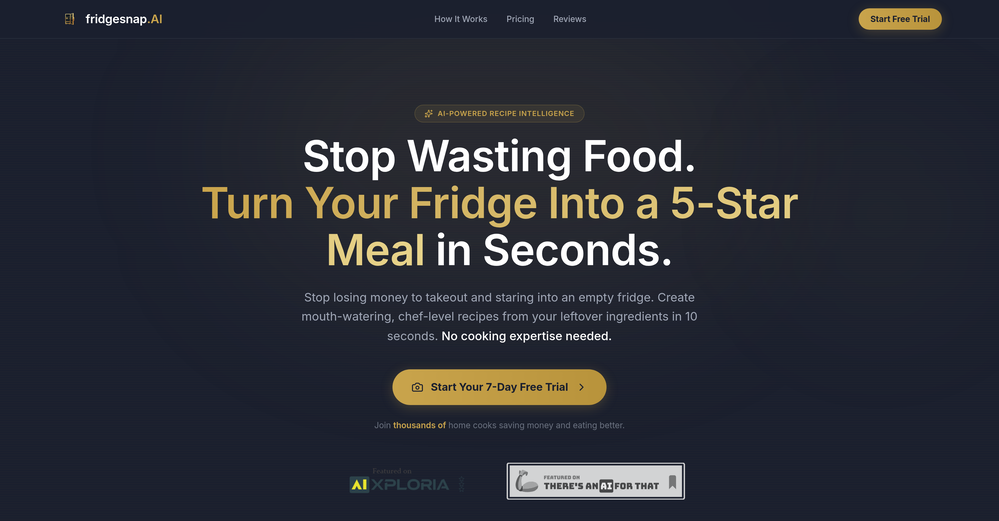
 Aleric Heck🛠️ 4 tools 🙏 244 karmaApr 22, 2026@fridgesnap.AIThis tool is very helpful at quickly creating new recipes based on the food that's already in your fridge! I was surprised at some of the recommendations it came up with for me that were a lot better than I'd think of on my own. I also love that you can get your first snap completely for free as well. Highly recommend!
 -
-
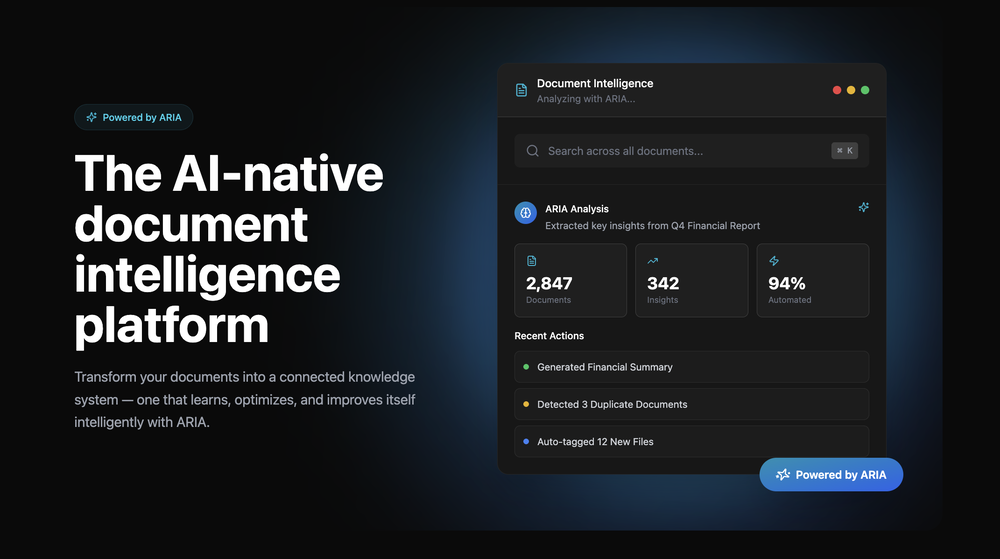 Great platform! Very impressed by the ability to combine documents to generate full research reports or extract data in large PDF files.
 -
 Why I Built Site2CRM I was cold calling 30+ leads a day and manually typing every contact into my CRM. Name, phone, email, company, notes. About seven minutes per lead. That is 3.5 hours a day lost to data entry instead of selling. Everything I found was either bloated enterprise software or basic form tools that did not truly sync with the CRM. So I built Site2CRM. Add a form or AI chat widget to your website and every lead syncs directly to your CRM in real time. No copy pasting. No middleware chains. It just works. The AI chat answers visitor questions 24 hours a day and captures contact details mid conversation, pushing them straight into HubSpot, Salesforce, Pipedrive, Nutshell, or Zoho. If you are wasting hours on manual CRM entry, this is the tool I wish I had. https://site2crm.io
 -
-
-
-
-
 Disclaimer: I'm the CEO of BuddyPro. My take: I've been using multiple AI digital twins built on BuddyPro and it's honestly transforming my life. Learning from the AI versions of the world's best experts is amazing. I've built the tech, but they've built the AI twins on that, and I love talking to them.











Verified tools
- Sponsor
 Tripo AI 3D Generator
 -
 Turn prompts into polished images and videos, instantly.Open
 -
I tried testing Seedance 2.0 on several platforms, but most of them required a membership upgrade first — even Dreamina. SeeGen AI offers a free trial, and that’s the main reason I recommend it.
-
I have been using this application for some time now, and it pleasantly surprises me. At first, this tool seemed to be just something like a smart document search, but I was wrong. It is able to generate brief contents of books and documents. With it, I will be able to create my own knowledge base in various areas, which will be built only on the data I uploaded, which I am sure of. Overall, the app is great, and I can safely recommend it. How do I personally use this product: For example, to summarize medical research and books. I intend to use it for academic research to save time searching for answers to specific questions and searching for links (documents, pages, comments), and I have to say that I am impressed. I upload not only PDF documents, but also transcribe videos of specialists in the right subject and upload them together to the service. Thus, I make my personal library, knowledge base and the quality of knowledge deeper. More recently, I came up with the idea to use the knowledge of some specialists who run their social networks and tell me the information I am interested in on their pages, because I can also collect their posts on social networks. networks in one document and upload to the service. What I liked especially: 1. Simple and user-friendly interface. Everything is in its place and nothing superfluous. 2. The algorithm does not come up with answers, but proceeds from the data in the document, allowing you to ask contextual questions and receive point-to-point answers in real time. Very often, language models sin against this. 3. Unlimited questions in the "chat" You can ask as many questions as you want in real time without using any credits. 4. Unlimited daily download. 5. I can upload documents in any language and get answers in my own. I can make full use of knowledge from all over the world, not just in my language. 6. The file viewer and links work well. Just click on the link and you will open the document in exactly the right place! 7. Chat with documents is quite accurate and fast. 8. The idea of labels is quite convenient and it is possible to add multiple labels to a file. 9. After downloading the document, it will warn you which pages were not recognized or have little content. 10. Understands the context of the correspondence, and does not answer the last question. 11. Responsive support. 12. API Access 13. OCR. 14. Automation of the workflow. 15. The ability to use your OpenAI API key 16. There is a promising roadmap. Separately, I would like to tell you about the workflow automation function, with the help of, when working with a group of documents, which can be processed separately only the necessary sections of documents. This makes it possible to access several documents at once. This is a super opportunity to gain deeper knowledge from documents uploaded to the service. It should be noted that in the end, a lot depends on how correctly you ask the question. This is both a plus and a minus. An experienced user will always be able to bring the algorithm to the conclusions of interest. For novice researchers, it will be a little more difficult to set the right direction to find the right information. My dreams: 1. Although I have no problems with the document loading time, it would be cool to speed up the document processing time. 2. I would like more free language models. At the moment, the service uses OpenAL GPT 3.5 Turbo and Anthropic Claude 3 Haiku. In principle, this is enough, but it would be good if more advanced language models were included, which will allow you to study your documents even more deeply. 3. I would like to be able to add ready-made template queries to documents. 4. I would like to be able to mark the best answers, which I can quickly refer to later. 5. I would like to be able to create folders in the Documents and Options section cataloging my knowledge. 6. I would like to be able to change the title of the document. 7. I would like to have an internal search system for documents or labels, which will become very numerous over time. 8. It would be very useful to be able to add people to work together with configured access rights. 9. The opportunity to create your own knowledge base and post it on your website via html code would be very useful. 10. I would like to be able to highlight the desired fragment or keywords in the document when you click on the link in the response to the document request. What I wanted to draw attention to: It seemed to me that OCR does not work quite correctly, after downloading the document, it writes "you have not enough credits to use OCR", although there are credits. Maybe I was doing something wrong. I'll figure it out. In general, I would like to rate the usage experience at 5 stars. I recommend everyone to try it!
-
We’ve been using Bloomberry for our agency because we were curious about the AI “sentence DNA” approach. Early on, there were a few tweaks needed, but over time the voice matching has become extremely accurate. We like that it sounds like us.
-
What's New - Added Vidu Q3, our newest video generation model built for cinematic, story-driven content. - Stronger performance for fast action, anime scenes, and multi-shot storytelling with improved continuity. - More expressive multilingual dialogue generation across English, Japanese, and Chinese. - Higher-quality in-scene text rendering for signs, captions, and interface elements. - Overall improvements to motion consistency, visual quality, and narrative coherence.
-
- New: A big batch of templates — more scenes and use cases, ready to use out of the box - Spotlight this release: 3D Planet — an interactive globe template built entirely no-code on HappySeeds, fully rotatable and zoomable for exploring global ecosystems - The template includes a built-in Endangered Animals Guide: tap markers on the globe to see habitats and fun facts about endangered animals - The template features hand-drawn icons and clean info cards, making the content more engaging and easy to digest - Works everywhere — smooth on both desktop and mobile, great for classrooms, science outreach, or personal exploration Built by a community creator on HappySeeds — shared here as a real example of what the platform can do.
-
 Create Stunning PPTs in Seconds with the AI PPT MakerOpen
 -
Used it for PPT generation and performed extremely well, especially the numbers and data part.
-
 Turn text and images into production-ready 3D models with AI in seconds.OpenThis tool is definitely good for basic stuff, no doubt. Just keep the prompts super duper simple and it gets the job done. But once I put in something a bit more complex at it… it kinda screwed up the thing. Still, I see potential here
 -
Great reader app that allows for importing many articles. I hope the interface can be made to look a bit better. 期待を込めて5星を。
-
 Open
Open -
-
Just paste content in, layout will automatically be desigend
-
 Open4K resolution is one of its major advantages in the relevant field.
 -
Hi Taaft community! I’m the creator of ConceptViz. We built this tool specifically for educators and researchers who deal with complex information daily. ConceptViz uses AI to instantly transform dense lesson plans, curriculum notes, or research frameworks into clear, structured diagrams. Our goal is to help K12 teachers make abstract concepts tangible for students and to help researchers map out logical workflows without the manual drudgery of drawing. I’d love to hear how this fits into your academic or classroom workflow—your feedback will help us build a better tool for the education community! 🚀
-
Hi there - I'm Nicolas, the founder, X @bolcoto We're the developers of Virlo and would love feedback!
-
-
Cool tool. I hope you continue to develop this tool to reach its full potential. Keep it up
-
I got some free credits to try the app when I signed up, I could create a few great infographics
-
 Chain AI tasks with no-code into workflows for chatbots, video, documents, andOpenThis tool removes all of the prep work of getting an LLM API endpoint running. I can try out ideas quickly and see within minutes whether an endpoint concept actually works. And when it does, moving it into a production app is about as easy as it gets.
 -
 Turn small, noisy images into crisp assets - automatically.Open
 -
 Turn photos into realistic AI kissing videos instantly.Open
 -
tried quickdata on a stack of rent rolls (pdf+xls), a couple T12s and one chunky OM. setup's just an excel add in, super barebones ribbon button and it goes straight to work (no gimmicks). it mapped a lot of line items correctly and dumped them into my model fast. i like that it plugs into your existing model instead of forcing theirs. a clearer "why" for each auto category would be good.
-
I used the Punk subscription for 2 months and really went deep into it. Plazmapunk offers great flexibility and a lot of option to create videos/animated visuals that can look stunning and cool. My favorite part is the Scene Editor where you can be your own story director. Sometimes videos won't turn out the way you like them, but upon refining you usually get it to be satisfying for you. So in short, I enjoyed it a lot :)
-
OMG this is the best AI music generation tool I have ever seen
-
 OpenCool idea! If you can actually use it to turn smartphone photos into professional photos, then that's a game changer! Can't wait to try it out! 🚀
 -
 Humanize AI text into undetectable and convincing human content.OpenBest one! The only one that does not add mistakes to fool AI detectors.
 -
Appreciate it David! I'd say we're "AI-in-progress" - lots of AI powered enhancements are in the works to take automated process documentation to the next level
-
Easy to create Chatbots and there is a easy using with existing templates
-
That greedy AI wants me to pay something for premium I don't want. WE JUST WANT THE FREE TRIAL.














































Other tools
-
 Open
Open -
 Open
Open - Didn't find the AI you were looking for?
-
It worked only once and then failed consistently every time.
-
 Transform customer feedback into actionable insights instantly.Open
 -
Pay your money, upload an image, ask to animate it and uses a generic image, not the one you upload. Garbage
-
Very limited functionality and not easy to configure. No predefined configs. Ugly UI
-
-
Great product! Summaries, social media content, promo content and more, all generated once we upload our episode. It's saved us a ****load of time!!
-
A very useful tool, but the quality is average (especially the text)
-
Voiser is an exceptional platform that seamlessly bridges the gap between text and speech. What sets Voiser apart is its user-friendly interface and the versatility it offers. Whether you're looking to convert written content into speech or vice versa, the platform's intuitive design ensures a smooth and efficient experience.