Go to section
Spotlight SureThing.io - "OpenClaw" for BeginnersTask automation
The front page of AI.Used by 90M+ humans.

Generate image
Tasks
Generate text
Free mode
Trending
Leaderboard
Characters
 Mini tools
New
Featured
Lists
Agents
Requests
Jobs
Map
Newsletter
Starter pack
Free tools
Speech to text
Text translator
Remove background
Settings
Edit profile
My tools
Gallery
Dashboard
Inbox
Get featured
Contact TAAFT
For you
Popular
Job impact index
Most saved
Affiliate program
Submit AI tool
Notification preferences
Glossary
Home
Timeline
My profile
Create tool
Deals
Companies
Models
Robots
Papers
Fundraises
Repositories
Devices
Organizations
Events
Prompt Pack
Merchendise
APIs
Features
Tools
Countries
Collections
Videos
Mini tools
New
Featured
Lists
Agents
Requests
Jobs
Map
Newsletter
Starter pack
Free tools
Speech to text
Text translator
Remove background
Settings
Edit profile
My tools
Gallery
Dashboard
Inbox
Get featured
Contact TAAFT
For you
Popular
Job impact index
Most saved
Affiliate program
Submit AI tool
Notification preferences
Glossary
Home
Timeline
My profile
Create tool
Deals
Companies
Models
Robots
Papers
Fundraises
Repositories
Devices
Organizations
Events
Prompt Pack
Merchendise
APIs
Features
Tools
Countries
Collections
Videos
Mini tools
New
Featured
Lists
Agents
Requests
Jobs
Map
Newsletter
Starter pack
Free tools
Speech to text
Text translator
Remove background
Settings
Edit profile
My tools
Gallery
Dashboard
Inbox
Get featured
Contact TAAFT
For you
Popular
Job impact index
Most saved
Affiliate program
Submit AI tool
Notification preferences
Glossary
Home
Timeline
My profile
Create tool
Deals
Companies
Models
Robots
Papers
Fundraises
Repositories
Devices
Organizations
Events
Prompt Pack
Merchendise
APIs
Features
Tools
Countries
Collections
Videos

▼ Latest
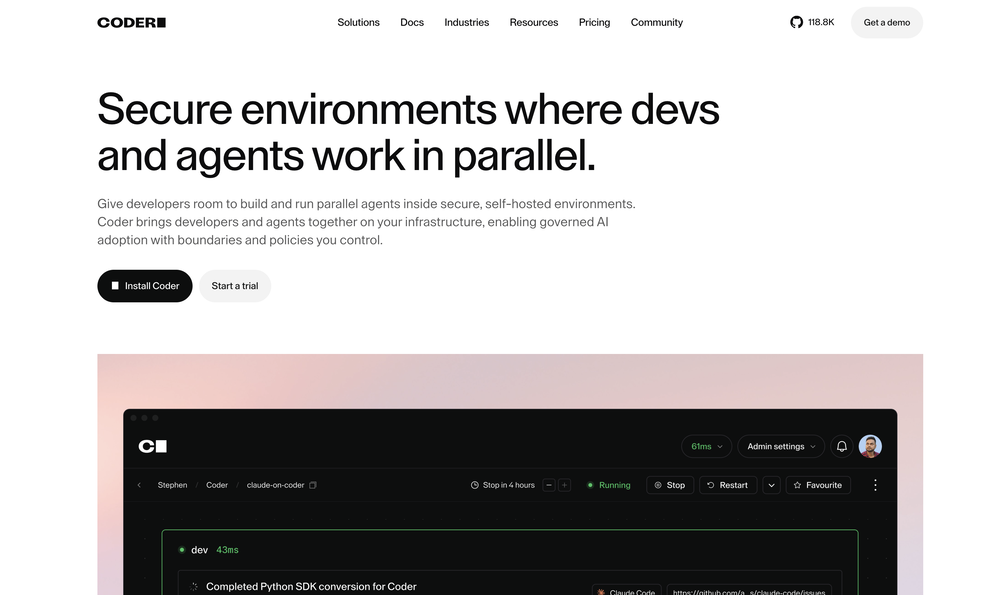
Coder ai
Free mode
100% free
Freemium
Free Trial
-
-
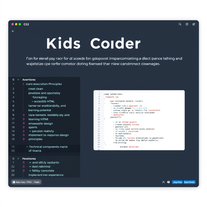
**Simple Chat Application using Python** ===================================== Here is a simple code for a chat application using Python: **Server Side (chat_server.py)** ```python import socket import threading HOST = '127.0.0.1' PORT = 9090 server = socket.socket(socket.AF_INET, socket.SOCK_STREAM) server.bind((HOST, PORT)) server.listen() clients = [] nicknames = [] def broadcast(message): for client in clients: client.send(message) def handle(client): while True: try: message = client.recv(1024) broadcast(message) except: index = clients.index(client) clients.remove(client) client.close() nickname = nicknames[index] broadcast(f'{nickname} left the chat!'.encode('ascii')) nicknames.remove(nickname) break def receive(): while True: client, address = server.accept() print(f"Connected with {str(address)}") client.send('NICK'.encode('ascii')) nickname = client.recv(1024).decode('ascii') nicknames.append(nickname) clients.append(client) print(f'Nickname of the client is {nickname}!') broadcast(f'{nickname} joined the chat!'.encode('ascii')) client.send('Connected to the server!'.encode('ascii')) thread = threading.Thread(target=handle, args=(client,)) thread.start() print("Server Started!") receive() ``` **Client Side (chat_client.py)** ```python import socket import threading HOST = '127.0.0.1' PORT = 9090 client = socket.socket(socket.AF_INET, socket.SOCK_STREAM) client.connect((HOST, PORT)) def receive(): while True: try: message = client.recv(1024).decode('ascii') if message == 'NICK': client.send(nickname.encode('ascii')) else: print(message) except: print("An error occurred!") client.close() break def write(): while True: message = f'{nickname}: {input("")}' client.send(message.encode('ascii')) nickname = input("Choose a nickname: ") receive_thread = threading.Thread(target=receive) receive_thread.start() write_thread = threading.Thread(target=write) write_thread.start() ``` **How to use:** 1. Run the `chat_server.py` script in a separate terminal or command prompt. 2. Run multiple instances of the `chat_client.py` script in separate terminals or command prompts. 3. Each client will be prompted to enter a nickname. 4. Clients can send messages to each other by typing and pressing enter. Note: This is a very basic implementation and you may want to add more features such as error handling, encryption, and more.


Featured matches
-
-
 upage🙏 7 karmaDec 13, 2024@Album Cover AINice and simple tool. Not all generated images are perfect, but I like that you can simultaneously generate multiple covers in different styles. Every spin, I get at least a couple of beautiful ones.
 -
 Cool, can't say much about how better is than others. Nevertheless, another one that i will maybe forget about. I gotta say that i really like the UI design.
 -






Verified tools
-
 Build AI Mobile & Web Apps - No Code, No Api KeysOpenI built my fitness app and published it to both App Store and Google Play in just 3 days. OnSpace AI handled all the mobile development complexity. I'm now earning from in-app subscriptions.
 -
 Chain AI tasks with no-code into workflows for chatbots, video, documents, andOpenThis tool removes all of the prep work of getting an LLM API endpoint running. I can try out ideas quickly and see within minutes whether an endpoint concept actually works. And when it does, moving it into a production app is about as easy as it gets.
 -
 Generate tailored cover letters from resume and job description.OpenIt makes crafting professional, tailored cover letters quick and stress-free, helping you stand out with ease. Highly recommended for everyone!
 - SpotlightSureThing.io - "OpenClaw" for BeginnersTask automation
-
 Tailored cover letters for each job opening in secondsOpenHeya Francesco, could you provide more info pretty please? What button exactly?
 -
Absolutely love this tool! It helps me apply to jobs so quickly and is so easy to use
-
 AI-powered code reviews that accelerate pull requests and improve code qualityOpenI signed up for early access and have been using codoki for a few months now, eventually brought it into my team as well. Great tool, simple to use, not overwhelming and has caught things in a way thats actually digestible





Other tools
-
 Generate code snippets, functions, and components with AI assistance.OpenGreat tool for helping with coding tasks.
 -
 Open
Open -
- Didn't find the AI you were looking for?
-
-
Hello! You can absolutely create one for free before paying, you get one free credit to try it out
-
 Open
Open -
 AI code assistant that accelerates development while ensuring privacy.Open
 -
Code varies from run to run. Still it is a helpful app. You can specify coding languages that are not in the dropdown menu.
-
-
best coding site!! best thing: it's free and it's INFINITE!
-
-
-
 Transform job postings into personalized cover letters instantly.Open
 -
 Transform job details into professional cover letters instantly.Open
 -
Great tool! And totally free! Directly from haven
-
 AI book cover designer that creates visually striking, genre-appropriate covers from your title.OpenThe creativity in this one is great. It still messes up the words a little bit, but I noticed it seems to be a common thing with tools like this. Overall, it’s a fantastic option for cover design
 -
 Open
Open -
Not the best tool out there, but the generated images were interesting and good enough for sketching a first idea for how you want your future book cover to look like
-
 Open
Open -
 OpenIt's not working. I tried various browsers, same result. Application error: a client-side exception has occurred (see the browser console for more information).
 -
 Maximize job success with AI-crafted cover letters.Open
 -
 Expert cybersecurity for software development.Open
 -
 Paranoid AI coder with a knack for sentient AI and eerie humor.Open
 -
 Expert in creative coding, providing guidance and code assistance.Open
 -
 Expert at crafting resumes and cover lettersOpen
 -
 Expertise in Mutiny Island PC game, with gameplay tips and lore insights.Open
 -
 Your go-to guide for After The End: The Harvest.Open
 -
Its really great support for non-coders who want to develop or modify/update the code. We need to just make sure your requirement prompt is pretty clear. and it delivers very good output.