
 Mini tools
▼ Latest
Course creation
Free mode
100% free
Freemium
Free Trial
Featured matches
-
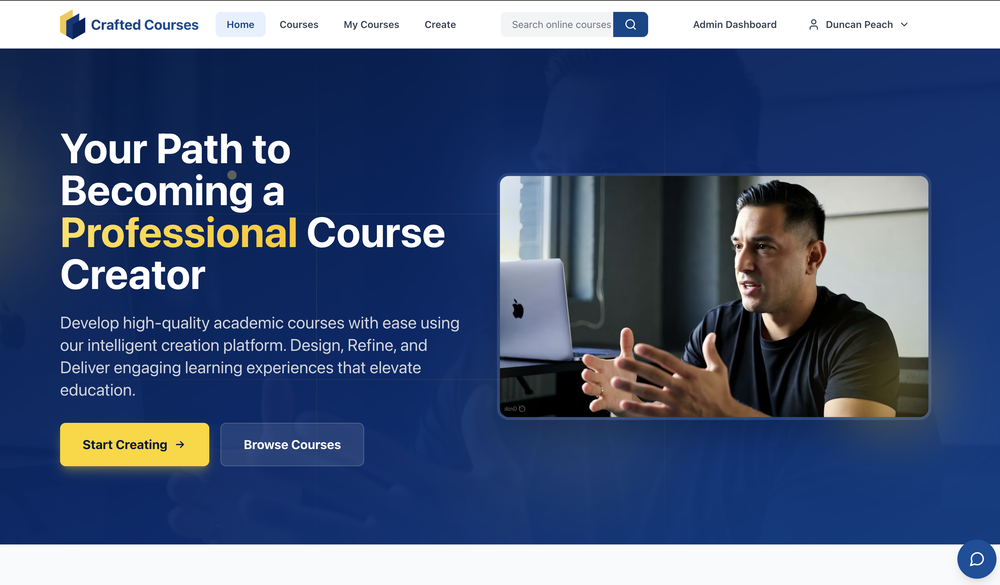 Core Course Creation Features AI-Driven Content Generation — Describe your course (target audience, learning objectives, key topics), choose a template, and the platform automatically generates structured course content, including outlines, modules, lessons, slides, and assessments. Rapid Setup — Build complete professional courses in minutes rather than spending weeks on manual creation. Powerful Editor for Customization — Real-time editing of slides, chapters, and content via a user-friendly interface. Tailor everything to match your teaching style. Multimedia Enhancements — Add images, audio narration (voiceovers), custom topics, and other materials to enrich the course. Quiz & Assessment Generation — Automatically create quizzes for each chapter/module, with customizable difficulty levels, question counts, and engaging assessment formats. Template-Based Creation — Start with ready templates to ensure professional structure and flow. Delivery & Management Features Publish & Share — Deploy courses easily and share them with learners/students. Learner Management — Track student progress, collect feedback, and handle enrollments. Engaging Learning Experience — Students access structured content with slides, quizzes, assessments, and optional audio narration. Business/Enterprise Features Admin Dashboard — Centralized tools for team/corporate training. Staff Management — Staff directory, automated invitations, role-based access control, and enrollment status tracking. Course Administration — Manage compliance, generate reports, and oversee training programs. Analytics Dashboard — Insights into course performance, learner engagement, and more. Other Notable Aspects Intuitive & User-Friendly — Designed for both solo creators and teams, with step-by-step guidance (Describe → Generate → Customize → Share). Credit-Based Pricing Model (mentioned in some pages) — Flexible credits for accessing full AI features, suitable for individual creators and ambitious teams (exact plans not detailed on the main page). Professional & High-Quality Focus — Emphasizes accurate, engaging, and educationally sound output, with users able to refine AI-generated material as needed.
 -


Verified tools
-
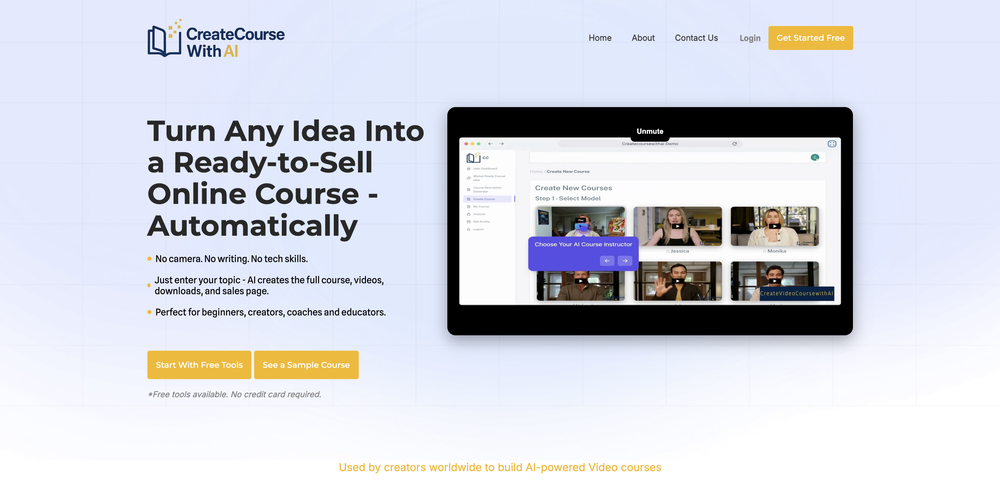
1. Real-Time Video Preview & Editing 2. Voice Cloning 3. 3D & Knowledge Metaphor Visual Tools 4. Long Video Support 5. Real-Time Asset Injection 6. export All source files 7. Some optimizations to the accuracy of educational videos 8. Solving the problem of frequently using 3D to convey knowledge 9. BrandKit && Support Gemini3.1
-
Putri Destiani🙏 37 karmaMay 29, 2025@AiCoursifyyes,the good idea
-
Suppppeeeeerrr! Wowwww! Mindsmith is absolutely fantastic! It is incredibly useful, easy to use, and very professional.
- Sponsor
 Wispr Flow-Now on Android!🎤 Dictation
 -
-
-
It creates the chapters and sub-topics name very well, but afterwards the button "Generate Course" does nothing except for showing the turning the "I'm thinking" circle for a minute then stopping. There is no error message, nothing at all. 0/5.
-
-
 Rapidly generate AI training videos without equipment or editing.Open
 -
-
Made writing my first book simple and fast. I turned scattered ideas into a full, professional manuscript in a weekend. The guided flow kept me focused, and the editing felt natural.
-
 SCORM-compliant, Interactive course builder, personalized learning, tools instructional designers, Teacher toolsOpenI’ve been using Mexty for a few weeks now and it honestly makes lesson creation so much easier. The interface is clean, and I can build interactive content in minutes without needing to code. It’s been super helpful for saving time and still getting professional results.
 -
 Creating practical assignment questions and marking criteria rapidly with AI.Open
 -
Bro this is confusing. Can't you create video explaining how to use this. I create explainer videos for tools I'll create it if you like
-
I am honestly impressed by the quality of questions generated. Looks better than the other study tools so far.



















Other tools
-
As the service was in beta-testing stage, I created there a dozen of AI-generated courses for free. I wanted to use them. Those courses remained in my account as they started subscription tiers. But recently I have found out that they were deleted. The support didn't answer to my e-mail at all.
-
-
- Didn't find the AI you were looking for?
-
I have tried Trial version to create the first course. It was possible to generate just one Quize for 1 module only (out of 5). It was not possible to create Module script. When after spending time on course preparation I wanted to generate the course, the text I could read was: "Something went wrong, contact the support".
-
-
-
Sometimes the writing style not as good as human, but the key points it offers is excellent. Pretty easy to use.
-
Looks good but leaves little room for instructions, but allows you to edit the lesson plans afterwards. The bad thing is I could not try doing any of these as it cannot be used without subscription
-
 Transform any topic into a complete online course in 15 seconds.Open
 -
 AI-powered English courses at your fingertips.Open
 -
 AI-powered scenario generator for interactive learning.Open
 -
 Open
Open -
 Craft AI-powered storyboards for Spanish e-learning courses.Open
 -
 Open
Open -
 Expert in online course creation, offering detailed feedback and tailored advice.Open
 -
 Crafting Cursed Techniques and Domains with Jujutsu Kaisen-style visuals.Open
 -
 Get advice on Lean Publishing from Peter Armstrong.Open
 -
 Open
Open -
 Creates detailed syllabi and schedules with in-depth topic explanationsOpen
 -
 Expanded instructional design expert with 'RiseUp G1' feature.Open
















































Post





