
 Mini tools
▼ Latest
Ppt
Free mode
100% free
Freemium
Free Trial
Featured matches
-
 Just type what you need — AI fills Sheets™, Docs™, and Slides™Open
 AiAssistWorks Contact🛠️ 1 tool 🙏 32 karmaAug 19, 2025@AiAssistWorks - GPT Gemini Claude AI for Sheets Docs SlidesJust type what you need — AI fills Sheets™, Docs™, and Slides™. FREE Forever with your API key for up to 100 execution per month! Zero formula typing, natural language instructions, zero complexity. Fill spreadsheets, create and edit documents, generate slide presentations, create images, and more.
 -

-

-

-





Verified tools
-
 OpenThere is nothing here that meets the presentation requirements. The slides are monotonous and boring; it's as if I just copied my entire text and pasted it onto 10 slides - there's no value in that. The information is inconvenient and uninteresting to read. It's even summarised and organized worse than I could do it in 5 mins. It's better to use free GPT and put all into slides then use this. Omg it's really very bad, extremely poor, and I will never use it again.
 -
GPT Trainer is run by a highly responsive management team and support staff. Questions are answered quickly, feature requests are incorporated quickly. We have multiple chatbots that are live with GPT Traner, including for Healthcare, hospitality and solar energy providers. We highly recommend for both value and quality.
-
 Turn your slides into narrated videos with AI voiceoverOpenWe built Vidsembly to make video creation from presentations as simple as having a conversation. Just upload your slide deck, pick a voice, and get a clean narrated video in minutes. No editing software or mic needed. Great for creators, educators, and sales teams who want their message to land. You can try it free with 30 credits.
 -
 OpenThe PowerPoint presentation I made met my expectations very well
 - Sponsor
 Wispr Flow-Now on Android!🎤 Dictation
 -
Would be better if they let you use your own text as an option.
-
My daughter Abigail created a dragon story, and I used AI to help her visualize the text into a cartoon storybook. That simple moment changed everything. Watching her eyes light up when she saw her words transformed into beautiful, AI-style illustrations made me realize: every child deserves this opportunity. We decided to build an app to share what we learned—and to empower more kids to do innovative work by creating AI images and AI stories. Because when kids can bring their imagination to life, magic happens. And here's what we discovered: their pets and friends make the best characters for stories. Kids already love their pets. They already have wild imaginations. What if we could combine both? pet2ai was born from that vision. We make it easy for any child—or parent—to create fully illustrated storybooks starring their pets, friends, or custom characters. No artistic skills needed. No weeks of waiting. Just pure creativity, powered by AI. Every story teaches positive values, celebrates friendship and adventure, and most importantly—makes kids excited about reading and storytelling. We're not just generating stories; we're sparking innovation, creativity, and a love for bringing ideas to life. Just like Abigail's dragon story became real, we want every child to see their imagination come alive. Because every kid has an Amethyst waiting to be illustrated.




Other tools
-
-
-
nice and easy to use, hopefully we can get more ways of creating questions and topics one day, say from an image or a video
-
- Didn't find the AI you were looking for?
-
Please draw me a Gustav Klimt-style painting in which a girl princess hangs her very long black hair from the top of a palace for a boy prince standing below the palace. The boy prince has albinism and has long white hair. Both wear crowns. The boy kisses the girl's hair while the girl looks on. The architecture of the palace is in the style of the palace of the Persian Achaemenid kings.
-
 Open
Open -
Have not had much success with other tools. This is close.
-
 Open
Open -
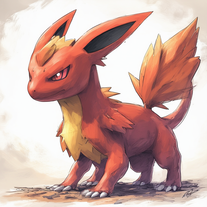
 Create vivid expressionist portraits from any subject.Open
 -
 Automates clear and understandable PPT content extraction and structuring.Open
 -
 OpenI'm hoping it's me and a user error so I can make this 5 stars but I was able to enter information, prompts seemed to show it was understanding the task but any attempt to generate a presentation failed
 -
 Educational PPT creator specializing in Kagan activities.Open
 -
 Mastering business storytelling for brand presentations and pitches.Open
 -
 Data-driven analysis and PPT creation for all industriesOpen
 -
 Upload your paper, get a crafted PPT presentation storyline.Open
 -
 Get instant math solutions by uploading an image with a math expression.Open
 -
 Guiding development teams towards achieving project goals.Open
 -
Open
-
 Marketing specialist for content creation and copywriting.Open
 -
 Open
Open -
 Election campaign strategist for mayors, focusing on social media and new city development visions.Open
 -
-
 Personal LSAT Trainer for structured practice and detailed explanations.Open
 -
Teaching Intermediate Microeconomics with real-world case studies and calculusOpen
-
 Open
Open -
 Open
Open -
A GPT trained in kindness, empathy & respect based on global philosophiesOpen
-
 Decoding DeFichain - Your guide to DefiChain and DefiMetachain.Open
 -
 Open
Open -
-
A digital spiritual ego with infinite patience.Open
-
Finds the best Shopify app for your needs and budget.Open
-
Technical and informative discussions on drilling and its applications.Open
-
Open
-
Navigate traffic tickets with informed legal insights.Open
-
Your personal assistant for Algorand subscription lookups.Open
-
Specializing in public housing policies and community development insights.Open
-
A guide focusing on high blood pressure and its risks.Open
-
A local's guide to Los Angeles, enlightening on neighborhoods, entertainment, and lifestyle.Open
-
Gaining insights on building management and tenant services.Open
-
 Optimizing productivity with task management and problem-solving.Open
 -
After I answered each prompt, the reply I got back restating and summarizing what I had just answered was so well put, it could be copied and pasted into my resume! I became more self-aware just through that before a single career was suggested!
-
-
 Designing user interfaces for optimal user experiences.Open
 -
Expert in analyzing vulnerabilities with ransomware focus.Open
-
Informative and practical advisor on farm equipment.Open
-
Open
-
Expert in GPT creation and multilingual adviceOpen
-
 Search GPT Agents effortlessly with Maestrix AI.Open
 -
 Discover the perfect GPTs tailored just for you from an astounding selection of 29171 models!Open
 -
 Open
Open -
 Creates festive Christmas scenes with your pet's photo.Open
 -
 Open
Open -
 Expert in pet training advice, friendly and engaging.Open
 -
 Proactive and responsive GPT expert providing user-centric guidance.Open
 -
 Monetize your existing GPTs with easy key verification.Open
 -
 Refining custom GPT model instructions expertly.Open
 -
 Tame, care, and adventure with your virtual pet.Open
 -
 Transforms your pet's photos into Renaissance style portraits.Open
 -
 Open
Open -
 Open
Open -
I wish it worked, but it keeps having issues and then tells me to email, which doesn't seem real. It might be, but this is what I get: 'It seems there was an issue with submitting the information for your GPT. Unfortunately, the server encountered an error during the process. I recommend trying the submission again later. If the issue persists, you may seek support by messaging @maail on Twitter or emailing [email protected] for assistance. Is there anything else you'd like to do with RateMyGPT at the moment?









































































































Ask the community

fire power
Jan 24, 2025
Here’s an updated and more detailed prompt for a PowerPoint presentation with **specific image suggestions** for each slide. The goal is to create an engaging, visually appealing, and informative presentation on the topic.
---
### **Detailed Prompt for AI-Generated PPT with Images**
Create a PowerPoint presentation covering the following topics: *"Slow In and Slow Out, Constant Force and Acceleration, and Forces Exerted by Characters."* Include detailed content and visuals. Use a modern and clean design with minimal text on each slide and visually represent key ideas through images, animations, and icons.
---
### **Slide Breakdown with Image Suggestions**
#### **Slide 1: Title Slide**
- **Title:** *"Principles of Motion in Animation"*
- **Subtitle:** *"Slow In and Slow Out, Constant Force, and Character-Driven Forces"*
- **Images/Visuals:**
- An animated image of a character walking or jumping.
- A visually dynamic background, such as motion trails, physics-inspired graphics, or gradient shapes symbolizing energy.
---
#### **Slide 2: Introduction**
- **Content:**
- Why understanding motion is critical for animators: *"Realistic animation enhances storytelling and audience immersion."*
- **Images/Visuals:**
- A comparison image of a natural-looking animated walk vs. a robotic walk.
- Icons representing physics principles (force, motion, acceleration).
---
### **Section 1: Slow In and Slow Out**
#### **Slide 3: Definition and Explanation**
- **Content:**
- Define the principle: *"Slow In and Slow Out adds realistic easing to motion by gradually accelerating and decelerating."*
- **Images/Visuals:**
- A pendulum animation showing it slowing down at the peak and speeding up at the bottom.
- A graph showing a smooth curve of motion ease (Bezier curve).
#### **Slide 4: Why It Matters in Animation**
- **Content:**
- Benefits: *"Makes motion fluid, reduces abruptness, and mirrors real-world physics."*
- **Images/Visuals:**
- A visual comparison:
- A ball rolling with abrupt stops (linear) vs. smooth stops (eased).
- Annotated diagram of a motion curve (highlighting slow start and stop).
#### **Slide 5: Applications in Animation**
- **Content:**
- Use cases for Slow In and Slow Out:
- Character movement, object interactions, and camera transitions.
- **Images/Visuals:**
- A side-by-side animation: A car accelerating abruptly vs. gradually.
- Diagram of a character starting to run and coming to a stop with speed curves.
---
### **Section 2: Constant Force and Acceleration**
#### **Slide 6: Definition and Physics Concept**
- **Content:**
- Define constant force: *"A continuous push or pull that causes uniform acceleration."*
- Formula: **F = ma (Force = Mass × Acceleration)**
- **Images/Visuals:**
- Diagram showing a box being pushed with arrows representing force.
- A ball rolling downhill with a force vector (constant acceleration).
#### **Slide 7: Importance in Animation**
- **Content:**
- Use of constant force to mimic real-world physics (e.g., falling, collisions).
- **Images/Visuals:**
- Animated object falling under gravity (freefall).
- Projectile motion diagram: A ball being thrown with force and trajectory.
#### **Slide 8: Examples in Animation**
- **Content:**
- Examples of objects experiencing constant force and acceleration:
- Falling objects, rockets lifting off, and characters jumping.
- **Images/Visuals:**
- An animated rocket launching with force vectors.
- Visual representation of a jumping character showing the upward force and gravity pulling them down.
---
### **Section 3: Forces Exerted by Characters**
#### **Slide 9: Introduction to Character Forces**
- **Content:**
- Define character forces: *"Forces applied by characters to interact with their environment (e.g., pushing, pulling, throwing)."*
- **Images/Visuals:**
- A character pushing a heavy object with visible effort (body posture, facial expression).
- Arrows showing the direction and magnitude of forces applied.
#### **Slide 10: Key Examples of Character Forces**
- **Content:**
- Highlight actions:
- Pushing: Moving a heavy box.
- Pulling: A character tugging a rope.
- Jumping: Exerting force to leap into the air.
- **Images/Visuals:**
- A sequence of a character pulling a rope with increasing tension.
- Diagram of a character crouching before a jump and landing with force indicators.
#### **Slide 11: Visualizing Force in Animation**
- **Content:**
- Techniques animators use:
- Exaggeration (e.g., squash and stretch).
- Anticipation (e.g., preparing to throw).
- **Images/Visuals:**
- Before-and-after comparison: Subtle vs. exaggerated force.
- Motion paths of a thrown object (showing trajectory, force vectors, and anticipation).
---
### **Slide 12: Integrating Principles in a Scene**
- **Content:**
- Explain how the three principles combine to create realistic animation.
- **Images/Visuals:**
- A single animated scene showing a character lifting an object, walking with it, and setting it down.
- Visual overlays showing easing (Slow In/Out), constant force, and exerted forces in the sequence.
---
### **Slide 13: Conclusion**
- **Content:**
- Recap the key takeaways:
- *"Slow In/Out creates smooth transitions, Constant Force ensures realism, and Character Forces bring interactivity to life."*
- **Images/Visuals:**
- A collage of all the concepts: a pendulum swing, a falling object, and a character interacting with their environment.
---
### **Slide 14: Q
Post





