 VeriIA
 Mini tools
▼ Most saved
Screen capture
Free mode
100% free
Freemium
Free Trial
Featured matches



Other tools
-
Takata 54🙏 41 karmaOct 16, 2024@WebFillI've known WebFill for a while, I use it almost every day, the interface is pretty good, what I like the most is that it solves any MCQ. Congratulations on the launch!
-
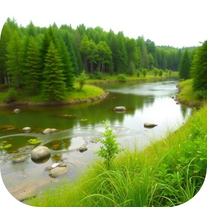
i tried creating an image and it was really nice, warm and cozy, with a true nature vibe
-
1. AI-powered transcription: Edit videos simply by editing text. 2. AI Virtual Avatars: Use high-quality and diverse virtual presenters to keep video engaged without the need for a real person on camera, helping to solve the issue of camera shyness. 3. AI Voice Enhancement: Elevate your audio to studio-grade quality with one click. Sound professional, no matter what mic you're using. 4. Webcam Background Removal & Replacement: Instantly remove or swap your webcam background for a polished, distraction-free look. 5. AI Subtitles Generation: Support for over 55 languages, generating corresponding subtitles instantly, simplifies the workflow, and enhances video accessibility. 6. Smart Noise Reduction: Eliminate background noise for crystal-clear audio in any recording environment. 7. Stylish Cursor Effects: Highlight your mouse with refined cursors and smooth animations to make your recordings more engaging and dynamic effortlessly. 8. Hide Cursor: Keep your recordings clean by hiding the cursor when you don't need it. 9. Redesigned UI & Interactions: A sleek new interface designed to make video creation faster, smoother, and more intuitive. 10. Smarter Project Naming: Improved default naming conventions help you organize and locate your projects with ease. 11. Performance & Stability Improvements: Under-the-hood optimizations for a faster, more reliable workflow. Less waiting, more doing.
-
- Spotlight: VeriIA (AI content detection)
-
 Open
Open -
 Ultimate macOS AI tool for performing tasks on anything on your screen.Open
 -
Nice done, it is pretty convenient to talk to AI with screenshot
-
 Turn screenshots into intelligent, searchable notes with AI.Open
 - Didn't find the AI you were looking for?
-
the AI chat in the app is sooo good i attached 5 screenshots to the chat that i was able to crop with one shortcut because my interviewer gave me multiple steps for one problem it let me iterate on the solution, which other apps don’t have as a feature killer feature
-
It can only capture a box in a page, but if the page is longer than the screen, and it has scrolling text, the tool cannot handle it wholly. Then the user has to scroll and do the job piece by piece, making this extension useless. I have also encountered several issues with extracting data from a web page with tables and pasting it onto an Excel file, the formatting was not kept and I have spent hours on portions of the texts just to be able to paste it into an excel file correctly. This last issue might be due solely to the web page I have tried the extension on, but the fact that the tool cannot capture the whole page, still stands.
-
No free option all models are behind a pay wall.
-
This one's a winner! Thank you for building this. Just used it for my product demo at grapha.ai
-
I have been using ProNoto for over an year, the extension has helped a lot with my meetings and presentations.
-
-
Maps Scraper AI is like a robot that scrapes Bing Maps, giving us real, verified leads. It's the best way to get leads automatically, straight from Maps listings. https://mapsscraper.ai/
-
 Open
Open






























Post





