Go to section
Spotlight SureThing.io - "OpenClaw" for BeginnersTask automation
The front page of AI.Used by 90M+ humans.

TAAFT Tutorial
Generate image
Tasks
Generate text
Free mode
Trending
Leaderboard
Characters
 Mini tools
New
Featured
Lists
Agents
Requests
Jobs
Map
Newsletter
Starter pack
Free tools
Speech to text
Text translator
Remove background
Settings
Edit profile
My tools
Gallery
Dashboard
Inbox
Get featured
Contact TAAFT
For you
Popular
Job impact index
Most saved
Affiliate program
Submit AI tool
Notification preferences
Glossary
Home
Timeline
My profile
Create tool
Deals
Companies
Models
Robots
Papers
Fundraises
Repositories
Devices
Organizations
Events
Prompt Pack
Merchendise
APIs
Features
Tools
Countries
Collections
Videos
Mini tools
New
Featured
Lists
Agents
Requests
Jobs
Map
Newsletter
Starter pack
Free tools
Speech to text
Text translator
Remove background
Settings
Edit profile
My tools
Gallery
Dashboard
Inbox
Get featured
Contact TAAFT
For you
Popular
Job impact index
Most saved
Affiliate program
Submit AI tool
Notification preferences
Glossary
Home
Timeline
My profile
Create tool
Deals
Companies
Models
Robots
Papers
Fundraises
Repositories
Devices
Organizations
Events
Prompt Pack
Merchendise
APIs
Features
Tools
Countries
Collections
Videos
Mini tools
New
Featured
Lists
Agents
Requests
Jobs
Map
Newsletter
Starter pack
Free tools
Speech to text
Text translator
Remove background
Settings
Edit profile
My tools
Gallery
Dashboard
Inbox
Get featured
Contact TAAFT
For you
Popular
Job impact index
Most saved
Affiliate program
Submit AI tool
Notification preferences
Glossary
Home
Timeline
My profile
Create tool
Deals
Companies
Models
Robots
Papers
Fundraises
Repositories
Devices
Organizations
Events
Prompt Pack
Merchendise
APIs
Features
Tools
Countries
Collections
Videos

▼ Latest
User privacy
Free mode
100% free
Freemium
Free Trial
Featured matches
-
-
-
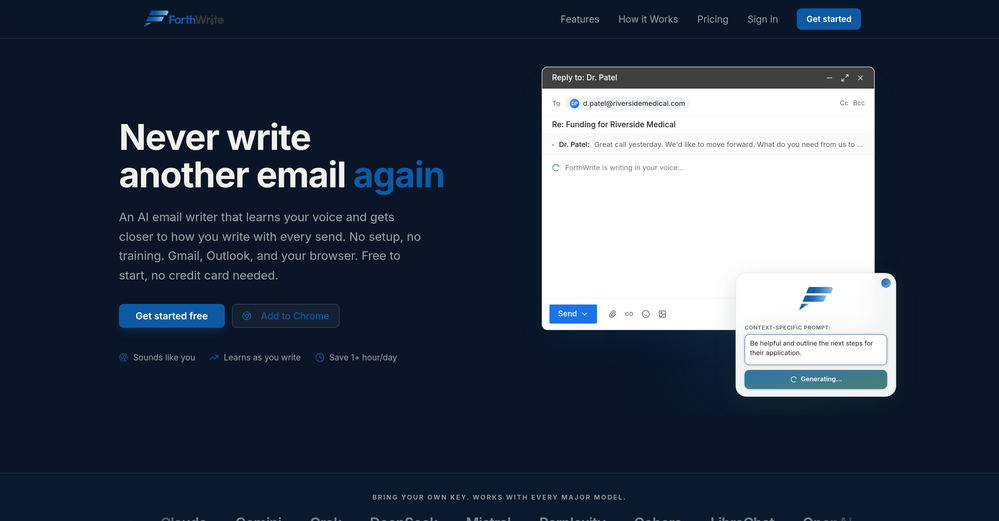
 Curtis Boortz🛠️ 1 tool 🙏 2 karmaJun 19, 2026@ForthWriteI've tried a lot of AI email tools and they all produce the same generic output. ForthWrite is different because it actually learns from the gap between what it drafts and what I end up sending. After a few weeks the drafts need almost no editing. Works right inside Gmail via the Chrome extension, so there's no new app to learn. The 60-day guarantee made it easy to commit. Highly recommend for anyone who sends a high volume of professional email.
 -
-
-
-
-

-
 Real-time voice translation for meetings, calls, and videosOpen
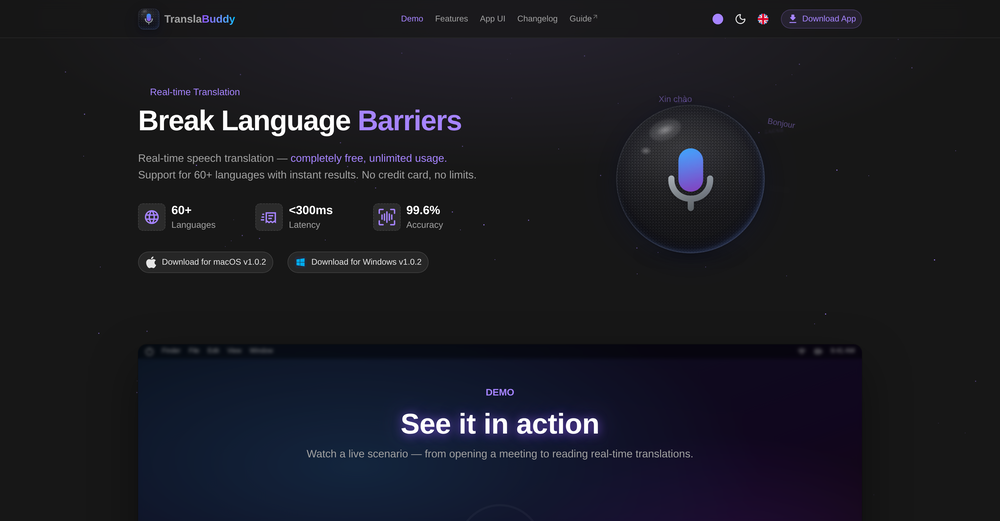 its a great initiative . i appreciate your each piece of effort. make it more versatile for meeting as note taking also . auto summarise and notes down mom of meeting. if should have transcipt interface as two people are chatting instead of just line by line text. not easy understandable who is spaeking. which line.
 -
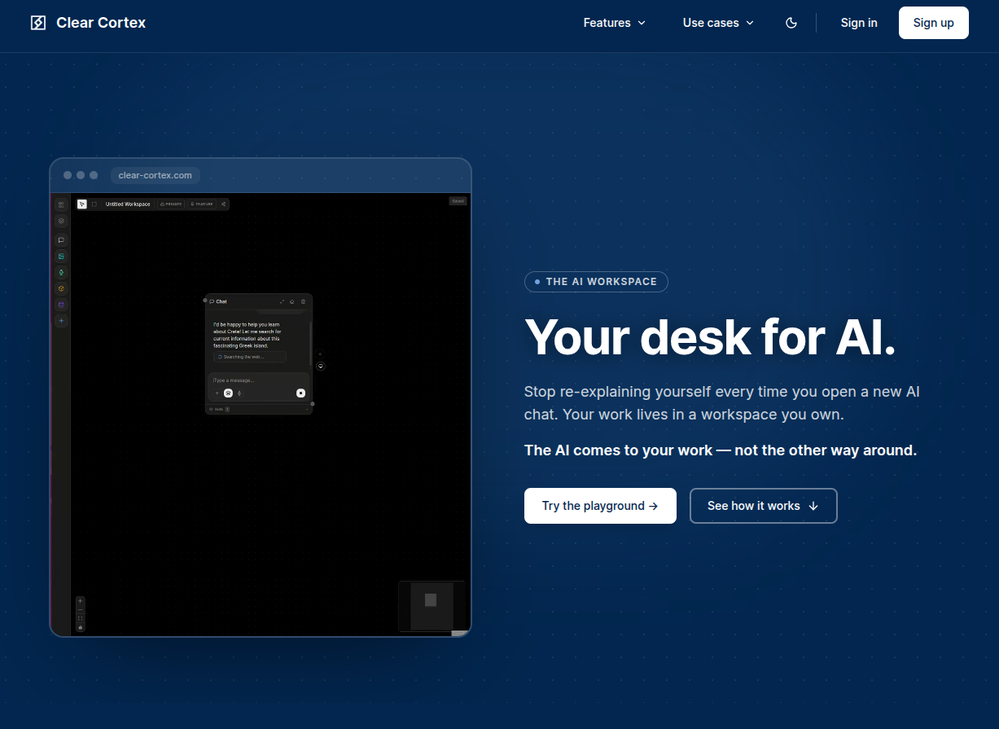 Founder here 👋 I built Clear Cortex because the chat window is the wrong shape for real work. Every new conversation starts from zero — you re-paste the same context, re-explain the same project, and the good answers disappear into scrollback you'll never find again. So the model here is flipped: your work lives in a workspace you own, and the AI comes to it. Every leading model — chat, image, audio, code — works from the same canvas behind one login and one pot of credit. And every answer is cited back to the exact source it was built from, so you can open it a week later and still trust it.












Verified tools
- SpotlightSureThing.io - "OpenClaw" for BeginnersTask automation
-
 AI-powered Terms of Service analyzer - Know what you're agreeing toOpen
 -
empirio.ai is a user-friendly tool that allows you to quickly and easily create a survey in just a few minutes. With the AI, you can rapidly generate questions on a topic and customize them. It offers templates that can be personalized to your needs, and it is fully compliant with data protection regulations. Highly recommended!
-
It is really easy to use. Best of all, you can use the built-in free VPN to access content from anywhere in the world. I just recently found out that you can also stream FIFA games with this feature. It's so good!
-
 AI-powered employee monitoring that turns screen data into productivity insightsOpen
 -
 AI-powered restaurant picks so that everyone in the group can agree !Open
 -
 AI-powered financial guidance that turns data into actionable roadmaps.Open
 -
Early stage development. Little to no training materials available.Cant adjust outcome length for summaries. Disappointing as this tool could be so good.
-
-
-
Geekflare Chat has made my workflow much simpler by bringing multiple AI models into one place. I can quickly compare responses, which is really helpful for content ideas and research. It’s fast, clean, and easy to use, and I haven’t faced any issues so far.
-
 This tells you which queries you can win and what to make.Open
 -
Askbishop has changed the way i study the bible, digging deeper into scripture to understand the heart of God's word from a personable AI companion. From faith based answers to life's questions - to guided prayer, its really helped me develop and grow in my walk with Christ.
-
High quality, really fast and generous free tier. Great tool! Comes even with speaker annotation!
-
 Save hours by auto-replying to YouTube comments with context-aware AI.Open
 -
AudioScribe has been really helpful for turning meeting recordings into clean transcripts without much hassle. I especially like the AI summaries and speaker identification, since they make it much easier to review long conversations and pull out the key points. Solid tool overall, and definitely worth a 5-star rating.
-
 Open
Open -
-
-
 Make Better Decisions with Data-Driven Charts, Clear Explanations, and Insightful AnalysisOpen
 -
Beautiful Mac app for locally run AI models plus dozens of different image and text processing nodes. So much you can do in one place and adding new features constantly.
-
An overall pleasant experience. Easy to use. Loved the photo option for the ingredients
-
-
 AI-powered identity verification for trust. 15% offOpenExcellent in accuracy, security, it's a leading choice in it's field
 -
ARIA app is such a convenient tool for a modern mom like me. Highly recommended
-
NOt transparent, pricing not given, you cannot choose plan prior to registering, or even after that. One prompt free.
-
If you don't offer any free trial credits or at least show videos without a watermark, no one will feel confident enough to purchase credits without testing it first. People need to verify the quality before committing to a purchase.
-
-
-
Tried this with a couple videos and the comment insights were actually pretty useful for spotting content patterns and new ideas.
-
 AI-powered tarot readings for self-reflection and deeper understanding.Open
 -
 OpenTried it with one photo and was surprised how natural the video looked — lots of effects and models to play with too
 -
It's kind of lame to promise the moon and deliver essentially nothing.
-
-
I created this platform to solve a problem I saw everywhere: AI videos that looked too unnatural. AI Kiss is designed for high-quality, lifelike animation. We capture the subtle details of intimacy, specifically the eye contact between partners, making the moment feel truly authentic. Founder of AIKiss.Art Cherry
-
 Discord voice transcription and note taking app for teams and DnD sessionsOpen
 -
-
Intuitive UI with quick insights backed by actionable suggestions.
-
Genuinely did not expect the sheer capability of this tool. I thought it would just make the text part of the e-mail but no, it just can generate the entire thing, and it allows you to take it and edit it further to your liking. Mind blown.
-
 Create and download your digital clone to live forever. Interact with others.Open
 -
 AI-powered whiteboard for marketers to create winning content fast.Open
 -
-
- Automatic dictionary correction learning: Paraspeech can now learn from words you fix after dictation - More reliable recording start, stop, finalization, clipboard insertion, and saved recordings - Clearer local-vs-cloud routing for transcription and rewrites, including privacy-mode handling - Better local model state while models are downloading, activating, or unavailable - Improved file-drop transcription behavior with clearer local/cloud availability - More predictable cleanup and rewrite finalization for emails, selected text, and general dictated text - Reworked onboarding for account setup, privacy, model setup, permissions, shortcut testing, and first dictation - More reliable checkout, purchase, trial, subscription, lifetime, and account-link recovery - Cleaner status overlay states for recording, loading, completion, and setup recovery - Stronger diagnostics privacy scrubbing and quieter crash/hang reporting - Release reliability improvements across Mac testing, DMG validation, Sparkle automation, and update tracing
-
This tool finally helps me understand what makes a great prompt. It doesn't just give me a better version, it shows me to get there by analyzing why the original prompt is weak and showing what to improve. The difference this makes to the final AI output is incredible. An essential tool for getting more accurate and detailed results, Great Job!
-
Thank you for making everything simple, i can't and don't need to understand a app and what is doing. This is just how i want it, very good and keep going!
-
Hey this is Tan, I'm the creator of NotesBot. I created this tool because I needed it for my own meetings. After using myself and getting great summarization reviews from my peers, I decided to release it to the public. After release, we realized people were also using it for Dungeons and Dragons, I then added a DnD mode. This tool is non-invasive, very easy to set up, and perfect for meetings. I hope you enjoy using it!
-
Hello Everyone, My name is Mohamed, the Co-Founder of linesNcircles.com. At linesNcircles our mission is to revolutionize AI & Humen Interaction. Our first product TheBar is an AI agent which can build websites for you, edit them, saves files locally, browses the internet and provide you with answers to your questions all in very simple interface. TheBar runs on your computer without signup. Your website files are saved locally with the option to publish them under our website with one click. All your files are under your creations folders. We built TheBar to be simple to use, super fast in building things for you and we are working tirelessly, to bring in more features for you like writing pdf documents and making presentations which are coming soon. Check TheBar out it is available for free now on our website https://www.linesncircles.com. We would love to hear your feedback and comments
-
Thanks a lot for giving our tool a try and for the honest feedback - really appreciate it! Sorry to hear it didn’t feel different from what you’re already using, but I have an idea: how about we take one of your ICPs and do a side-by-side comparison with Lusha? I’m 100% sure we’ll beat them in terms of relevant contact density. Feel free to drop your ICP here or DM me.
-
 All-in-One Access to AI power: GPT4, Claude, Gemini, Perplexity, Midjourney, Kling andOpen
 -
 One click, every headline: Real-time global news at your fingertips.Open
 -
We are launching first of its kind AI Vision Search App.
-
Hey AI fans, I am Kalo, co-founder of Breezemail. If your inbox is anything like mine, you spend at least 20% of your life opening, answering, and unsubscribing from emails. Arguably, the only thing more tedious than this is fixing your grandma’s Windows XP (arguably). Or you just gave up, and your inbox app has a cute red dot with a truncation ellipsis (…), also known as the symbol of inbox doom. Either way, the whole inbox situation is an absolute disaster. We wanted to solve this challenge using AI. Breezemail will help you enter the holy land of Inbox Zero. It’s an email categorizer tool that keeps important emails in your inbox and categorizes the rest into folders using natural language prompts. How does it work? 1. Breezemail has a default Important category which leaves all your real human emails in your inbox. 2. Everything else is organized into AI folders (or labels). Labels using natural language prompts, for example, “All emails from my family”. 3. We give you a bunch of pre-defined categories to start with, and you can create your own custom categories, the same way you would write a ChatGPT prompt (yes, our tool also uses ChatGPT). We’ve been testing it in-house for both our personal and business emails, and it worked so well that I no longer hate link builders and outreach people because their requests are neatly organized into a couple of folders. For my personal inbox, I can finally see all my receipts in one place, and all stock newsletters are ready for daily review in a different folder. Go try it out now for free. We’d love to hear your feedback, so please don’t be shy and drop me a line back. Currently, the tool is only available for Outlook, but we are working on a Gmail app, too. If you’d like to try it for Gmail, please let us know. Thank you, Kalo
-























































































































Other tools
-
Waitlist
I’m no longer worried about office devices or Wi-Fi being blocked when using AI. With that "AI You Can Text" feature, where Anuma can be accessed via SMS or iMessage, all those problems are gone. Plus, I’m not worried about data security either, because all our interactions stored in the Private Memory are end-to-end encrypted, and the Private Memory itself makes sure we never lose context.
-
it integrates so well with my workspace, could be more responsive though!
-
- Waitlist
-
I just generated a strategy for my idea. I’ve never seen such a clear document. It’s non-generic and very creative. I don’t know what the recipe is behind it, but it’s very well written. Thank you, Elena!
-
This feels like one of those tools that removes a super annoying workflow people just accepted for years.
- Didn't find the AI you were looking for?
-
-
-
 Open
Open -
I can't recommend wingman enough. I'm interested in AI so i've tried a bunch of them, like Rizz and Roast, but those seem like they barely use AI. Wingman has three tools, but I mostly use the dating Profile Roaster tool. It gives shockingly detailed and precise critiques of pics, and it ultimately resulted in me getting more Tinder matches. The dating-coach chatbot is also really good. Anyway, 5/5 stars. Check Wingman out.
-
I've always been skeptical about how clothes will actually look on me when shopping online. This extension completely eliminates that guesswork by allowing me to see the outfits on my own image within different background!! It's incredibly convenient and practical, enhancing the online shopping experience immensely. Plus, it's completely free! I highly recommend giving it a try.
-
Refrain from using additional tokens. Instead, utilize your own OPENAI API. Upon introducing it, display an “unexpected error retry” message. I attempted using a different API, but the error persisted.
-
-
Free, doesnt require registration, easy to use wonderfull, Simplified. ;)
-
 Open
Open -
 Open
Open -
 Suicide consultation desk 'BONFIRE'Open
 -
 Manage finances securely with encryption and user authentication.Open
 -
 Boost your LinkedIn Profile with us.Open
 -
 Your digital design & verification guide.Open
 -
 Open
Open