Go to section
Spotlight SureThing.io - "OpenClaw" for BeginnersTask automation
The front page of AI.Used by 90M+ humans.

Generate image
Tasks
Generate text
Free mode
Trending
Leaderboard
Characters
 Mini tools
New
Featured
Lists
Agents
Requests
Jobs
Map
Newsletter
Starter pack
Free tools
Speech to text
Text translator
Remove background
Settings
Edit profile
My tools
Gallery
Dashboard
Inbox
Get featured
Contact TAAFT
For you
Popular
Job impact index
Most saved
Affiliate program
Submit AI tool
Notification preferences
Glossary
Home
Timeline
My profile
Create tool
Deals
Companies
Models
Robots
Papers
Fundraises
Devices
Organizations
Events
Prompt Pack
Merchendise
APIs
Features
Tools
Countries
Collections
Videos
News
Investors
Repositories
Modalities
Mini tools
New
Featured
Lists
Agents
Requests
Jobs
Map
Newsletter
Starter pack
Free tools
Speech to text
Text translator
Remove background
Settings
Edit profile
My tools
Gallery
Dashboard
Inbox
Get featured
Contact TAAFT
For you
Popular
Job impact index
Most saved
Affiliate program
Submit AI tool
Notification preferences
Glossary
Home
Timeline
My profile
Create tool
Deals
Companies
Models
Robots
Papers
Fundraises
Devices
Organizations
Events
Prompt Pack
Merchendise
APIs
Features
Tools
Countries
Collections
Videos
News
Investors
Repositories
Modalities
Mini tools
New
Featured
Lists
Agents
Requests
Jobs
Map
Newsletter
Starter pack
Free tools
Speech to text
Text translator
Remove background
Settings
Edit profile
My tools
Gallery
Dashboard
Inbox
Get featured
Contact TAAFT
For you
Popular
Job impact index
Most saved
Affiliate program
Submit AI tool
Notification preferences
Glossary
Home
Timeline
My profile
Create tool
Deals
Companies
Models
Robots
Papers
Fundraises
Devices
Organizations
Events
Prompt Pack
Merchendise
APIs
Features
Tools
Countries
Collections
Videos
News
Investors
Repositories
Modalities

▼ Latest
Ai image editing
Free mode
100% free
Freemium
Free Trial
Featured matches
-
-
 smith tom🙏 23 karmaJun 9, 2026@Vidnix | AI Text to Video GeneratorSolid. Not perfect but it gets the job done and the updates have been pretty consistent
 -
-
-
-
 Use it every day! Best AI support for work
 -
-
-
-








Verified tools
- SpotlightSureThing.io - "OpenClaw" for BeginnersTask automation
-
 Turn property photos into scroll-stopping videos that sell homes faster.Open
 -
-
-
I have to be honest I tried so many ai headshot generators and in my opinion they all still are not strong and output image still looks ai generated but I just gave @Fotto AI a try and im shocked with the quality of output photos, so realistic photos and consistent. great job guys
-
 100% private, browser-based bulk background removal with flawless AI precision.OpenSuch a clean, lightning-fast, and user-friendly tool. I really appreciate that they let you test the AI with unlimited free watermarked previews before you pay. It builds instant trust. The UI is minimalist, and the Magic Eraser tool is super handy for quick manual touch-ups. At $6/mo for the Lite plan, it’s an absolute steal for creators.
 -
-
 Turn a Suno song into a music video with beat-synced auto-editingOpen
 -
I run an online store and regularly need product images and promotional graphics. What I like about Playyy is that I can edit the text, images, and layout after generating—so if something feels off, I can just fix it instead of starting over. It saves me a lot of time.
-
The Agent is really handy. It's much more streamlined and convenient than canvas-based AI tools. There's a bit of a learning curve at the start, but once you get the hang of it, it's incredibly useful
-
tried it for a quick edit and it was super easy to figure out. saved me a bunch of time cutting out the boring parts lol. would be nice to have a few more options for tweaking things, but overall it gets the job done :))
-
 Generate AI images. No subscription. Credits never expire.Open
 -
Pay-as-you-go without subscription
-
prompted a few different styles and it handled them pretty well. images came out detailed and didn’t take long either. solid for quick ideas.
-
 Open
Open -
 OpenI was struggling to create some free Christmas and New Year's e-cards, and these templates are really good. I recommend giving them a try. The only downside is that each free template can only be used once.
 -
Vireel offers the best realistic ai image to video and ai text to video tools. Incredible no watermark quality!
-
I tried testing Seedance 2.0 on several platforms, but most of them required a membership upgrade first — even Dreamina. SeeGen AI offers a free trial, and that’s the main reason I recommend it.
-
Works wonders for anime, has me taking it in consideration for a tool rotation.
-
 Transform any image into stunning AI-enhanced visuals.OpenIt can generate any image I want freely, it's amazing!
 -
They offer a wide range of options, including Corporate, Festive, and Pet themes. The platform is incredibly user-friendly, and each headshot features a thoughtfully curated color palette that complements the look, ensuring a polished and professional result.
-
 OpenTried it with one photo and was surprised how natural the video looked — lots of effects and models to play with too
 -
I tried TheMultiverse.ai and was genuinely impressed — the headshots it generated look sharp, professional, and true to me. The editing options gave me just enough control without feeling overwhelming. I think it is more affordable than other ai headshot options out there.
-
-
👋 Hey, I'm the founder of Flowova! We built this because we were tired of spending hours dragging boxes in traditional flowchart tools. A few things you might not know: - Works with anything — text, images, PDFs, Word, PPT, Excel, even photos of whiteboard sketches - 40+ themes designed for presentations - Full Mermaid code support for developers Happy to answer any questions! 🚀
-
I created this platform to solve a problem I saw everywhere: AI videos that looked too unnatural. AI Kiss is designed for high-quality, lifelike animation. We capture the subtle details of intimacy, specifically the eye contact between partners, making the moment feel truly authentic. Founder of AIKiss.Art Cherry
-
I'm absolutely blown away by the design quality of the presentations they look so vibrant and stylish. I was also pleasantly surprised that the AI asks lots of clarifying questions to make sure the final result is exactly what I wanted, not just something random. Vibes 🔥
-
-
This release introduces Flint, a new family of each::labs image models designed to deliver frontier-quality results with production-ready economics.
- flint-image: Generate four distinct images from a single prompt in one call for $0.20, compared with $0.60 for a standard generation.
- Flexible output controls: Set the output format and aspect ratio for each run, so generated images fit directly into your layout.
- Available across each::labs: Access Flint through the API at api.eachlabs.ai or the visual no-code AI Flows builder, with pay-per-call pricing and no subscription required.
- Coming next: Additional Flint models for clean 4K image generation and editing, available at the same $0.20 per-call price.
-
 Start from real examples. Turn one good clip into a full video.OpenI was surprised by MotionGen's image2 model. I've uploaded a photo and it accurately suggested hairstyle variations I actually loved. Didn't expect that at all.
 -
Clean UI, multiple video models in one place, and fair credit refunds when generations fail. Nice that you can try it for free before committing.
-
Didn't really do the graphs that i thought it would do. Good for simple graphs, like for a presentation
-
-
I like it but sometimes it changes some features in somone
-
Não conseguir testar pois a plataforma fica toda hora caindo, então não conseguir gerar a imagem. Mas gostaria de conseguir testar pois a proposta é muito boa.
-
AIReel provides a convenient way to generate videos or images from text prompts or photos using several AI models in one place. When trying different prompts and images, the platform produced AI creations with noticeably different visual styles depending on the model selected. Compared with accessing many AI video models directly on their native platforms, the overall cost is more affordable, making it easier to experiment with AI-generated content, including both AI videos and AI images.
-
 Remove the background & retouch your product photosOpen
 -
very good tool. done your work in seconds with Retouch Pro
-
 Open
Open -
It works surprisingly well. Clean plus you can actually try it first without having to drop money right away. helps if you are not sure it'll fit your needs. Solid stuff.
-
 Generate professional AI dating photos for 3x more matches.OpenHey, I'm Jacob. Indie developer, built a few AI products. My friend complained about no matches on Tinder. His photos were terrible - bad lighting, messy backgrounds, awkward angles. "Get better photos." "Photographers are expensive and it's weird doing a photoshoot for dating apps." He was right. What I built Spent 2 weeks building this with Stable Diffusion and Claude. Upload 10-15 photos, generates 80-180 dating photos in ~20 minutes. The tricky part: making them look real, not AI-generated. Most AI headshot tools optimize for LinkedIn. Dating photos need to feel natural. Optimized specifically for Tinder, Bumble & Hinge - each platform has different vibes. Added a "realness score" to filter out obvious AI stuff. Current issues - Hands are still weird sometimes - Some photos don't quite look like you - Background inconsistencies Tested with ~40 people. Most said it helped. Some photos were off. Why I'm posting Not sure if this is actually useful or just solving my friend's specific problem. If people care, I'll keep improving it. If not, learned a lot anyway. Link: https://datephotos.ai/
 -
 Enhance portraits with AI for stunning detailsOpen
 -
I have used for a while and I had a blast creating myself in all kinds of different places, shapes and weird situations. Yes you can use it to create professional pictures for your CV and political career but where's the fun in that?
-
best part? it doesn't fight my process. i can iterate fast, try different moods and play with compositions while the idea's still hot.
-
very slow , no help and you did not have any feedbck on what happened also It deducts points even without providing any videos or photos.
-
 Get Realistic, Natural-Looking AI-Generated Professional Headshots in 2 Hours.OpenI never thought I’d be using an AI service for something like this, but I’m glad I did. The headshot looks like it was taken by a professional photographer, without the pain.
 -
All of this tools offer API access, which is useful for developing your own AI tools at a low cost.
-
No constraints implememnted yet. Work in progress, a lot can still be done on quality and constraint
-
Actually solid for product visuals. Uploaded a basic product photo and got a few usable lifestyle-style options without much setup. Having image and video tools in one place is handy, especially for testing listing ideas. I’d just like a clearer view of credit usage before running larger batches.
-
 Open
Open -
 Open
Open -
Just paste content in, layout will automatically be desigend
-
-
needed broll for a travel vlog and didn't have footage of certain locations. generated some establishing shots with this and they blend in perfectly. not replacing my camera but great for filling gaps
-
I dont see eny progect! after promt saying "image" is done and.. thats it> nothing.
-
 Remove unwanted text, watermark or logo from images online free.Open
 -
 Auto remove people from photos with AI.OpenMaybe not the best tool, I uploaded an image and it removed the main subject, didnt even think it was possible. Literally only the background was left
 -
-
I'm trying out text to image AI's to create a picture of my story's character and Style Art AI comes the closest to what I envision the best.
-
 OpenCool idea! If you can actually use it to turn smartphone photos into professional photos, then that's a game changer! Can't wait to try it out! 🚀
 -
this one's actually built well, quality is nice, but it struggles with the text parts. it either messes up the letters or blends them into the background. even small changes like asking for a different font just resets the whole design. still, you can grab some really great base concepts and finish them up yourself, so just for that, i strongly recommend it as a starting point for logo designs.
-
 Open
Open -
 Turn prompts into polished images and videos, instantly.Open
 -
 Turn images into videos with advanced AI All with Fylia AI.Open
 -
 Open
Open -
Tried Teno for a quick product ad — surprisingly simple. Chat your idea, get image/video outputs in minutes. Good free tier to test. Handy if you need creatives fast without a full production team.
-
I was lucky enough to join the early canary testing for this platform, and it’s been impressively simple and transparent to use.
-
-
 Open
Open -
The "Lion and Sun" symbol is seen on streets where protests are underway, fires are spreading, and the nation has risen up for freedom.
-
A very clean website — simple, clear, and fast to generate results.
-
Although the results are slightly inferior to Nano Banana, it has more relaxed content restrictions, including NSFW content.














































































































Other tools
-
 AI car photo background removal and replacement, built for dealershipsOpen
 -
 Apply spooky Halloween filters and scary makeup effects online for free.Open
 -
I forgot to take videos on my trip, so I gave this a shot with just the photos I had. Surprisingly, it created a short clip that actually looked real, super cool. Just wish it didn’t take forever to render
-
Classic tool 😮💨 Loving Gen 4, it's wild how good the motion consistency is. It feels like a full studio in your browser. Big W guys keep it up!
-
pretty good for quick visuals. output’s clean and it follows prompts better than i expected, not bad at all.
- Didn't find the AI you were looking for?
-
-
Hey SFS, it seems the app works with credits via an API key, priced at $0.01 per credit. The lowest generation cost is 0.9 credits, and the highest is 8 credits. We’ve also updated the app’s price description. Thank you very much!
-
-
 Transform snapshots into perfect passport photos in seconds.Open
 -
-
 Openamazing 9/10 1 gone bcus need improvement but still w
 -
-
Doesn't change anything other than the requested changes, even when changes are the ones not requested. black to blonde hair when requesting redhead, e.g.. Only changes hair, but doesn't give you the prompt you put in consistently
-
OK, it says "FREE" and "NO Pricing," and yet some tools are available only to "Premium users?" If that's not misleading, I don't know what's "free" any longer! Oh, yes, the air, thank God, but maybe soon they'll start selling it as well ;-) THX
-
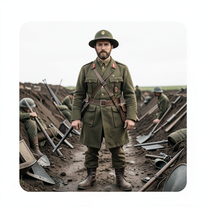 Transform subjects into hyper-realistic 8K war scenes.Open
 -
 Open
Open -
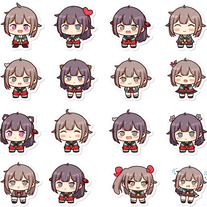 Transform any image into adorable chibi sticker sheets.Open
 -
 Open
Open -
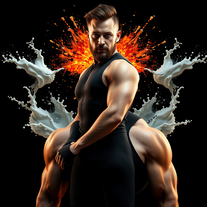 Transform photos into cinematic portraits with dramatic lighting.Open
 -
 Craft stunning portraits of fantasy descendants with AI.Open
 -
I can't believe this one is SO accurate while others misbehave like drunk rebels ;-) THX
-
 Your professional identity, perfectly framedOpen
 -
Sweet for cinematic grounded realism