 VeriIA
 Mini tools
▼ Latest
Aiapplications
Free mode
100% free
Freemium
Free Trial
Featured matches
-
 Shivaforai🙏 17 karmaOct 7, 2025@AI Apply by Refer.meI like the concept and the convenience of Refer.me; it gives job seekers like me access to networks I wouldn’t normally have.
 -
-
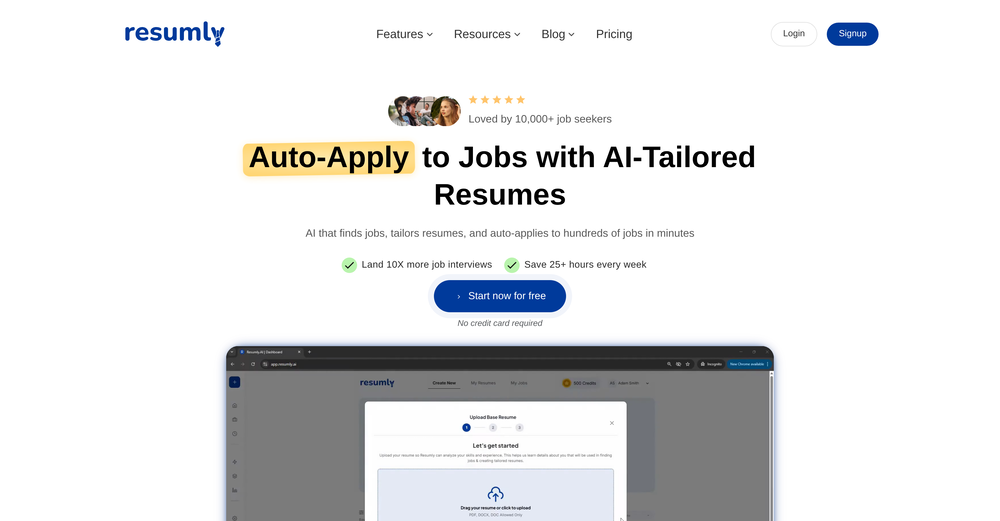
 I found this to be a very comprehensive tool. They had a mountain of job listings in my chosen field (content marketing). It's resume analysis tool was VERY informative and gave me a much more robust resume to navigate ATS. For every job I applied to, it quickly and easily modified my resume. I have only tried the free plan thus far – and have not had a chance to see how effective the automated applying tool is, but I am hoping to check it out soon! If it's anything like the rest of the platform, it looks very promising!
 -
-
-
 TradeWind AI is an excellent tool for discovering and reaching global trade customers. It makes finding the right buyers fast, easy, and highly effective.
 -

-
-

-











Verified tools
- Spotlight: VeriIA (AI content detection)
-
I’ve been using Lyra as a kind of MBA writing coach—it helps structure ideas, spot what’s working in your story, and take the pressure off the blank page. Your voice is still doing the work; this just gives it a bit more shape.
-
Wow, this little widget is a game changer. It saves me a lot of time in writing emails, comments and work notes. Thank you, it's really useful, I was looking for it!
-
I’ve purchased boilerplates before but honestly this is by FAR the most thorough and useful. I mean check out the documentation alone. I get that ppl might be “boilerplated out” by now but seriously don’t sleep on this if you want to save literal days/weeks of building. Using it now to build a microsaas in 48 hours!!
-
gets the job done with minimal fuss.. unlike other such platforms that keep hoarding features without actually bringing results. uploaded my resume and turned on automode, the jobs started getting applied within 4-5 minutes.. remains to be seen if I get callbacks from recruiters or not
-
So far, so good! LiftmyCV helped me auto-apply to 200 jobs. Some features are still missing (because of early beta), like a resume builder, but I got exactly what I paid for - auto-applying on my behalf.
-
This is the actually the most stress free job application tool that I have tried
-
It helped me a lot preparing for job interviews, also being able to custom make your CV for a specific job is a game changer
-
-
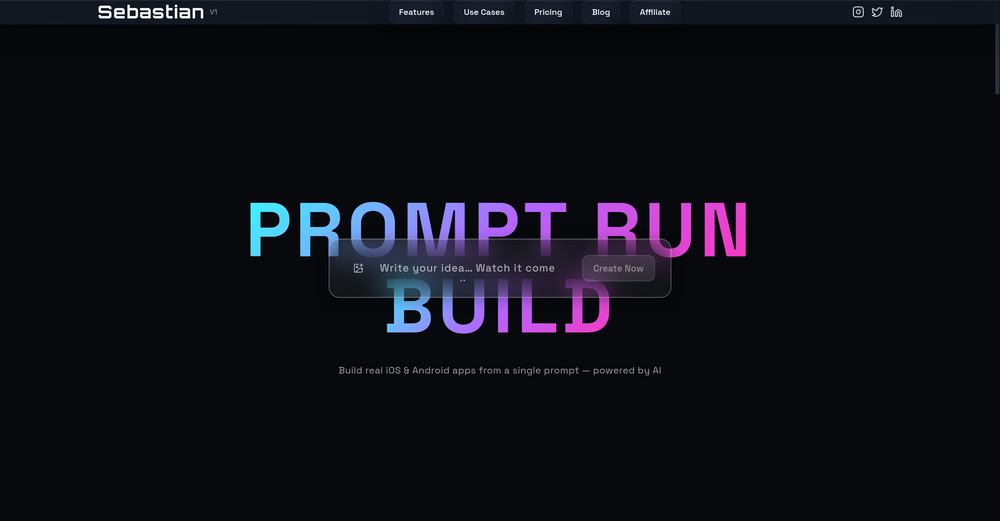
Would rate 4.9 if possible, but rounding up to 5 stars because this app truly excels compared to other AI coding tools. Why 5 Stars: Best-in-class AI coding assistance Huge improvements over competitors Actually works for real development Real Impact: I successfully built and published an actual app using this tool - that's game-changing for non-developers like me. Bottom Line: Yes, there's room for improvement, but this is already the top AI coding app available. The fact that ordinary people can create real apps with it says everything. Perfect for anyone wanting to turn ideas into actual apps!
-
We are launching first of its kind AI Vision Search App.
-
So, how is it "100% FREE" if there is "PRICING" involved? Did I awake in an alternate universe where "red" is "green" on the traffic light and "free" means "free after you pay?" ;-)
-
I've been using Zoer.ai for the past few months to build custom business applications, and it's honestly transformed how I approach development. What sets it apart is the intelligent AI chat interface that actually understands your business requirements and generates production-ready code. The multi-stage generation pipeline is incredibly smart - it doesn't just spit out generic templates, but creates tailored Next.js applications with proper database schemas, API endpoints, and even UI components that match your specific needs. The PostgREST integration means you get a fully functional backend without writing a single line of server code. What I love most is the real-time collaboration aspect. The AI assistant helps debug issues, suggests improvements, and even handles complex database queries through natural language. It's like having a senior developer pair programming with you 24/7. The code quality is surprisingly good - clean TypeScript, proper error handling, and follows modern React patterns. I've deployed several client projects built with Zoer and they perform beautifully in production. If you're a solo developer or small team looking to ship faster without compromising quality, Zoer.ai is absolutely worth trying.
-
smooth and simple, i tried it on whatsapp for mac and it really translates chats in real time so i dont have to struggle with other apps. kudos to the team :D
-
good platform to create my short video
-
I'm trying out text to image AI's to create a picture of my story's character and Style Art AI comes the closest to what I envision the best.
-
The tools we use to showcase our professional lives are inadequate for today’s dynamic career landscape. It is a career operating system: a dynamic platform that would empower individuals to own their career stories.
-
 Create Celebrity voices and voiceovers in 120 languages with 800+ AI voices.OpenThis is a cool little generator for a quick clip! Could see some potential quick use cases if you needed to generate something with an accent on the fly. Not a bad little tool!
 -
Loved the tool, easy to use and understands any language, I used it in my spanish slang and also in english with no issues. Highly recommend it!
-
-
Just another Chrome browser. Installed it. Don't see any AI anywhere. Don't waste your time. Sticking with Arc browser.
-
Loved the app! I see real life use case for this and the opportunities are insane! Keep going you guys!
-
Thanks Michael! At the moment it's through the edition of YAML files that you put in a special folder but an editor is coming out by the end of the week! Are you okay to be notified here when it's out?
-
-
 AI-powered trip planning in seconds, optimized for fun and eco-friendliness.Open
 -
It is just a fantastic tool. Can't believe it's free. That's unfair.
-
-
Stumbled across this website a couple weeks ago and so far loving it, I can create like quite a few unique characters and chat to them about my day and brain dump my thoughts and feelings and she helps a lot by talking me through stuff
-
-























































Other tools
-
This is the most cluttered piece of AI garbage imaginable. It's like someone leetcoded literally all of it. OH and it doesn't work because there is no proper authentication to link the extension with the service.
-
-
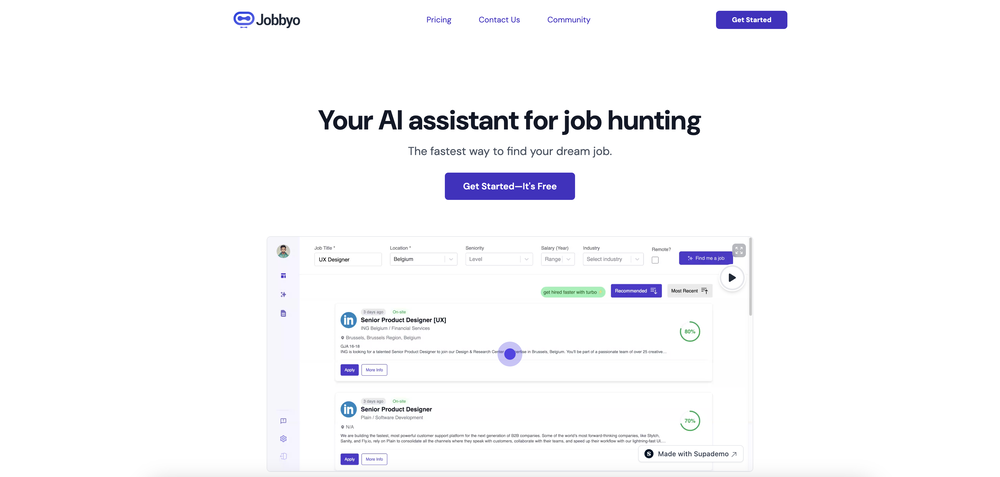
Great tool. I've used that to apply to 10 job offers in 15 minutes!
- Didn't find the AI you were looking for?
-
-
Google Imagen has been a pleasant surprise for clean work (icons, stickers)!!! Loads of style options and it nails tidy lines, soft shading and punchy color without much prompt fuss. GREAT TOOL!!
-
-
-
-
AI is the trend of the times. This product makes it easier and faster for me to learn and practice AI knowledge. It’s great.
-
It’s amazing to see what AI can achieve, but many tools fall short because they lack the structure needed to deliver exactly what users want. That’s not the case with Aire! This innovative AI-powered app-building tool can create fully functional apps for managing any type of organization or business in just minutes. It doesn’t stop at generating ideas—it builds a complete data model, including modules, fields, relationships, charts, dashboards, and user interfaces tailored to your specific business needs. Here’s what sets Aire apart: Smart Prompt Builder: Aire includes a guided prompt builder that helps you create detailed, accurate prompts for better results. Customizable Scope: You can choose the size of your output—small, medium, or large—ensuring your app fits your needs without unnecessary complexity. Step-by-Step Process: Aire divides app-building into modules, fields, and relationships, delivering each component separately. This speeds up the process and allows you to tweak individual parts without redoing the entire app. Manual Adjustments: At every step, you can manually customize your app—add, delete, or modify modules, fields, and relationships. The AI integrates your changes seamlessly into the next steps. Field Configuration: Aire doesn’t just generate fields; it assigns field types (text, numbers, dropdowns, etc.) and even prepopulates dropdown options, which you can edit if needed. Intelligent Relationships: Mapping relationships between fields—like one-to-one or one-to-many—can be a headache, but Aire handles it effortlessly, even explaining its rationale so you understand the logic. Automatic Charts: Aire generates a range of charts based on your data model. While some might need tweaking, the out-of-the-box charts save days of manual effort. Pages and Dashboards: The tool creates well-organized record pages, list pages, dashboards, and homepages. These layouts are highly functional and customizable, eliminating tedious setup work. Aire deploys apps to Corteza, an open-source low-code platform. While Corteza is incredibly powerful—with features like a workflow builder, API, and integration tools—it requires technical knowledge for advanced tasks like creating workflows or integrations. For non-technical users, this might be a limitation, but Aire simplifies deployment by offering a shared hosted instance of Corteza. You can use this instance to edit your app, upload records, and make adjustments without diving into advanced configuration. For those who prefer self-hosting, Aire lets you export your app’s configuration files (its source code) to deploy on your own Corteza instance. This flexibility is a standout feature, and Aire’s team plans to introduce hosted Corteza instances soon, making deployment even more seamless. Looking ahead, Aire is developing an AI-powered process builder and connector builder, which will allow users to create automated workflows and integrate external data sources without relying on Corteza’s advanced tools. Once launched, this will elevate Aire to a fully autonomous app-building platform—no technical expertise required. In summary, Aire is a trailblazer in AI-driven app development. It’s fast, flexible, and packed with features that save users days of manual effort. Whether you’re a business owner, a tech-savvy developer, or somewhere in between, Aire is paving the way for the future of app-building. Don’t miss out!
-
Transcriptions seem pretty accurate, especially Piano2Notes does a great job!
-
this ai tool is very bad slow work process and many things of service
-
All behind a paywall. Free-stuff doesn't sound impressive at all.
-
-
To be honest it's insane how accurate the logos are, it really listens to your prompt. Good first sketch.
-
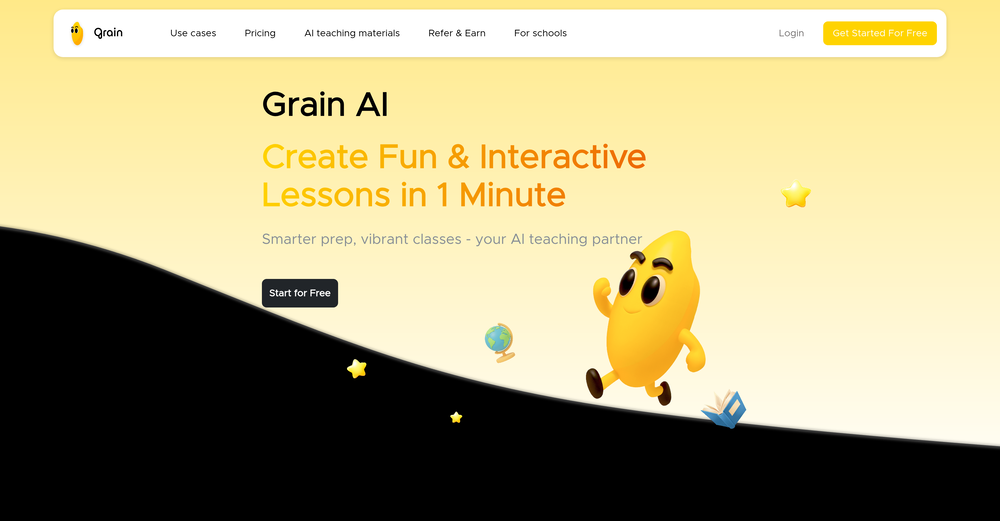
 AI-powered instructional design in seconds.Open
 -
 Create mesmerizing dual-personality portraits with AI.Open
 -
42,938 AI tools for 11,679 tasks and 5,155 jobs Spotlight PDFClean.aiPDFClean.ai PDF to Spreadsheets Search... #1 website for AI tools. Used by 70M+ humans. Generate images Create AI Tools Home Search Deals Leaderboard Tasks Mini tools Characters Map Launch / Advertise Newsletter Merchandise Contact us Create tool Mini tools Code snippets Web App: Code Generator Code snippets Free Unlimited Free commercial use Web App: Code Generator icon Web App: Code Generator 4.2(5) 99 users 73 Author Lanie Farmer profile picture Lanie Farmer TAAFTUse mini tool Saved Spotlight PDFClean.aiPDFClean.ai PDF to Spreadsheets Please describe the web application you want to build, including its main features and any specific technologies you want to use. Suggest create a website that can track locations using instragam lik. #1 website for AI tools. Used by 70M+ humans. Generate images Create AI Tools, John clarance deleon TAAFTGenerate Generated content is 100% free to use, including commercial use. Copy text 0 0 Location Tracking Website with Instagram-like Features Project Overview Create a website that allows users to track locations, similar to Instagram, with a focus on AI-powered features. The website will be designed for 70M+ users and will include tools for generating images and creating AI-powered tools. Technical Requirements Frontend: React, HTML, CSS, JavaScript Backend: Node.js, Express.js Database: MongoDB APIs: Google Maps API, OpenStreetMap API Project Structure Frontend components LocationTracker.js: Component for tracking locations ImageGenerator.js: Component for generating images AITools.js: Component for creating AI-powered tools containers App.js: Main application container index.js: Entry point for the frontend Backend models Location.js: Model for location data User.js: Model for user data controllers locationController.js: Controller for location data userController.js: Controller for user data routes locationRoutes.js: Routes for location data userRoutes.js: Routes for user data server.js: Entry point for the backend Code Frontend LocationTracker.js import React, { useState, useEffect } from 'react'; import { GoogleMap, LoadScript, Marker } from '@react-google-maps/api'; const LocationTracker = () => { const [location,_setLocation] = useState({ lat: 0, lng: 0 }); const [markers,_setMarkers] = useState([]); useEffect(() => { navigator.geolocation.getCurrentPosition((position) => { setLocation({ lat: position.coords.latitude, lng: position.coords.longitude, }); }); }, []); const handleMarkerClick = (marker) => { setMarkers((prevMarkers) => [...prevMarkers,_marker]); }; return ( {markers.map((marker, index) => ( handleMarkerClick(marker)} /> ))} ); }; export default LocationTracker; ImageGenerator.js import React, { useState } from 'react'; import axios from 'axios'; const ImageGenerator = () => { const [image,_setImage] = useState(null); const [location,_setLocation] = useState({ lat: 0, lng: 0 }); const handleGenerateImage = async () => { const response = await axios.post('/api/image', { location, }); setImage(response.data.image); }; return ( setLocation({ ...location, lat: e.target.value })} /> setLocation({ ...location, lng: e.target.value })} /> Generate Image {image && } ); }; export default ImageGenerator; AITools.js import React, { useState } from 'react'; import axios from 'axios'; const AITools = () => { const [tool,_setTool] = useState(null); const [input,_setInput] = useState(''); const handleCreateTool = async () => { const response = await axios.post('/api/tool', { input, }); setTool(response.data.tool); }; return ( setInput(e.target.value)} /> Create Tool {tool && {tool}} ); }; export default AITools; Backend locationController.js const express = require('express'); const router = express.Router(); const Location = require('../models/Location'); router.get('/', async (req, res) => { const locations = await Location.find(); res.json(locations); }); router.post('/', async (req, res) => { const location = new Location(req.body); await location.save(); res.json(location); }); module.exports = router; imageController.js const express = require('express'); const router = express.Router(); const axios = require('axios'); router.post('/', async (req, res) => { const { location } = req.body; const response = await axios.get(`https://maps.googleapis.com/maps/api/staticmap?center=${location.lat},${location.lng}&zoom=15&size=400x400&key=YOUR_API_KEY`); const image = response.data; res.json({ image }); }); module.exports = router; toolController.js const express = require('express'); const router = express.Router(); const axios = require('axios'); router.post('/', async (req, res) => { const { input } = req.body; const response = await axios.post('https://api.example.com/tool', { input, }); const tool = response.data.tool; res.json({ tool }); }); module.exports = router; Explanation This code creates a basic location tracking website with Instagram-like features. The website uses React for the frontend, Node.js and Express.js for the backend, and MongoDB for the database. The LocationTracker component uses the Google Maps API to display a map and track the user's location. The ImageGenerator component uses the Google Maps API to generate an image based on the user's location. The AITools component uses an external API to create AI-powered tools. The backend uses Express.js to handle requests and interact with the database. The locationController handles location data, the imageController handles image generation, and the toolController handles AI-powered tool creation. Note that this is just a basic example and you will need to modify and extend the code to fit your specific requirements. Additionally, you will need to obtain API keys and configure the Google Maps API and other external APIs. Integration To integrate this code into a larger project, you will need to: Create a new React project using create-react-app. Install the required dependencies, including axios and @react-google-maps/api. Create a new Node.js project using express. Install the required dependencies, including mongoose and axios. Configure the Google Maps API and other external APIs. Modify and extend the code to fit your specific requirements. I hope this helps! Let me know if you have any questions or need further clarification. Project Overview The goal of this project is to create a location-based website similar to Instagram. The website will allow users to track locations and generate images based on those locations. Additionally, the website will provide AI-powered tools for users to create and interact with. Technical Requirements The project will utilize the following technologies: Frontend: React, HTML, CSS, JavaScript Backend: Node.js, Express.js Database: MongoDB APIs: Google Maps API, OpenStreetMap API Project Structure The project will consist of the following components: Frontend components LocationTracker.js: Component for tracking locations ImageGenerator.js: Component for generating images AITools.js: Component for creating AI-powered tools containers App.js: Main application container index.js: Entry point for the frontend Backend models Location.js: Model for location data User.js: Model for user data controllers locationController.js: Controller for location data userController.js: Controller for user data routes locationRoutes.js: Routes for location data userRoutes.js: Routes for user data server.js: Entry point for the backend Code The code for this project will be provided in the following sections. Frontend LocationTracker.js import React, { useState, useEffect } from 'react'; import { GoogleMap, LoadScript, Marker } from '@react-google-maps/api'; const LocationTracker = () => { const [location,_setLocation] = useState({ lat: 0, lng: 0 }); const [markers,_setMarkers] = useState([]); useEffect(() => { navigator.geolocation.getCurrentPosition((position) => { setLocation({ lat: position.coords.latitude, lng: position.coords.longitude, }); }); }, []); const handleMarkerClick = (marker) => { setMarkers((prevMarkers) => [...prevMarkers,_marker]); }; return ( {markers.map((marker, index) => ( handleMarkerClick(marker)} /> ))} ); }; export default LocationTracker; ImageGenerator.js import React, { useState } from 'react'; import axios from 'axios'; const ImageGenerator = () => { const [image,_setImage] = useState(null); const [location,_setLocation] = useState({ lat: 0, lng: 0 }); const handleGenerateImage = async () => { const response = await axios.post('/api/image', { location, }); setImage(response.data.image); }; return ( setLocation({ ...location, lat: e.target.value })} /> setLocation({ ...location, lng: e.target.value })} /> Generate Image {image && } ); }; export default ImageGenerator; AITools.js import React, { useState } from 'react'; import axios from 'axios'; const AITools = () => { const [tool,_setTool] = useState(null); const [input,_setInput] = useState(''); const handleCreateTool = async () => { const response = await axios.post('/api/tool', { input, }); setTool(response.data.tool); }; return ( setInput(e.target.value)} /> Create Tool {tool && {tool}} ); }; export default AITools; Backend locationController.js const express = require('express'); const router = express.Router(); const Location = require('../models/Location'); router.get('/', async (req, res) => { const locations = await Location.find(); res.json(locations); }); router.post('/', async (req, res) => { const location = new Location(req.body); await location.save(); res.json(location); }); module.exports = router; imageController.js const express = require('express'); const router = express.Router(); const axios = require('axios'); router.post('/', async (req, res) => { const { location } = req.body; const response = await axios.get(`https://maps.googleapis.com/maps/api/staticmap?center=${location.lat},${location.lng}&zoom=15&size=400x400&key=YOUR_API_KEY`); const image = response.data; res.json({ image }); }); module.exports = router; toolController.js const express = require('express'); const router = express.Router(); const axios = require('axios'); router.post('/', async (req, res) => { const { input } = req.body; const response = await axios.post('https://api.example.com/tool', { input, }); const tool = response.data.tool; res.json({ tool }); }); module.exports = router; Copy Listen Ask for changes to the result Edit Generations Other tools by this author Popular tools Top rated View more mini tools in our Mini Tools section Explore mini tools Copy text 0 0 Location Tracking Website with Instagram-like Features Overview The following code generates a basic structure for a location tracking website with Instagram-like features. This example uses HTML, CSS, and JavaScript for the frontend, and a simple Node.js server with Express.js for handling backend requests. Technologies Used Frontend: HTML, CSS, JavaScript Backend: Node.js, Express.js Database: MongoDB (for storing user and location data) Project Structure project/ |---- client/ | |---- index.html | |---- styles.css | |---- script.js |---- server/ | |---- server.js | |---- models/ | | |---- User.js | | |---- Location.js |---- package.json Client-side Code index.html Location Tracker Location Tracker Share Your Location Share Location Feed styles.css /* client/styles.css */ body { font-family: Arial, sans-serif; margin: 0; padding: 0; } header { background-color: #333; color: #fff; padding: 1rem; text-align: center; } main { display: flex; flex-direction: column; align-items: center; padding: 2rem; } #map-container { width: 100%; height: 500px; border: 1px solid #ddd; margin-bottom: 2rem; } #location-form { background-color: #f7f7f7; padding: 1rem; border: 1px solid #ddd; border-radius: 0.5rem; box-shadow: 0 0 10px rgba(0, 0, 0, 0.1); } #location-feed { margin-top: 2rem; } #location-feed-container { display: flex; flex-wrap: wrap; justify-content: center; } .location-card { background-color: #f7f7f7; padding: 1rem; border: 1px solid #ddd; border-radius: 0.5rem; box-shadow: 0 0 10px rgba(0, 0, 0, 0.1); margin: 1rem; width: 200px; } .location-card img { width: 100%; height: 150px; object-fit: cover; border-radius: 0.5rem 0.5rem 0 0; } .location-card .location-info { padding: 1rem; } .location-card .location-info h3 { margin-top: 0; } script.js // client/script.js const mapContainer = document.getElementById('map-container'); const locationForm = document.getElementById('location-form'); const locationFeedContainer = document.getElementById('location-feed-container'); // Initialize map const map = L.map(mapContainer).setView([51.505,_-0.09], 13); L.tileLayer('https://{s}.tile.openstreetmap.org/{z}/{x}/{y}.png', { attribution: '© OpenStreetMap', subdomains: ['a',_'b',_'c'] }).addTo(map); // Add event listener to location form locationForm.addEventListener('submit', async (e) => { e.preventDefault(); const locationName = document.getElementById('location-name').value; const locationDescription = document.getElementById('location-description').value; const locationData = { name: locationName, description: locationDescription }; try { const response = await fetch('/api/locations', { method: 'POST', headers: { 'Content-Type': 'application/json' }, body: JSON.stringify(locationData) }); const data = await response.json(); console.log(data); // Update location feed updateLocationFeed(); } catch (error) { console.error(error); } }); // Update location feed async function updateLocationFeed() { try { const response = await fetch('/api/locations'); const data = await response.json(); locationFeedContainer.innerHTML = ''; data.forEach((location) => { const locationCard = document.createElement('div'); locationCard.classList.add('location-card'); locationCard.innerHTML = ` ${location.name} ${location.description} `; locationFeedContainer.appendChild(locationCard); }); } catch (error) { console.error(error); } } // Get user location and display on map navigator.geolocation.getCurrentPosition((position) => { const latitude = position.coords.latitude; const longitude = position.coords.longitude; map.setView([latitude,_longitude], 13); L.marker([latitude,_longitude]).addTo(map).bindPopup('Your Location'); }); Server-side Code server.js // server/server.js const express = require('express'); const app = express(); const mongoose = require('mongoose'); // Connect to MongoDB mongoose.connect('mongodb://localhost/location-tracker', { useNewUrlParser: true, useUnifiedTopology: true }); // Define location model const locationSchema = new mongoose.Schema({ name: String, description: String, latitude: Number, longitude: Number }); const Location = mongoose.model('Location', locationSchema); // Define user model const userSchema = new mongoose.Schema({ name: String, email: String }); const User = mongoose.model('User', userSchema); // Middleware app.use(express.json()); // API Endpoints app.post('/api/locations', async (req, res) => { try { const location = new Location(req.body); await location.save(); res.json(location); } catch (error) { console.error(error); res.status(500).json({ message: 'Error creating location' }); } }); app.get('/api/locations', async (req, res) => { try { const locations = await Location.find(); res.json(locations); } catch (error) { console.error(error); res.status(500).json({ message: 'Error fetching locations' }); } }); // Start server const port = 3000; app.listen(port, () => { console.log(`Server started on port ${port}`); }); Explanation This code creates a basic location tracking website with Instagram-like features. The client-side code uses HTML, CSS, and JavaScript to create a map container, location form, and location feed. The server-side code uses Node.js, Express.js, and MongoDB to handle API requests and store location data. Guidance To implement this code, follow these steps: Create a new project folder and navigate to it in your terminal/command prompt. Create the client and server folders, and create the necessary files (index.html, styles.css, script.js, server.js, etc.). Install the required dependencies (Express.js, Mongoose, etc.) using npm or yarn. Start the server by running node server/server.js in your terminal/command prompt. Open a web browser and navigate to http://localhost:3000 to view the location tracking website. Note that this is a basic example, and you may want to add additional features such as user authentication, location validation, and error handling. Location Tracking Website Technologies Used Frontend: HTML, CSS, JavaScript Backend: Node.js, Express.js Database: MongoDB Features User can share their location User can view location feed Map integration using Leaflet Usage Run node server/server.js to start the server Open a web browser and navigate to http://localhost:3000 to view the location tracking website Sailenmendoza profile picture Sailenmendoza 🛠️ 0 🙏 0 How would you rate Web App: Code Generator? Help other people by letting them know if this AI was useful. Add a comment ★ ★ ★ ★ ★ Let people know what you think about Web App: Code Generator. It helps to provide much detail as possible about your experience. Post Speechmatics | AI Voice Agents Speechmatics | AI Voice Agents Build smarter AI voice agents with the best speech recognition technology Voice agents 170,388 www.speechmatics.com 179,806 75 4.4 EasyAI Custom Chatbots + APIs EasyAI Custom Chatbots + APIs No Code AI Dashboard to create customized chatbots, ai tools, and more Chatbots 34,974 easyai.passiolife.com Leonie profile picture Leonie 🛠️ 1 🙏 5 This tool removes all of the prep work of getting an LLM API endpoint running. I can try out ideas quickly and see within minutes whether an endpoint concept actually works. And when it does, moving it into a production app is about as easy as it gets. 5 36,486 22 4.2 Try these tools Prompt Generator for Images Prompt Generator for Images Image prompts Original prompt: a fish family in the ocean Enhanced prompt: "Depict a thriving school of iridescent blue and yellow damselfish, swimming in unison amidst the vibrant coral reef ecosystem of the Indo-Pacific Ocean. The family of fish, led by the majestic patriarch with his striking blue stripes, navigates through the wavy sea fans and colorful sea anemones. Captured from a slightly above-water camera angle, the sunlight filtering down from the surface highlights the delicate scales ...
-
 Assisting with Resume Writing and Job Application PreparationOpen
 -
 Assists with job applications using user's profile details and expert tipsOpen
 -
 Craft a successful Y Combinator application with insights.Open
 -
 Expert in guiding your university application letter writing.Open
 -
 Expert in tailored college application preparation.Open
 -
 Open
Open -
 Expert in YC applications, pre-trained by real application data insightsOpen
 -
 Aligns user experiences with job descriptions for effective job applications.Open
 -
 Open
Open -
 Teaching Intermediate Microeconomics with real-world case studies and calculusOpen
 -
 Embark on motivation to warm your soul, fire your heart & feed your mind with AIOpen
 -
Great to find keto recipes, asking about if a specific ingredient is keto or to create a keto meal plan
-
Assists with Flutter and Dart code generation and debugging.Open
-
Specialized calculator for real estate valuationOpen
-
Open
-
Uses OpenStax Textbooks to answer questions and teach Pre-Calculus 2eOpen
-
 Transform your photos into a magical, Harry Potter-inspired style.Open
 -
 Offering complete coding solutions for Apple MapKit.Open
 -
 Offering advice on Java security best practices and solutions.Open
 -
 Open
Open



























































































































Post





