Go to section
Spotlight SureThing.io - "OpenClaw" for BeginnersTask automation
The front page of AI.Used by 90M+ humans.

Generate image
Tasks
Generate text
Free mode
Trending
Leaderboard
Characters
 Mini tools
New
Featured
Lists
Agents
Requests
Jobs
Map
Newsletter
Starter pack
Free tools
Speech to text
Text translator
Remove background
Settings
Edit profile
My tools
Gallery
Dashboard
Inbox
Get featured
Contact TAAFT
For you
Popular
Job impact index
Most saved
Affiliate program
Submit AI tool
Notification preferences
Glossary
Home
Timeline
My profile
Create tool
Deals
Companies
Models
Robots
Papers
Fundraises
Repositories
Devices
Organizations
Events
Prompt Pack
Merchendise
APIs
Features
Tools
Countries
Collections
Videos
Mini tools
New
Featured
Lists
Agents
Requests
Jobs
Map
Newsletter
Starter pack
Free tools
Speech to text
Text translator
Remove background
Settings
Edit profile
My tools
Gallery
Dashboard
Inbox
Get featured
Contact TAAFT
For you
Popular
Job impact index
Most saved
Affiliate program
Submit AI tool
Notification preferences
Glossary
Home
Timeline
My profile
Create tool
Deals
Companies
Models
Robots
Papers
Fundraises
Repositories
Devices
Organizations
Events
Prompt Pack
Merchendise
APIs
Features
Tools
Countries
Collections
Videos
Mini tools
New
Featured
Lists
Agents
Requests
Jobs
Map
Newsletter
Starter pack
Free tools
Speech to text
Text translator
Remove background
Settings
Edit profile
My tools
Gallery
Dashboard
Inbox
Get featured
Contact TAAFT
For you
Popular
Job impact index
Most saved
Affiliate program
Submit AI tool
Notification preferences
Glossary
Home
Timeline
My profile
Create tool
Deals
Companies
Models
Robots
Papers
Fundraises
Repositories
Devices
Organizations
Events
Prompt Pack
Merchendise
APIs
Features
Tools
Countries
Collections
Videos

▼ Latest
Automatic video creation
Free mode
100% free
Freemium
Free Trial
Featured matches
-
-
-
 Turn property photos into scroll-stopping videos that sell homes faster.Open
-

 Laliga Hel🛠️ 1 tool 🙏 4 karmaMay 21, 2026@LyricMVOne thing we kept noticing with AI music: Great songs were being generated… but most of them still looked like demos when shared online. We built LyricMV to help turn AI-generated music into something that actually feels publishable — cinematic lyric videos with synced visuals, emotional pacing, and short-form friendly formats. Would love feedback from the AI music community 👀
 -
 Open
Open
-
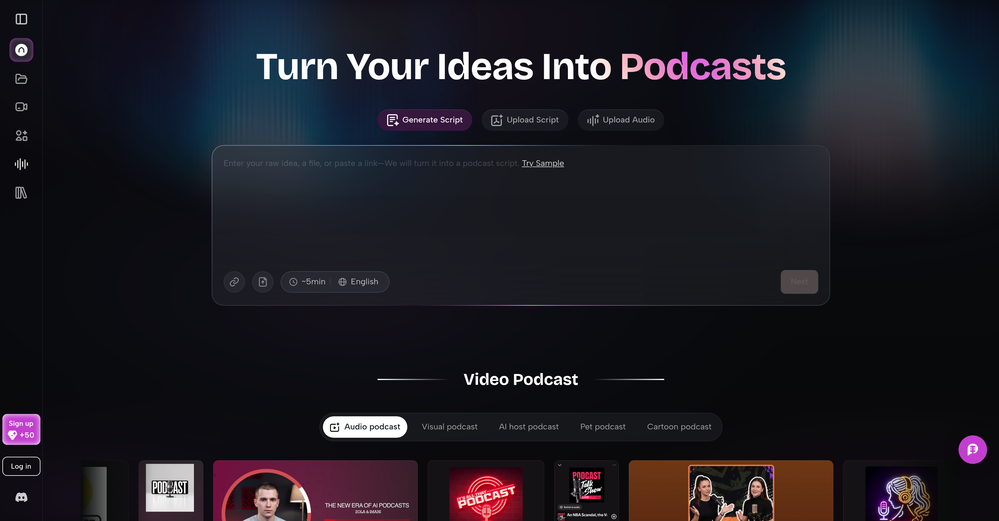 As a student, I regularly work with research papers and long PDFs. PodcastorAI has been a helpful way to turn that content into something I can listen to while commuting or walking. I like that it creates a structured podcast rather than simply reading the text aloud. The dialogue format is surprisingly engaging and makes dense material easier to get through. I still rely on the original documents for deeper study, but for review and knowledge retention, it's been a genuinely useful tool.
 -
-
-
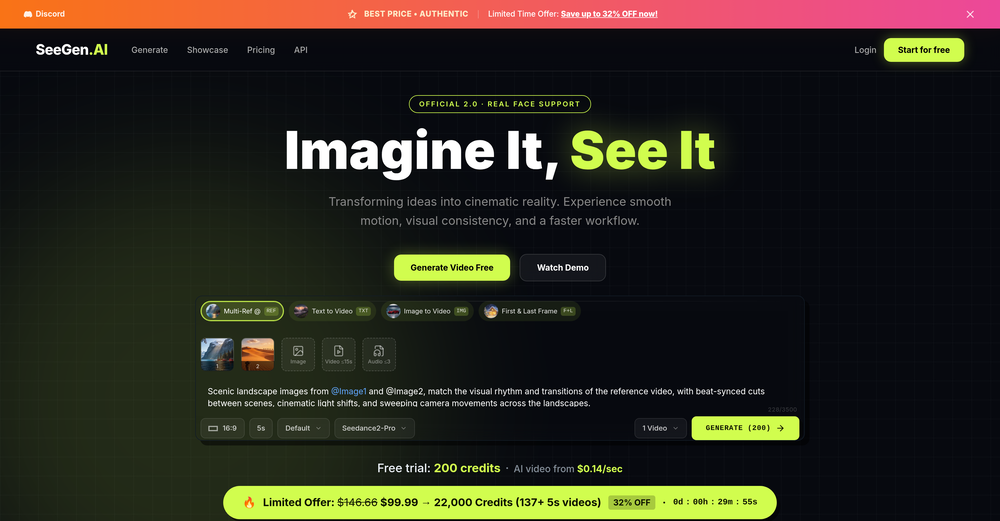 I tried testing Seedance 2.0 on several platforms, but most of them required a membership upgrade first — even Dreamina. SeeGen AI offers a free trial, and that’s the main reason I recommend it.
 -









Verified tools
-
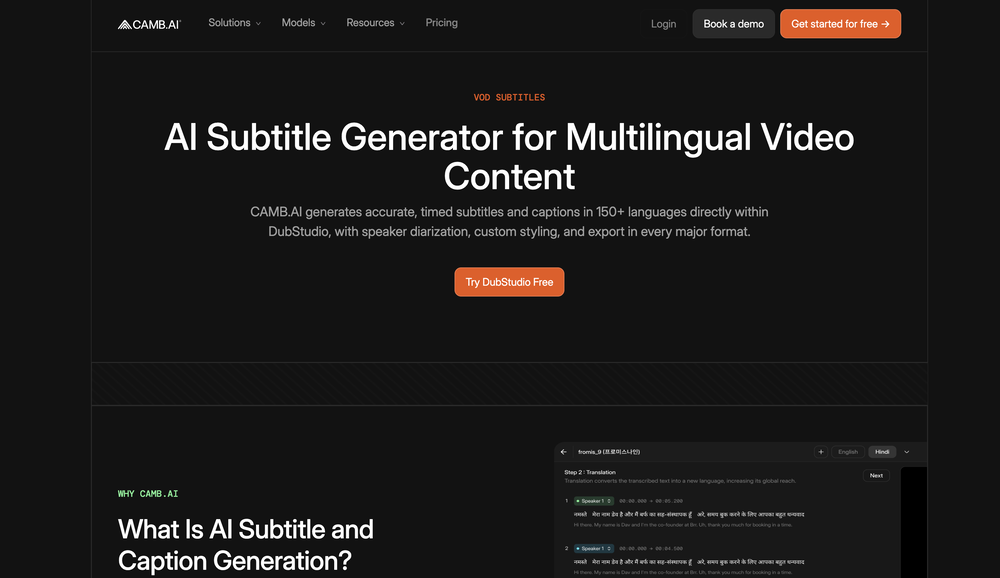
Generating captions was super fast like seconds. Wish they had Anton font though
-
 Generate custom copyright-free music that fits to your video automaticallyOpen-Complete redesign with the new AI Soundtrack experience. -Improved soundtrack generation workflow from upload to export. -Better preview and audio controls for fine-tuning your soundtrack. -Numerous performance improvements, bug fixes, and UI refinements.
 - SpotlightSureThing.io - "OpenClaw" for BeginnersTask automation
-
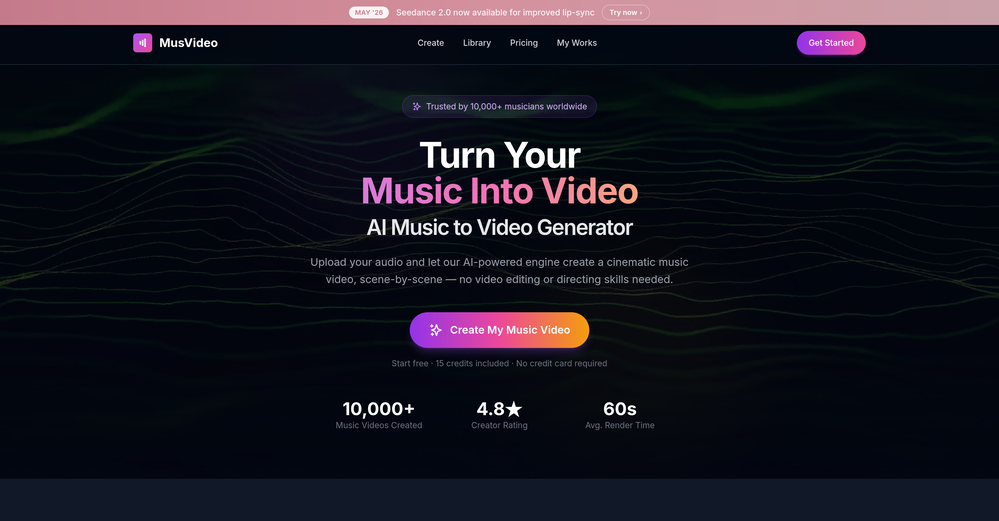
 Turn any song into scroll-stopping videos in minutes with AI-directed scripts andOpen🎬 BeatMV AI Music Video Generator v3.2 — Jul 19, 2026 🎬 BeatMV v3.2 — Product Update Two new flagship image models and per-scene sound design — paint every frame and give every shot its own atmosphere. ✨ New Features 🎨 FLUX 2 Max + Midjourney Two new image models join the lineup. FLUX 2 Max (reference-aware, 5 credits) keeps your characters and references consistent; Midjourney (8 credits) brings its signature painterly look, with prompts auto-cleaned so they pass moderation. Available in Fast, Script, and Custom director modes. 🔊 Per-Scene Sound Design Each scene can now generate its own ambient sound and effects (via MMAudio), matched to what's happening on screen — footsteps, rain, room tone — mixed into your final export for a richer, more cinematic soundscape. 🔧 Improvements & Fixes 🧹 Leaner, Stronger Model Roster Retired underperforming models (NanoBanana 2, SeedDream, Vidu basic) and repointed defaults to higher-quality models for more reliable results. 🎤 Lip-Sync Heads-Up Generating a singing or dancing shot with a non-lip-sync model now shows a quick warning so you can switch models or continue — no more surprise mismatches. 💸 No Double Charges on Regenerate Regenerating a scene now refunds the credits from a failed previous attempt, so retries never cost you twice.
 -
 Transform your music into stunning visual experiences with AIOpenThe generation effect is good, the pictures are exquisite, and the transition animations of the pictures are smooth The only drawback is that it would be better if the generation time were a little faster
 -
 Instantly create professional screen recordings in perfect English.OpenHi folks - I'm Charles, the founder of Wizardly. I built this app to help marketing, product, and sales teams instantly create polished product videos without requiring expensive professional video editing. Try it out to see how to turn a quick screen recording into professional, customer-ready video today. We have lot's of cool features in the pipe but feel free to share feedback and suggestions once you give the app a spin! 🙏🏻
 -
-
The "Lion and Sun" symbol is seen on streets where protests are underway, fires are spreading, and the nation has risen up for freedom.
-
 Convert IG Reels into text with 99.9% accuracy.OpenI hadn't come across this tool until just a few days ago, when I spotted it on TAAFT. It was truly a pleasant surprise; the development team genuinely offers their services completely free of charge—a remarkably generous approach compared to other tools. It saves both time and money. My sincere thanks to the development team for creating such an excellent tool.
 -
 AI-powered YouTube thumbnail maker for click-ready designs.Open
 -
-
 Open
Open -
CreatOK is an AI-based video generator designed for TikTok e-commerce. The tool allows users to create original sales content and mimic viral content with ease. It excels at transforming product photos and descriptions into engaging videos optimized for TikTok. Also, it offers the option to generate videos from scratch by inputting product information for AI to create high-quality sales videos or replicate popular trends by uploading a viral video.
-
I was skeptical about the "one-click video" claim, but I gave TemVideo a shot for a new product I'm testing. The biggest headache with AI video tools is usually the prompt engineering—you spend 30 minutes typing descriptions just to get a weird-looking hand. TemVideo completely bypasses that. My honest take after using it: The "From Raw Footage" feature is the real MVP. You know those random 10-second clips you take on your phone just to check lighting? The AI somehow turns those messy scraps into coherent ads. It’s almost spooky how well it edits around the product. It’s built for speed. If you are a dropshipper who needs to test 5 different products today, this workflow is unbeatable. Upload, click, done. I had an export ready faster than I could find a coffee. Multi-language is a bonus. It’s smart they included localization. If you sell globally, having the AI handle the lip sync and narration in different languages from one workflow is a massive time-saver. Best part? The built-in "Viral Hooks" library. It takes the guesswork out of what text to put on screen to stop the scroll.
-
I paid for the subscription and the video generation has failed. I found no way to access support and the site says no refunds allowed. Hoping to find some help on here with this and I revisit my review
-
Great platform to increase your productivity. The infographic generator is my favorite tool.
-
 Convert YouTube videos to text with 99% accuracy.OpenI’ve used Riverside before and it’s a really solid tool for recording and producing high-quality audio and video. If you’re looking for a YouTube transcript generator, I’ve also been using Saveto AI. It’s been pretty handy for turning videos into clean text and quick notes.
 -
-
 Open
Open -
I don't know how to use it because it's difficult to use
-
I’ve been using this tool for a while, and it’s made a huge difference. I now create 40–50 reels a month in half the time. It helps me generate videos automatically with realistic avatars, create images, edit clips easily, and see which types of content perform best. It really feels like having a creative team by my side.
-
It's simple and easy to use. There are multiple AI models to choose from. The veo3 model produces very good videos with natural sound and is attractive. There are also economical and affordable AI models that also produce good videos.
-
Great that you like it! Due to a lot of abuse, we had to disable exports in the free trial. We do have a 14 day money back guarantee for one-time licenses, so you can try out all the features.
-
Amazing tool! Just started working on my videos and I’m loving everything RenderCut offers. It’s super easy to use and saves me a ton of time with subtitles. 5 tacos, no doubt!
-
 Open
Open -
 Transform YouTube videos into polished documents and quizzes.OpenSuper helpful tool for content creators like myself. I have a Patreon where I give my Patreons quizzes and video summaries based on my YouTube video and this website speeds the whole process up tremendously.
 -
Waitlist
 OpenWorks better than expected honestly, they somehow managed to always crop the part where the action happens
 -
-
-
The workflow is straightforward, the output quality is clean, and it’s especially useful for marketing videos, product demos, and social media content. Overall, it’s a solid AI video generator that saves a lot of time. Highly recommended.
-
 OpenA1: Transform text into stunning visuals. Simply describe your scene, and watch as the AI crafts vibrant images. Turn imagination into reality with this intuitive, powerful image generator. Video
 -
Amazing and very fast. 300 free credits a month is actually generous. Recommended!
-
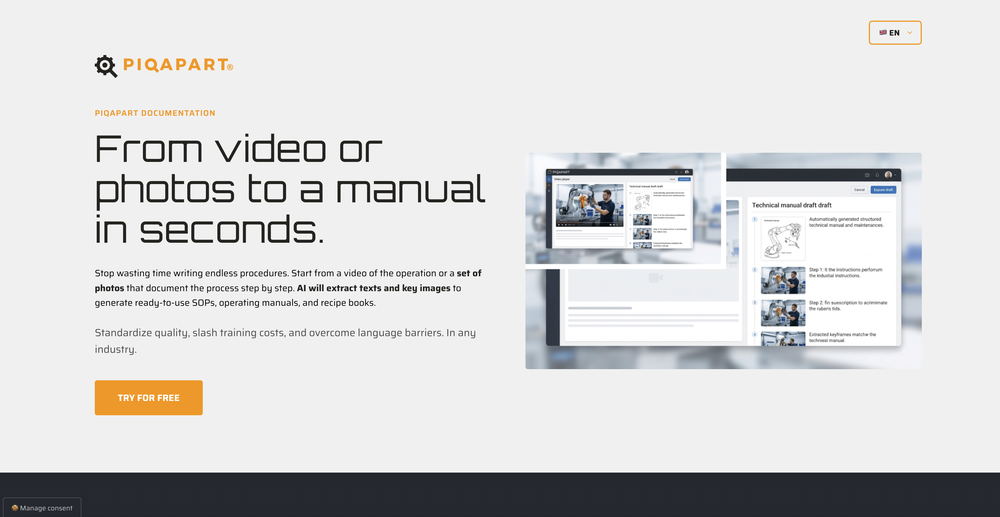
 Transform static images into animated videos instantly.OpenHi everyone! I'm the creator of AI Video Maker. It's completely free to use and doesn't require any signup. You can instantly generate unlimited 5-second AI videos from text or images. Great for testing ideas before upgrading to HD or commercial plans. Excited to see what you all create!
 -
-
-
 Turn scripts into creator-style videos instantly.OpenI built this because I had a spare RTX 5090 sitting idle and friends in e-commerce kept telling me UGC videos were too expensive. Most AI UGC tools cost 80 to 110 dollars a month, about 10 dollars per video. My prototype can already create 3-minute videos, but it takes almost an hour on one GPU, so I limited the public version to 30 seconds while I scale to 4 GPUs. Would love feedback on the best pricing model and go-to-market.
 -
I’ve found Jogg.ai to be super convenient, especially for creating short ad videos for products! If you haven’t tried it yet, you should check out this tutorial: https://www.jogg.ai/blog/4-steps-to-create-your-product-video-ads-in-minutes/
-














































Other tools
-
I just used LumiClip to make clips from my long podcast video and Im so amazed how it differs from other ai video clipper tools like Opus or vizard, It does the highlight finding very well and reframe comes our so clean with no editing required. Only thing i would suggest is adding b-roll videos to clips automaticaly.
-
 Create AI-generated content for events and webinars.Open
 -
 Remove background noise from any audio or video, free to preview.Open
 -
 Convert YouTube videos to text fast and freeOpenHands down the best ai tool for content creators. Their free YouTube transcriptor is always on point
 -
- Didn't find the AI you were looking for?
-
it's a must-have for optimizing video ad strategies. Highly recommended for staying ahead in the digital landscape.
-
AutoEditor is a tool powered by AI that allows users to create highly customized short videos. It is primarily designed to make video editing easier and more efficient, thus enabling users to focus more on content creation. Distinct features include the automatic generation of subtitles in more than 40 languages, detection of silence or non-relevant content in videos, and the ability to enhance videos by adding b-rolls, watermarks, and other effects. The platform provides an easy-to-use interface for video editing, putting users in complete control of their content. Users can change text, styles, and various other aspects of their videos without prior knowledge in video editing. Furthermore, AutoEditor supports editing of long videos, which can be broken down into smaller parts without pre-cutting them. Videos for editing can be directly processed from YouTube, eliminating the need for separate downloading websites. Users can also customize their captions, save their unique styles as presets, and create videos with a few simple clicks for a fast editing experience. AutoEditor's pricing is designed to be simple and affordable, with plans tailored to suit different needs. Users can also access a free tier to get started. Flexibility is one of its key advantages, providing users the means to edit their videos exactly how they want them. The software works best with videos containing any type of voice or talking, such as podcasts, talk shows, documentaries, educational videos, or speeches.
-
-
Glitched output at best, that can’t even be exported unless you pay.
-
It's good for me to make my videos into different languages.
-
-
-
-
cant test before i pay. autocut doesnt work,but i can install it and watch that it doesnt work autopod cant do it
-
It doesn't create the subtitles and it doesn't let you upload them. You can only create them manually
-
kaspersky notified me of this platform when I registered it leaked personal data, ip history, name, password, email address.
-
It translateed quite well my video and easy to use and edit. PLus the free version is good to hava a first try
-
Really useful for podcast work. the transcription is accurate and speeds things up a lot.
-
-
-
Incredible generation quality, truly impressive!
-
-
Try making a product for other devices as well. Not everybody desires to be in the I-Cult.
-
-
So right away, when you go to their site, it allows you to create a video. I punched in a short sentence about Hannahbelle And Tami, 2 women in pink ski masks that rob a bank and get away in a pink dodge charger, a recurring theme in many of my AI Generated tests. I didnt expect too much but i have to say, while I would have liked to have more control over the voiceover, and perhaps some of the images used, it wasnt bad for just going to the site and really without even signing up, getting a demo of what the site is capable of. The features are...few...but there is potential. No free tier, but you do get one free video. With little to no editing or manipulation available, the prices seem high. Also, not sure if you can change this, but the voiceover is auto-captioned inside the video.