
 Mini tools
▼ Popular
Content-interpretation
Free mode
100% free
Freemium
Free Trial
Featured matches
-
 Open
Open P A🙏 4 karmaJan 14, 2026@TubeYakkerTubeYakker matches how I already use YouTube. Saving things for later and processing them bit by bit. The UI is pretty minimal, which I like, though it took me a minute to understand the intended workflow. Keep it up ;-)
 -
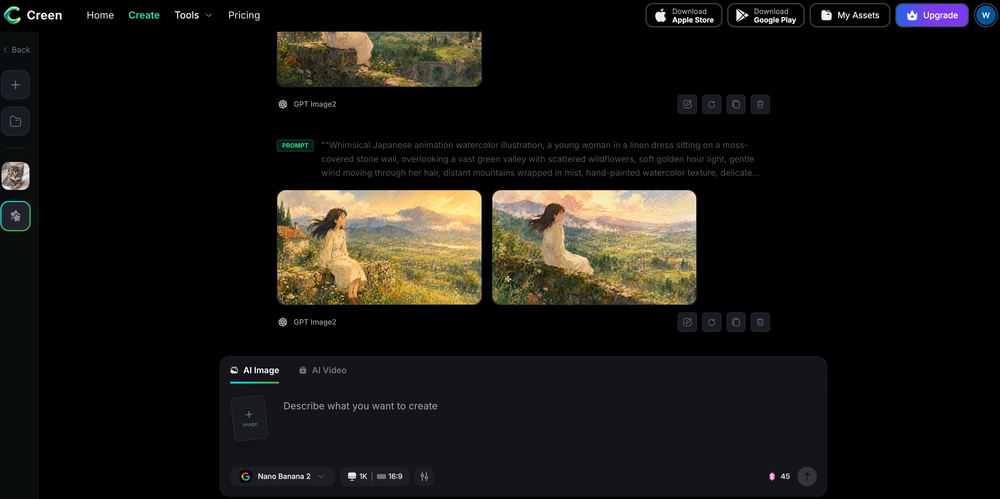 Works wonders for anime, has me taking it in consideration for a tool rotation.



Other tools
-
They're dreaming if they think I'd give them my credit card info just for a free trial. Most useless thing ever...
-
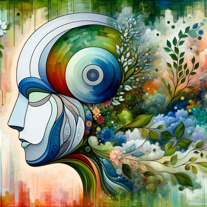
Needs to learn about different art schools, imo: doesn’t seem to understand the concept of cubism.
-
Speed is amazing ! I will definitely utilize the tool in the future for film generation
- Sponsor
 MongoDB - Build AI That Scales🗄️ Database
 -
-
v03 ai is the only veo 3 videos generator supporting vertical videos for instagram, tiktok and other social media platforms, try it now!
-
For now the best browser based AI scraper i have ever used.
-
-
Says you can have 3 free per day without logging in, but wanted to charge for my first use
-
I have kept a free tier so everyone can still use SnapSummary. After working full time to build it and running it at a loss, I had to switch to freemium to keep it going and continue improving. :)
-
 Detect AI-generated content with free online toolOpen
 -
YouTube to Doc is freaking awesome! Total lifesaver for turning videos into text. Just paste the URL → boom, you’ve got a doc. Perfect for notes or quotes. 10/10 recommend!
- Didn't find the AI you were looking for?
-
-
i created infinite data storage using this app thank to for your amazing application!
-
-
Pretty good story script, but there is a lot of repetition, both of what was written, and what's come before. Doesn't progress the plot thread on it's own.
-
Fantastic and easy way to develop a concept or idea
-
 Create stunning hand-drawn flowcharts from text instantly.OpenI use AI Flowchart Generator to create flowcharts for my blog posts. It’s incredibly easy to use and saves me so much time. Now, I can turn my text to flowchart and make my posts more interesting and helpful for readers!
 -
Heya Tech! The app used to be free, but it looks like it’s been updated to a paid only plan starting at $12.95 per month.
-
They couldn’t generate zebras without their stripes on 3 separate tries. That’s basic f-ing shit.
-
 OpenI tried using it twice at different times but it didn't work.
 -
Not bad at all. However, it could use some UI enhacements. Also, some documentation would be nice. Overall, not bad at all
-
It fetches the picture location and uses that information to generate relevant hashtags. If there’s text inside the picture, it parses it and uses it for context. Recommended
-
Hey Cherryl, seems to be working just fine for me, can you give it another try?
-
I'd love to help you breathe some life into your article about the benefits of exercise. To get started, could you share the text with me? That way, I can get a feel for your writing style and the tone you're aiming for. Also, just to clarify, are you looking for a casual and conversational tone, or something more professional and informative? Any guidance you can provide will help me tailor the rewrite to your needs. Please go ahead and share the article, and I'll do my best to make it engaging, easy to read, and true to your original message. (If you have any specific instructions or a preferred tone in mind, feel free to let me know and I'll do my best to accommodate them.)
-
First time I have tried it. I think it is terrific!
-
I recently tried this AI detection tool and it feels very useful. You can try it.
-
clean pics and nice styles, got some artsy results fast. solid for art inspo.
-
Great platform to increase your productivity. The infographic generator is my favorite tool.
-
 Open
Open -
 Opentried it and skimmed a bunch of entries on dreams, animals and numbers. The write-ups tie symbols to headspace in a way that actually gets you thinking, a little horoscope-y at times but I still pulled a few solid lines for my journal
 -
-
Either I write like AI, or this tool is really bad at telling the difference. I question these detectors, especially when you give them something you know you wrote and they claim it is 80% AI-generated. I tested it by pasting in something I wrote entirely on my own, without using AI. I didn’t even proofread it, just ran a basic spell check, and that was it. The tool still claimed that 80% of it was written by AI. Then it rewrites the supposedly “AI-generated” text using AI, which essentially makes it AI-written. 😆 That’s kind of a weird concept.
-
 Turn any input into serene impressionist paintings.Open
 -
 Open
Open -
 Generate descriptive alt text for images using AI.Open
 -
 Automatically describe images in detail in a friendly tone.Open
 -
 Summarize research topics, methods, and conclusions of your paperOpen
 -
 Analyzes ads and data with expert feedback.Open
 -
 Open
Open -
-
 Open
Open -
 Guiding entrepreneurs through 'The Power of Manifestation' with AI.Open
 -
 Creating captivating, SEO-optimized e-commerce product descriptions.Open
 -
 Your world is a book of poems - upload a photo to begin reading.Open
 -
 Creating compelling titles for Instagram postsOpen
 -
 Open
Open -
 Generates detailed, SEO-optimized listings from images or text.Open
 -
 Analyzing your report text based on data usage manuals in journalistic texts.Open
 -
 Open
Open -
 Open
Open



















































































































Post





